

TAGGED: fluent-cfd-post
-
-
August 5, 2020 at 12:34 am
jil260
SubscriberHi,
My project is a water entry problem as seen in the attachments. I want the pressure contour plot of water volume only like the third picture. But, traditionally, the contour plot can only show one characteristic one time. Thanks in advance.
August 5, 2020 at 12:58 amKarthik Remella
AdministratorWhen you plot the contour, can you try and use the 'Clip to Range' option? Please see the screenshot.n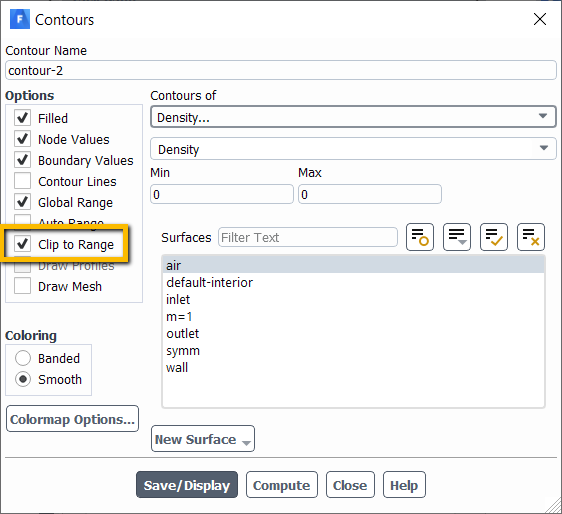 nPlease see if this works for you.nThanks.nKarthikn
August 7, 2020 at 3:08 amSubscriber
nPlease see if this works for you.nThanks.nKarthikn
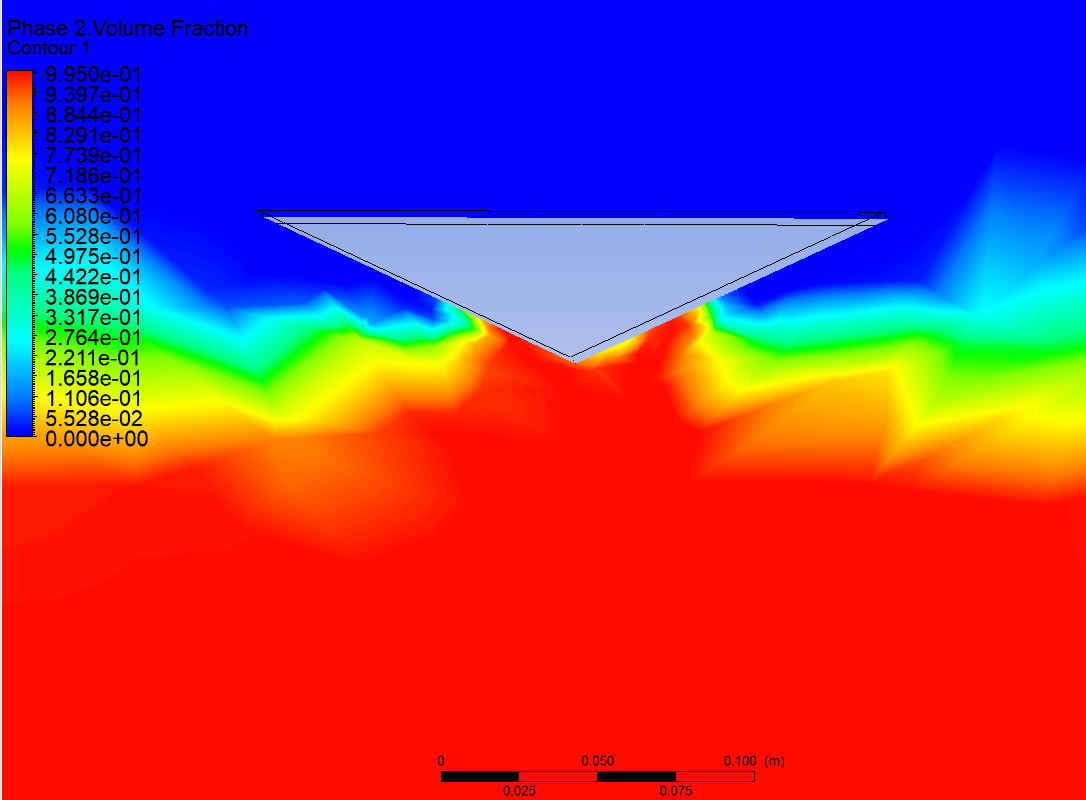
August 7, 2020 at 3:08 amSubscriber I am used to doing a contour plot in the Postprocessing as you can see in the picture. I clipped to the range but nothing changed.n
August 7, 2020 at 12:48 pm
I am used to doing a contour plot in the Postprocessing as you can see in the picture. I clipped to the range but nothing changed.n
August 7, 2020 at 12:48 pmAmine Ben Hadj Ali
Ansys EmployeeMy colleague was showing the way to do in Fluent. To avoid any misunderstanding you need to provide the software you are using when raising the question.In CFD-Post: same can be done and that is the right option. You just now need to provide the range to which the field should be clipped. For now it is using the default global range.nViewing 3 reply threads- The topic ‘How to show volume fraction and pressure at the same time in Fluent Postprocessing’ is closed to new replies.
Innovation Space Trending discussions
 Top Contributors
-
peteroznewman
 4803
4803 -
scabo
 1582
1582 -
Dennis Chen
 1386
1386 -
javat33489
 1242
1242 -
Shyam Prasad V Atri
1021
Top Rated Tags
© 2026 Copyright ANSYS, Inc. All rights reserved.
Ansys does not support the usage of unauthorized Ansys software. Please visit www.ansys.com to obtain an official distribution.
-


The Ansys Learning Forum is a public forum. You are prohibited from providing (i) information that is confidential to You, your employer, or any third party, (ii) Personal Data or individually identifiable health information, (iii) any information that is U.S. Government Classified, Controlled Unclassified Information, International Traffic in Arms Regulators (ITAR) or Export Administration Regulators (EAR) controlled or otherwise have been determined by the United States Government or by a foreign government to require protection against unauthorized disclosure for reasons of national security, or (iv) topics or information restricted by the People's Republic of China data protection and privacy laws.

 You are navigating away from the AIS Discovery experience

