-
-
May 30, 2018 at 8:41 pm
José Mantovani
SubscriberHello everyone!
I calculate a transient flow and I get 200s of flow.
I create a animation video type time step of this flow, choosen the first to last step (all time steps), but the video have just 5s. Why? What can I have gone wrong? I using the CFD Post...
Thanks all!
-
May 31, 2018 at 11:05 am
Vishal Ganore
Ansys EmployeeHave you loaded all the transient solution data files under CFD post? How many time steps do you see under time-step selector?
-
May 31, 2018 at 2:57 pm
raul.raghav
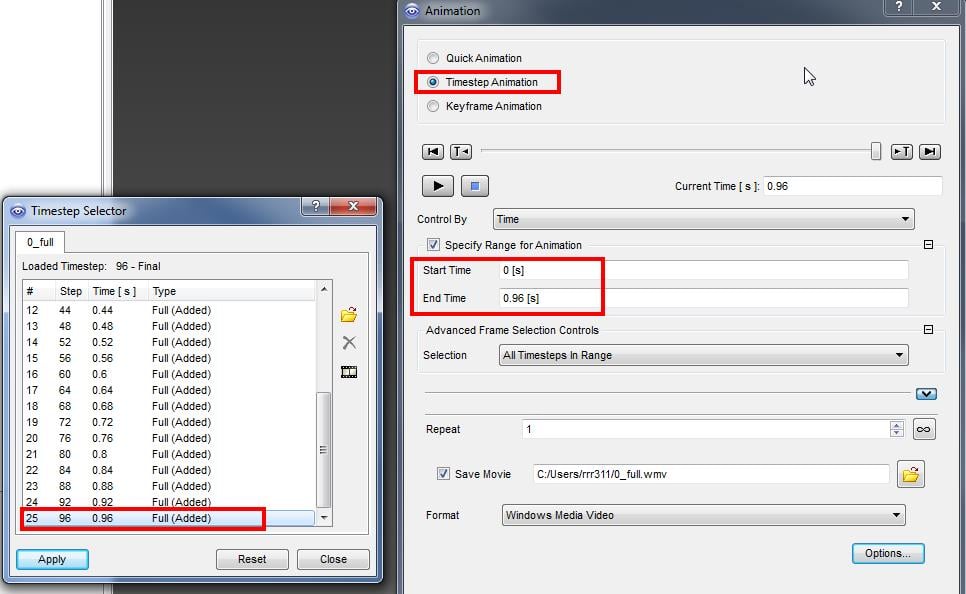
SubscriberMantovani, please refer to the following screenshot if you're using Timestep Animation
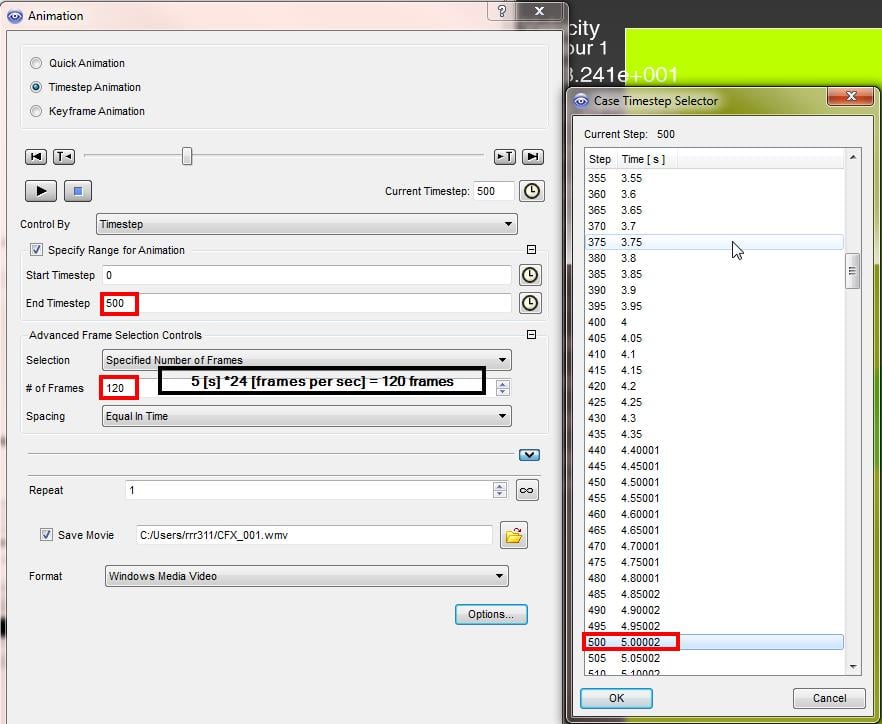
If you're using Keyframe Animation (the default setting is 24 fps), please refer to the following post:
-
May 31, 2018 at 10:59 pm
José Mantovani
SubscriberHello Rahul and Vishal, thanks for the greatful help!
So Rahul, I open again the CFD Post and I used the setting as control by Timestep. Now I use in the same way of screenshot above and set control by time. I stay waiting some minutes for it's run and I see what I get.Â
Thanks one more time!
Mantovani.Â
-
June 1, 2018 at 12:27 am
José Mantovani
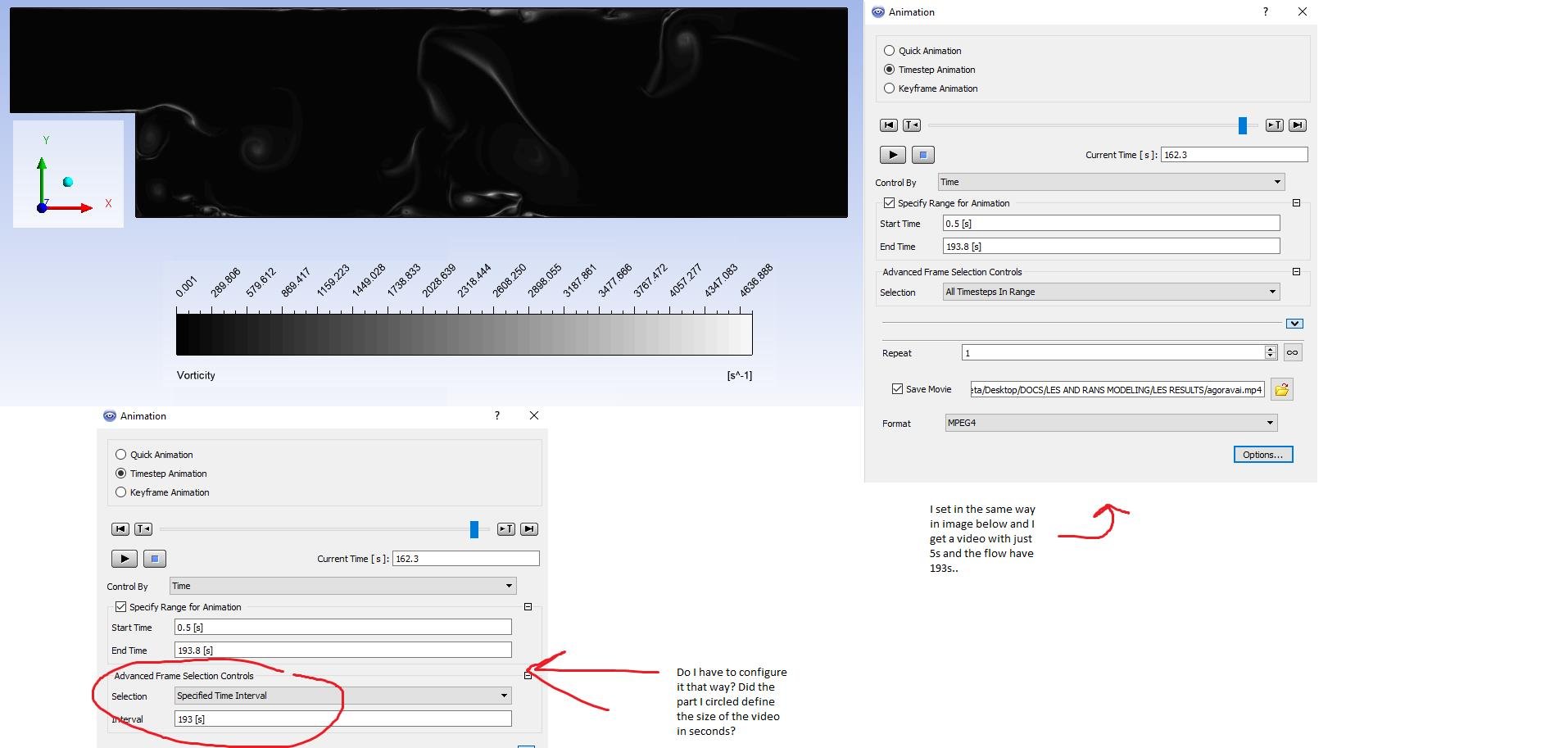
SubscriberSo, Now I get the video with the set in the same way of Rahul's screenshot, but equal before the video just have 5s.Â
Below a image of maybe a solution, I have a doubt... And a contour in a sometime of my simulation, ploting vorticity.Â
For this, I used a steady state first with SST k-omega and second LES model.Â
Thanks!Â
Mantovani.Â
-
June 4, 2018 at 2:48 pm
-
June 4, 2018 at 10:35 pm
José Mantovani
SubscriberThanks Rahul, I will try do this! I warning you, if it works.
-
- The topic ‘How to setup the Time step animation correctly?’ is closed to new replies.

-
4838
-
1587
-
1386
-
1242
-
1021
© 2026 Copyright ANSYS, Inc. All rights reserved.