Ansys Assistant will be unavailable on the Learning Forum starting January 30. An upgraded version is coming soon. We apologize for any inconvenience and appreciate your patience. Stay tuned for updates.
General Mechanical

General Mechanical

Topics related to Mechanical Enterprise, Motion, Additive Print and more.

How to set up hinged support?

    • Dan s
      Subscriber

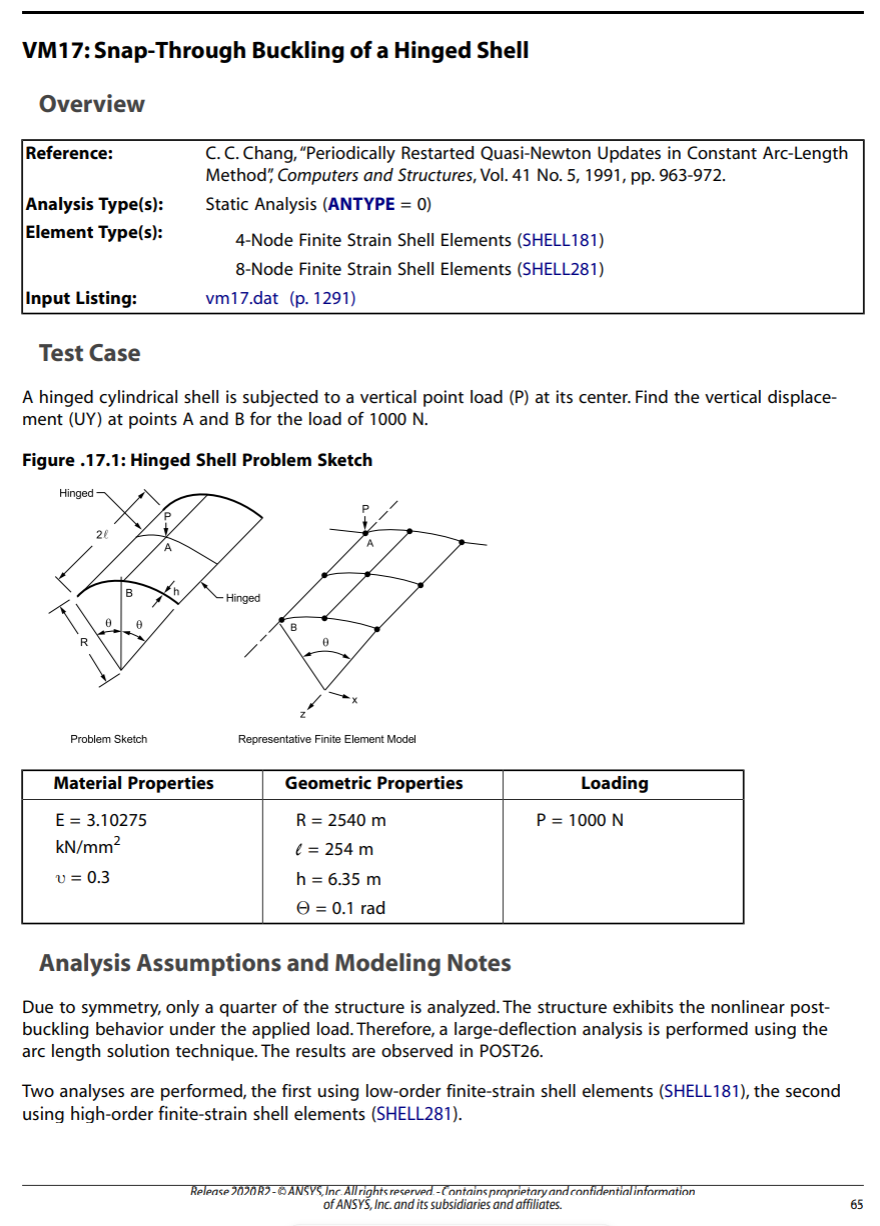
      Hello I am working on VM17 and I have set everything up according to the image. Below

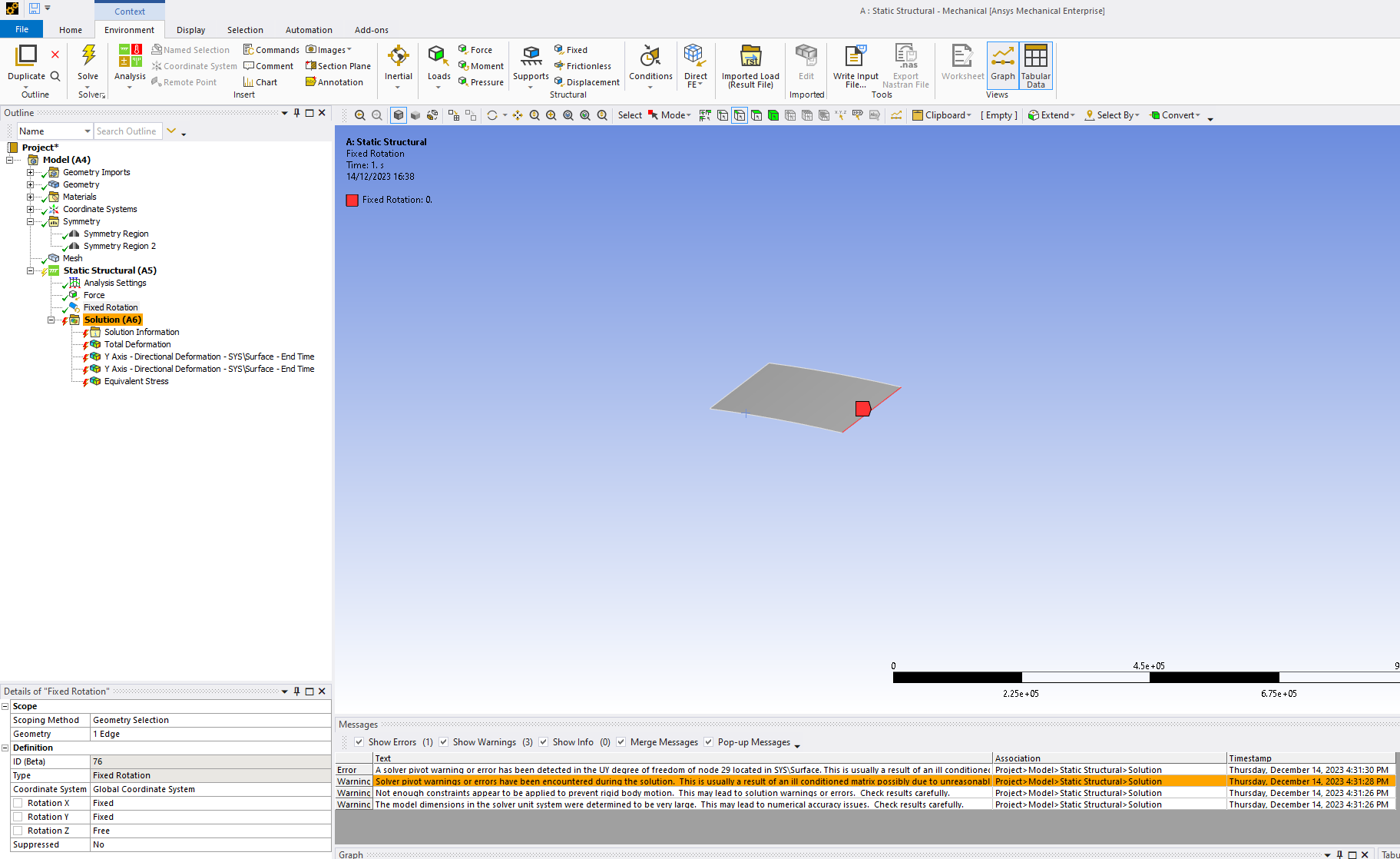
      However I am having trouble setting up the hinged support. I was told by my teacher that I needed to use "Fixed Rotation" which I added and set the Rotation of Y,X to fixed and left Z free. However I am getting an error saying there arent enough constraints. Any advice on how to set it up correctly? I tried adding various supports to the edges, but i am just unsure on how to set it up.

    • ErKo
      Ansys Employee

      Hi

      See that vm17 example in our help and the commands used (D command) - hinged supoort is all rotations free, and displacements UX=UY=UZ=0.

      All the best

      Erik

    • Dan s
      Subscriber

      Hey Erik, i am not sure what you exactly mean. Could you elaborate more?
      Thanks

      • ErKo
        Ansys Employee

        Hi

        I will try to explain even more in detail.

        Let’s start from the beginning.

        Shell elements so the ones you use now in workbench mechanical, are called shell181(4 nodes/element) or shell281 (8 nodes/element).

        They have by default six degrees of freedom at each node: translations in the x, y, and z directions, and rotations about the x, y, and z-axes.

        So a hinged support as seen in vm17 example, has on the hinged edge, the translations in the x, y, and z directions = 0 , and free rotations about the x, y, and z-axes.

        To create that hinged boundary condition (BC), you pick that edge and insert a Displacement BC,  and set X, Y, Z Component = 0. See here how to set up such a displacement BC. /courses/index.php/courses/high-resolution-fe-model-of-bone/lessons/physics-setup-lesson-5-14/topic/4-boundary-conditions/

        So, that is how to set that hinged support up.

        To close of this post, in your model you have a Fixed Rotation BC. You need to remove this Fixed Rotation. Now you might as why? Because as we said, on a hinged edge all rotations about the x, y, and z-axes are free.

        Erik

Viewing 2 reply threads
  • The topic ‘How to set up hinged support?’ is closed to new replies.
[bingo_chatbox]