-
-
March 29, 2023 at 8:21 am
20217579
SubscriberHello, I have done a 3-point bending simulation of a composite and now I want to optimize the number of layers by using direct optimization. During the initial simulation, I changed the 3 contacts to frictionless (two) and frictional (one) but the contact settings in the Static structural module are not updated during the optimization runs and it is updated as bonded contact during the optimization. I want to know if there is some method through which the initial contact settings are not changed during the optimization runs. Thank you.
-
March 31, 2023 at 1:49 pm
Markus
Ansys EmployeeHi Abuzar,
thanks for your question. But your point is not fully clear for me, so I´d like to ask some questions:
Do you have a running optimization and try to change the structural model (contact) during that run?
Or do you want to parametrize the contact types in the optimization run?
If you can provide some pictures, this would also be helpful to understand the issue.
Best regards,
Markus
-
April 3, 2023 at 1:14 am
20217579
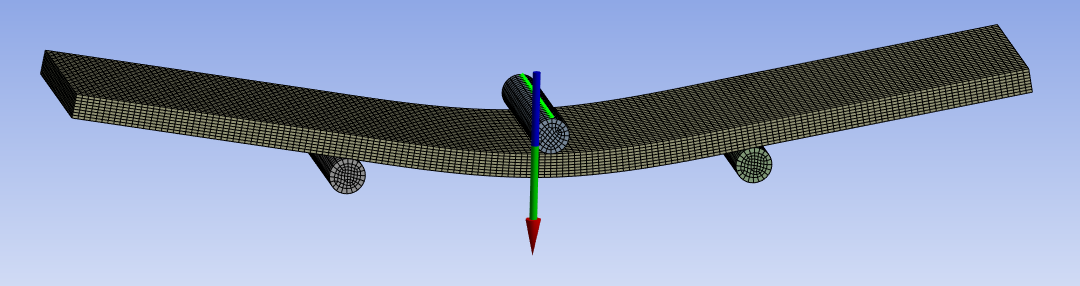
SubscriberHello, Thank you for your time. As you can see in the image above, I am trying to simulate a 3-point bending test and I want to maximize the reaction force using direct optimization by giving material type as an input. As you can see there are 3 contacts, one load, and two supports. I change these contacts to frictional load and two frictionless supports before running the simulation as shown below in the picture.

After that, I run the optimization and when it finishes it gives me very high values of reaction force. Upon checking the tree in static structural I cam to know that the connections are changed to bonded contacts and not to the ones (One frictional load and two Frictionless supports) I kept at the time of the first simulation as shown below in the picture.
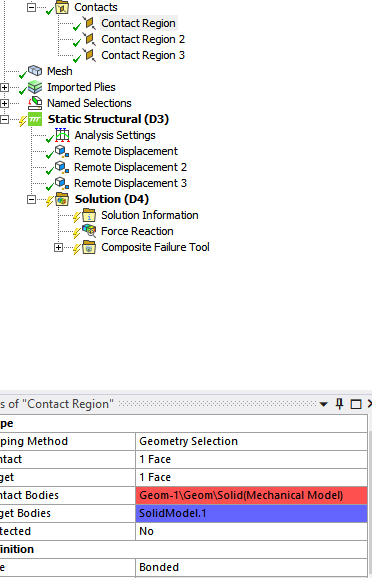
So I wanted to ask if there are any settings that I can choose that will not change these contacts. Thank you.

-
April 3, 2023 at 7:25 am
-
April 3, 2023 at 8:05 am
20217579
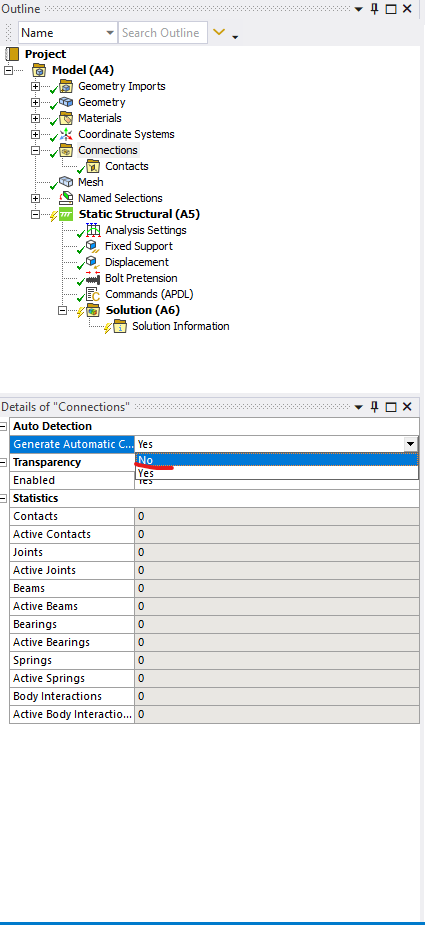
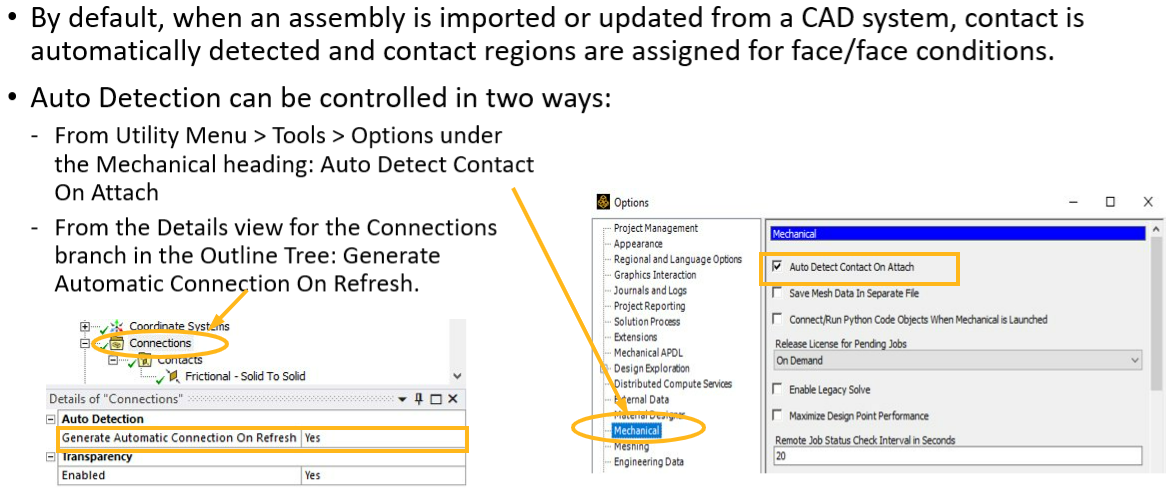
SubscriberYes, I already did that. When I change to automatic, it generates bonded contact as I mentioned above. This solid model is actually a composite designed in ACP Pre. It comprises two materials, each with 4 layers (A total of 8). I want to optimize the stacking sequence for maximum reaction force using direct optimization.
-
April 6, 2023 at 1:19 pm
John Doyle
Ansys EmployeeYou mentioned in an earlier post that you “…want to maximize the reaction force using direct optimization by giving material type as an input”
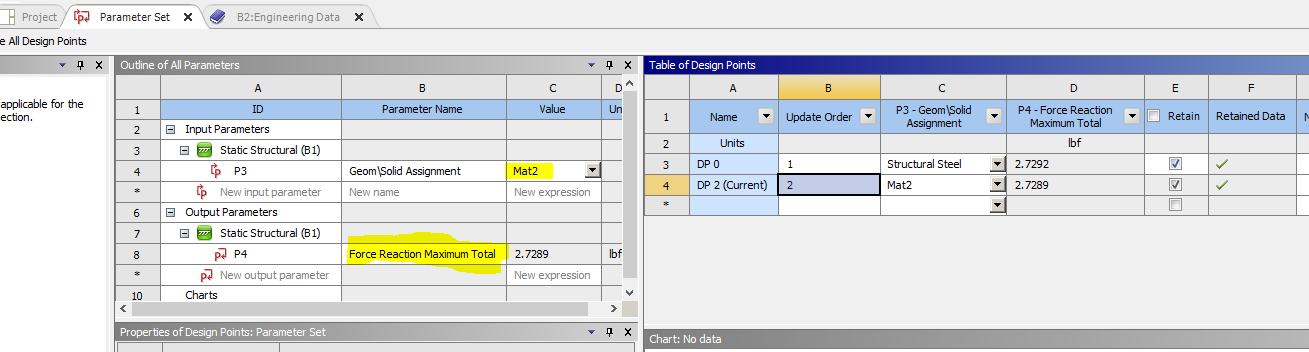
Since your material type assignment would be a fixed integer with a limited number of combinations, can you use WB-Parameter Manager to arrive at the Design Point that gives you max force (as an output parameter).
This should preserve your contact settings.
-
April 7, 2023 at 5:25 am
20217579
SubscriberYes, I tried but again during the simulation for the new design point, the contacts are updated to Bonded contacts. Also, my solid model has 8 layers. And for each layer, there are 2 material options. So Identifying all the design points manually in Parameter Manager is also hectic.
-
April 7, 2023 at 10:55 am
-
April 10, 2023 at 7:34 am
20217579
SubscriberYes, thank you for the info. I want the contacts to remain as I set them i.e. (Frictionless and Frictional) before running my simulation. I get bonded contacts with auto-generating contacts, which is not feasible for my analysis.
-
- The topic ‘How to save contact settings for Direct optimization’ is closed to new replies.
-
6420
-
1906
-
1457
-
1308
-
1022
© 2026 Copyright ANSYS, Inc. All rights reserved.