Ansys Assistant will be unavailable on the Learning Forum starting January 30. An upgraded version is coming soon. We apologize for any inconvenience and appreciate your patience. Stay tuned for updates.
Announcement
The Next Generation of Ansys Innovation Space is Here.
This AI-powered platform delivers a smarter, faster, and more personalized experience for learning, support, and community engagement.
You will be automatically redirected to the Next Gen Ansys Innovation Space (https://innovation.ansys.com) shortly.
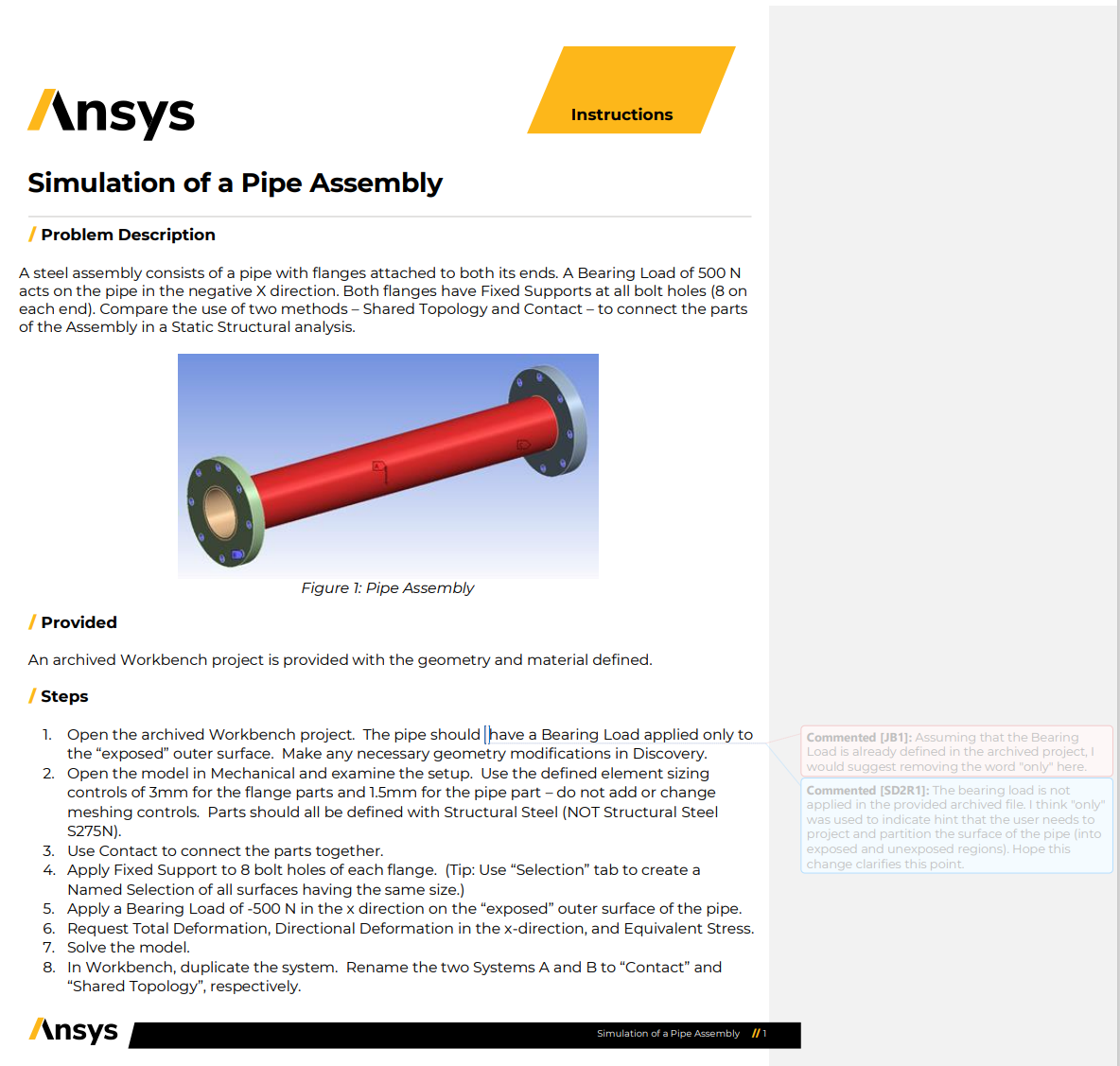
I am currently attempting a simulation tutorial provided in the innovation course.
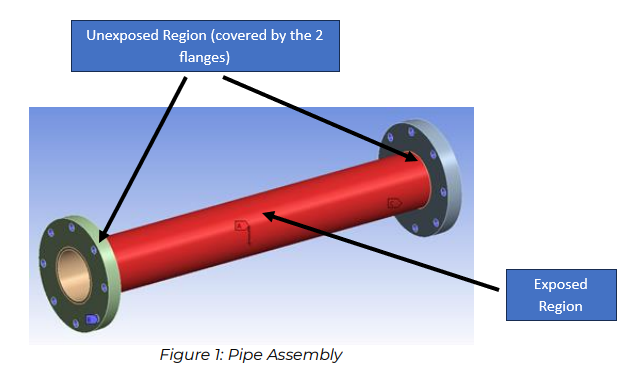
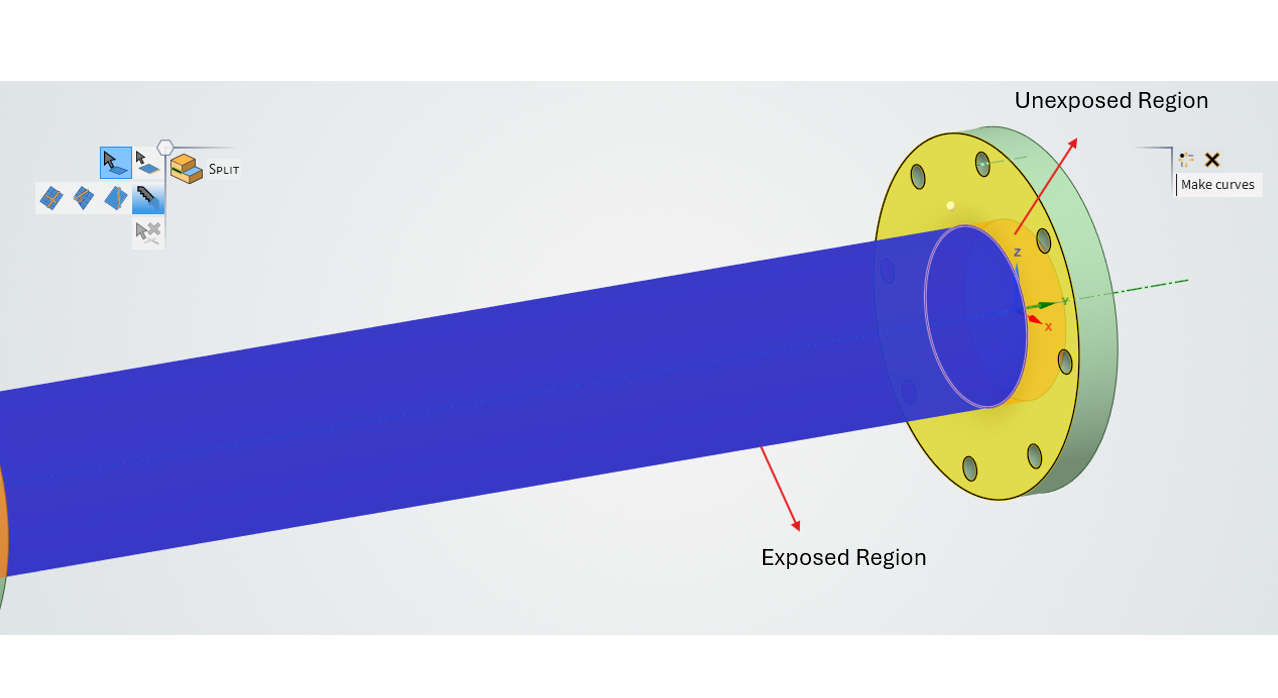
With reference to Step 1, I was trying to comprehend what the question meant by partition the pipe into "exposed" and "unexposed" regions. The image below describe what I think it meant. Thus, I would just need to split this pipe into separate bodies representing the exposed and unexposed regions.
May I clarify that with you? May I also ask for you to provide some suggestions if it is wrong. Thank you.
October 31, 2024 at 12:07 pm
erik.kostson
Ansys Employee
Hi
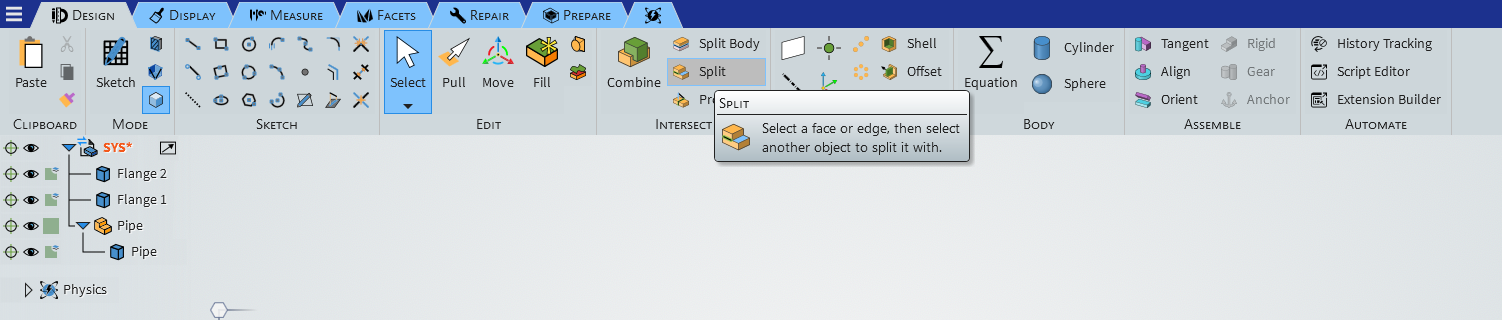
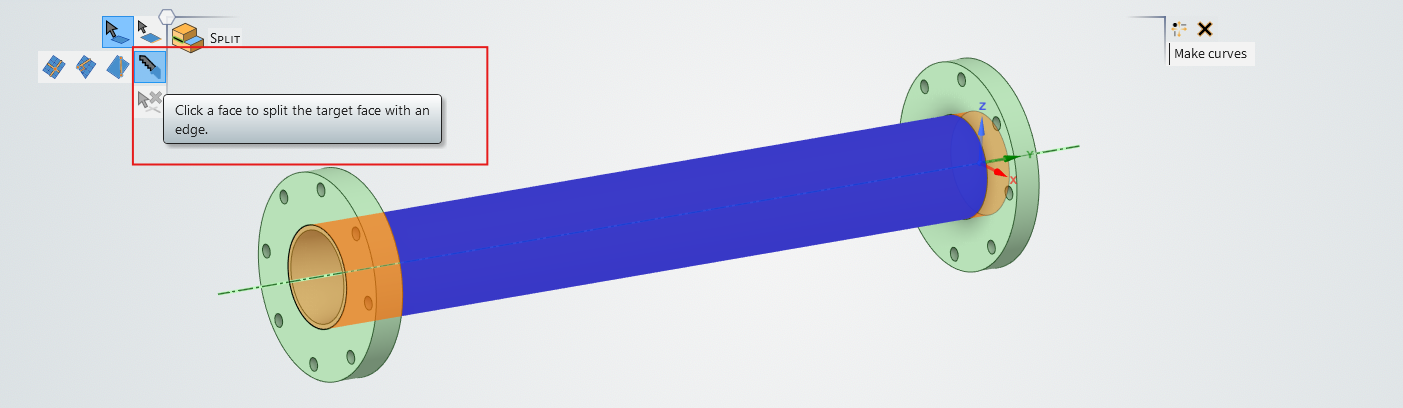
Just use the shared toplogy in spaceclaim and as shown in the video I refered to in previous post – that will create all the face spilts and connect common faces so we get a connected mesh (and so we do not use contacts), and you will be able to select these faces you show. If you still want to split faces (but not merge common ones, so like what share top. does) use the split tool (you can use the flanges to split the outer pipe face):
https://www.youtube.com/watch?v=OPpwS66sciE
All the best
Erik
October 31, 2024 at 12:07 pm
Deepak
Ansys Employee
Not splitting of bodies, you need to split the pipe surface.
Use the Split tool to generate the exposed and unexposed pipe regions.
The Ansys Learning Forum is a public forum. You are prohibited from providing (i) information that is confidential to You, your employer, or any third party, (ii) Personal Data or individually identifiable health information, (iii) any information that is U.S. Government Classified, Controlled Unclassified Information, International Traffic in Arms Regulators (ITAR) or Export Administration Regulators (EAR) controlled or otherwise have been determined by the United States Government or by a foreign government to require protection against unauthorized disclosure for reasons of national security, or (iv) topics or information restricted by the People's Republic of China data protection and privacy laws.
Please Login to Report Topic
Please Login to Share Feed
Edit Discussion
You are navigating away from the AIS Discovery experience
The Ansys Learning Forum is a public forum. You are prohibited from providing (i) information that is confidential to You, your employer, or any third party, (ii) Personal Data or individually identifiable health information, (iii) any information that is U.S. Government Classified, Controlled Unclassified Information, International Traffic in Arms Regulators (ITAR) or Export Administration Regulators (EAR) controlled or otherwise have been determined by the United States Government or by a foreign government to require protection against unauthorized disclosure for reasons of national security, or (iv) topics or information restricted by the People's Republic of China data protection and privacy laws.




















 You are navigating away from the AIS Discovery experience