

-
-
December 2, 2021 at 2:42 pm
Baloch
SubscriberHello every one. I am trying to figure it out how to find the type of element one is using? I comparing two cases which are qqite confusing however, I am using same setting to generate mesh but when I look into solver out put in one case it is showing the element type are SOLID 185 and in other case its showing SOLID 285. Below the mesh setting along with snap from solver out put are also show,
December 2, 2021 at 5:06 pmpeteroznewman
SubscriberSolid285 is a linear tetrahedral element and should be avoided if at all possible. The easiest way to be rid of this element is to set the Mesh Element Order to Quadratic and the elements will become Solid187 which are perfectly acceptable, but there will be a large increase in the number of nodes in the model, so the solution will take longer and require more resources.
Solid185 is a linear hexahedral element and is acceptable for use. If you switch the Element Order to Quadratic, these elements will become Solid186.
December 2, 2021 at 5:42 pmSubscriberHow I can choose Solid185 ? I am just playing between linear and quadratic , Even I am using linear but some times my elements are solid185 and some time 285. Do I need to add a method or change any setting from mesh tab?
December 2, 2021 at 7:25 pmSubscriberIf you use Element Order Quadratic, you will not get any 285 elements.
If you have a pure Hex mesh and no tetrahedral elements, you will not get any 285 elements when the Element Order is set to Linear.
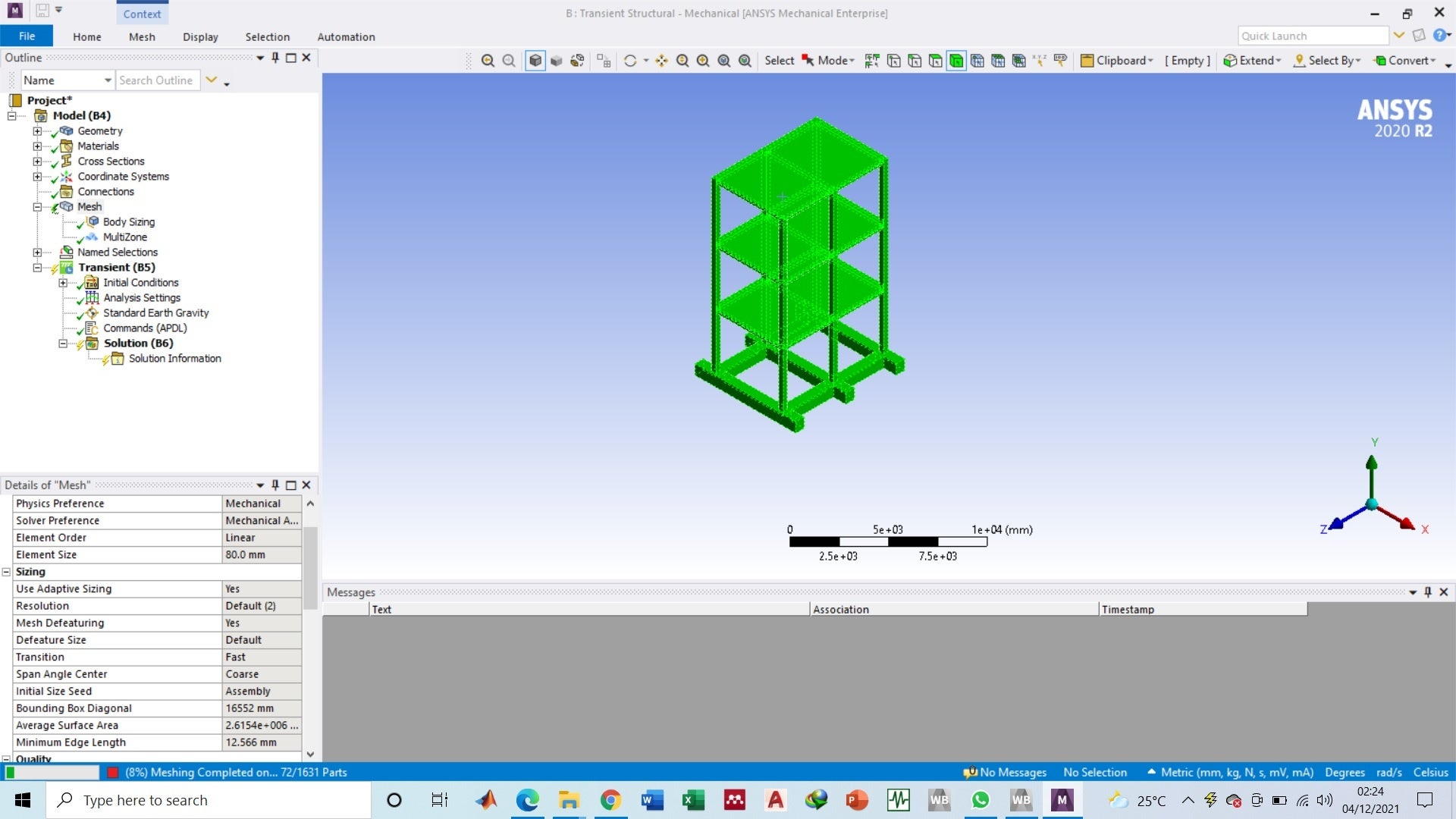
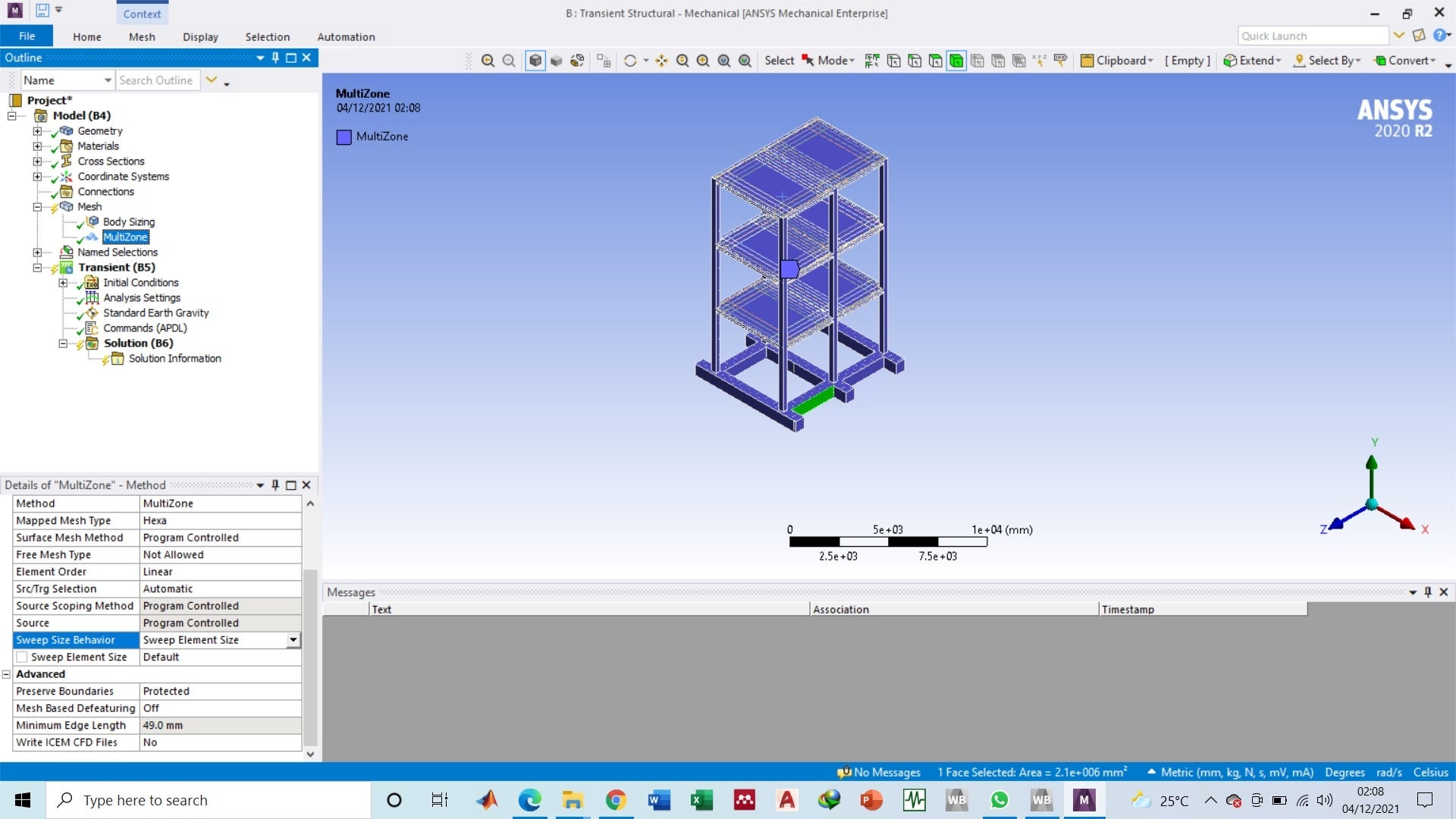
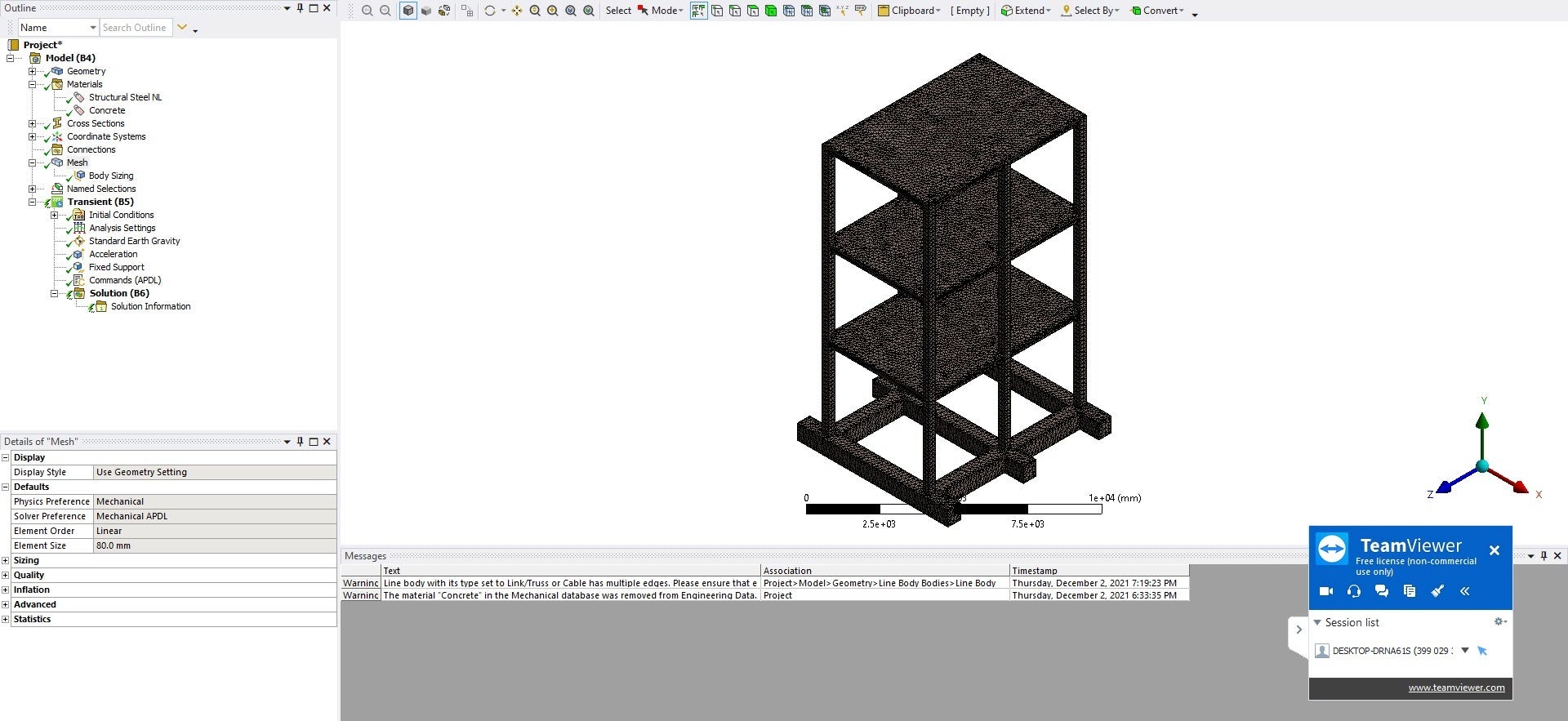
December 3, 2021 at 6:32 pmSubscriberI am setting the elment order to linear always. To make sure a pure Hexa mesh I am using a method-multi-zone for concrete body but always my meshing fails with two error messages.
1)MultiZone blocking decomposition failed.
2)A mesh could not be generated using the current meshing options and settings.
You can also see the setting of my mesh in the attached images.
Any suggestions on this issue?
December 3, 2021 at 6:56 pmSubscriberYou can either take 2 seconds to change the element order to quadratic but pay for longer solve times.
Or you can take 2 or more hours in SpaceClaim slicing the solids that won't hex mesh into six-sided solid bodies and using the Share button to connect the mesh.
Why do you always set the element order to linear?
December 3, 2021 at 7:08 pmSubscriberSince my structure is large if I use Quadratic the number of nodes become so high for which I do not have computational resource.
December 6, 2021 at 4:42 pmSubscriberI am trying to slice my geometry and Have a little confusion, When I slice my frame all the elements will become separate, then does the assumption of bonded connection works well for concrete?
December 6, 2021 at 4:59 pmSubscriberMove a body into its own Component. Open the Component and do all the slicing to get six-sided bodies. On the Workbench tab, click the Share button. Now all the bodies in that component will be meshed across the slices faces and held together without Bonded Contact.
You can still have Bonded Contact between Components
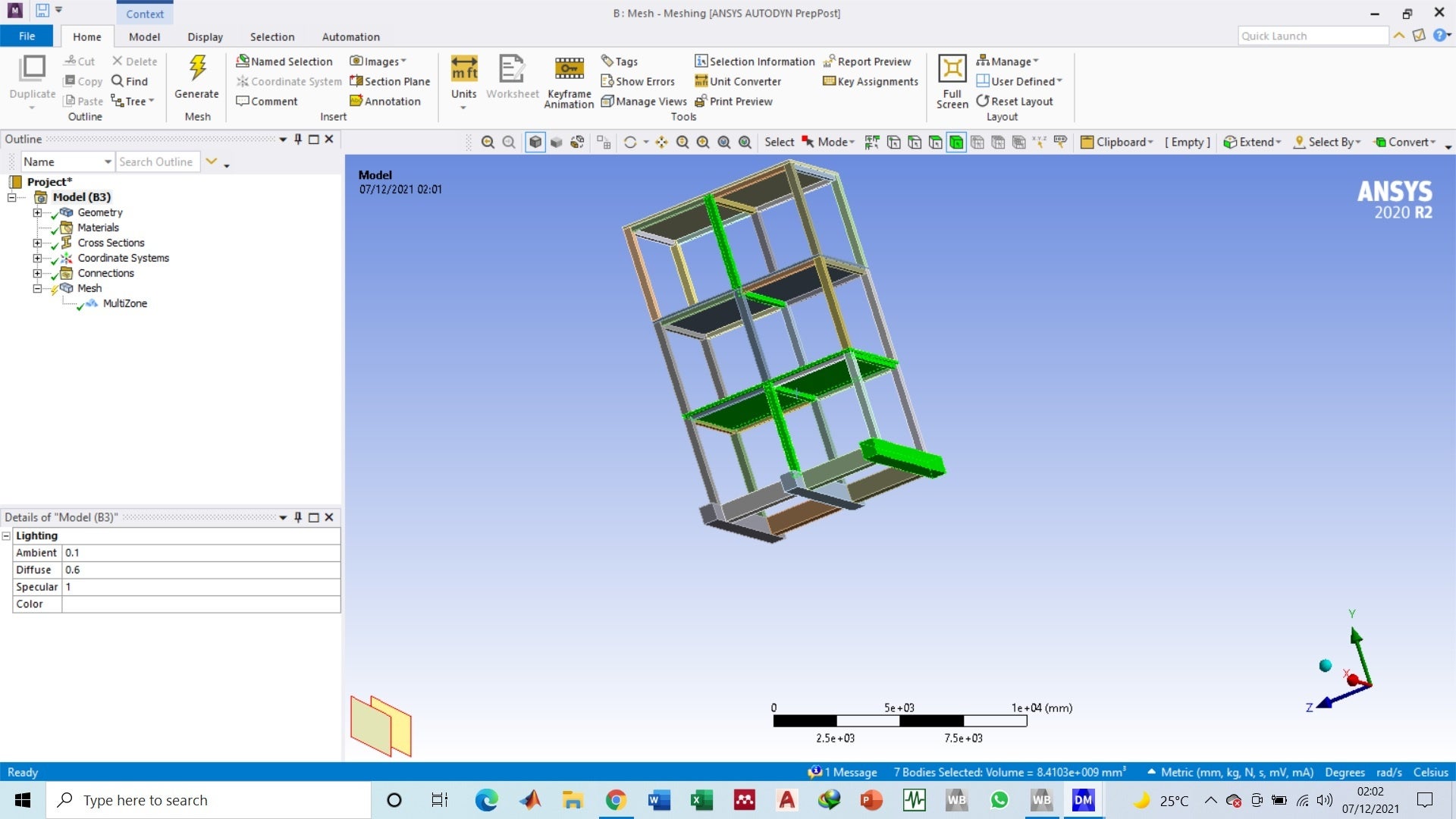
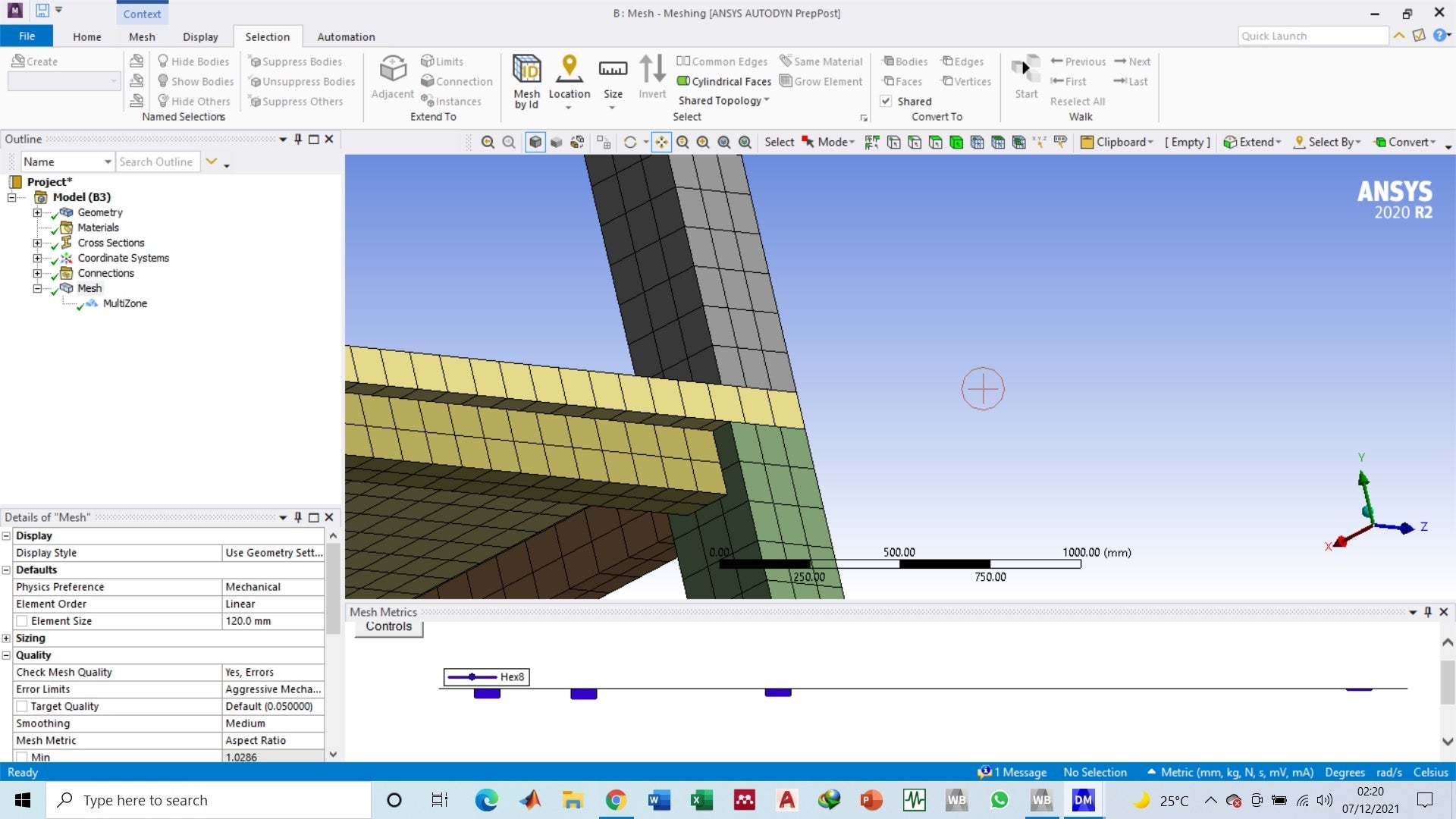
December 6, 2021 at 6:16 pmSubscriberWhat does it mean to move the body into its own component? I Have a single body which I already sliced in design modeler , separated all beams, colms and slabs into single 6 sided components as shown in figure, Now I am not facing any problem with Hexa mesh.
I also checked the shared option but looked like at joints nodes are not shared.
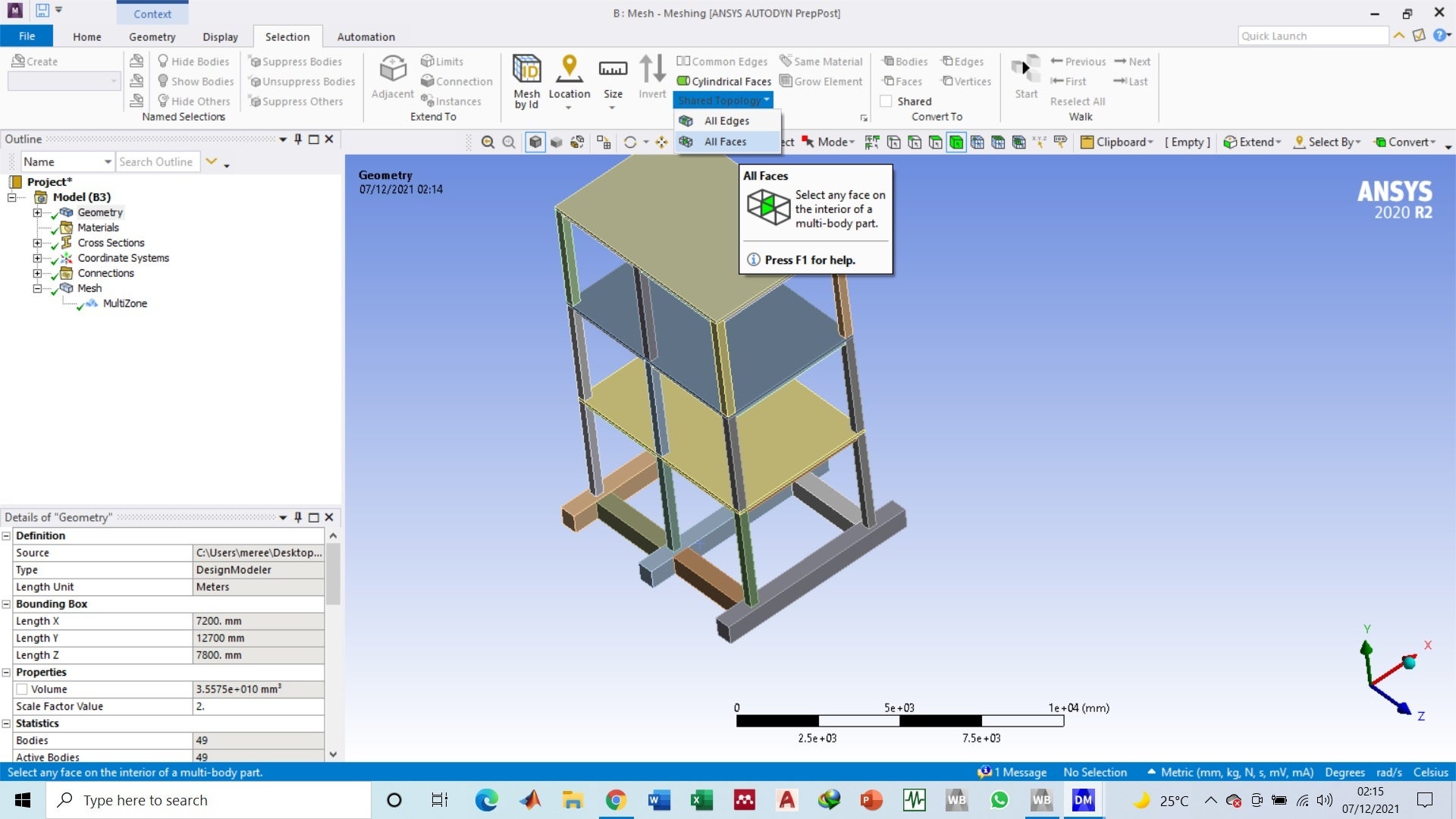
December 6, 2021 at 7:40 pmSubscriberComponent is a SpaceClaim term. DesignModeler calls it a Part. In Design Modeler, you have to put all the bodies into the same Part to get the Shared Topology to work. You do that with Form New Part after selecting all the bodies.
December 6, 2021 at 8:57 pmSubscriberThis way isnt working actually, When I try to add a method to generate a Hexa mesh with turned on the shared or topology option it is again taking the structure as it was before and i got the error that multizone blocking Decomposition.
December 7, 2021 at 6:54 pmSubscriberWhen you have successfully sliced the solid bodies down to six-sided blocks, you don't use Multizone, you use Sweep. If you do nothing, it will choose sweep automatically.
In Mechanical, right click on Mesh and Show Sweepable Bodies. Everything should highlight in green.
December 8, 2021 at 6:05 pmSubscriberI checked all bodies were sweepable but still I was getting the error of pc running out of usable memory. However, the same approach later works when I further sliced the structure in the areas which were already sweepable and now I am getting the desired mesh. Thanks btw
Viewing 13 reply threads- The topic ‘How to identify the type of element?’ is closed to new replies.
Innovation Space Trending discussions
 Top Contributors
-
peteroznewman
 6695
6695 -
scabo
 1906
1906 -
Dennis Chen
 1469
1469 -
javat33489
 1313
1313 -
Shyam Prasad V Atri
1022
Top Rated Tags
© 2026 Copyright ANSYS, Inc. All rights reserved.
Ansys does not support the usage of unauthorized Ansys software. Please visit www.ansys.com to obtain an official distribution.
-


The Ansys Learning Forum is a public forum. You are prohibited from providing (i) information that is confidential to You, your employer, or any third party, (ii) Personal Data or individually identifiable health information, (iii) any information that is U.S. Government Classified, Controlled Unclassified Information, International Traffic in Arms Regulators (ITAR) or Export Administration Regulators (EAR) controlled or otherwise have been determined by the United States Government or by a foreign government to require protection against unauthorized disclosure for reasons of national security, or (iv) topics or information restricted by the People's Republic of China data protection and privacy laws.

 You are navigating away from the AIS Discovery experience