-
-
December 2, 2021 at 9:29 pm
Infinite
SubscriberHello,
In Lumerical 2021 R1.4 is there any way to export the design directly from FDTD for nanofabrication?
Thank you
December 4, 2021 at 1:24 amGuilin Sun
Ansys EmployeePlease refer this post:
GDSII Export Automation - Lumerical Support
and this article:
GDS pattern extraction for inverse designed devices using contours method
December 6, 2021 at 9:16 pmInfinite
SubscriberHello based on the first link, I can see the output file generated on the directory, but no way I can open it or see it or see it's content.

# STEP 4. Lumerical scripts will automatically export the structures into a GDSII file.
# Doesn't work for Klayout 0.27+
Lumerical_GDS_autoexp_functions;
Lumerical_GDS_autoexp;
These were the last line of the script that I able to download from the link and see it is somewhat different compared to the video on the link. What can I do please.
Thank you Mr. gsun
December 10, 2021 at 6:34 pmInfinite
SubscriberHello, Any Ansys employee can check it please?
Thank you
December 10, 2021 at 6:51 pmGuilin Sun
Ansys EmployeeIt might be Klayout version issue. Klayout is 3rd party tool, and Lumerical may only support certain versions. It is a known issue for version support.
Please load back the GDS file to FDTD and see if it works under Lumerical environment. If so, it is definitely the version issue.
May 5, 2022 at 6:27 amAravind Yelashetty
SubscriberHi gsun
I followed a link to repeat whatever it was shown in below video https://support.lumerical.com/hc/en-us/articles/1500006203341-GDSII-Export-Automation
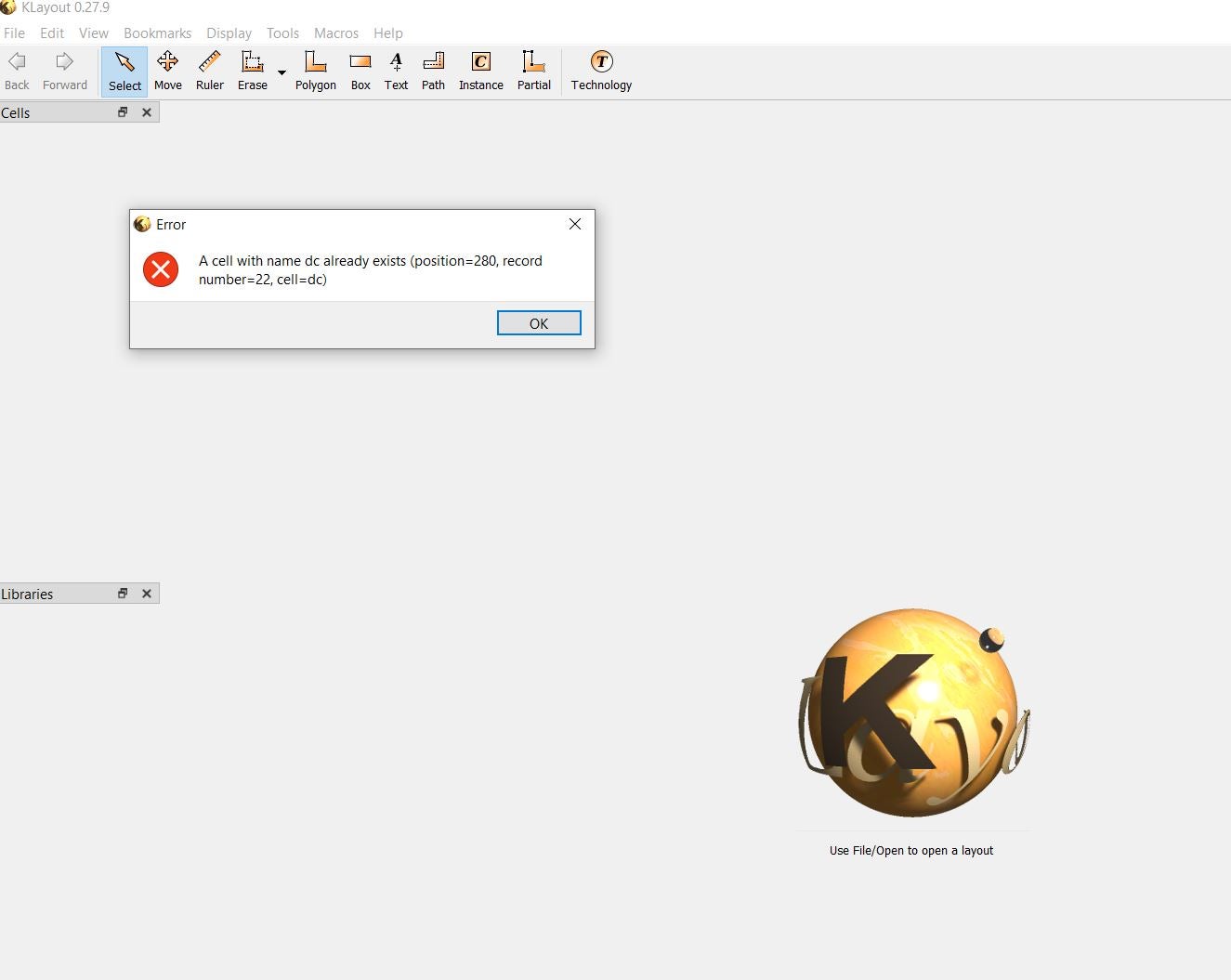
I am getting an error in Klayout
I changed the name dc to dc1 and dc100 etc in lumerical , the error is still there.
out. Could you tell me the reason.
May 5, 2022 at 10:31 pmGuilin Sun
Ansys EmployeeSince this is the 3rd party tool, it can be difficult for us to support. Maybe you can file a feature request to include KLayout in Lumerical product. Vote new features, and file your feature request
From the error message, it seems the GDS file has more than one "dc".
Please first check if you can upload it into Lumerical GUI.
May 11, 2022 at 6:16 amAravind Yelashetty
SubscriberHi gsun I tried this code
fileGDS = gdsopen('example6.gds');
gdsbegincell(fileGDS, 'rect1');
gdsaddcircle(fileGDS, 1, 0, 0, 1e-6);
gdsendcell(fileGDS);
gdsclose(fileGDS);
to create a circle, it is working. It works for klayout 0.27+ as well.
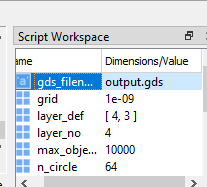
Instead of gdsaddcircle which creates a circle , if I want to transport what it is already added in model, what code should I have to write? The below code to export full model is not working and it is from (https://support.lumerical.com/hc/en-us/articles/1500006203341-GDSII-Export-Automation)
# STEP 1: Users define the output GDSII file name, and the top cell name.
gds_filename = 'output5.gds';
top_cell = 'model';
# STEP 2. Users define the layer properties. Here, a layer corresponds to a unique set of z min & z max.
# Option 1: [layer number, z min, z max; layer number, z min, z max; ...], where layer datatype will default to zero
layer_def = [1, -0.5e-6, 0.5e-6;
2, 0, 0.5e-6;
3, -0.5e-6, 0;
4, -0.25e-6, 0.25e-6];
# STEP 3. Users define optional settings, e.g., the number of points for the discretization of circle, ring, custom, and waveguide objects.
n_circle = 64; # number of sides to use for circle approximation (64 by default).
n_ring = 64; # number of slices to use for ring approximation (64 by default).
n_custom = 64; # number of slices to use for custom approximation (64 by default).
n_wg = 64; # number of slices to use for waveguide approximation (64 by default).
round_to_nm = 1; # round the z and z span to the nearest integer of nm
grid = 1e-9; # Round XY coordinates to this grid in SI. Will also update the database units if grid <
max_objects = 10000; # the maximum number of objects within the workspace (Increasing this will increase export time)
# STEP 4. Lumerical scripts will automatically export the structures into a GDSII file.
# Doesn't work for Klayout 0.27+
Lumerical_GDS_autoexp_functions;
Lumerical_GDS_autoexp;
Please give a solution.

May 11, 2022 at 4:42 pmAravind Yelashetty
SubscriberAlso, how to add object in gds file?
May 11, 2022 at 10:54 pmGuilin Sun
Ansys EmployeeIt is very difficult for us to give specific suggestions here in the forum, as we are not allowed to download customer files. I cannot test your script as no support files.
The title of this topic is to export FDTD layout into GDSII. Your initial question is Klayout. "Instead of gdsaddcircle which creates a circle , if I want to transport what it is already added in model, what code should I have to write?" If I understand this correctly, you want to export the circles from FDTD file. right? In the example link it has circles. Please test if the example works.
"Doesn't work for Klayout 0.27+" again it might be version issue, as Lumerical may not support all the Klayout versions. Since it is not official partner, you can file a feature request.
Please review this forum guidelineGuidelines for Posting on Ansys Learning Forum ÔÇö Ansys Learning Forum
May 12, 2022 at 5:57 amAravind Yelashetty
SubscriberHi gsun Thanks for your reply. I agree the discussion is to export the gds file and I believe when we export it, we should also be able to see it atleast for klayout less than 0.27+.
I have installed 0.26 .12 and able to see only the 'GDS_auto_export_test' in k layout but not 'directional coupler'. May be it is an issue of associated files .lsfx .
Thanks.
May 12, 2022 at 2:34 pmGuilin Sun
Ansys EmployeeAs I suggested, have you imported the result in FDTD and check if it can show the device correctly? if ok, the output has no issue. It is the Klayout that may need some special care. The files .lsfx are encrypted so we cannot check what is inside. Please file a feature request to ask a full compatibility of Klayout.
Viewing 11 reply threads- The topic ‘How to export design from FDTD’ is closed to new replies.
Innovation SpaceTrending discussionsTop Contributors-
5834
-
1906
-
1420
-
1305
-
1021
Top Rated Tags© 2026 Copyright ANSYS, Inc. All rights reserved.
Ansys does not support the usage of unauthorized Ansys software. Please visit www.ansys.com to obtain an official distribution.
-
Ansys Assistant will be unavailable on the Learning Forum starting January 30. An upgraded version is coming soon. We apologize for any inconvenience and appreciate your patience. Stay tuned for updates.