I created an example (which unfortunately I cannot share on this forum) that starts with this MAPDL input file that creates an arched cantilever beam:
fini
/cle
/vup,1,z
/vie,1,3,2,1
l=0.100
w=0.020
t=0.002
h=w/2
E=2e11
nu=0.3
uz_tip=-0.005
/prep7
k,1
k,2,l
k,3,l/2,,h
bspl,1,3,2
lgen,2,all,,,0,w,0,2
lgen,2,all,,,0,0,t,10
v,1,2,4,3,11,12,14,13
vplo
et,1,185
mp,ex,1,E
mp,nuxy,1,nu
vmes,all
nsel,s,loc,x
d,all,all
nsel,s,loc,x,l
nsel,r,loc,z,t
d,all,uz,uz_tip
alls
fini
/solu
alls
save
solve
fini
/prep7
cdwrite,db
Please save the above APDL code to a text file (a MAPDL input file).
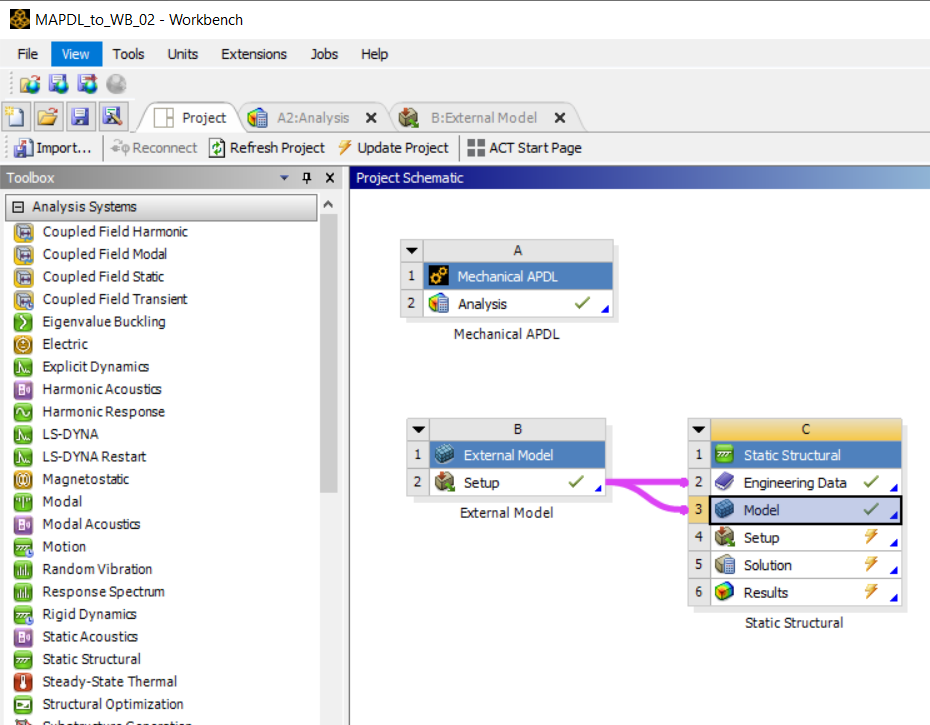
Now, my WB project page looks like this:
RMB on the Analysis cell of System A and add the input file above, and update System A.
Open the Setup cell in System B and browse for the .cdb file created by the CDWRITE,DB command in the input file. Then update System B.
Now update the Solution cell in System C.
The model didn't fully solve in Mechanical (System C). I still don't understand why, but the non-zero displacements imposed in the input file didn't seem to be applied correctly in Mechanical:
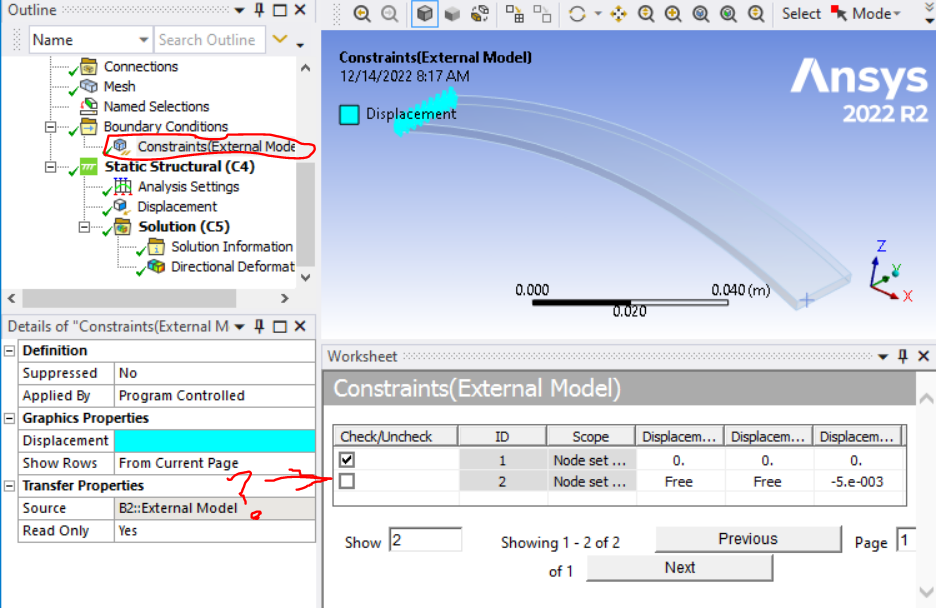
So I respecified the tip displacement and sucessfully solved the model:
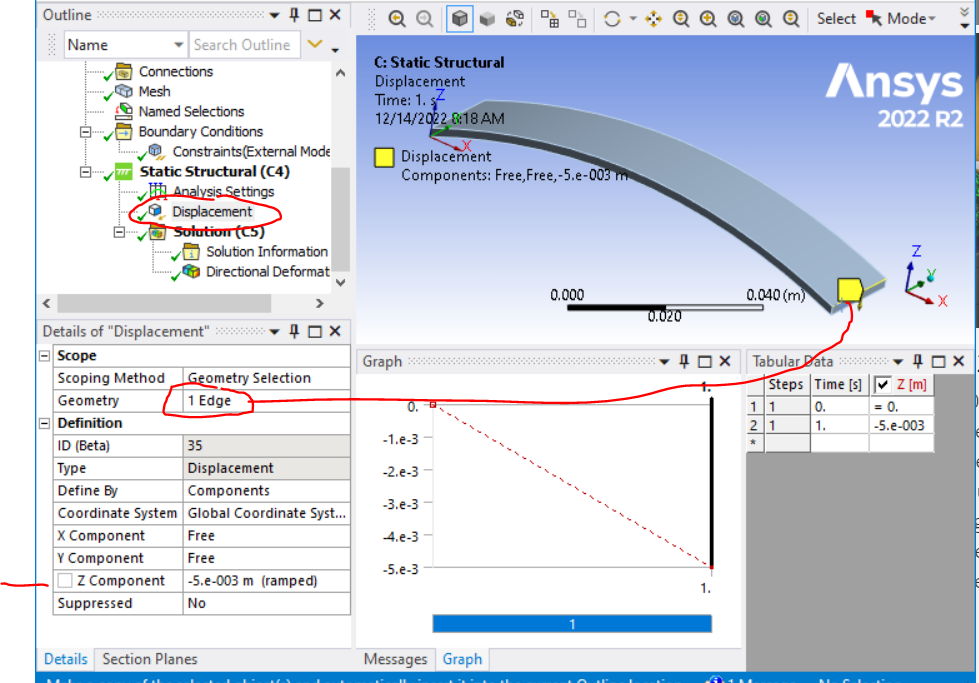
Since I used CDWRITE,DB (which saves only the mesh, NOT the solid model) in the input file to create the cdb file, it appears that the geometry was somehow constructed internally by WB from the mesh. I don't know how robust this feature is, all I know is that it worked for this one very simple example.
Best,
Bill


















 You are navigating away from the AIS Discovery experience