Ansys Assistant will be unavailable on the Learning Forum starting January 30. An upgraded version is coming soon. We apologize for any inconvenience and appreciate your patience. Stay tuned for updates.
3D Design

3D Design

Topics related to Ansys Discovery and Ansys SpaceClaim.

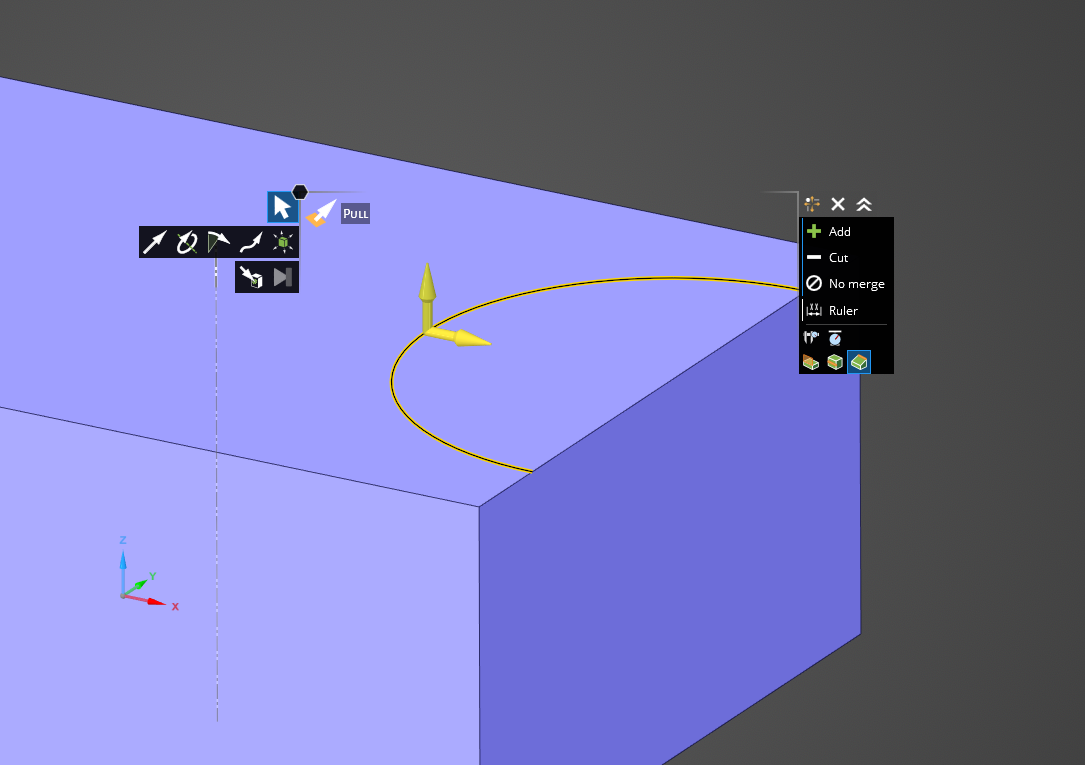
How to change the diameter of an imprinted half circle?

    • Healme
      Subscriber

      An imprinted full circle can be manipulated with the pull/edge/pivot function. On a half circle this doesn't work. How do I change the radius from 8 mm to 5 mm in this case? The center point of the circle should remain at the same place.

      This operation is very useful when I want to modify fluid-solid interfaces in the refine mode.

    • Charudatta Bandgar
      Subscriber

      Hello Healme

      Let me look into this and I will get back to you.

      Regards.

    • Charudatta Bandgar
      Subscriber

      Hello Healme

      You can use ctrl while using the pull option to change the dimension while keeping the split there. Refer video attach. 

      Regards.

      🛈 This post originally contained file attachments which have been removed in compliance with the updated Ansys Learning Forum Terms & Conditions
    • Healme
      Subscriber

      Hello Charudatta Bandgar

      Thanks, but this one copies the edge. If I already have a boundary condition or contact on that particular face, I have to relocate that condition. At least it is a kind of workaround but not exactly what I was looking for. Is there another way to move this edge radially?

      • Charudatta Bandgar
        Subscriber

        I think this is the only workaround I could find, Healme 

        Let me see if I can find something you want to avoid the rework.

        Regards.

Viewing 3 reply threads
  • The topic ‘How to change the diameter of an imprinted half circle?’ is closed to new replies.

[bingo_chatbox]