-
-
February 13, 2019 at 9:25 pm
designteam2
SubscriberI ran an ansys fluent simulation overnight. I saved the exported data from calculated activities as .gz files. How do I open these files in post CFD? When I open post CFD I get this message when I try to load results.Â
Â
It automatically pulled up the last file from my last save, but I want to load FFF-1-7500.cdat.gzÂ
-
February 14, 2019 at 4:36 am
Keyur Kanade
Ansys Employeeare you using fluent and cfdpost in workbench or standalone?
if you read the latest cdat file for a transient run, it will read those files.Â
-
February 14, 2019 at 11:10 pm
designteam2
SubscriberIm using ansys fluent and clicking the results (cfdpost) cell. How do you read the latest cdat file for a transient run in the results cell? Â
-
February 14, 2019 at 11:49 pm
designteam2
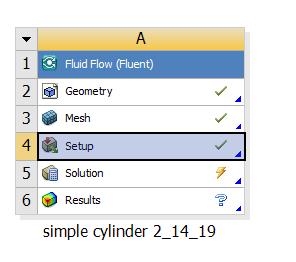
Subscriber After an overnight simulation, I log back into the computer, go to the file folder and delete the .lock file. Then open up the workbench file and open at the risk of corrupting the file (so it doesn't open at the last saved moment which was the night before). The workbench looks like this. the lightning bolt usually has a pause sign by it I think. If I open the solution cell it opens with the last saved data. But I can see that the cdat.gz files I need are more recent.Â

Â
Â
When responding can you either show an image or explain in detail what buttons you are clicking to read the cdat.gz file?
-
February 15, 2019 at 5:31 am
Keyur Kanade
Ansys Employeefirst run it again. save it with different name and try opening results.Â
this should work.Â
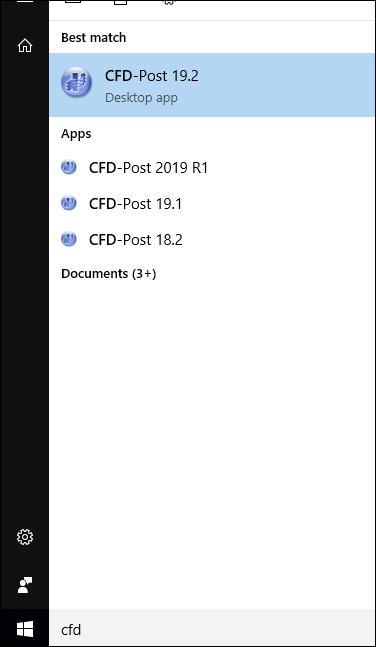
now what i was saying is open cfd-post in stand alone mode. i.e. go to windows > start and type cfd-post. then open cfd-post where you can read .cdat file.Â
-
February 15, 2019 at 5:44 pm
designteam2
SubscriberI tried going to windows and typed "cfd-post". I get a cfdpost_errorlog text document.Â
-
February 18, 2019 at 4:34 am
-
- The topic ‘How do you open a .gz file in post cfd ansys fluent?’ is closed to new replies.

-
4718
-
1565
-
1386
-
1242
-
1021
© 2026 Copyright ANSYS, Inc. All rights reserved.