Hello,
I would like to make a query on the Analysis Settings for a structural Transient dynamic analysis in ANSYS on how I can implement displacement input.
I have determined the Engineering data (Saved my project), including the material properties and selecting the hyper-elastic material model, build (import) my Geometry and model and I inserted Construction Geometry (Path), as well as Cylindrical Coordinate System and Symmetry (Cyclic Region) to investigate the stress analysis of a part of my cylindrical (rubber) sample.
I want to define the analysis settings, which means that I want to input Displacement data for the transient dynamic analysis and Fixed Support on the surface of the model that do not undergo any forces (loads). I have tried to input as Initial condition the velocity to be equal to zero.
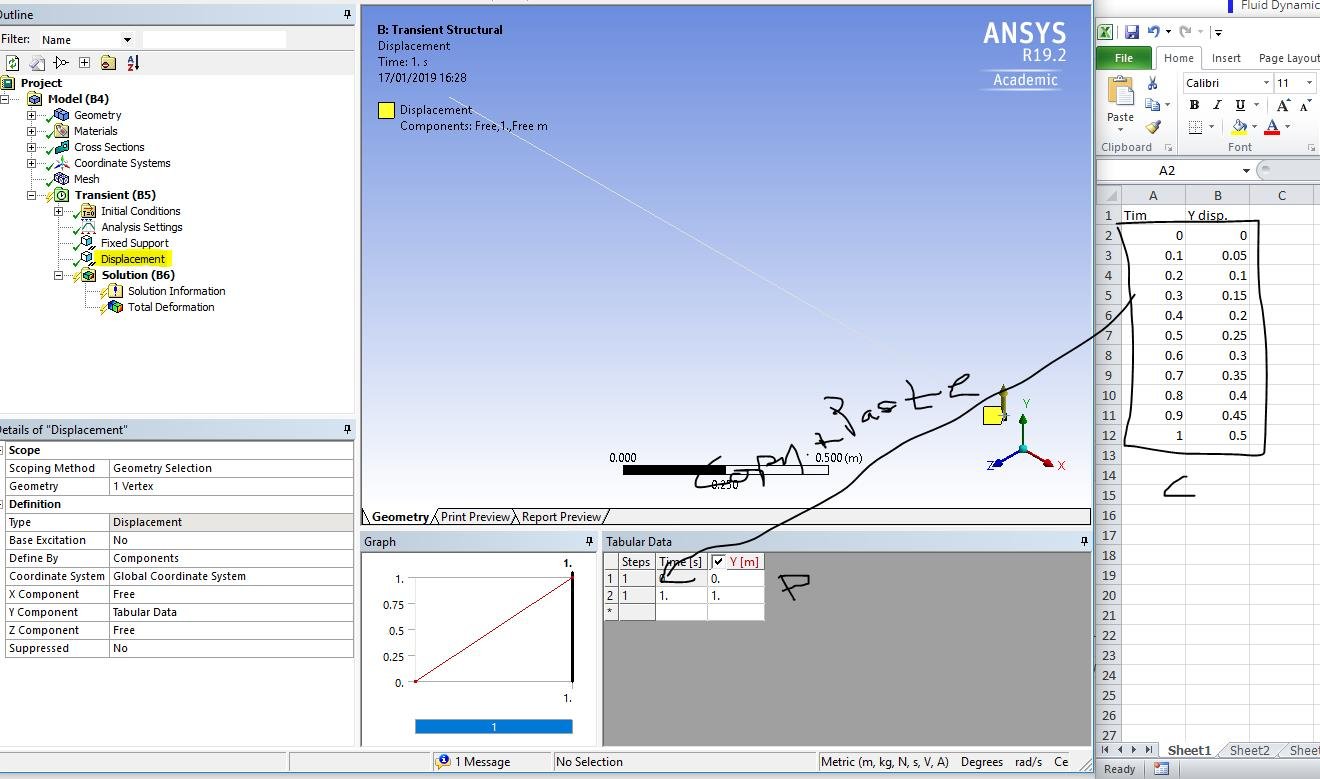
I made some efforts to input displacement data I have from my Excel file, through right-click on Displacement to define Geometry and (Insert) Tabular data (direction) in component Coordinate system, by choosing the axis/ direction in which my model supposed to appear the displacement. I have not managed to do this and have the results that the Ansys tutorial videos show.
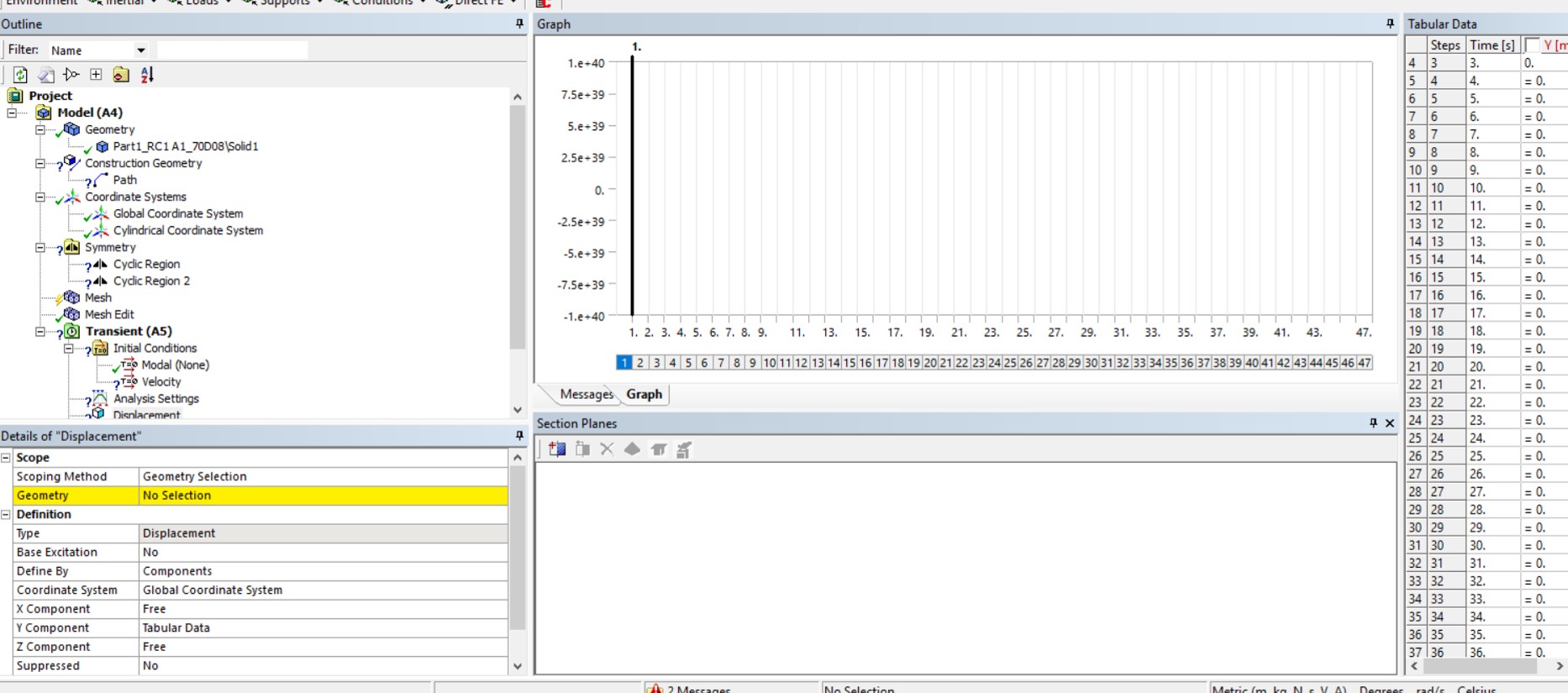
As you can see in the first image I have attached, I cannot input the displacement values I have in Y column, as the '=0' that appeared in all lines, besides Steps and Time, do no change/ cannot be deleted and I cannot add my values.
I want to determine in Solution options of Deformation, Equivalent stress, Maximum Principal Stress and Strain in the displacement direction (Coordinate System) in which my model deformed and in this case is Y axis. However, I have to define the Analysis settings to be able to go on to the next steps.
My problem is that some of the boundary conditions I set, do not seem to have been implemented and I cannot go on further to the analysis steps and complete my transient dynamic FEA.
Could anyone help me with these two problems? Any suggestions why I cannot add (input) Displacement values and Fixed Support so that to be/shown implemented (defined) in the study, and to complete the analysis?
Thank you in advance for any suggestion or comment that could help.
Kind regards,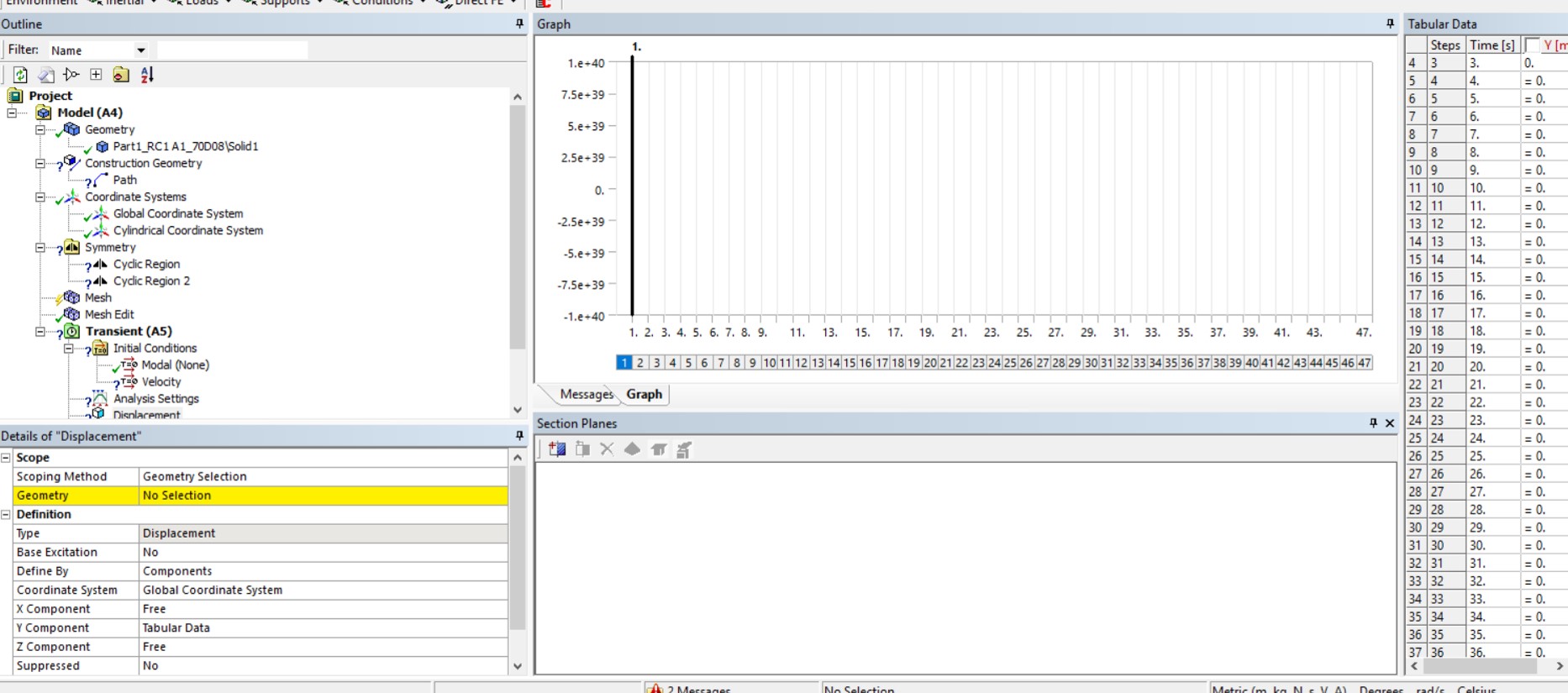
FX





















 You are navigating away from the AIS Discovery experience