TAGGED: Draft, spaceclaim
-
-
October 28, 2020 at 11:31 am
vincent.rouillot
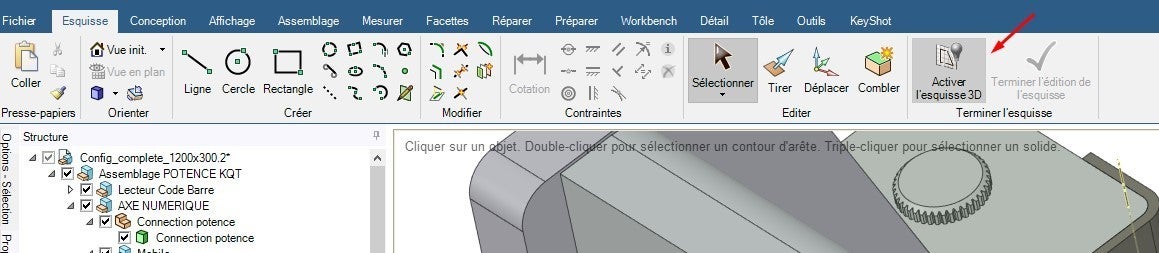
SubscriberWhen I take the spline tool  I do my drawing in a space in 2D, I can't understand how to make some point in xyz ? I can see the workflow to draw in 3D with spaceclaim.
-
October 28, 2020 at 1:44 pm
Naresh Patre
Ansys EmployeeHello Vincent Rouillot
YOu can first create a 2D point using the Point tool in Sketch tab. Then you can switch to 3D mode and move the point to the required Z location.
If you have a set of 3D point coordinates, then you can create a Point Curve Text (.txt) file and import it from Assembly - File option. In this process, you can control how you want to import the coordinate data. Please check below link from the help documentation.
Additionally, if you disable Sketch tab (from File - SpaceClaim Options - Advanced, disable the option "Enable constraint based sketching") and restart SpaceClaim, you will see Equation tool in the Sketching group of Design tab. You can either make use of existing equations or define a new one.
-
October 28, 2020 at 2:39 pm
vincent.rouillot
SubscriberNaresh Patre I didn't understand your link
-
-
October 28, 2020 at 2:37 pm
-
October 30, 2020 at 7:00 am
Naresh Patre
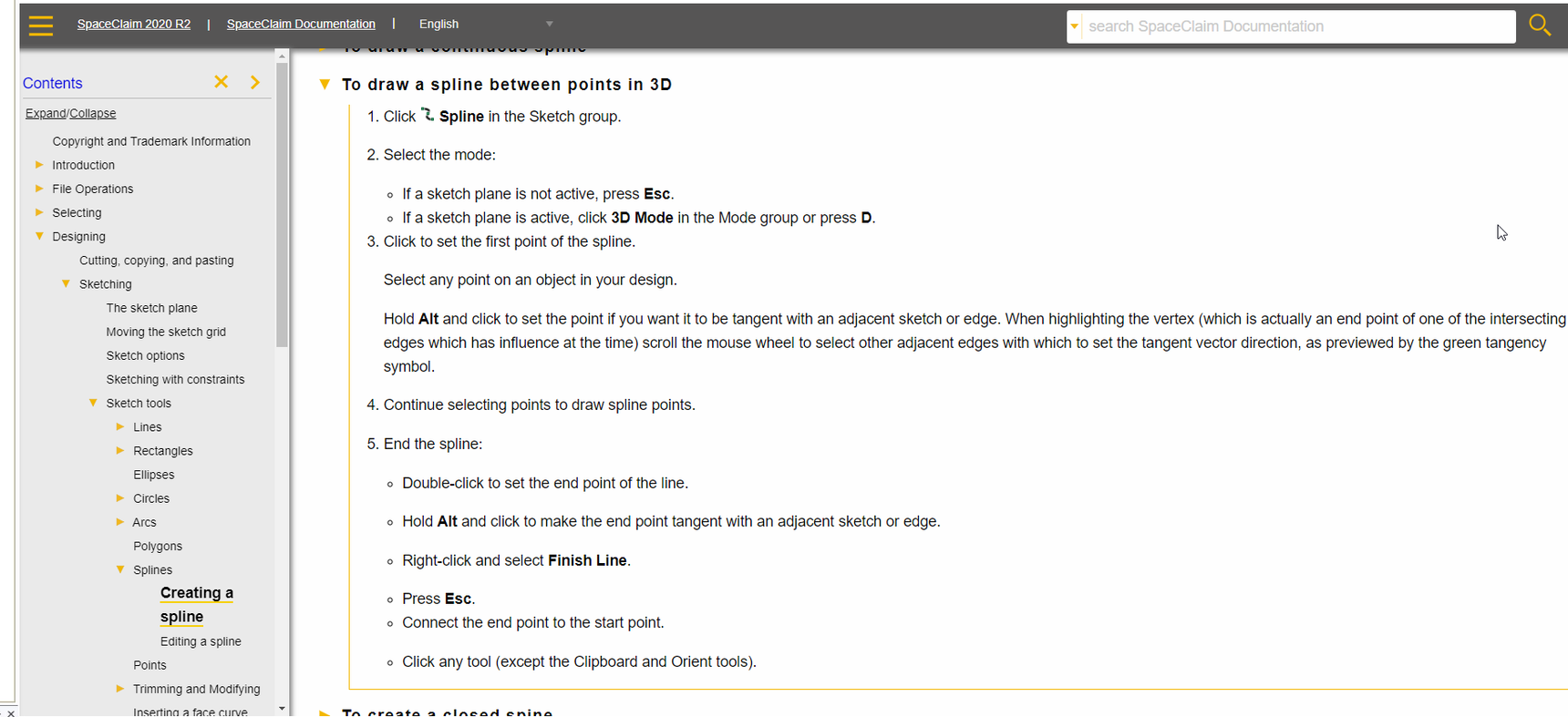
Ansys EmployeeHello Vincent Rouillot I have created a short video showing how to use the "Enable 3D sketch" tool and create a 3D spline. Please find this video attached. You can also find some information on drawing a spline between points in 3D in the help document as shown below:🛈 This post originally contained file attachments which have been removed in compliance with the updated Ansys Learning Forum Terms & Conditions
-
October 30, 2020 at 8:28 am
vincent.rouillot
SubscriberNaresh Patre Thank for you making a special video for me. I understand better than the beginning. I will do practice for improve my level... but the help online "F1" isn't  updated yet (french version).
-
-
- The topic ‘How do design a curve in 3d space’ is closed to new replies.
-
6189
-
1906
-
1452
-
1308
-
1022
© 2026 Copyright ANSYS, Inc. All rights reserved.