

-
-
November 19, 2021 at 5:43 am
marhark92
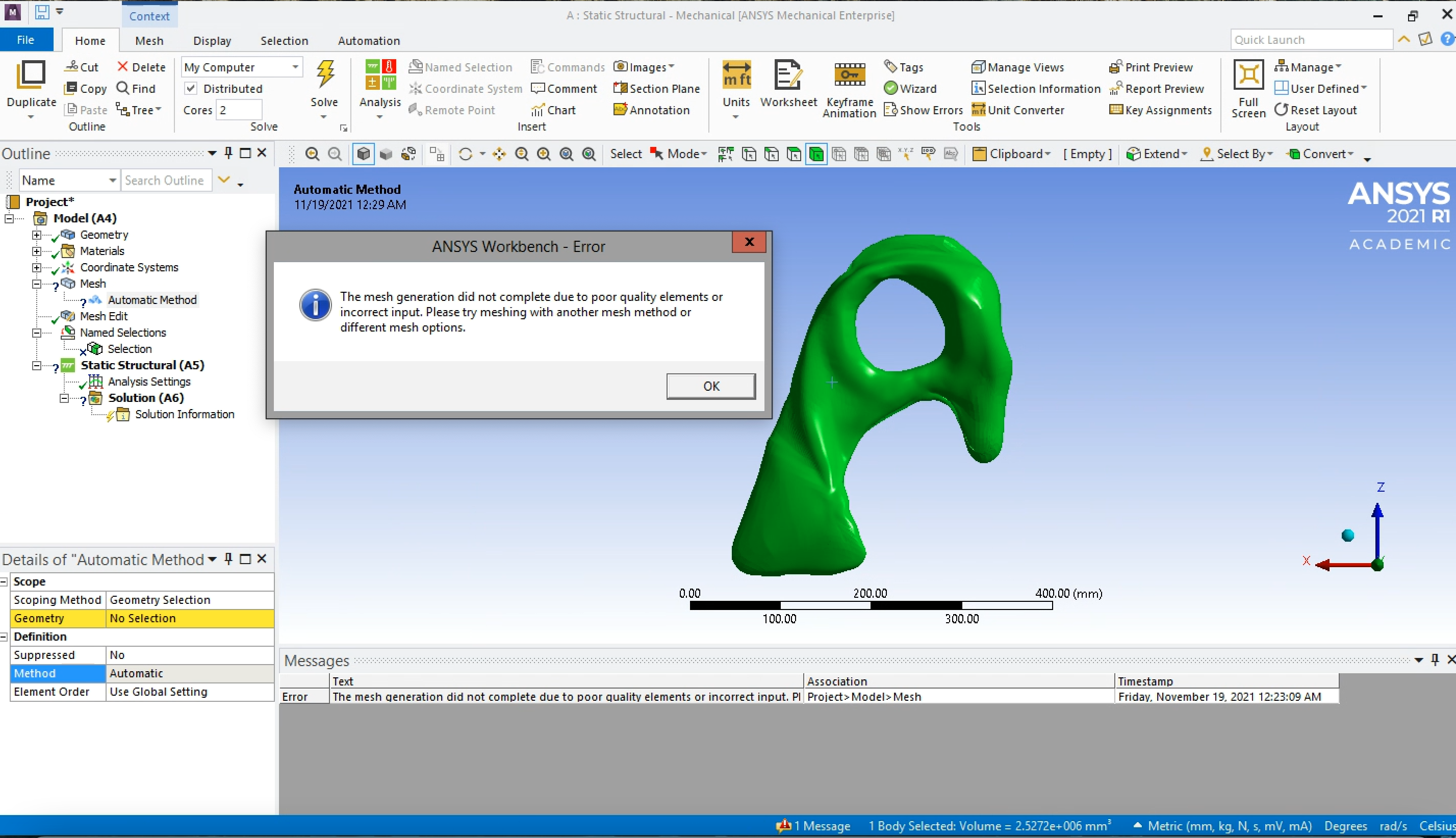
SubscriberI am trying to conduct FEA for some fish skulls; however, I did the auto fix of my model in SpaceClaim. Now it is telling me there is something wrong in the mesh in Mechanical. I tried to view the mesh, but I do not have access to it.
Second, I am trying to find a way to select faces, but it keeps highlighting the entire model. I cannot find a way to select specific nodes or faces on my model to later establish as the boundary condition and force loads.
Below are the meshing error in Mechanical along with the highlighting in green of the entire model in picture 1.
In picture 2, the indentation is where I am trying to select for named selection to later establish as the boundary condition.
I would appreciate any input since this is my first FEA trial of Ansys.
Thank you,
Marcos
Picture 1:
November 19, 2021 at 7:41 amVigneswaran Sridharan
Ansys EmployeeHi Apply Mesh Controls and Preview Mesh (ansys.com) this help reference document guides you through mesh controls.
I also see that your second question is answered already on the Forum.
How to select multiple elements to establish my fixed support? ÔÇö Ansys Learning Forum
Do check out the Example 2 Lumbar section motion video on Stress Analysis Simulation Examples | Ansys Innovation Courses for more information on 'Named Selection Worksheet method'.
Vigneswaran
Viewing 1 reply thread- The topic ‘How can I fix and select specific faces or nodes for named selection?’ is closed to new replies.
Innovation Space Trending discussions
 Top Contributors
-
peteroznewman
 6425
6425 -
scabo
 1906
1906 -
Dennis Chen
 1457
1457 -
javat33489
 1308
1308 -
Shyam Prasad V Atri
1022
Top Rated Tags
© 2026 Copyright ANSYS, Inc. All rights reserved.
Ansys does not support the usage of unauthorized Ansys software. Please visit www.ansys.com to obtain an official distribution.
-
Ansys Assistant will be unavailable on the Learning Forum starting January 30. An upgraded version is coming soon. We apologize for any inconvenience and appreciate your patience. Stay tuned for updates.


 You are navigating away from the AIS Discovery experience