

TAGGED: drawing
-
-
August 30, 2020 at 1:00 pm
OguzhanA
SubscriberAugust 30, 2020 at 5:53 pmpeteroznewman
SubscriberDraw a large solid cylinder as the first part.nDraw a flat rectangular plate as the second part. Position it on a centerline, interfering by the depth of the dent.nPull the edges of the flat rectangular plate to create the full radius blend.nCombine the cylinder and the radiused plate using a Cut operation to make the dent.nUse a Shell Operation to remove the circular end faces of the solid cylinder to get the finished solid part.nNote that the simulation might go faster if you do a midsurface model instead of a solid model.nAugust 31, 2020 at 5:58 amSubscriberThank you Peteroznewman, I am using 2019 R3. I couldn't open your files. Can you change files? or you can send picture your geometry.nRegards.nAugust 31, 2020 at 12:10 pmSubscriberSketch a 100 mm circle and pull it out to a 100 mm cylinder.n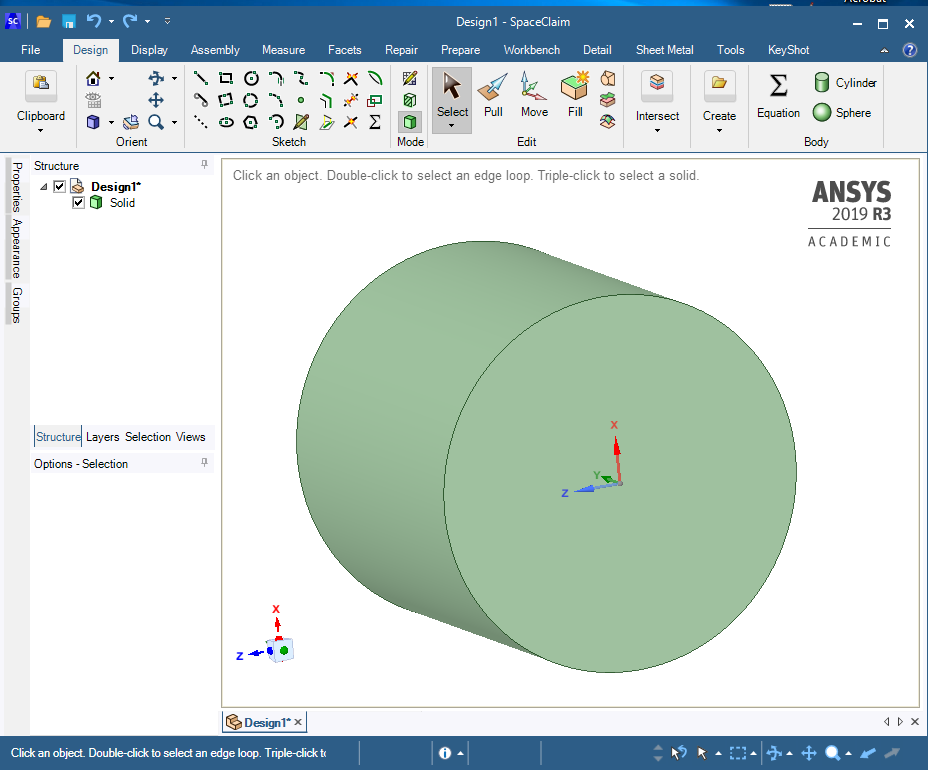 Add a center plane (optional, not needed) and sketch an 8 mm diameter circle on the edge of the cylinder.n
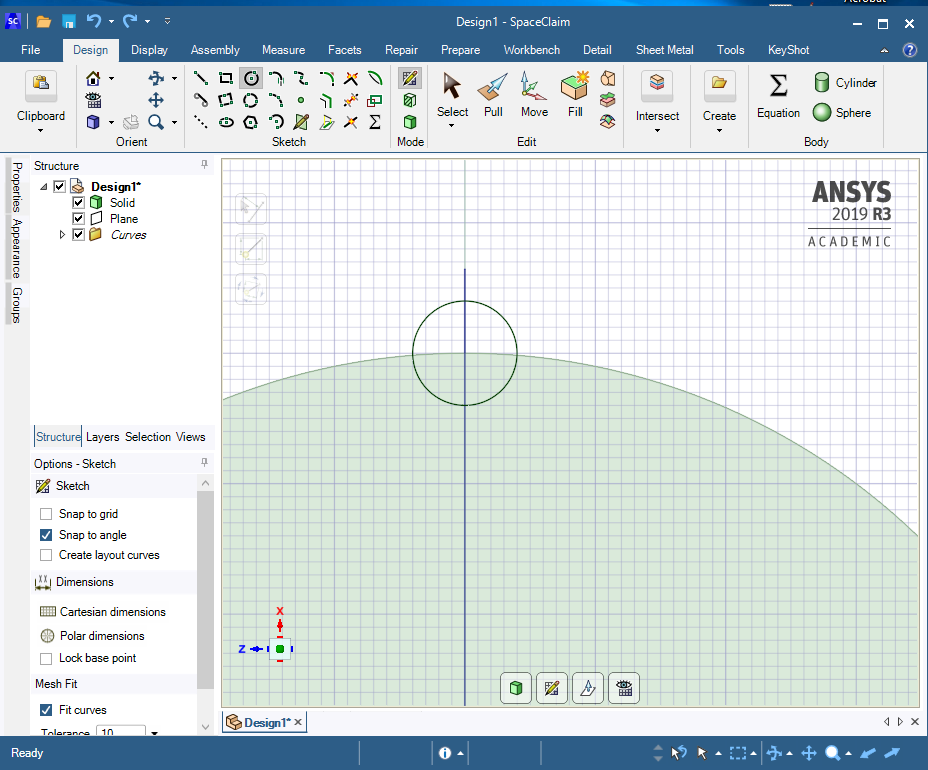 Pull the face 30 mm along the cylinder.n
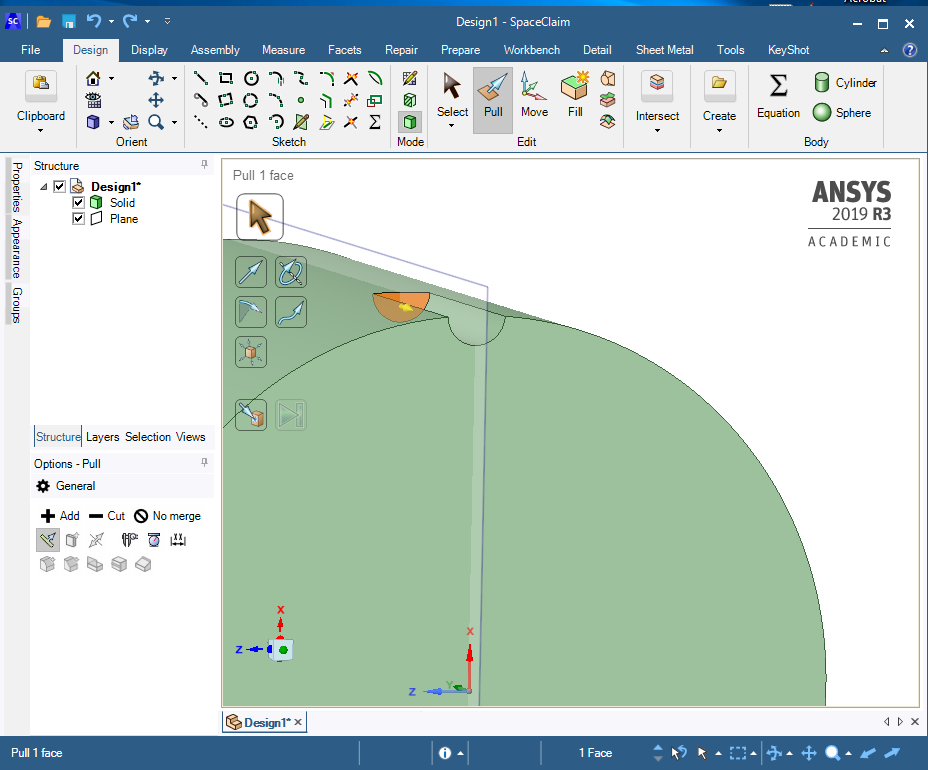 Pull the circular edge to 4 mm radius.n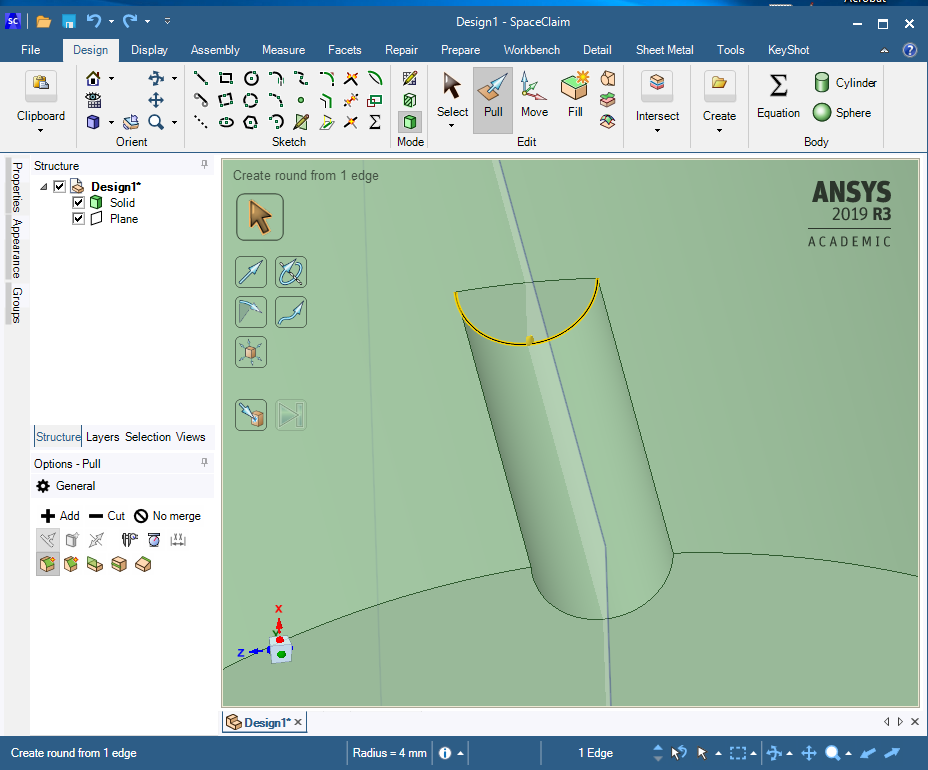
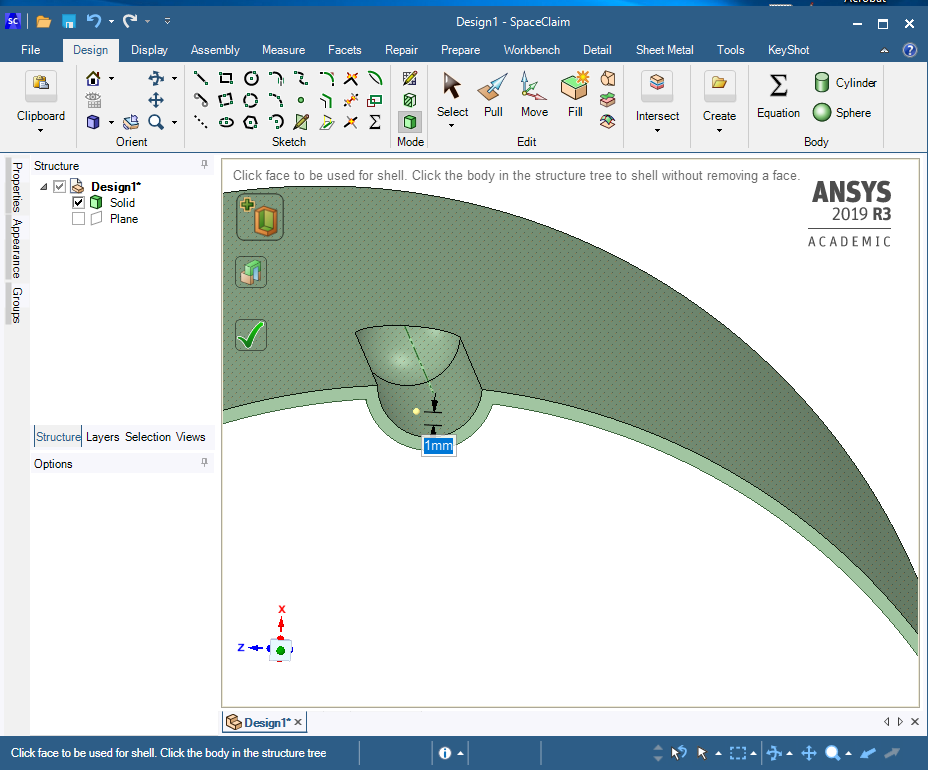
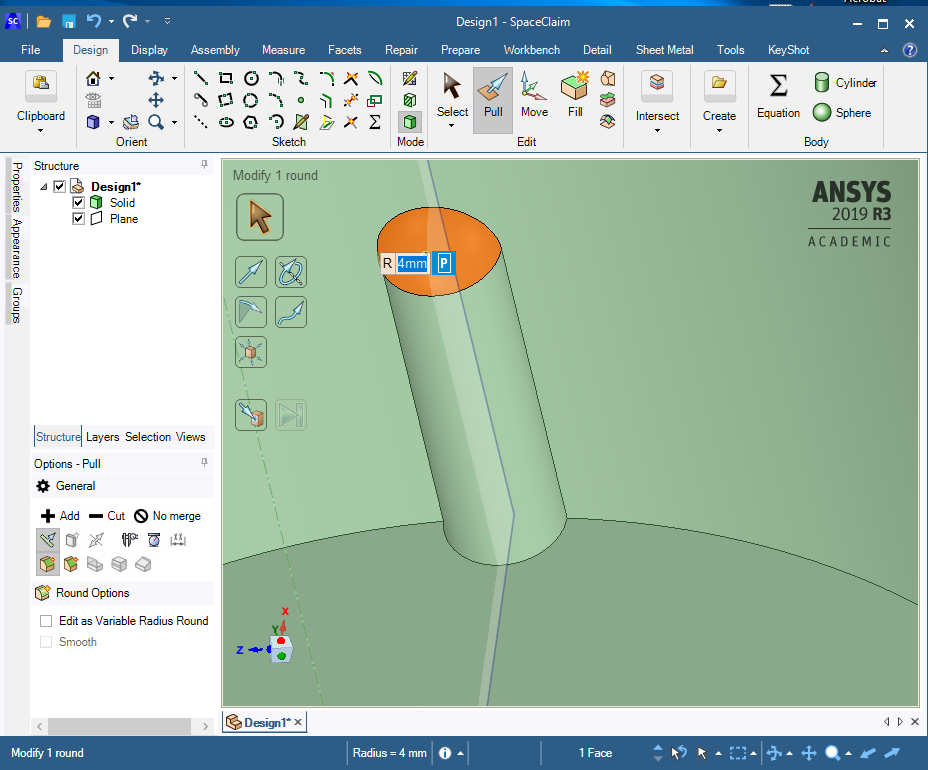 Use the Shell button and pick the two end faces.n
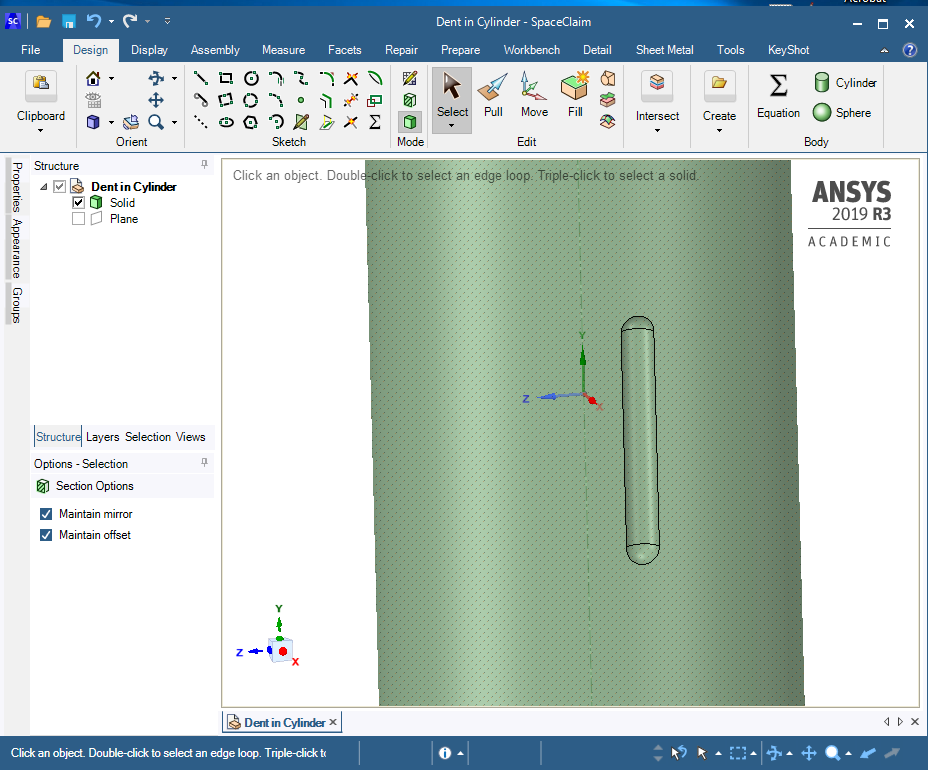
 Use the Mirror button to add the other end of the part.n
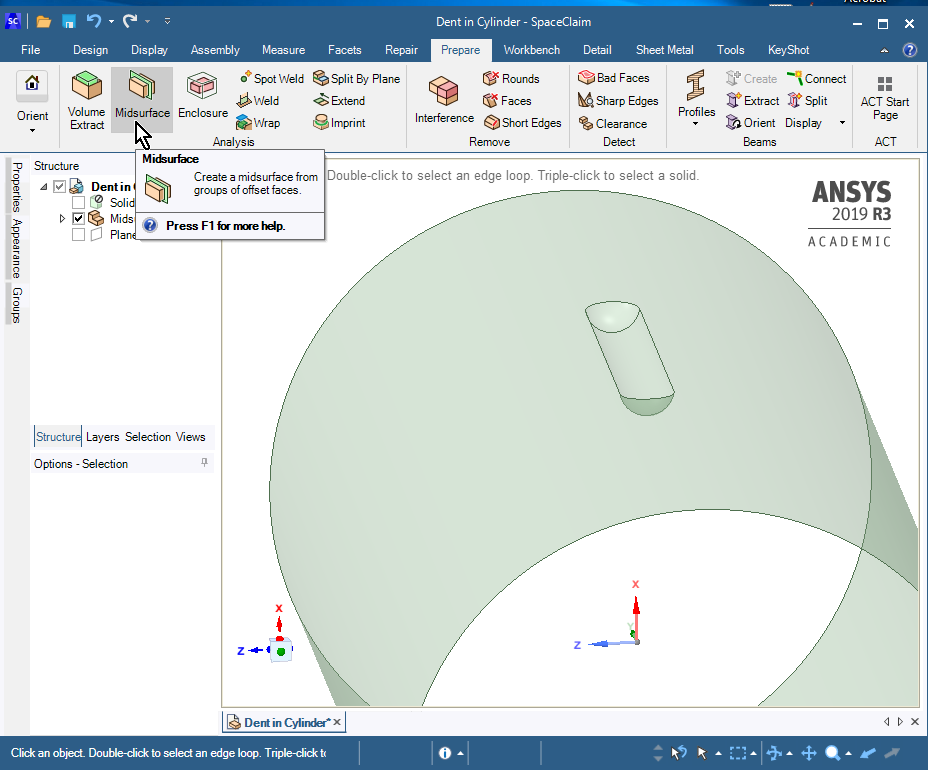
 Use the Midsurface button on the Prepare Tabn
 n
August 31, 2020 at 2:23 pmSubscriberthank you peteroznewman nRegardsnOguzhanAnViewing 4 reply threads
n
August 31, 2020 at 2:23 pmSubscriberthank you peteroznewman nRegardsnOguzhanAnViewing 4 reply threads- The topic ‘How can I create dent (geometric imperfection) like a picture?’ is closed to new replies.
Innovation Space Trending discussions
 Top Contributors
-
peteroznewman
 6450
6450 -
scabo
 1906
1906 -
Dennis Chen
 1457
1457 -
javat33489
 1308
1308 -
Shyam Prasad V Atri
1022
Top Rated Tags
© 2026 Copyright ANSYS, Inc. All rights reserved.
Ansys does not support the usage of unauthorized Ansys software. Please visit www.ansys.com to obtain an official distribution.
-


The Ansys Learning Forum is a public forum. You are prohibited from providing (i) information that is confidential to You, your employer, or any third party, (ii) Personal Data or individually identifiable health information, (iii) any information that is U.S. Government Classified, Controlled Unclassified Information, International Traffic in Arms Regulators (ITAR) or Export Administration Regulators (EAR) controlled or otherwise have been determined by the United States Government or by a foreign government to require protection against unauthorized disclosure for reasons of national security, or (iv) topics or information restricted by the People's Republic of China data protection and privacy laws.

 You are navigating away from the AIS Discovery experience