Hi:
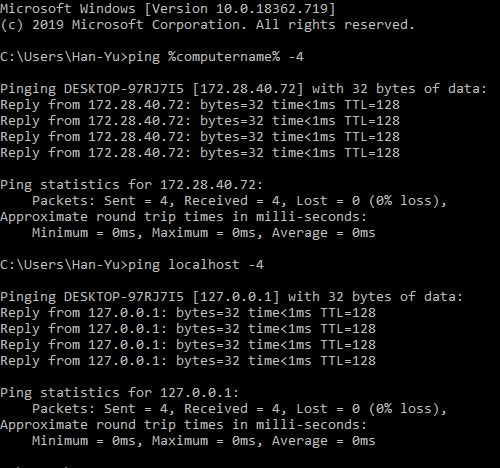
The results show the following image.
C:UsersHan-Yu>set
ADSK_CLM_WPAD_PROXY_CHECK=FALSE
ALLUSERSPROFILE=C:ProgramData
ANSYS160_DIR=E:WorkbenchANSYS Incv160ANSYS
ANSYS191_DIR=E:AnsysHFSS2019ANSYS Incv191ANSYS
ANSYS_SYSDIR=winx64
ANSYS_SYSDIR32=win32
ANS_OLD_ATTACH=1
APPDATA=C:UsersHan-YuAppDataRoaming
asl.log=Destination=file
AWP_LOCALE160=en-us
AWP_LOCALE191=en-us
AWP_ROOT160=E:WorkbenchANSYS Incv160
AWP_ROOT191=E:AnsysHFSS2019ANSYS Incv191
AWRD_LICENSE_FILE=C:UsersHan-YuDocumentsAWR Linceseawrd.awrlic
CADOE_DOCDIR160=E:WorkbenchANSYS Incv160CommonFileshelpen-ussolviewer
CADOE_LIBDIR160=E:WorkbenchANSYS Incv160CommonFilesLanguageen-us
CADOE_LIBDIR191=E:AnsysHFSS2019ANSYS Incv191CommonFilesLanguageen-us
CommonProgramFiles=C:Program FilesCommon Files
CommonProgramFiles(x86)=C:Program Files (x86)Common Files
CommonProgramW6432=C:Program FilesCommon Files
COMPUTERNAME=DESKTOP-97RJ7I5
ComSpec=C:WINDOWSsystem32cmd.exe
DriverData=C:WindowsSystem32DriversDriverData
FPS_BROWSER_APP_PROFILE_STRING=Internet Explorer
FPS_BROWSER_USER_PROFILE_STRING=Default
HOMEDRIVE=C:
HOMEPATH=UsersHan-Yu
ICEMCFD_ROOT191=E:AnsysHFSS2019ANSYS Incv191icemcfd
ICEMCFD_SYSDIR=win64_amd
INTEL_LICENSE_FILE=C:Program Files (x86)Common FilesIntelLicenses
I_MPI_ROOT=C:Program Files (x86)IntelSWToolscompilers_and_libraries_2016.2.180windowsmpi
LOCALAPPDATA=C:UsersHan-YuAppDataLocal
LOGONSERVER=\DESKTOP-97RJ7I5
LSTC_LICENSE=ANSYS
NUMBER_OF_PROCESSORS=8
OneDrive=C:UsersHan-YuOneDrive
OnlineServices=Online Services
OS=Windows_NT
Path=C:Program Files (x86)NVIDIA CorporationPhysXCommon;C:Program Files (x86)InteliCLS Client;C:Program Files (x86)IntelSWToolscompilers_and_libraries_2016.2.180windowsmpiintel64bin;C:Program FilesInteliCLS Client;C:windowssystem32;C:windows;C:windowsSystem32Wbem;C:windowsSystem32WindowsPowerShellv1.0;C:WINDOWSsystem32;C:WINDOWS;C:WINDOWSSystem32Wbem;C:WINDOWSSystem32WindowsPowerShellv1.0;C:Program FilesMicrosoft SQL Server130ToolsBinn;C:Program FilesMicrosoft SQL ServerClient SDKODBC110Tools
 tsiriaks
Ansys Employee
Please confirm the status of these two: Windows Defender (Firewall and Virus protection)
Try reorder your Path environment variable so that these
C:windowssystem32;C:windows;C:windowsSystem32Wbem
are in front of other entries (values)


















 You are navigating away from the AIS Discovery experience