Hello!
I'm currently trying to replicate a CFX configuration of a turbine and a draft tube in Fluent. I have problems defining the interface relationship between their elements (rotor (R1), stay vanes (S1), guide vanes (S2) and draft tube (S3)), so I hope you could help me with it.
There are three relationships in CFX: r1-to-s2. s2-to-s1 and s3-to-r1. R1 is divided in 13 sections, so that's why it has a 27.6923° angle; S1 and S2 in 24 sections, so a 15° angle; and the draft tube is complete.
I attach screen captures of the interfaces in CFX, and if you need more info please ask.
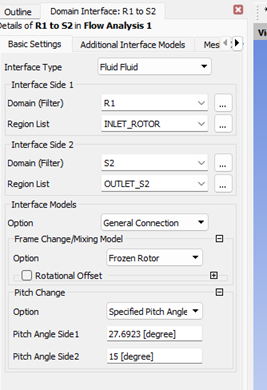
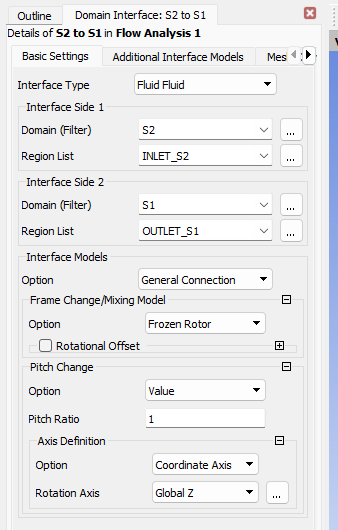
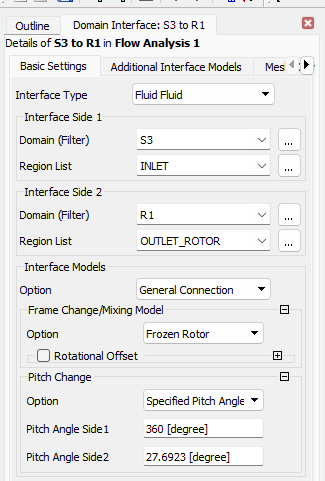
Do you have any idea what can I do? Thanks in advance!


















 You are navigating away from the AIS Discovery experience