Ansys Assistant will be unavailable on the Learning Forum starting January 30. An upgraded version is coming soon. We apologize for any inconvenience and appreciate your patience. Stay tuned for updates.
Systems

Systems

Topics related to Twin Builder, medini analyze, VRXPERIENCE and more.

FSI Simulation Connection Question

    • andres.baeza
      Subscriber

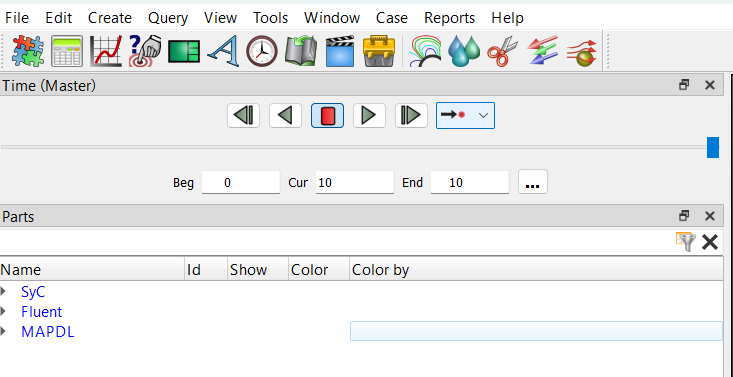
      Hello everyone. I was watching an FSI video (

      ) in Ansys, where they connected the "solution" cell of the transient structural model to the "results" cell of the fluid model to display fluid and structural results simultaneously (at 2:31). However, I can't make this connection when I run my own FSI simulation example.


       1) Why can't I make this connection in my FSI simulations, and how can I fix it?

      2) How can I display fluid and structural results simultaneously?

       Thanks in advance for your answers.

    • Anilkumar
      Ansys Employee

      Hi,

      I hope you have installed the CFD post on your machine. The Fluent simulation components Results tab needs CFD post installation so that you can open those Fluent and Mechanical results within CFD post for postprocessing. Please do this step once your system coupling simulation is complete or solution steps are upto date in the individual Transient Structural and Fluent.

      In other way, you might see Ensight files also written by your system coupling simulation which will also allow you to visualize results for both Mechanical and Fluent simulation.

      Thanks,

      Anil

    • Rahul
      Ansys Employee

      Starting Ansys 2021 R1, CFD-Post does not support reading Transient Mechanical 2021 R1 or later results files. You should take your FSI results to EnSight for simultaneous post-processing of participants.
      Postprocessing Coupling Results in EnSight

      Ansys EnSight Results Files

      • andres.baeza
        Subscriber

        Are there any other links about "Postprocessing Coupling Results in EnSight"? I can't access that link because I don't know my university Account Number (Customer Number).

    • Anilkumar
      Ansys Employee

      Hi

      Can you please check this location? I hope you have access to below links.

      Postprocessing Coupling Results in EnSight

      Ansys EnSight Results Files

      Regards,

      Anil

      • andres.baeza
        Subscriber
        I have access to both links, thank you very much!!!
         
        I'm not sure if I could create an animation in EnSight showing how the fluid deforms the structure and vice versa. I haven't been able to do it in my first attempts. For now, using the System Coupling files, I can only see the results in the interfaces.
         
        Is it possible to create an animation in Ensight showing how the fluid deforms the structure and vice versa (that is, showing both)?
    • Rahul
      Ansys Employee

      After the data under .../SC/Results was loaded into EnSight, only the FSI mapped results are imported. You can load the participant results to Ansys Ensight. For example, if you have the FSI results (Fluent-Mechanical Coupling), both Fluent and Mechanical results can be loaded in Ansys Ensight along with System Coupling results on interfaces. And then you can create an animation in EnSight showing how the fluid deforms the structure and vice versa

    • Rahul
      Ansys Employee

      • andres.baeza
        Subscriber
        Thank you for your responses.
         
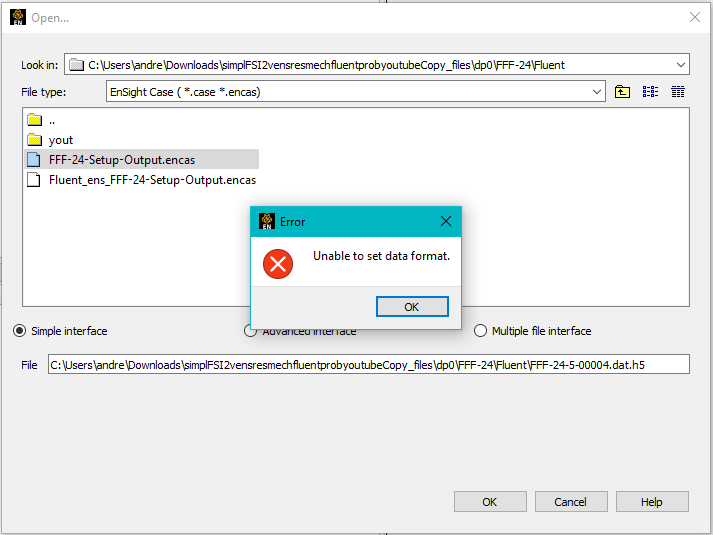
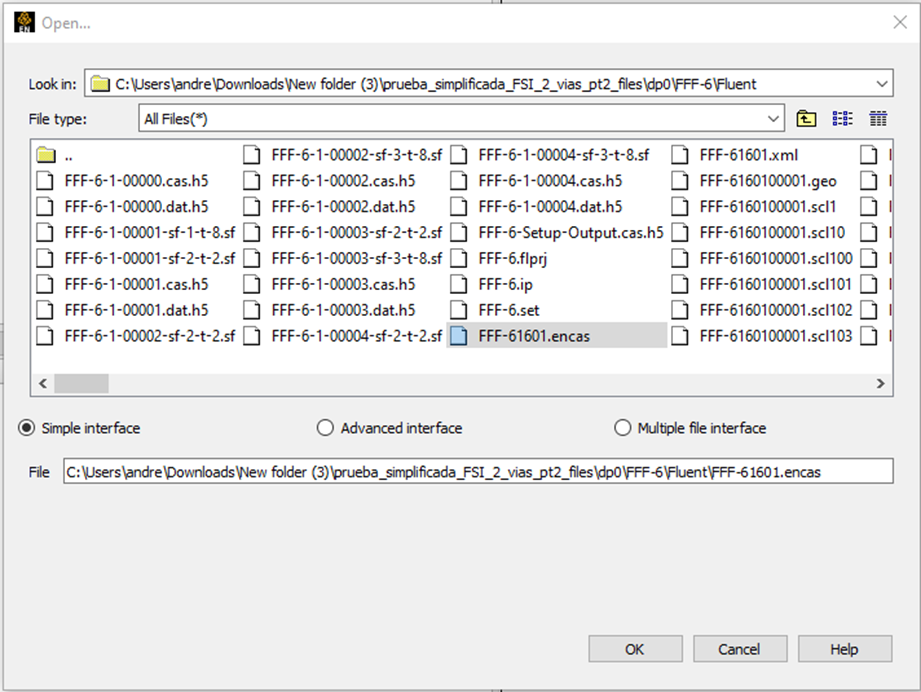
        I was trying to add the Fluent case without System Coupling in EnSight, and when I opened the ".encas" file in EnSight, I had no problems (in Fluent, I used Export -> Solution Data and selected "EnSight Case Gold" as the File Type). 
         
        However, after creating another Workbench and running System Coupling between Fluent and Transient Structural, when I tried to open only the Fluent ".encas" case in EnSight, I got the error "Unable to set data format." I don't know if it was a coincidence that one worked and the other didn't, or if it's related to simulating with System Coupling and then trying to open the ".encas" file associated with Fluent in EnSight.
         
        What could be the causes, solutions, and/or recommendations so that I can open the Fluent-associated case in EnSight after running the FSI simulation with System Coupling?
         
    • Anilkumar
      Ansys Employee

      Hi,

      I think your are giving wrong inputs.

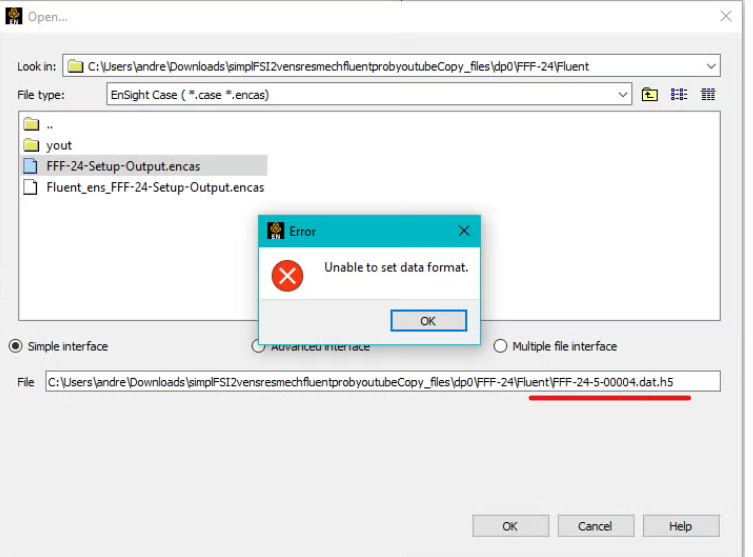
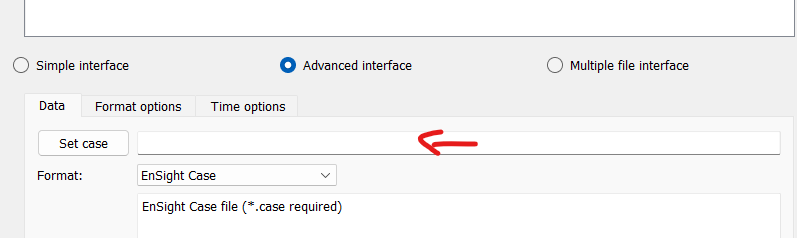
      Can you please give the correct file path for encas? in the image it is showing dat file and that is why you are getting this error. you can go to advanced interface and choose the format to be Ensight Gold and give the correct file path then you should be able to import the file.

      Regards,

      Anil

      • andres.baeza
        Subscriber
        Thank you so much for your answers.
         
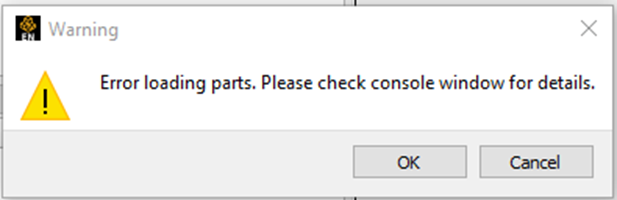
        I created a second example where I fixed the previous problem, but I encountered another error:


        How do I find the "Console" window? What could be causing this error, and how can I fix it?
         
        Is it possible for someone to make a video demonstrating an example using Ensight with system coupling (also including Fluent and Mechanical cases)? (optional)
Viewing 6 reply threads
  • You must be logged in to reply to this topic.
[bingo_chatbox]