-
-
April 28, 2025 at 3:07 am
jeonhj
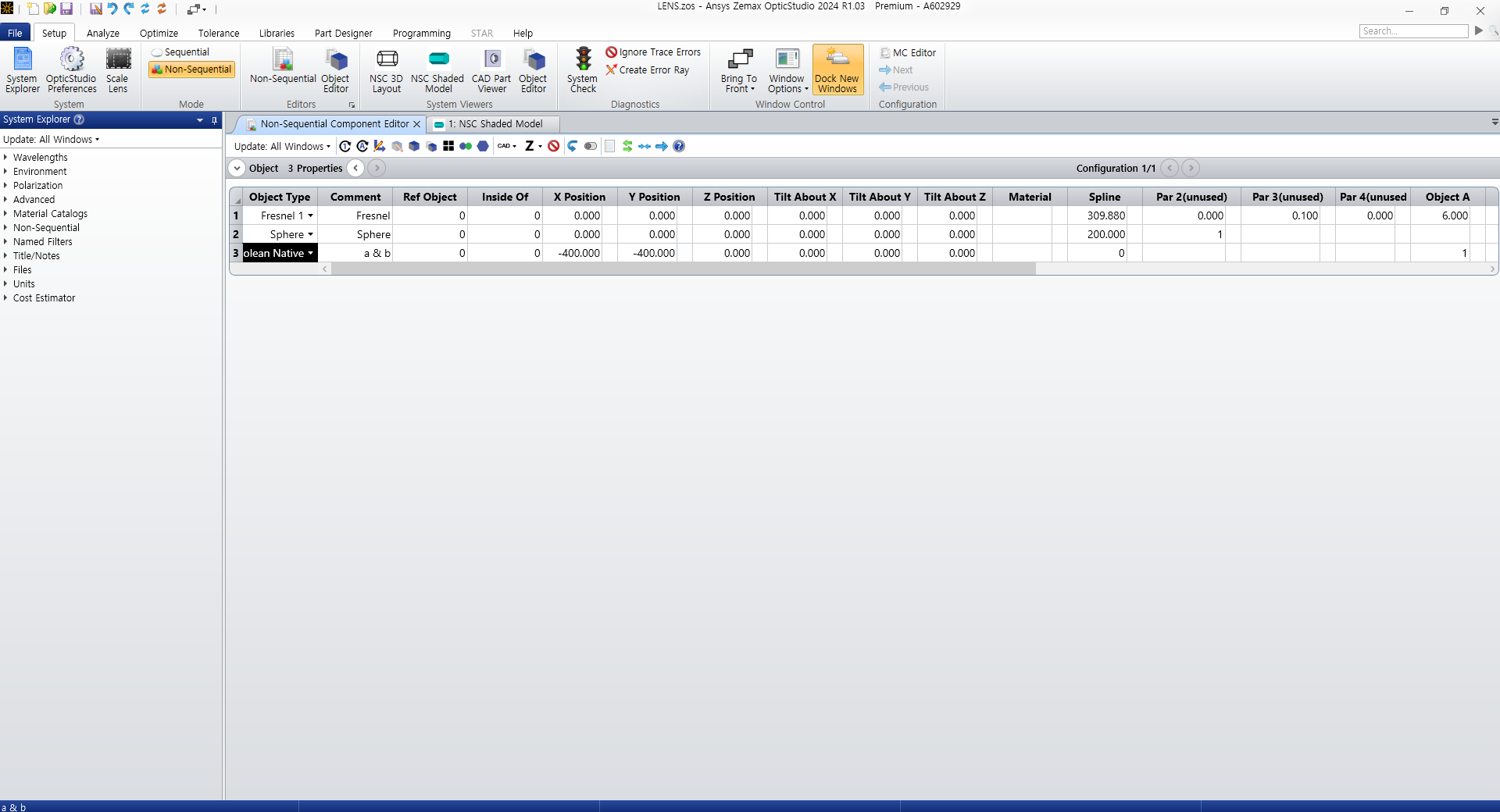
SubscriberI'm having difficulties with performing boolean operation on the Fresnel1 object and CAD object, so I tested it with a simple sphere and the Fresnel1.
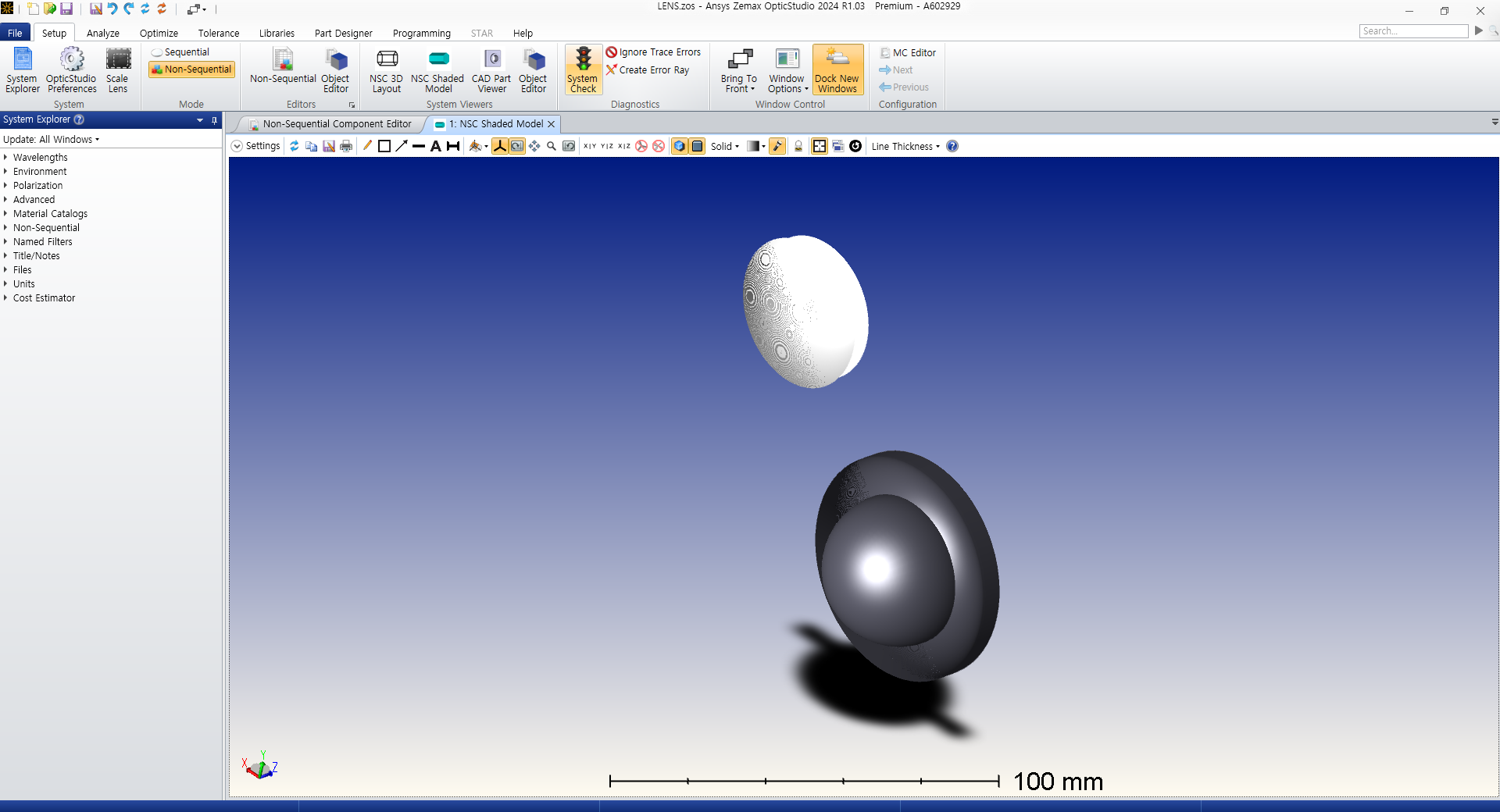
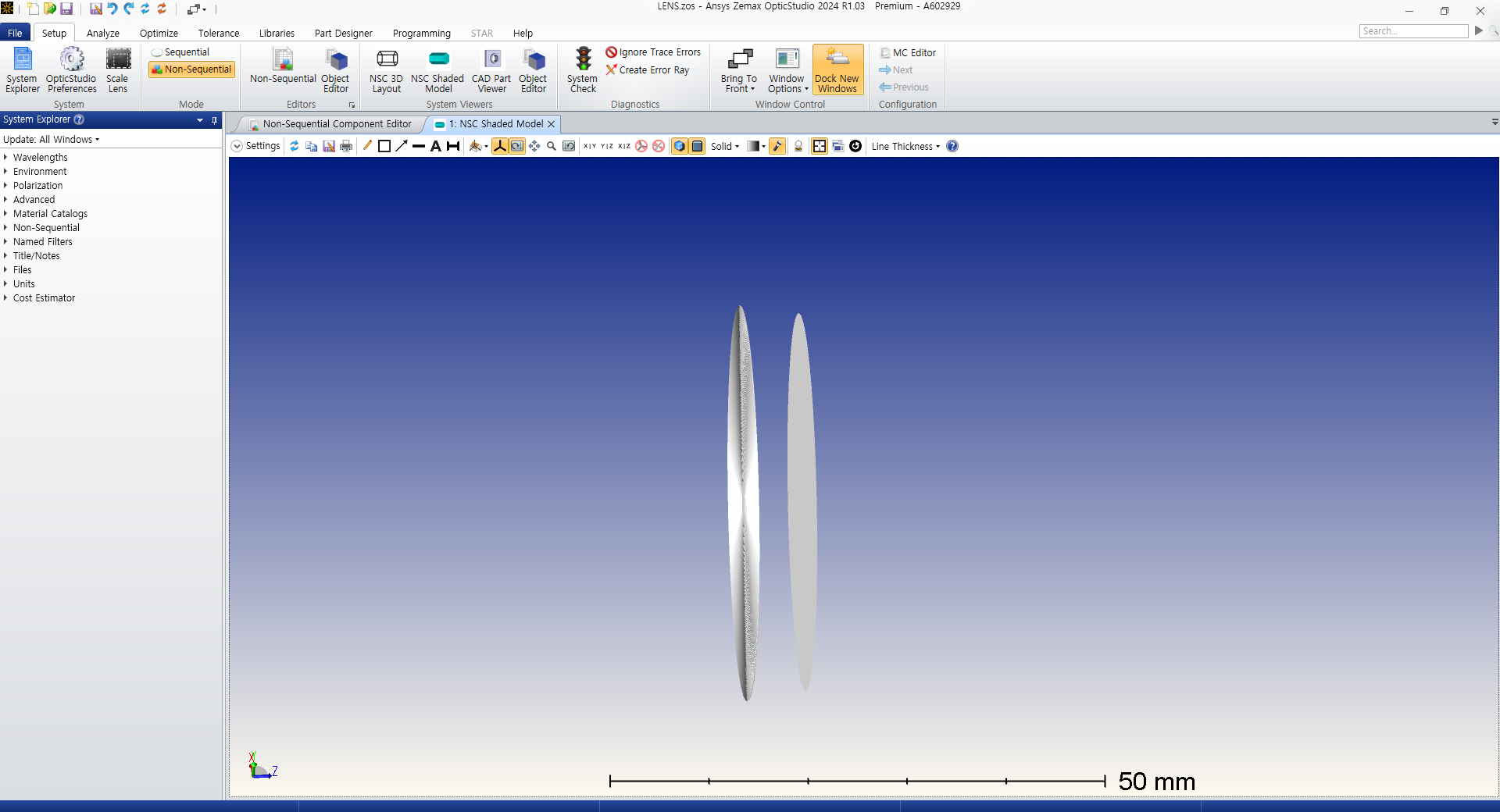
Both of them were native parts, and the boolean operation was a simple &.I expected the result to be a simple fresnel lens of a smaller diameter, but the result only show the front and the rear surfaces of the intersection, and not the surrounding cylindrical surface of the lens.
I've already looked at the boolean samples and I'm not sure why my result is different from the sample below.
I hope someone can explain this to me.
Whether this is an inherent fresnel lens property or if this is something I can fix. -
April 28, 2025 at 7:08 am
Niki Papachristou
Forum ModeratorHi Jeohnj,
Unfortunately, I am not sure I can understand what you are trying to achieve here. If you attach a screenshot of the NSC Component editor, I might be able to replicate it and help you.
A common mistake though for the users is the fact that they are not using the right operations: How to use the Boolean CAD, Boolean Native and Compound Lens objects, and the Combine Objects tool
Kind Regards,
Niki
-
April 28, 2025 at 9:33 am
jeonhj
SubscriberHi, Niki, thank you for answering.
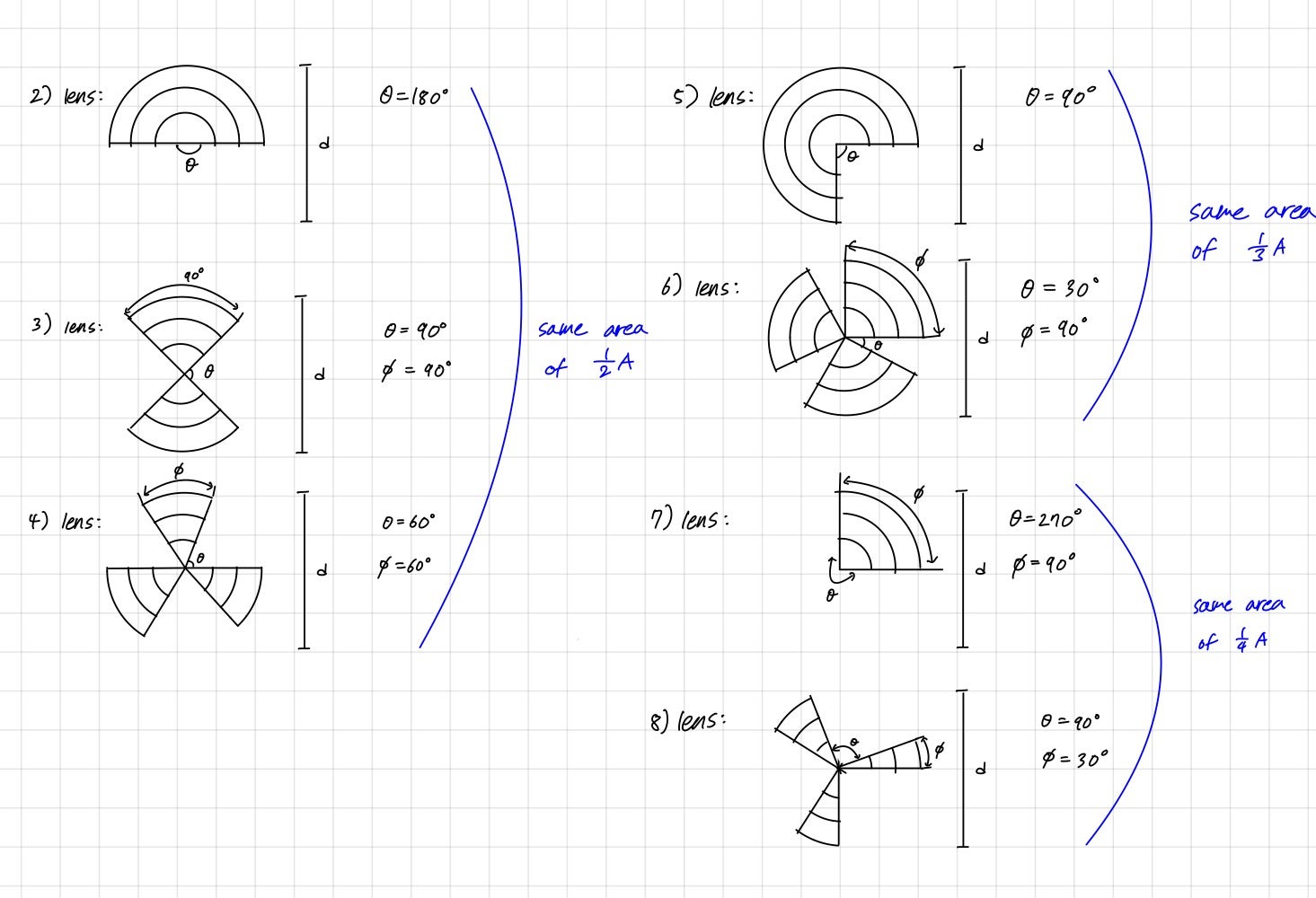
My final goal is to split the fresnel lens into circular sectors using an imported STL file and performing boolean operation with the fresnel lens in the Non-Sequential Mode.
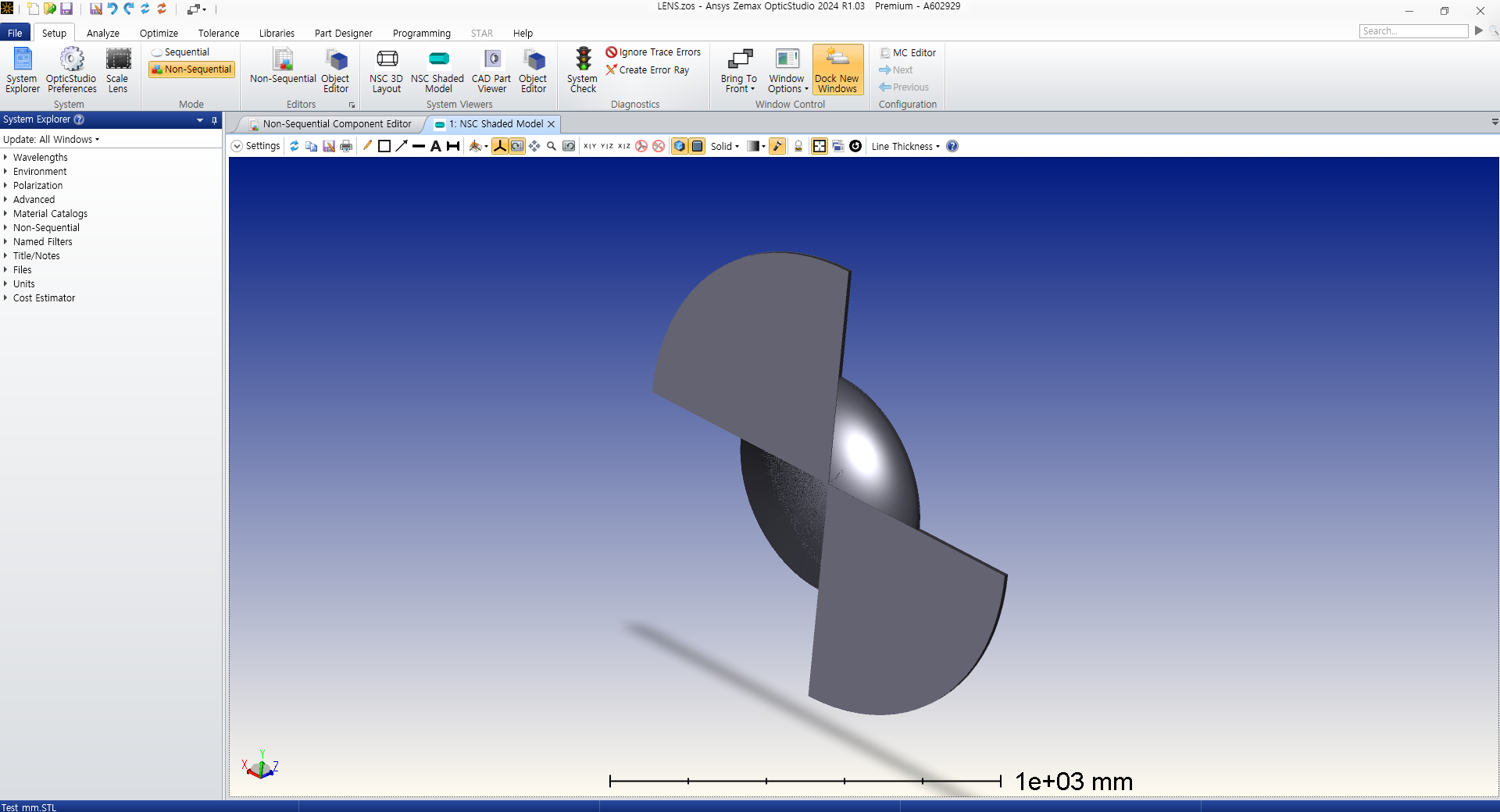
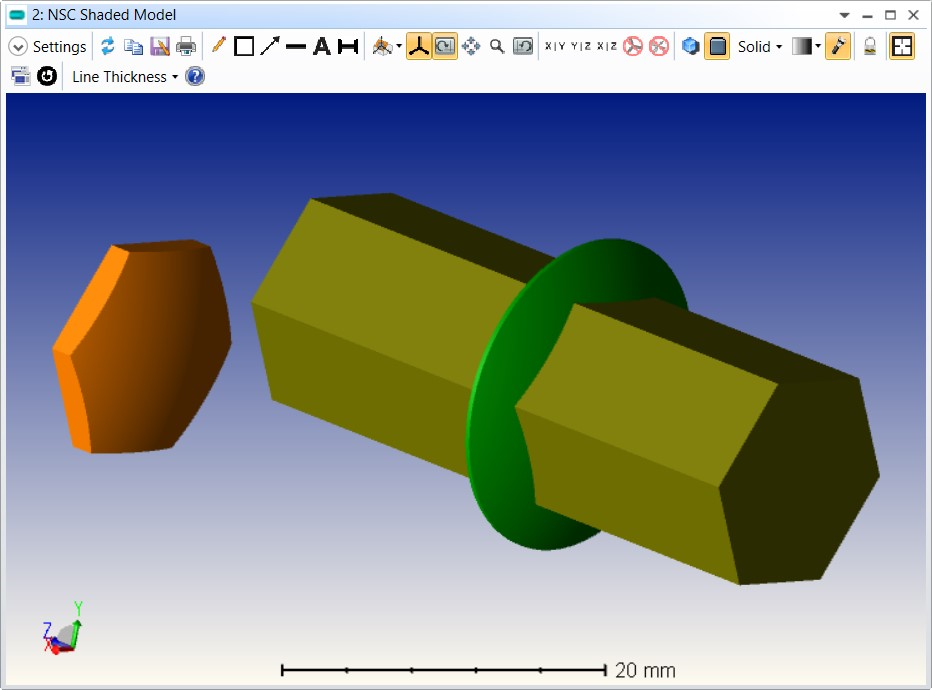
Like the picture below:Picture below shows the original parts I used to perform boolean operation(The circular sector was created using SOLIDWORKS and then imported in STL, and the fresnel lens was a Non-Sequential Mode component Fresnel1).
I wanted the perform boolean '&', so that I can get the resulting fresnel lens in a circular sector.However, I faced difficulties in the process, which was although the STL was imported well, once I tried to perform boolean, the program returned that the STL file was not valid.
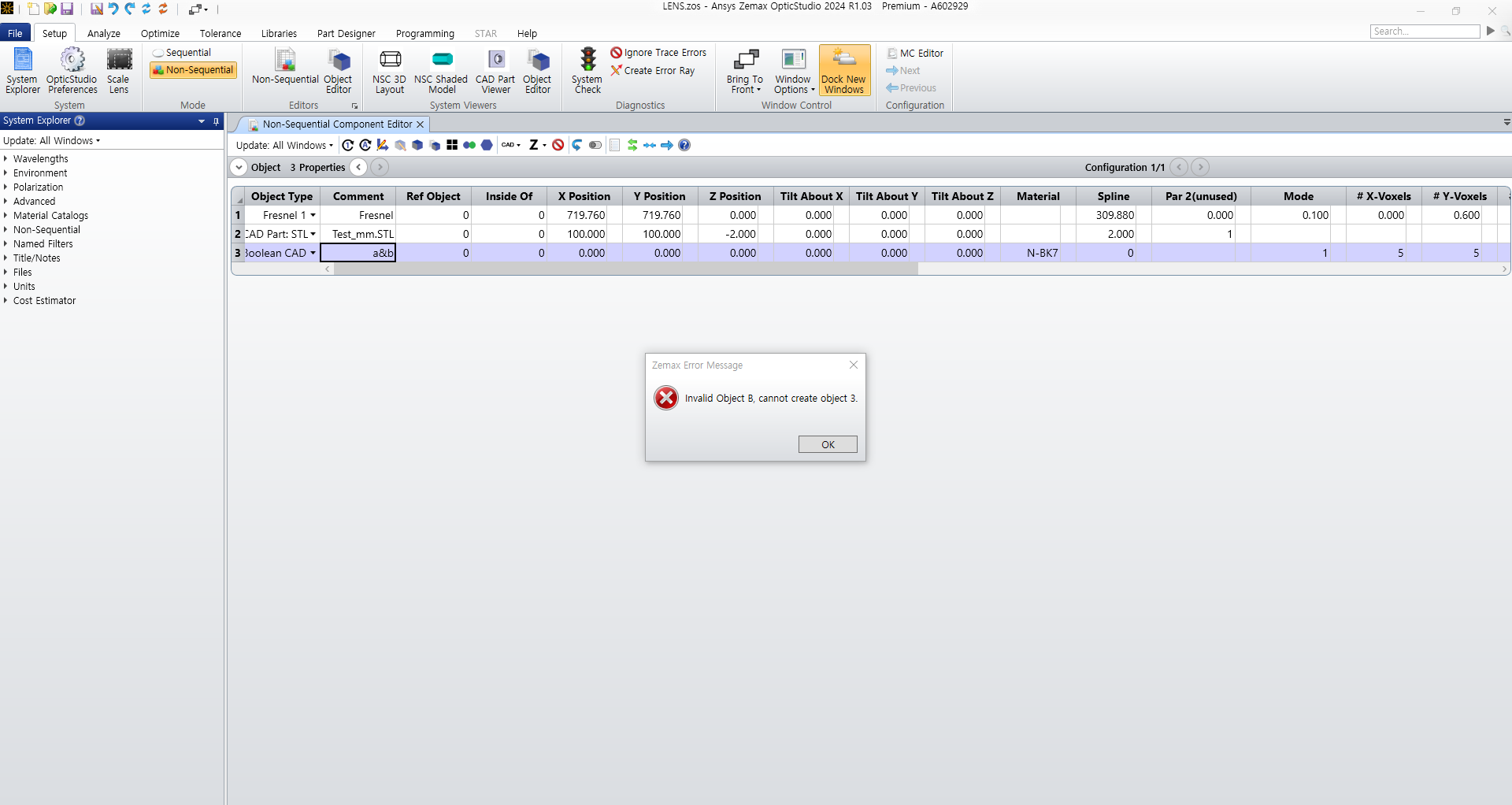
So I'm testing the boolean operation with the fresnel lens and a basic object in the Non-Sequential Mode(To check if my STL object is really the problem).
In the case of the question above, the basic object was a sphere.When I performed boolean with parts that were already in Zemax, the sides of the fresnel lens were gone in the process, and only the front and the rear surfaces were left.
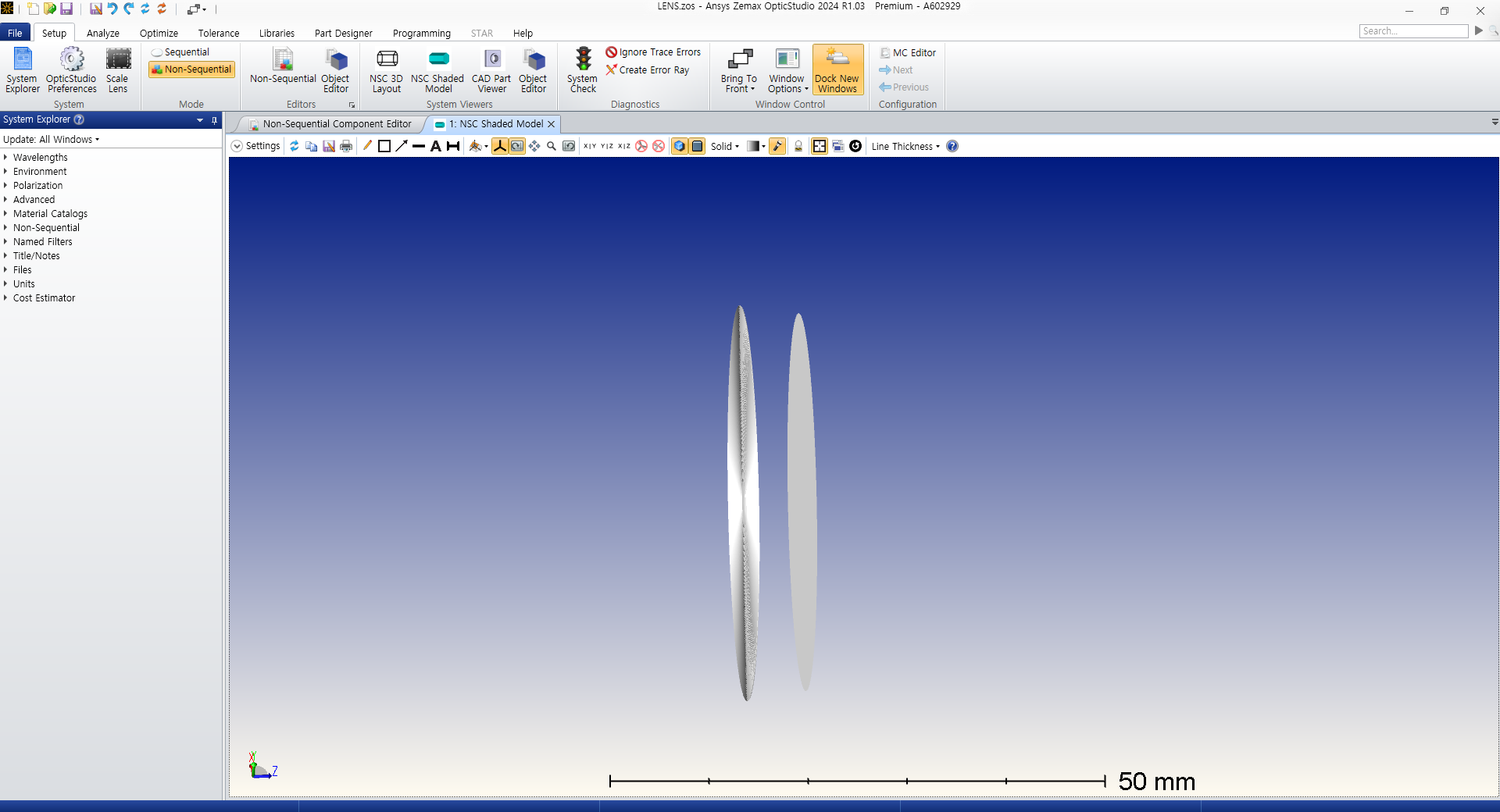
Please let me know what I'm doing wrong here.
-
August 7, 2025 at 10:17 am
sven.stoettinger
SubscriberHi Joenhi,
I can confirm this strange behaviour if a fresnel1-type object is being targeted with a boolean CAD or boolean Native object (with a&b or also a-b operators). It seems that the raytracing results still works correctly but the visuals seem off in a way that the volume does not seem closed. Which OpticStudio-Version are you using? On my system is currently running 2025 R1. While browsing through some older projects of mine I reopend some zmx-files which had fresnel-1 lenses embedded within boolean CAD objects. My exported CAD files from that time showed closed objects while the newly opened file now shows this kind of visual bug.
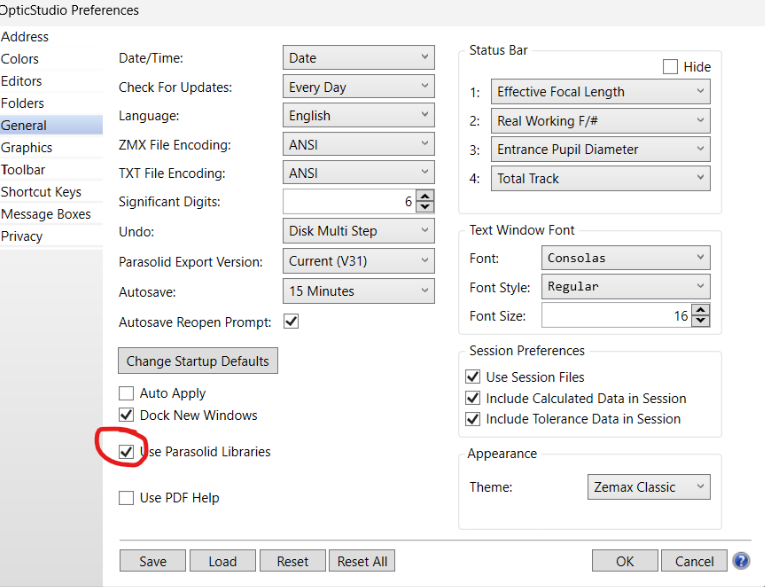
I found out you can get the correct visual presentation if you deactivate Parasolid Libraries in the OpticStudio Preferences:

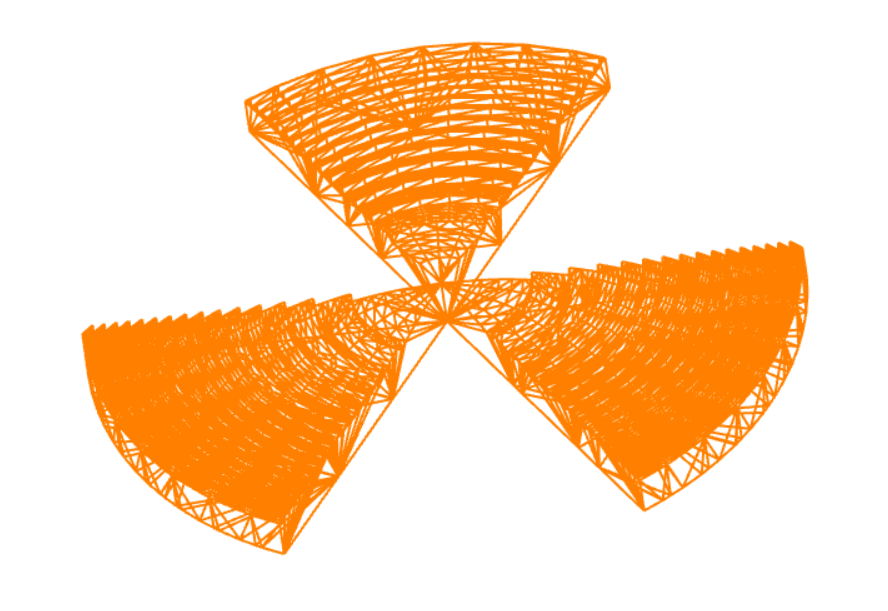
However, for your intended fresnel lens with the circular sectors I also got error messages when trying to combine a native fresnel1-object with an imported STEP-file or STL-file (with or without Parasolid Libraries). I was able to get a boolean object with circular sectors with the following steps: With activated Parasolic Libraries: Export your fresnel1 lens as STEP file and re-import it as a CAD Part. Now you can combine this lens with another STEP file in a Boolean CAD-Object. The "&"-operator also produced errors, but the "-"-operator gave me this object further below in the screenshot.

I hope this helps.
Best regards,
Sven
-
- You must be logged in to reply to this topic.
-
6450
-
1906
-
1457
-
1308
-
1022
© 2026 Copyright ANSYS, Inc. All rights reserved.