-
-
September 29, 2018 at 9:14 am
Rajat25Arya
SubscriberHello,
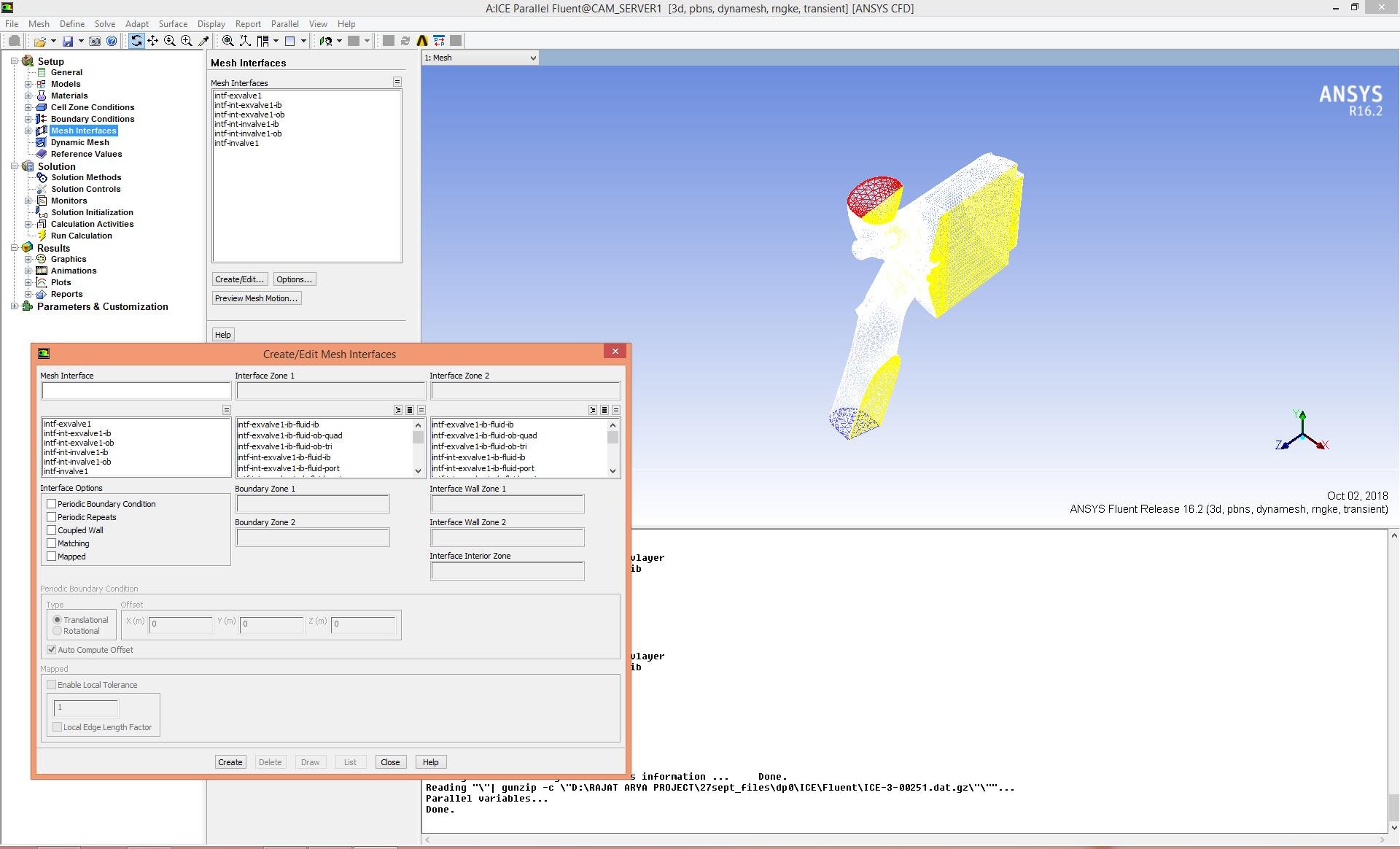
I am simulating Cold Flow of IC Engine but after some time it shows an error "Flow Iterate: Unassigned interface zones" and iterations stop.
What shoul I do to rectify this error ??????
-
October 1, 2018 at 4:58 am
Keyur Kanade
Ansys EmployeeHello,Â
Please check if you have any interfaces in you geometry.Â
If you have any interfaces, please make sure that you define them correctly in Fluent.Â
Regards,
Keyur
-
October 1, 2018 at 5:15 am
seeta gunti
Ansys EmployeeHello Rajat,
I guess you are simulating valve movement through dynamic meshing. The message tells you that you have non-conformal interface zones that has to defined but in your case, they are not defined properly. After reading the mesh into FLUENT, you need to visit Mesh interfaces and select these in each column and give it a name and select appropriate option and hit create.Â
Regards,
Seeta
Â
-
October 2, 2018 at 8:51 am
-
October 2, 2018 at 10:02 am
Karthik Remella
AdministratorHello,
Have you attempted to go into WorkBench meshing and tried creating the necessary interfaces? The best way sometimes is to make sure you are able to read them right in WorkBench meshing before importing the model to Fluent. WorkBench meshing creates 'contacts' and they show up as 'Mesh interfaces' in Fluent. You might want to double check to see if you have the correct set of contacts / connections in WorkBench meshing. This might help you isolate the issue Seeta and Keyur are referring to. I hope this helps.
Best Regards,
Karthik
-
October 2, 2018 at 11:39 am
Rajat25Arya
SubscriberHello Karthik sir,
As you know IC Engine package does fully automatic hands free meshing and I just have to select type of mesh like Coarse, Medium or Fine. I dont know where I am lacking? I am going according to official tutorial but not able to complete full simulation till 720 crank angle. I think the problem is in the mesh but where because several mesh operations start to happen automatically.
-
October 3, 2018 at 3:14 am
Keyur Kanade
Ansys EmployeeHello,Â
Can you please let us know which tutorial you are following?
I see you are using 16.2. Can you please upgrade to 19.1 and check.Â
Thanks!
Regards,
Keyur
Â
-
October 8, 2018 at 9:29 am
Rajat25Arya
SubscriberI am using" ANSYS_Internal_Combustion_Engines_Tutori"
It is official tutorial of ANSYS but somehow I cant simulate by this.
-
October 8, 2018 at 10:04 am
Amine Ben Hadj Ali
Ansys EmployeeAs highlighted my colleague: Can you please let us know which tutorial you are following?
I see you are using 16.2. Can you please upgrade to 19.1 and check.Â
-
October 12, 2018 at 6:36 am
Rajat25Arya
Subscriberhttps://www.sharcnet.ca/Software/Ansys/15.0.7/en-us/help/wb_icom/icom_tut.html
I am following above link.
-
- The topic ‘Flow Iterate in FLUENT IC Engine’ is closed to new replies.
- air flow in and out of computer case
- Varying Bond model parameters to mimic soil particle cohesion/stiction
- Eroded Mass due to Erosion of Soil Particles by Fluids
- I am doing a corona simulation. But particles are not spreading.
- Issue to compile a UDF in ANSYS Fluent
- Guidance needed for Conjugate Heat Transfer Analysis for a 3s3p Li-ion Battery
- JACOBI Convergence Issue in ANSYS AQWA
- affinity not set
- Resuming SAG Mill Simulation with New Particle Batch in Rocky
- Continuing SAG Mill Simulation with New Particle Batch in Rocky
-
4512
-
1494
-
1386
-
1209
-
1021
© 2025 Copyright ANSYS, Inc. All rights reserved.