-
-
February 3, 2020 at 6:09 pm
CapstoneA
SubscriberI recently received a trial license for ANSYS Motor-CAD. I followed the license setup instructions found in the download package, but ran into a few issues.Â
I was able to add the license file to the License Management Center successfully (image 1):Â
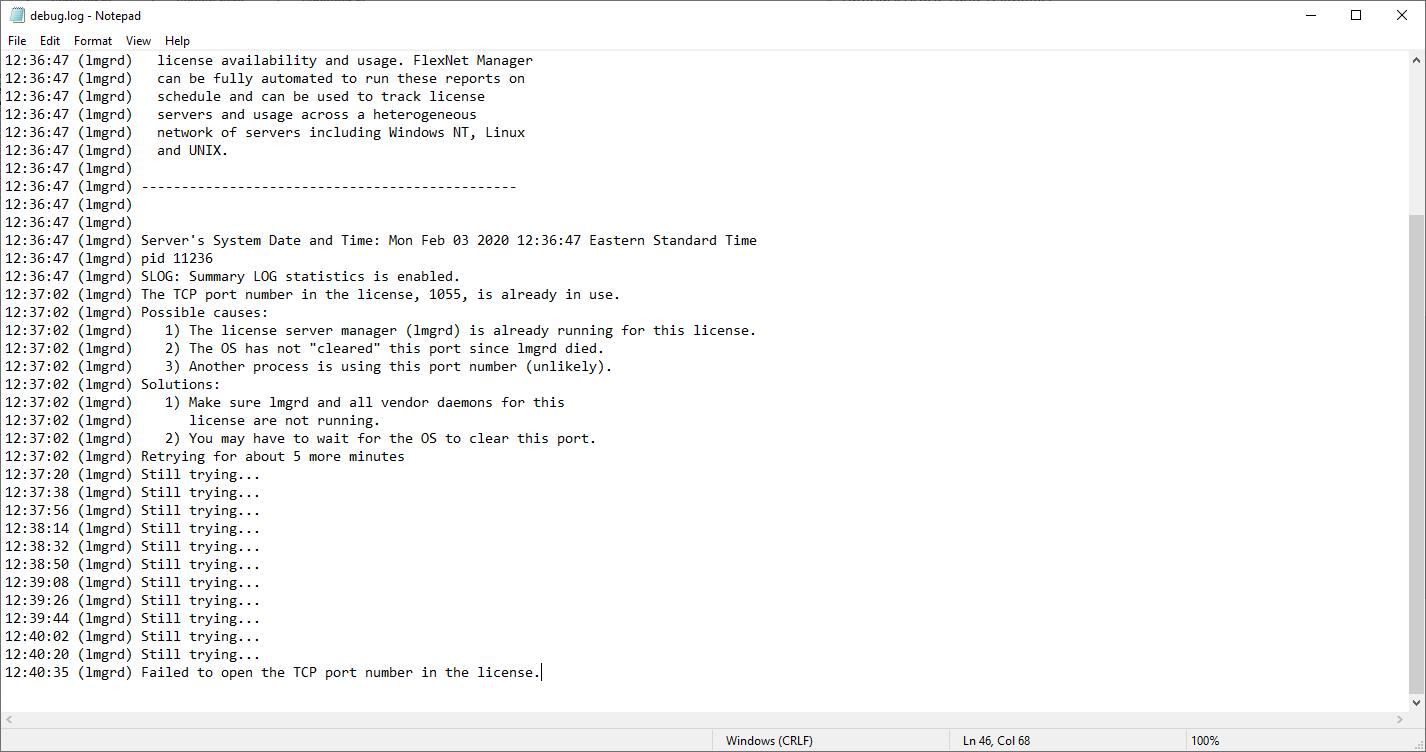
But, when setting up the licence server in FlexNet, I kept receiving the following error (image 2):Â
"The TCP port number in the license, 1055, is already in use."
I tried changing the port number in the license file to 1056, but I received the following error (image 3):Â
"File not found, ansyslmd.exe"Â
IÂ turned off the firewalls, checked environment variables, checked hostname, reviewed the license file, freed up port number 1055 and tried again, but nothing works.
What is the problem?Â
[p.s a similar issue was reported here:Â /forum/forums/topic/flexnet-not-starting-due-to-port-already-in-use/]
Any help is appreciated.Â
-
February 11, 2020 at 1:27 am
CapstoneA
SubscriberHello All,
I was able to resolve the above issues by doing the following:Â
1. I copied over the 'ansyslmd.exe' file from 'C:Program FilesANSYS IncShared FilesLicensingwinx64' into the same folder where the 'lmgrd.exe' file is located in the download package (where 'lmtools.exe' is launched).Â
2. I created new firewall exceptions for the following programs: 'lmgrd.exe', 'ansyslmd.exe', 'ansysli_server.exe', 'ansysli_monitor.exe' and 'ansysli_client.exe'.Â
However,
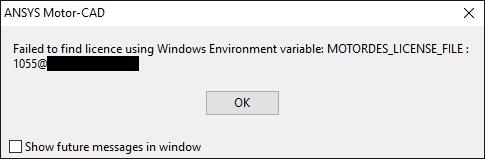
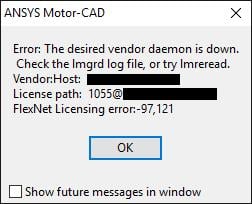
Now, when I launch MotorCAD, I get the following errors (images 4 and 5):Â
Any suggestions?Â
-
October 2, 2020 at 9:17 am
Clara Picoron
Ansys EmployeeHi Array I’m sure this has long since been resolved but I’ll offer a possible explanation anyhow in case it comes up again.nnRegarding License Manager (LM) server specification:nMOTORDES_LICENSE_FILE environement variable has been deprecated, it has been replaced by ANSYSLMD_LICENSE_FILE. Value is the same 1055@lic_server_name_or_IPnLicense Server specification is also saved under ..\ANSYS_Motor-CAD\Shared Files\Licensing\ansyslmd.ini file with this line: Server=1055@lic_server_name_or_IPnnRegarding LM operations:nError message indicates that the vendor daemon (ansyslmd) is not started. To resolve this open ANSYS License Management Center on click on STOP until the three component are in 'not runing' state:nLicensing Interconnect: not running nLicensing Interconnect Monitor: not running nFlexNet Licensing: not running nThen check in Task Manager that none of these process are running anymore (ansysli_server.exe, ansysli_monitor.exe, ansyslmd.exe and lmgrd.exe) if they do, kill them. Then click on START in the ANSYS License Management CenternnI hope this help.
-
- The topic ‘FlexNet Licence Server Setup Problems’ is closed to new replies.
-
4818
-
1587
-
1386
-
1242
-
1021
© 2026 Copyright ANSYS, Inc. All rights reserved.