-
-
January 28, 2020 at 1:09 am
vkb12
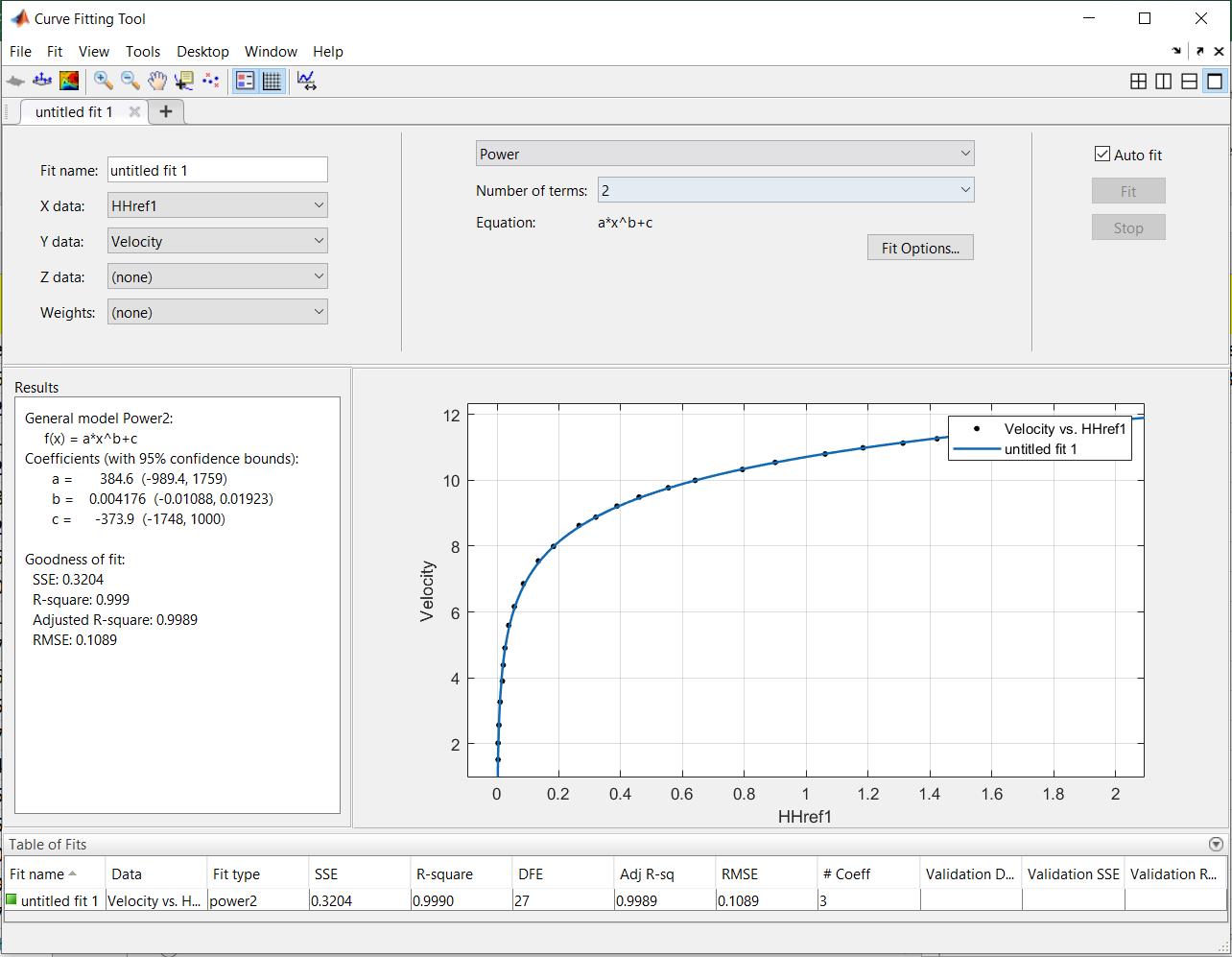
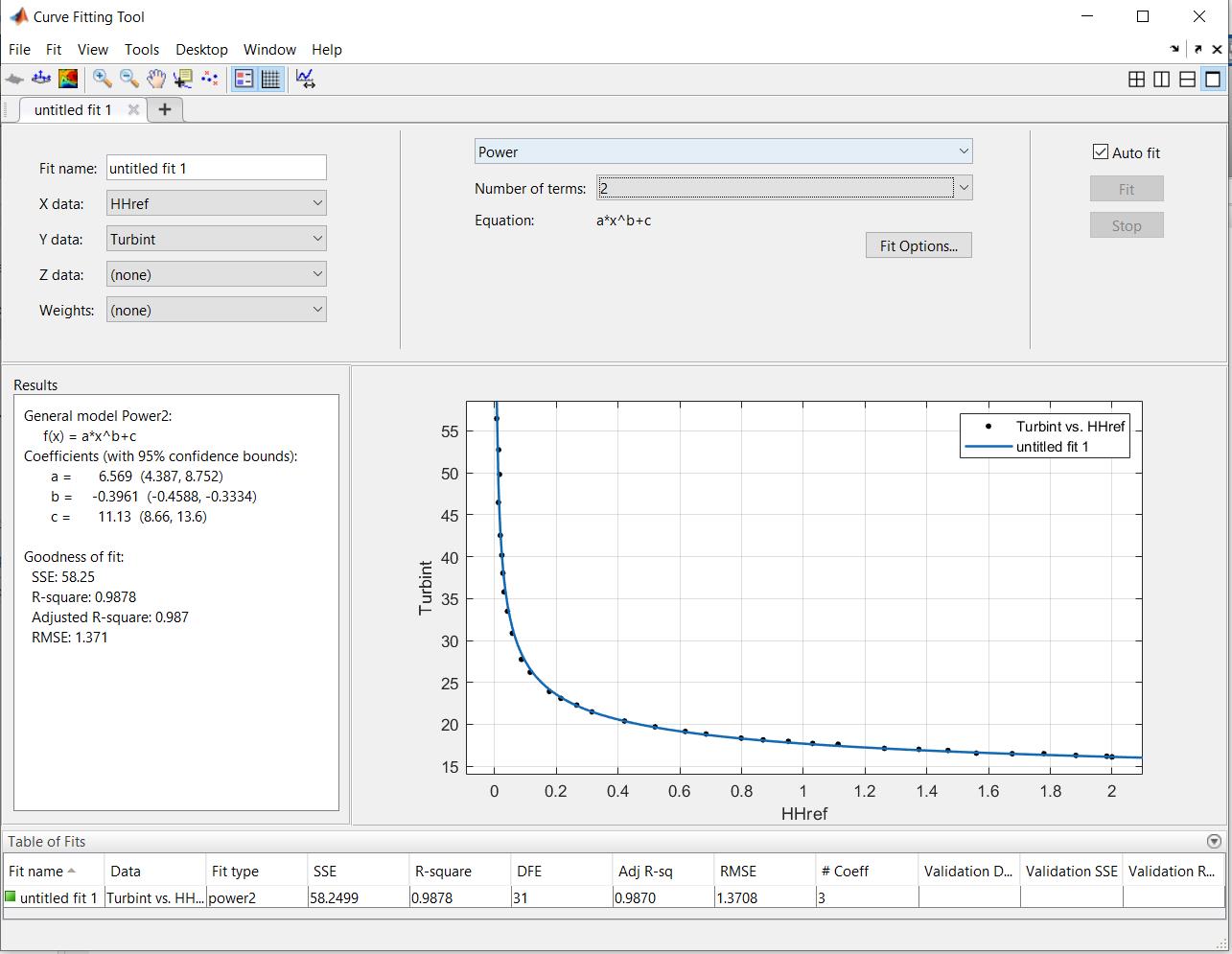
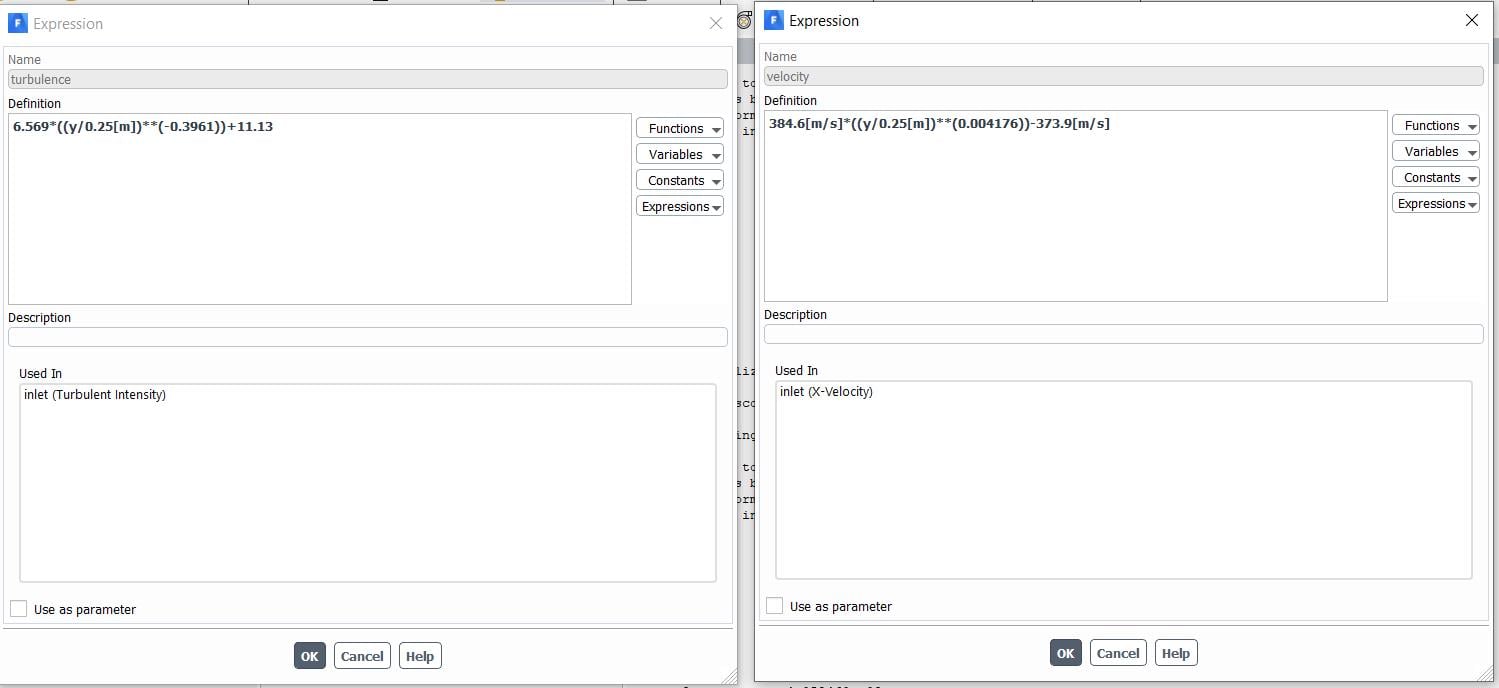
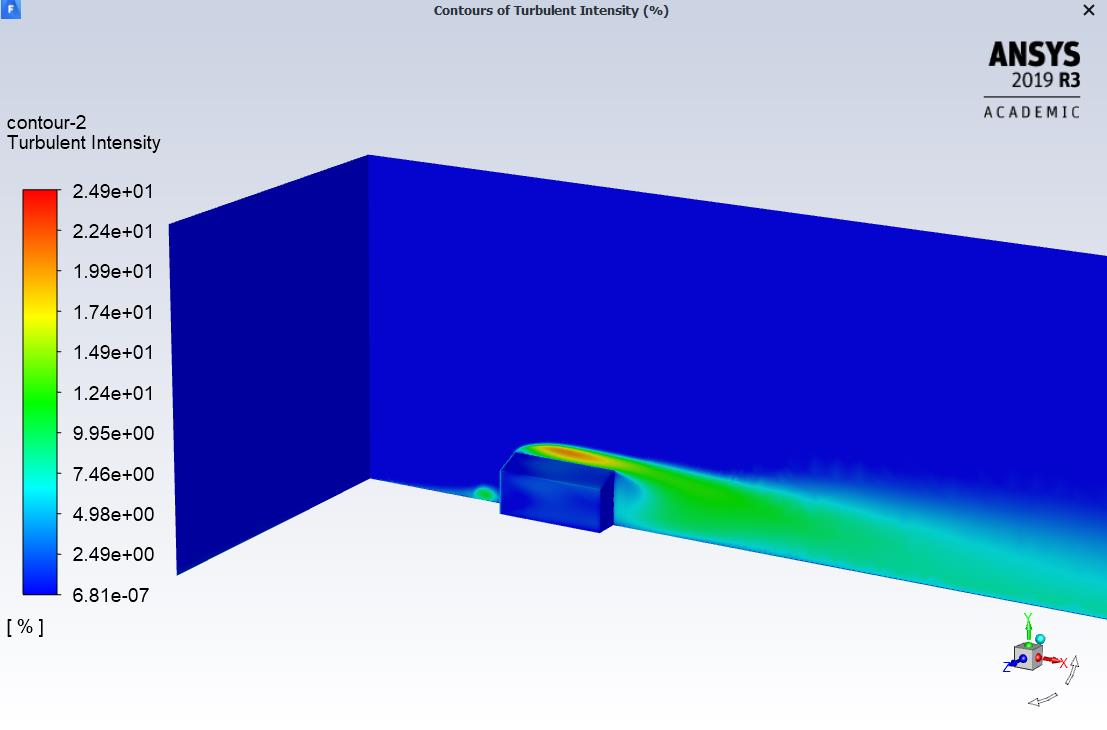
SubscriberHi, I am working on a simulating the flow around a gable roof building and am trying to incorporate ABL profiles using named expressions for inlet velocity and inlet turbulence intensity. The expressions for the profiles were obtained by curve fitting. The expression for velocity is (-97.6[m/s]*((y/0.25[m])**-0.0159))+108.3[m/s] and the expressions for turbulence intensity is 5.171*((y/0.25[m])**-0.4446)+12.56. I have noticed that unless turbulence intensity is defined as a constant value, the resulting turbulence intensity after simulation comes out to be 7e-7 at the inlet (shown in the attached screenshot). When turbulence intensity is defined as a constant value through expressions, the resulting turbulence intensity is scaled by a factor of 100. I'm not sure if my use of 'y' here is the issue. Both my profiles vary with height and y is my vertical coordinate. However, my velocity profile is correct and have no issues with it.
-
January 28, 2020 at 5:41 am
DrAmine
Ansys EmployeeTurbulence intensity as post processing variable depends on reference value. You need to define your expression for it for double checking. -
January 28, 2020 at 1:10 pm
vkb12
SubscriberHi sir, do you mean i have to define an expression for the reference values ? Also could you tell me if it depends on any particular reference variable?
-
January 28, 2020 at 4:44 pm
DrAmine
Ansys EmployeeNo just custom field function to calculate TI. -
January 28, 2020 at 4:45 pm
DrAmine
Ansys EmployeeWhich you can post process for double checking. -
January 28, 2020 at 4:46 pm
DrAmine
Ansys EmployeeIt does depend on mean value of velocity the default one on the reference velocity -
January 28, 2020 at 4:51 pm
vkb12
SubscriberI have currently defined a custom expressions for the value of turbulence intensity varying with height at the inlet. However during post processing, I observed that the value obtained is 7e-7 regardless of what expressions i use. Could you tell me why that would be the case ?
Best Regards,
Balaji -
January 28, 2020 at 4:55 pm
DrAmine
Ansys EmployeeMaybe wrong expression? If velocity profile as well as turbulence quantities are okay ( as you are defining them) then the TI is just derived from that input: your input. Also check your input. -
February 9, 2020 at 10:12 pm
vkb12
SubscriberHi,
I would like to quickly explain my process so that you can help verify if the approach is correct.
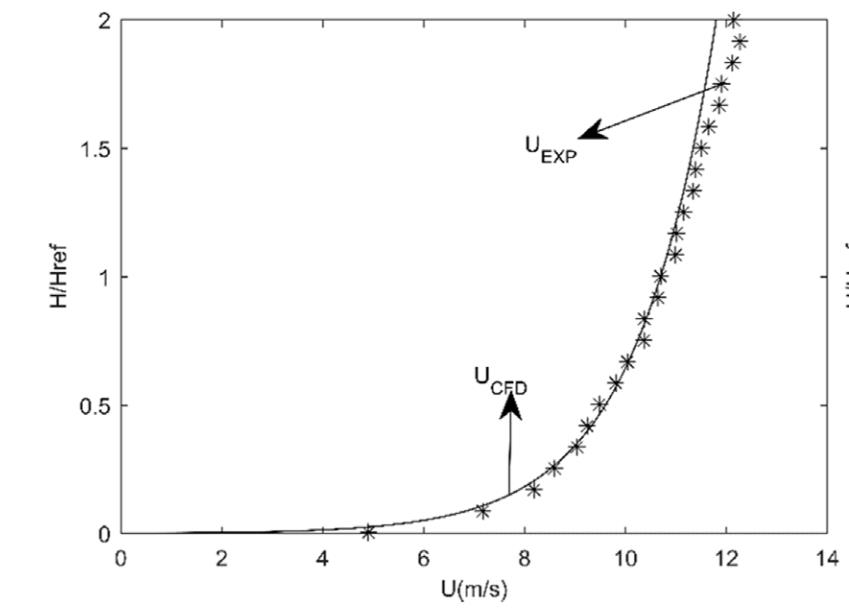
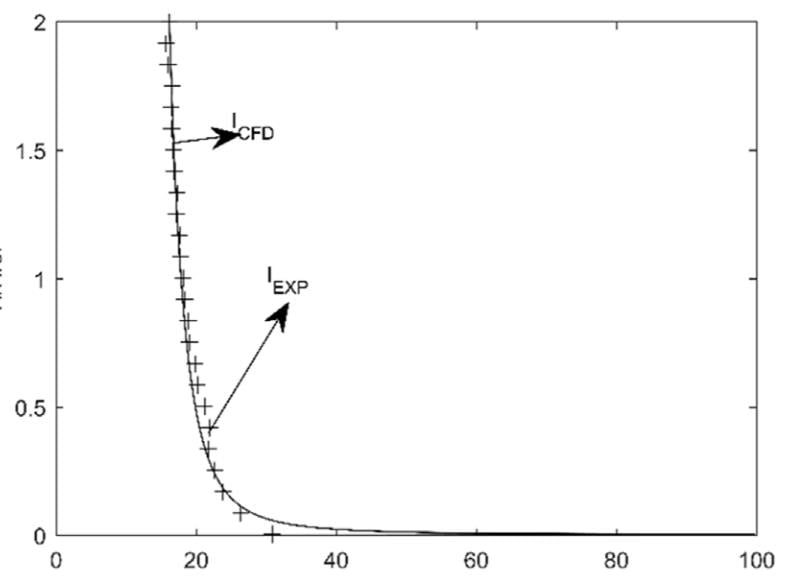
I started with digitizing the following plots and inverting the axis so that H / Href becomes the independent variable. I am looking to find expressions for velocity and turbulence intensity in terms of H / Href ( where H varies from 0 - 1.5 m and H ref is 0.25m ).
Once the plots were digitized, I imported the excel sheet containing the values to the curve fitting tool of MATLAB.


Then I input these equations into Named expressions on ANSYS Fluent. The height component in my model is y, therefore H/Href has been replaced by y/0.25m
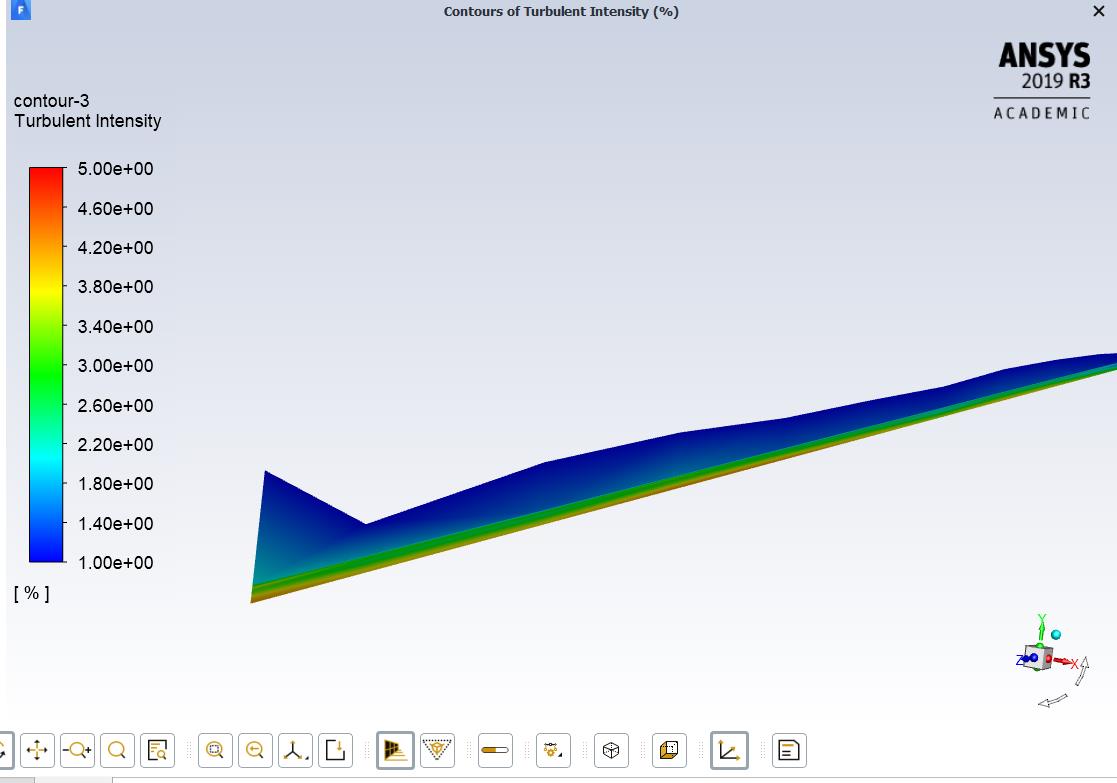
Outlet conditions were set to Outflow. After running the simulations for 2000 iterations, the following profile for turbulence intensity is obtained.
No distribution can be observed for turbulence intensity at the inlet. My flow direction is along the positive x direction. On adjusting the values of the range of turbulence intensity for the contour, it can be seen that the maximum turbulence intensity at the inlet is 5 and is at the base.
The maximum turbulence intensity that is expected near the bottom is close to 56 percent.
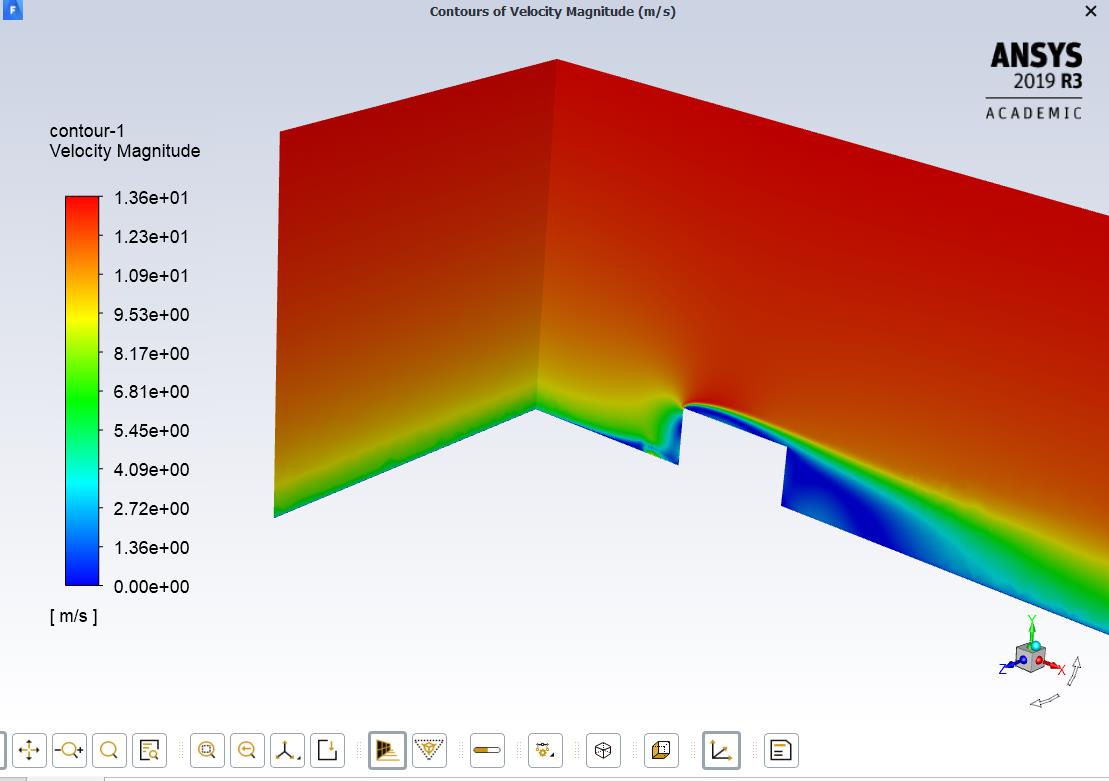
The velocity profile however seems to be fine.
I noticed recently that the discrepancy might be arising from the fact that when defining turbulence intensity as an expression, the range of accepted values lie between 0 and 1. However, my expression deals with the numerical value of turbulence percentages. The conversion between the two might be leading to the issue. However any change to the expression still results in the same output.
Any help would be appreciated! -
February 10, 2020 at 6:37 am
DrAmine
Ansys EmployeeI do not understand your expression and your input but the way to do it is what you have done it and is correct. Just to remind that the Turbulence Intensity in Fluent (the variable for post-processing) is based on the velocity value under reference values. I can only tell you there that the turbulence intensity is provided in %.
-
February 14, 2020 at 2:25 pm
vkb12
SubscriberThank you, sir. Is there any possible way of define inlet turbulence intensity as a profile other than using named expressions ?
-
February 14, 2020 at 2:27 pm
vkb12
SubscriberI am trying to simulate the atmospheric boundary layer accurately for predicting wind loads on a low rise building.
-
February 14, 2020 at 3:54 pm
DrAmine
Ansys EmployeeYou can use UDF for that or just as text profile in cSV format for example. Check the User's Guuide for that!
-
- The topic ‘Facing issue with defining turbulence intensity as expression’ is closed to new replies.

-
6450
-
1906
-
1457
-
1308
-
1022
© 2026 Copyright ANSYS, Inc. All rights reserved.