

TAGGED: ansys-fluent, problems, screen, workbench
-
-
April 14, 2021 at 6:57 pm
Resuscytacja
SubscriberHi everyone
I need help extracting screenshots from WORKBENCH - ANSYS FLUENT
Well, the problem is as follows.
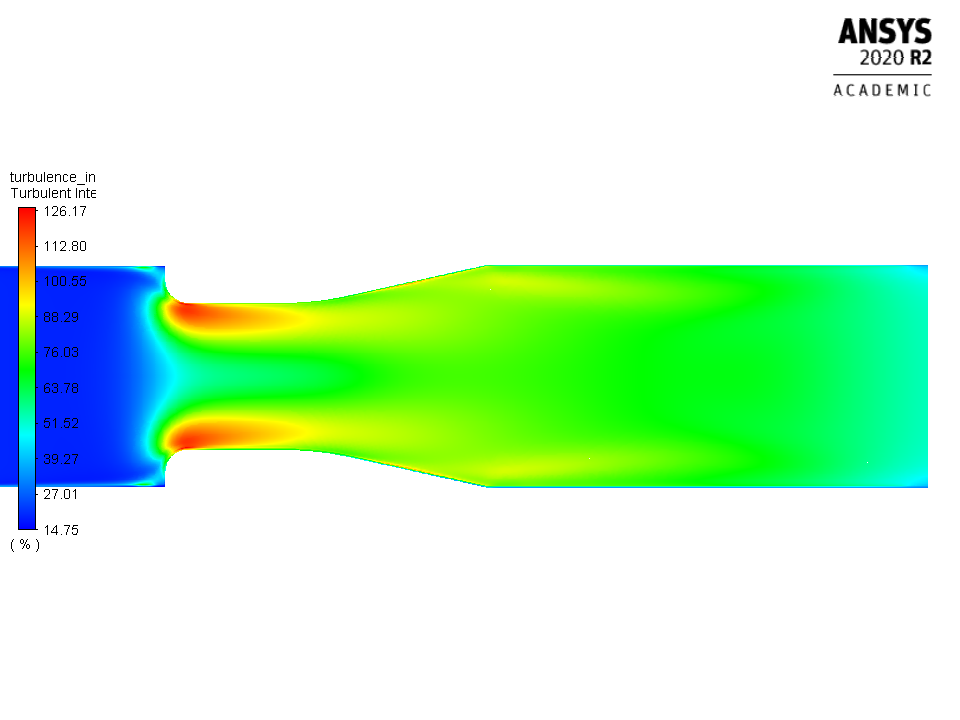
After creating a Design Point in the Parameter Set and updating the project, the screenshots are saved like this (Picture 1). The photos are very unreadable.
I would like to get the effect shown in (Picture 2).
How to automate it?
I will add that I am able to manually extract these photos from SOLUTION from the basic columns in WORKBENCH or from RESULTS (Picture 3).
I will show you what the settings in PARAMETER SET look like (Picture 4).
I would like to add that I have to compare various physical parameters. Speed, pressure differences. For various sizes of flow meters (50mm, 60mm, 80mm)
I'm counting on your help. My diploma thesis depends on it.
PS. Sorry for my english but i use translator.
PICTURE 1
April 16, 2021 at 6:04 amKeyur Kanade
Ansys EmployeeAs far as I understand, you want those images for each dp. nOpen DP0. Then use execute command option in Fluent. nhttps://ansyshelp.ansys.com/account/secured?returnurl=/Views/Secured/corp/v202/en/flu_ug/flu_ug_Execute_Commands.html%23flu_ug_Execute_CommandsnUse text commands in this panel to create and save images after run. Please search forum on text commands (TUI). nPlease go through help manual for more details nRegards,nKeyurnHow to access Ansys Online Help DocumentnHow to show full resolution imagenGuidelines on the Student CommunitynHow to use Google to search within Ansys Student CommunitynViewing 1 reply thread- The topic ‘Extracting screenshots from WORKBENCHA. Automatically.’ is closed to new replies.
Innovation Space Trending discussions
 Top Contributors
-
peteroznewman
 6745
6745 -
scabo
 1906
1906 -
Dennis Chen
 1484
1484 -
javat33489
 1324
1324 -
NickFL
1047
Top Rated Tags
© 2026 Copyright ANSYS, Inc. All rights reserved.
Ansys does not support the usage of unauthorized Ansys software. Please visit www.ansys.com to obtain an official distribution.
-


 You are navigating away from the AIS Discovery experience