TAGGED: -adaptive-mesh, fluent, write-file
-
-
July 14, 2025 at 1:36 pm
Dato
SubscriberHi all,
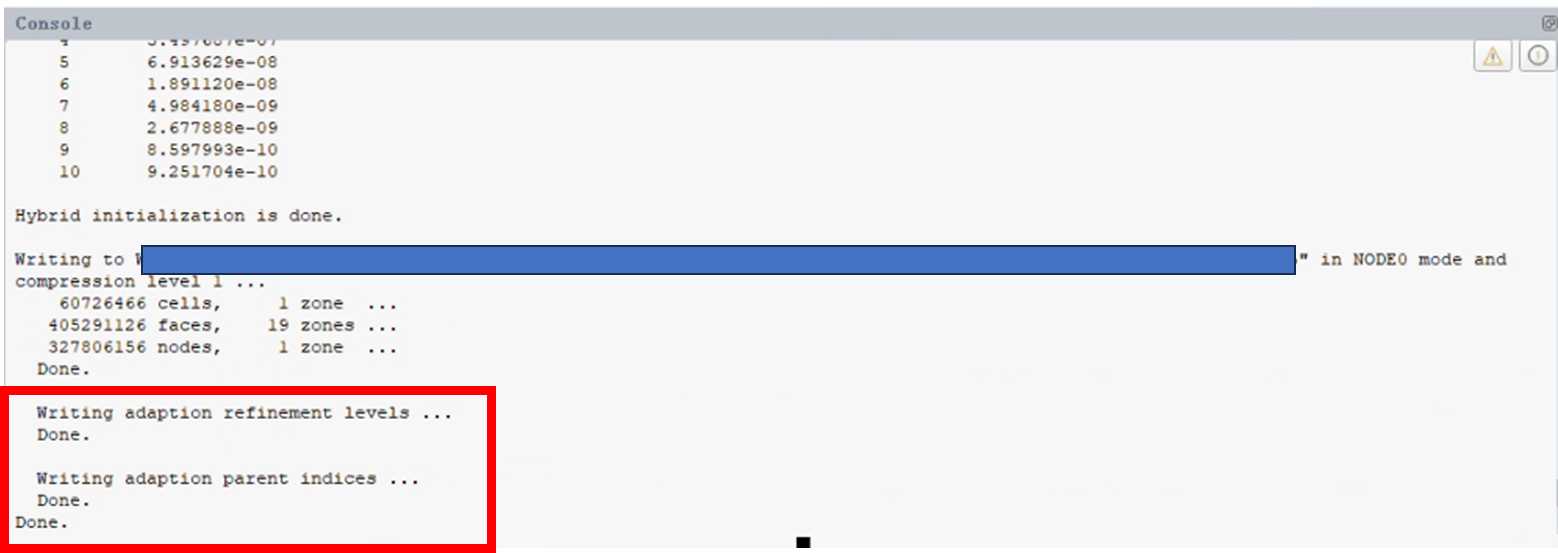
I found that when I write case file, some other not being used data is also exported. It's marked in the red box in the picture. Since I have ever used mesh adaption in a case file, the data of adaption is also been exported in other every cases (I have try performing other simulation project without mesh adaption and set up the case manually).Â
I found that the extra exported refinement level data much slow down the writing speed for a large case and I don't want it act like this.Â
Are there any suggestion?Â
Best regards
Â
Â
-
July 14, 2025 at 3:17 pm
Rob
Forum ModeratorI assume you do have registers defined?
-
July 15, 2025 at 1:31 am
Dato
SubscriberÂ
Yes, I have defined a cell register for mesh adaption in a previous case. But the adaption information is also wrote in other case which didn’t define cell register. Besides, I didn't choose those field quantites to export. So it’s puzzled.
Â
-
-
July 15, 2025 at 8:44 am
Rob
Forum ModeratorThe HDF format files also retain all adaption and register data. So, the case holds the original mesh and how to refine to get to the current state. Depending on the refine/coarsen interactions the unrefined mesh may not be quite what you started with.Â
-
July 15, 2025 at 1:21 pm
Dato
SubscriberHi Professor,
I'm sorry that I didn't make myself clear. I defined cell register in a previous case. And I have generated a new mesh in FM and read it in the Fluent in other cases, where I didn't define cell register and refine/corasen the mesh. The adaption data is unexpectedly wrote in latter case.  Â
-
-
July 15, 2025 at 1:40 pm
Rob
Forum ModeratorCan you check if there are any registers. If you re-read a mesh into a case Fluent will retain all settings.Â
-
July 16, 2025 at 2:51 am
Dato
SubscriberThank you for reminding me. I write settings which contain registers in TUI and read it into a new mesh. But I'm sure that the register is deleted for the new mesh. Will the register be also retained in this case?
-
-
July 16, 2025 at 7:50 am
Rob
Forum ModeratorCheck, the register settings should also transfer as the settings are in the file: ie you've likely passed the instructions to generate the register.Â
-
July 17, 2025 at 2:23 am
Dato
SubscriberHi Rob,
Thanks for your patient answer.
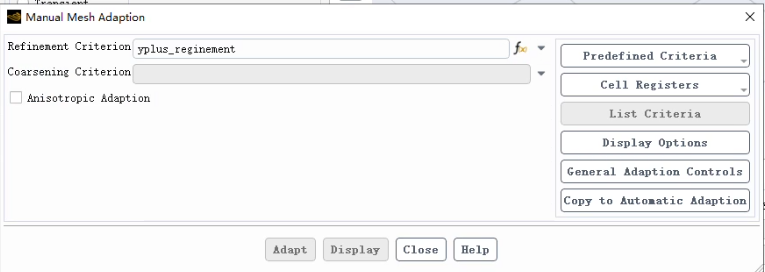
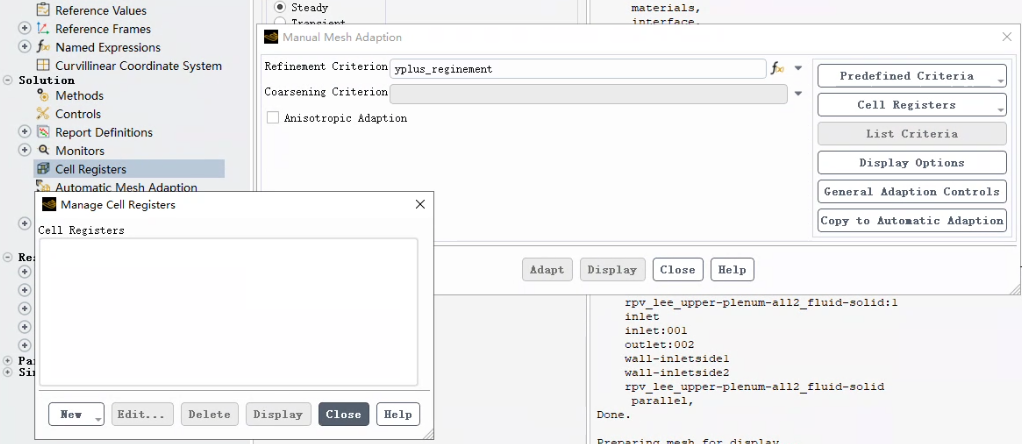
I check it again and found the problem occurred in the the mesh adaption panel. A mesh refinement is specified in the Manual Mesh Adaption in the case. Since I cannot delete it (as shown below), I have to manually setup case again to avoid the mesh adaption information being wrote to the HDF file.
-
-
July 17, 2025 at 7:59 am
Rob
Forum ModeratorIf you click on the arrow to the right of the Refinement Criterion there should be a "None" option. See if that helps. You may need to delete the Register after doing that step.Â
-
July 17, 2025 at 1:01 pm
Dato
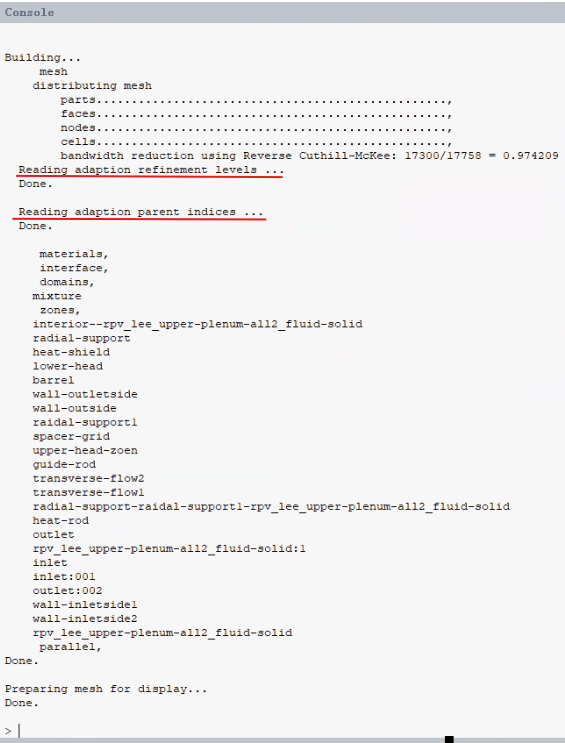
SubscriberThe adaption data is read when reading the case as shown below.
Â
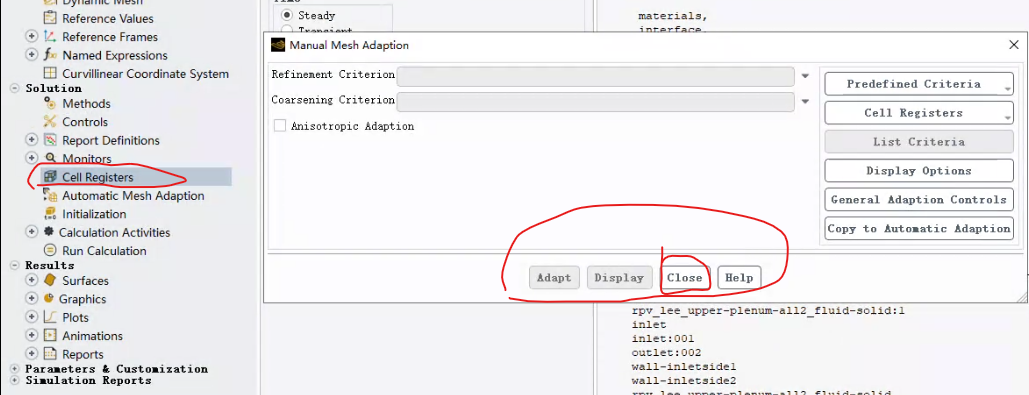
I try select "none" in the Refinement Criterion but there are no "Yes" or orthers in the panel. Only "close" is available but it doesn't help. Besides, as mentioned before, there is no cell register defined in the new case. But the settings including adaption data of previous case also show up.
-
-
July 17, 2025 at 1:57 pm
Rob
Forum ModeratorDid you also go into Cell Registers > Manage and delete the register?
-
July 17, 2025 at 2:58 pm
-
-
- You must be logged in to reply to this topic.
-
6535
-
1906
-
1463
-
1311
-
1022
© 2026 Copyright ANSYS, Inc. All rights reserved.