Ansys Assistant will be unavailable on the Learning Forum starting January 30. An upgraded version is coming soon. We apologize for any inconvenience and appreciate your patience. Stay tuned for updates.
3D Design

3D Design

Topics related to Ansys Discovery and Ansys SpaceClaim.

Extend a surface

    • sabersarraf
      Subscriber

      Dear colleagues,


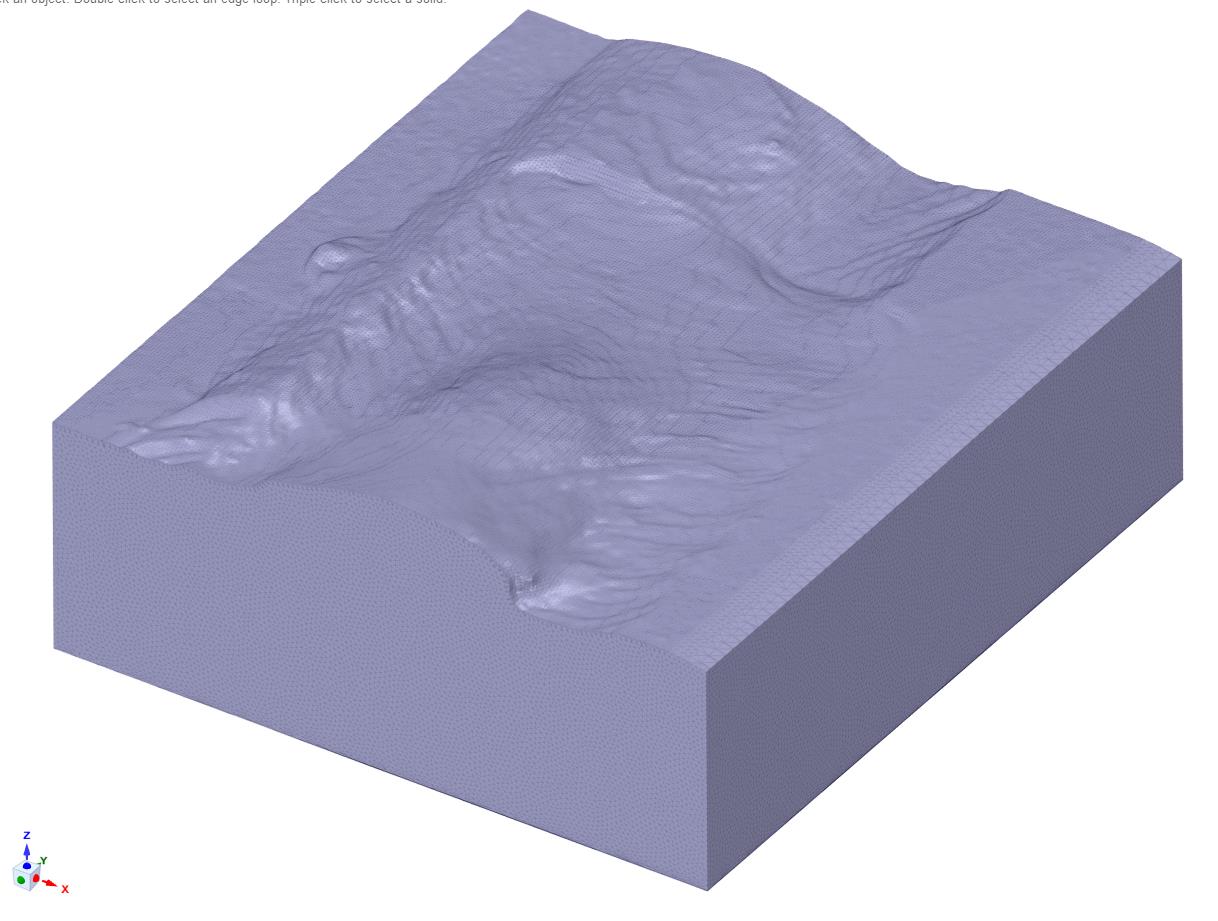
      Actually, I have a complex surface consists of many small pieces of surfaces.


      I would like to make a 3D geometry of this complex surface in ANSYS Spaceclaim.


      I am wondering if you can tell me how can fill this space between bottom surface and top complex surface.


      Kind regards,


      Saber

    • Rob
      Forum Moderator

      Does the edge of the terrain surface select as a single edge or separately for each facet?

    • sabersarraf
      Subscriber

      The edge of the terrain surface select as separately for each facet. I could not make them a unique edge, honestly. 

    • peteroznewman
      Subscriber

      What happens if you Select All and use the Fill tool?

    • sabersarraf
      Subscriber

      I have tried to use Fill tool but it does not work.


      I have tried to select all faces and use the Fill tool, but it does not work.


      The problem is the complexity of top surface, I guess.


      I have converted top complex surface made of small facets to a unique surface and then use Fill tool, but it does not work at all without error message.

    • peteroznewman
      Subscriber

      If you can share the file, you can attach the .scdoc file after you post by using the Attach button.  The file size limit is 120 MB. I will take a look.

    • sabersarraf
      Subscriber


    • sabersarraf
      Subscriber

       Your prompt response is greatly appreciated.


      The *.scdoc is attached for your consideration.


      Best regards,


      Saber 

    • peteroznewman
      Subscriber

      Click on the Facets tab.


      Click on the Convert button
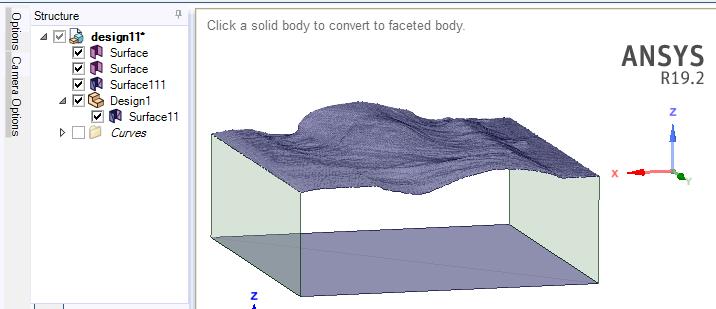


      Click on the first and second Surface bodies, they will become facet bodies.
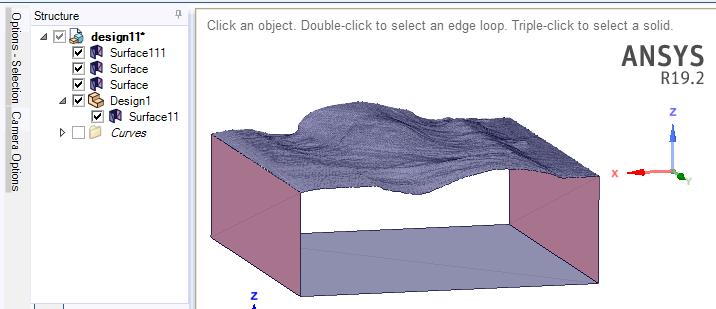


      Use the Merge tool, to merge the new side Facet bodies with the top surface, then merge the bottom facet.
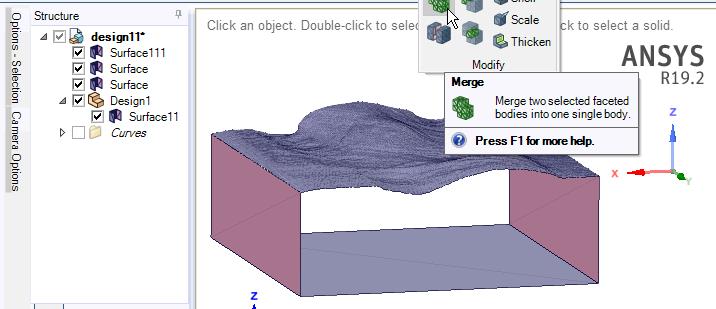


      Here it is after four clicks (top, left, right, bottom).
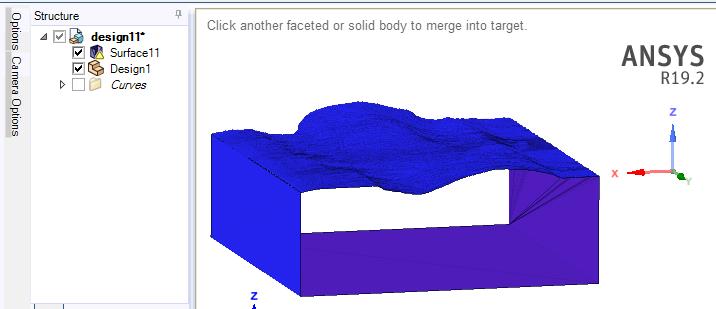


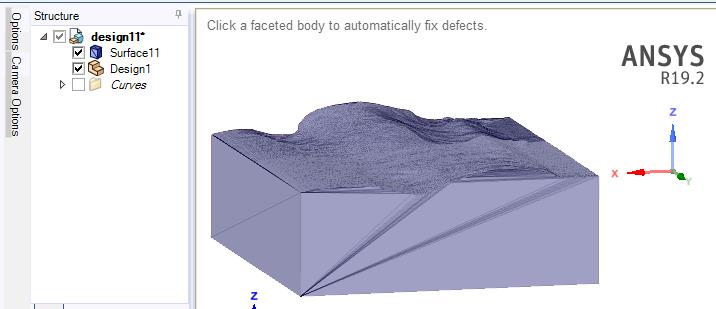
      Click on Auto Fix and click on the merged body and it will close the ends.


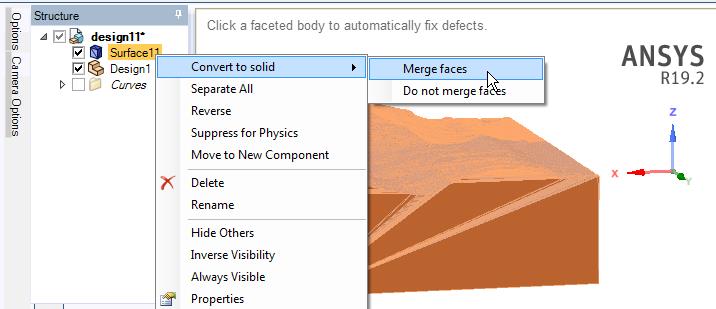
      Finally, you can RMB on the closed facet body and Convert to Solid.  This will take some time to compute.  Choose to Merge Faces, answer Yes to the warning.


      You now have a solid body.  Some of the side faces don't merge cleanly.
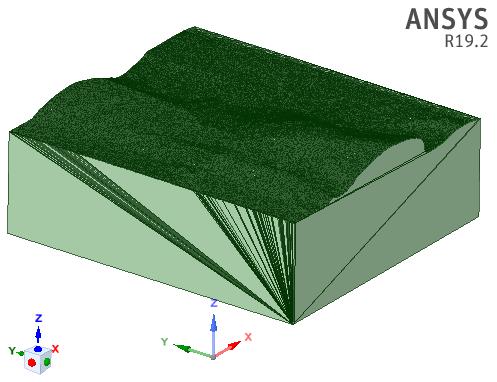


      You can create a Plane on one face, then use the Move tool to move the plane slightly inside the body, then use Split on the Design tab and delete the outer slice. Repeat as needed.
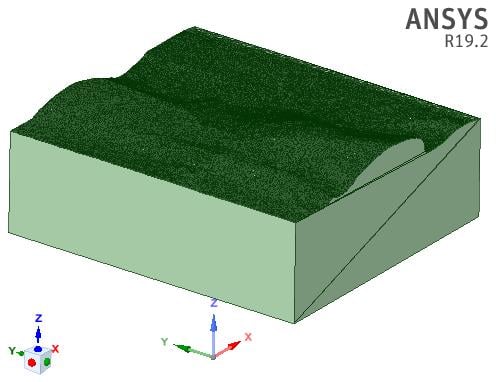


      I had to put the .scdoc file into a .zip file because uncompressed, it is 160 MB.

    • parkersheaffer
      Subscriber

      The fill doesn't work due to an issue with a single edge which none of the tools were able to identify. Eventually i was able to find it and was able to make a single faceted body using the two you provided.


      As Peter was able to upload what he did a couple mins before me I wont attach the model unless needed as its fairly large.

Viewing 9 reply threads
  • The topic ‘Extend a surface’ is closed to new replies.
[bingo_chatbox]