

-
-
July 31, 2021 at 7:59 am
sekhariitkgp
SubscriberHello all,
I am running a 3D transient simulation in a cluster (i.e., Computecanada). I am using a journal file to read case and data files. I also mention all the details like time step, auto save frequency for data files and time step in journal file.
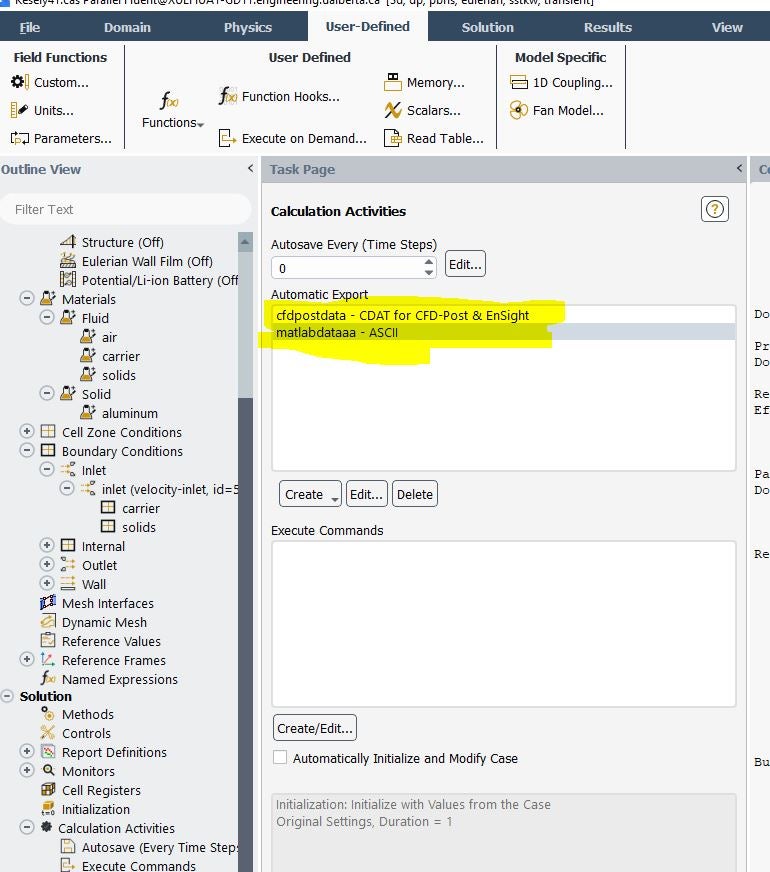
I want to know how to export cdat and ASCI file for transient simulation through journal file command (see t he attached image). I believe, if we define a command, it will automatically write a .cdat and .Asci files in the working directory along with data file.
Looking for your help on this matter.
Best regards
Sekhar
August 2, 2021 at 12:31 pmKarthik Remella
AdministratorHello The way you are doing this is definitely one way. You just need to specify the frequency and location where you would like to export this data to.
Regarding commands - try searching for 'transient-export' in the quick search (ctrl+F) on Fluent GUI. This should give you the correct TUI command. Once you have this, you can test the exact command on the Fluent console and convert this to the corresponding journal command.
Karthik
August 2, 2021 at 10:23 pmSubscriberHello Karthik Thank you very much for your response. Yes, I tired but I did not find any relevant information for my problem. I hope you understand the problem clearly. Just I want to export cdat and asci files using journal files.
It would be great if you can help on this matter.
Best resgards
Sekhar
August 3, 2021 at 7:29 amSubscriberCurrently I am using following commands for saving data files,
; Write a data (and maybe case) file every 100 time steps:
/file/auto-save/data-frequency 1000
; Write final case and data output files:
/file/write-case-data Location1
Using those lines, I am able to save only case and data files for defined frequency. But I am looking for cdat and asci files using similar commands. I also tried by defining cdat and asci options by defining the frequency in case file. But I noticed that when I submitted in cluster, it only writing case and data files. Therfore, I realized that we need to provide some commands in the journal file to export cdat and asci files.
Best regards
Sekhar
August 3, 2021 at 11:04 amRob
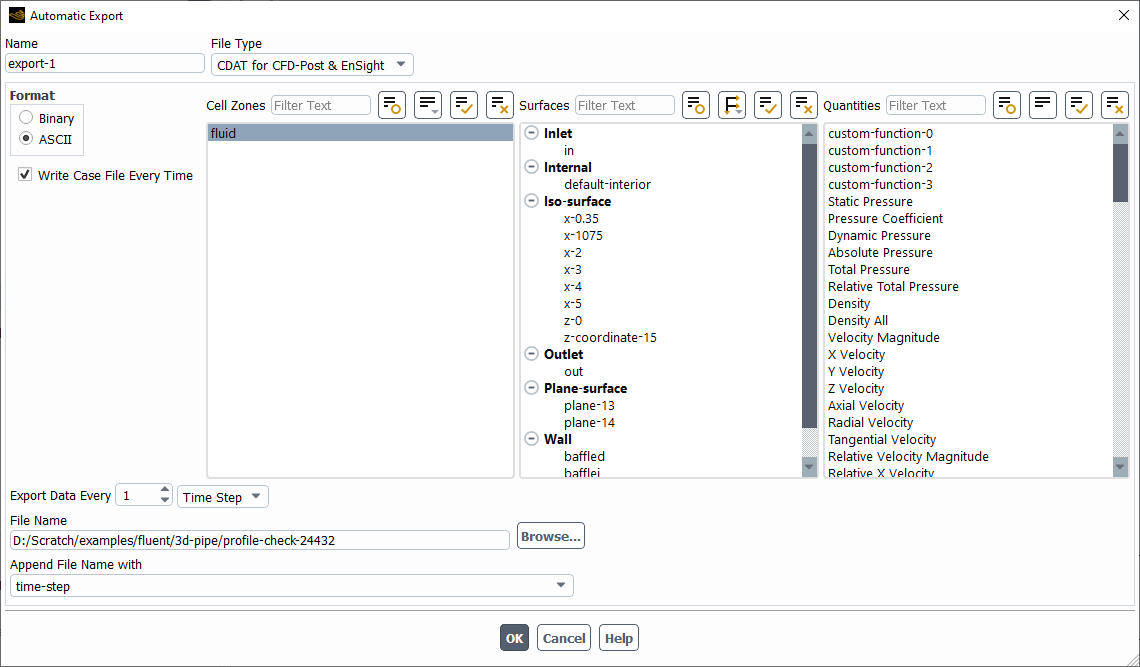
Forum ModeratorTry setting the Automatic Export under File, when you set up the model. Using journals is good, but setting up with the GUI beforehand is much easier.
August 3, 2021 at 11:44 amDrAmine
Ansys EmployeeUse the "Quick Search" Tab in Fluent to quickly find the required TUI commands to setup the TUI export if you do not want to do everything in GUI.
August 3, 2021 at 11:52 pmSubscriberDear Rob,
Thank you very much. Finally I resolved the issue. Here I am sharing my experience for Ansys community.
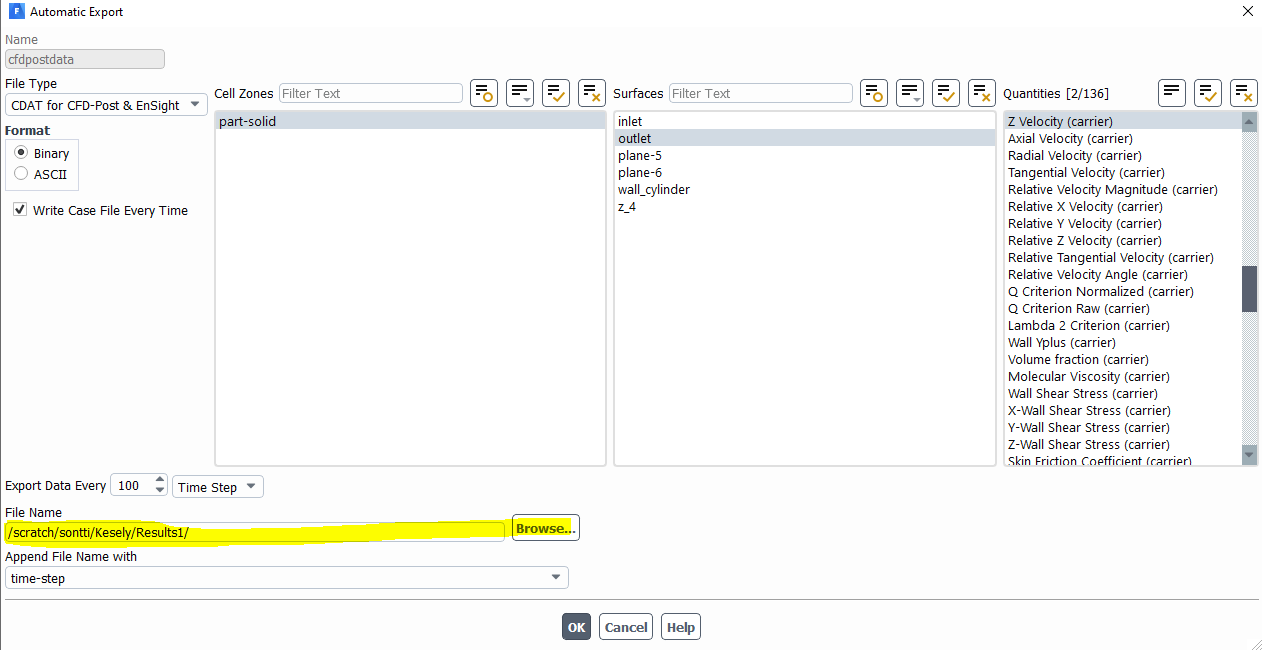
I defined a path of cluster account and specific folder in the case file. I just created two folder like Results1 and Results2 in my working directory to save output files. For example, If I want to save Cdat file in Results1 folder, I defined a path "/scratch/sontti/Kesely/Results1/" , similarly for another files, like ASCI format," /scratch/sontti/Kesely/Results2/".
Thereafter ,I transferred case and data files to cluster account along with Results1 and Results2 folder. Now its working, I am getting required output format files in the specific folder.
Best regards
Sekhar
August 4, 2021 at 10:57 amForum ModeratorGlad to hear it's working. Thanks for posting the resolution.
Viewing 7 reply threads- The topic ‘Exporting cdat and ASCII files using journal file’ is closed to new replies.
Innovation Space Trending discussions
 Top Contributors
-
peteroznewman
 6625
6625 -
scabo
 1906
1906 -
Dennis Chen
 1469
1469 -
javat33489
 1311
1311 -
Shyam Prasad V Atri
1022
Top Rated Tags
© 2026 Copyright ANSYS, Inc. All rights reserved.
Ansys does not support the usage of unauthorized Ansys software. Please visit www.ansys.com to obtain an official distribution.
-


The Ansys Learning Forum is a public forum. You are prohibited from providing (i) information that is confidential to You, your employer, or any third party, (ii) Personal Data or individually identifiable health information, (iii) any information that is U.S. Government Classified, Controlled Unclassified Information, International Traffic in Arms Regulators (ITAR) or Export Administration Regulators (EAR) controlled or otherwise have been determined by the United States Government or by a foreign government to require protection against unauthorized disclosure for reasons of national security, or (iv) topics or information restricted by the People's Republic of China data protection and privacy laws.

 You are navigating away from the AIS Discovery experience