

-
-
October 4, 2021 at 6:04 am
Makara
SubscriberDear all.
I have run Fluent to calculate the Natural Convection Flow with Periodic Boundary Condition. After run the calculation I got some problems while export the solution data. I export X-Velocity with ASCII file but I see that the maximum velocity with text file is much difference with Velocity plot that fluent provided. After I check it I see that fluent is export the Value of Velocity Contour instead of Velocity Vector. So How could I export the solution data using Velocity Vector?
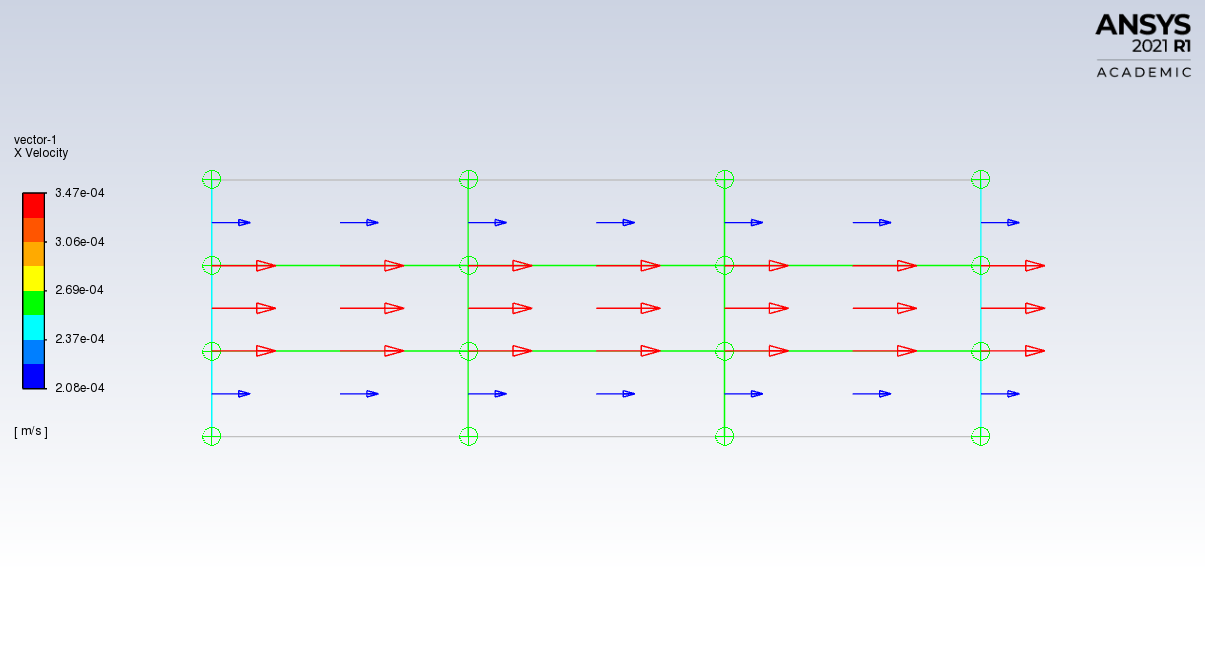
Related to the X Velocity Vector I create Rake at the Cell Center and the Node it seem that the maximum of Velocity is not parabolic at the middle and the 3 Red Value vector is the same!! How to fix this problems?
Thanks
Best Regards
K. Makara
October 4, 2021 at 1:07 pmKarthik Remella
AdministratorHello Are you exporting this data at the node or cell center? Can you try both options and see if they match with what you see in your vector plot?
Karthik
October 4, 2021 at 2:06 pmSubscriberThanks for your answer. I have try export solution data at the node or Cell Center, the result is correct with the Velocity Vector but Whenever I create Line/Rake and Point to export the solution data in ASCII file or techplot file the Data is shown like the text file above. The reason I create the Line /Rake to export every Node and cell center at the specific coordinate at the same times to use in techplot or see the X velocity in Text file in every node and Cell center of the domain. But Solution data is much different when I create Line/Rake and export it out!!
Best Regards
K. Makara
October 7, 2021 at 11:36 amAdministratorHi How many cells do you have in your computational domain - especially across the thickness?
Karthik
Viewing 3 reply threads- The topic ‘Export Solution Data with Velocity Vector’ is closed to new replies.
Innovation Space Trending discussions
 Top Contributors
-
peteroznewman
 6570
6570 -
scabo
 1906
1906 -
Dennis Chen
 1463
1463 -
javat33489
 1311
1311 -
Shyam Prasad V Atri
1022
Top Rated Tags
© 2026 Copyright ANSYS, Inc. All rights reserved.
Ansys does not support the usage of unauthorized Ansys software. Please visit www.ansys.com to obtain an official distribution.
-
Ansys Assistant will be unavailable on the Learning Forum starting January 30. An upgraded version is coming soon. We apologize for any inconvenience and appreciate your patience. Stay tuned for updates.


 You are navigating away from the AIS Discovery experience