-
-
July 20, 2022 at 6:53 am
raghisamir
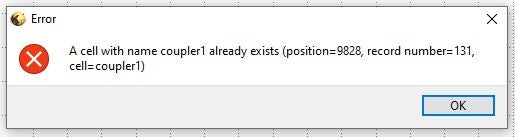
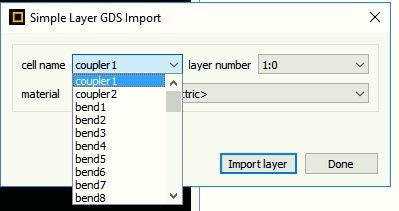
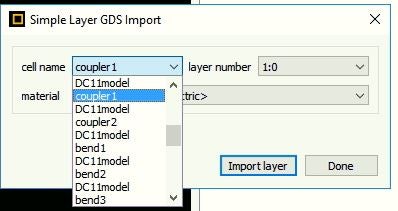
SubscriberHi, I am trying to export a GDS file for my circuit on Lumerical FDTD. I used the GDS_auto_export.lsf script from the following example: https://optics.ansys.com/hc/en-us/articles/1500006203341-GDSII-Export-Automation to export the GDS file for my circuit on FDTD. However, when I tried to open it on Klayout an error message appear mentioning that a cell with name "coupler1" already exists. When I tried to import this gds file on Lumerical I can find that each part (shape) of the circuit is copied two times with the same cell name and that is probably why it cannot be opened on Klayout. So any way to solve this issue?!!
Â
-
July 25, 2022 at 11:18 pm
Kyle
Ansys EmployeeHello, which version of KLayout are you using? Those scripts are only compatible with KLayout version 0.26 or older, they will not work with KLayout version 0.27. I would recommend using an older version of KLayout, or possibly using the contour method for the GDS extraction: https://optics.ansys.com/hc/en-us/articles/1500007228522
-
- The topic ‘Export GDS file from Lumerical FDTD to KLayout’ is closed to new replies.

-
4683
-
1565
-
1386
-
1242
-
1021
© 2025 Copyright ANSYS, Inc. All rights reserved.