Ansys Assistant will be unavailable on the Learning Forum starting January 30. An upgraded version is coming soon. We apologize for any inconvenience and appreciate your patience. Stay tuned for updates.
Preprocessing

Preprocessing

Topics related to geometry, meshing, and CAD.

Error: One or more entities failed to mesh. Need help regarding meshing

    • dpteo
      Subscriber

      One or more entities failed to mesh. The mesh of the bodies containing these entities may not be up-to-date.  However, meshing might be successful on the other entities.


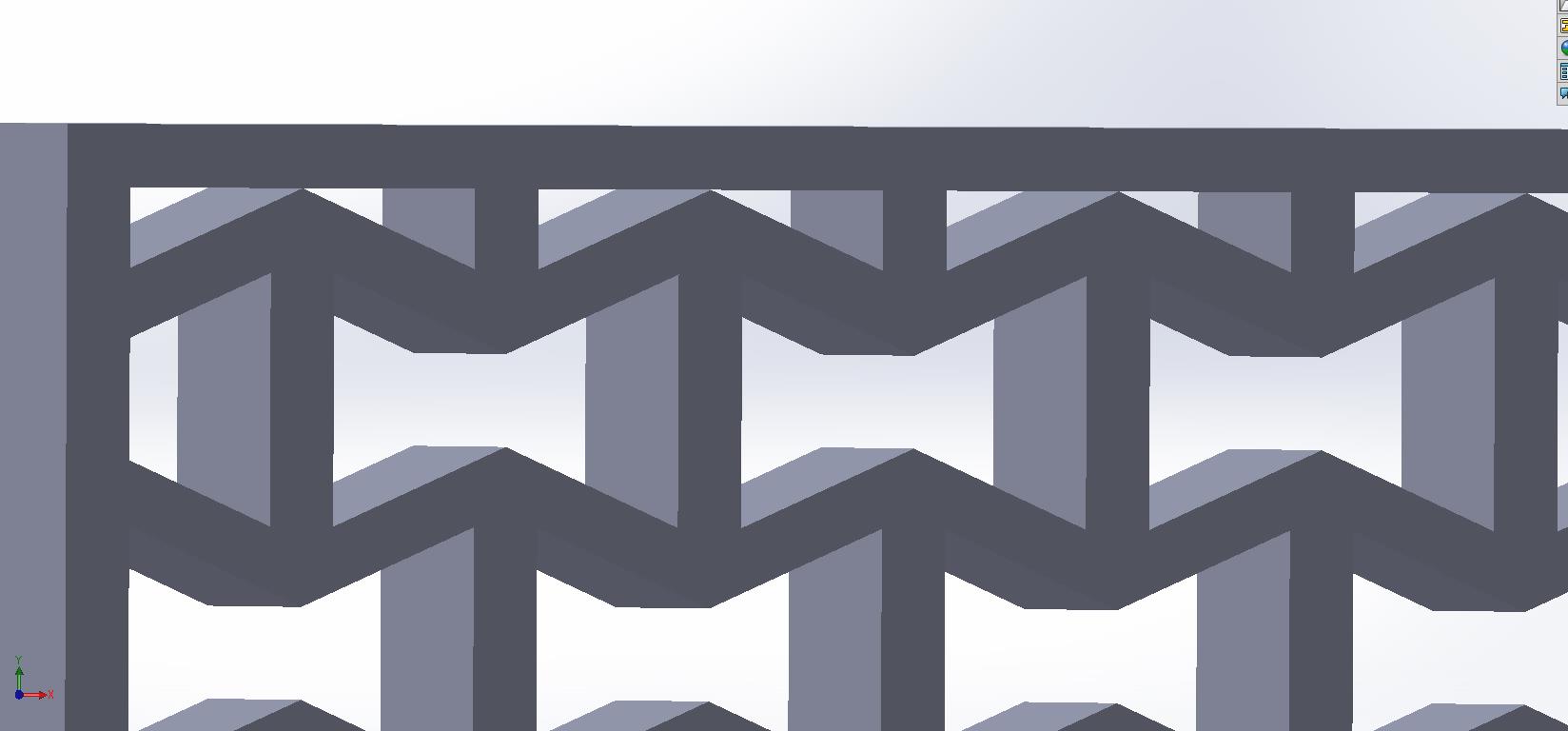
      I have this re-entrant structure that I have problem meshing, I tried meshing using different methods it all resulted in the same error. However I was able to mesh an exact same structure but 5x5 cm instead of 20x20 cm. 


      Can anyone take a look at my model and provide guidance?

    • jj77
      Subscriber

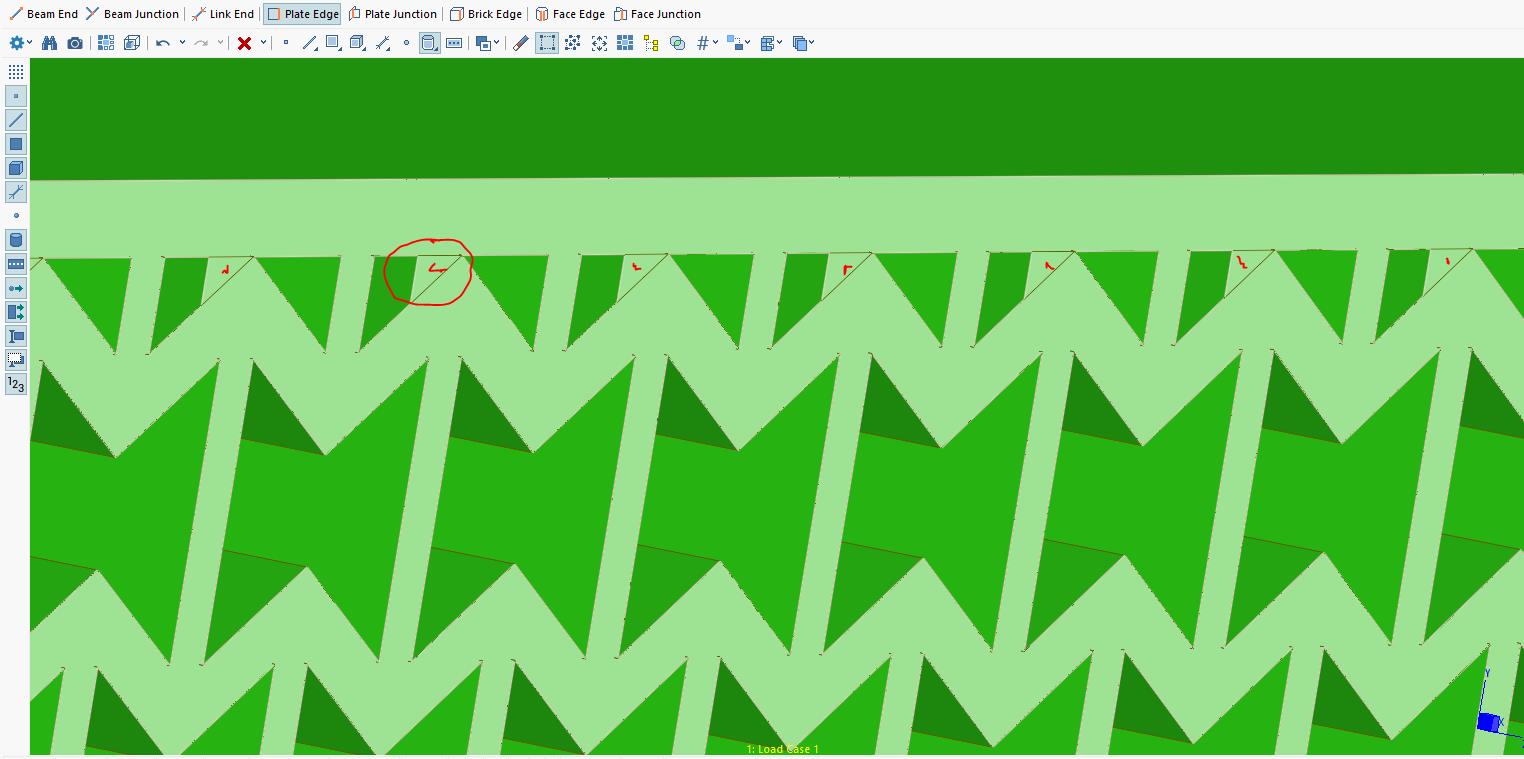
      I have a student licence so I get some/warning error when using the stp, so I have opened it in the software (Strand7) I use and where I know exactly what is going on, and the problem are the surfaces/faces shown below (mark with red). With these faces, the part can not  form an enclosed volume, thus, any mesher can not generate a 3D volume mesh of this part. Remove these features/faces and it meshes fine.

      You can then tet mesh or sweep this part.


      Have in mind also that meshers do not like large faces with narrow features, so I would try and split this face/body up into smaller faces, and also along the longitudinal axis (directions is from one zig zag face to the other)

    • dpteo
      Subscriber

      Thank you jj77, however I do not see the thing that you circled on my model.

      This is what my model looked like

    • jj77
      Subscriber


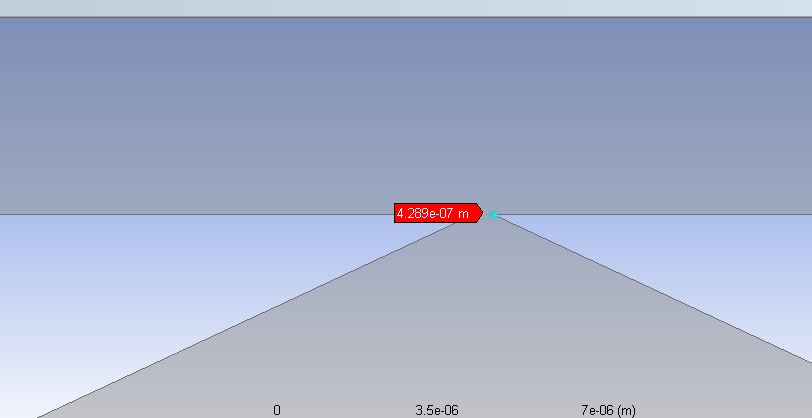
      The reason are the features cutting into each other requiring this a tiny mesh size (~1E-7 m). 

      One can split the part at this location thus ending up with 3 parts (make also new part, multibody part). That is top and bot. plate structure and central zig-zag like structure.


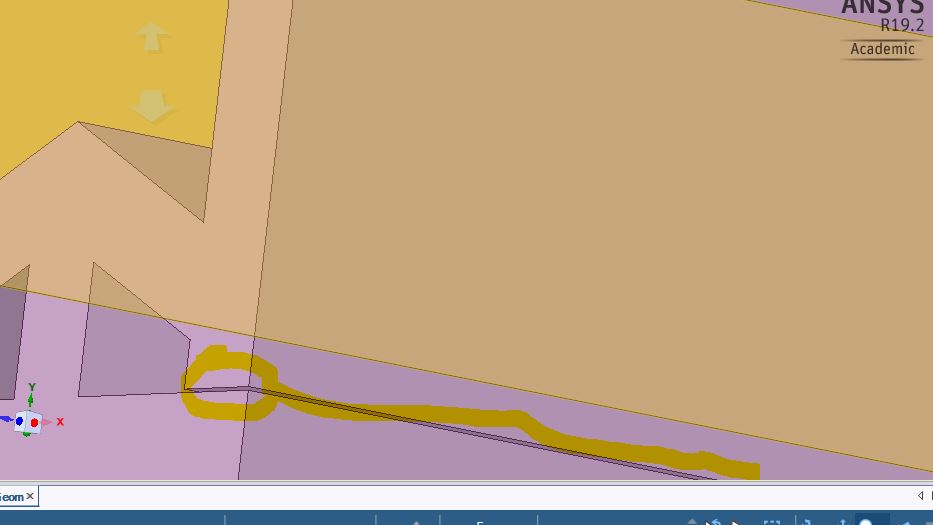
      To add, there is also a crack along the corner edge, not sure if that should be like that.

    • dpteo
      Subscriber

      Thank you, however if I split into 3 different parts during the simulation will it count as 1 solid piece?

    • jj77
      Subscriber

      You can make a multi-body part in DM - select the 3 bodies (on the parts,bodies tree), and mouse right click, selecting then finally form new part.

    • dpteo
      Subscriber
      Thank you jj77, will give it a try
    • vanessaagcunha
      Subscriber
      .

      Hi! I have the similar problem with my geometry. But i didn't understand how to split the part at this location thus ending up with 3 parts, because should be better to reduce the quantity of bodys in a complexity geometry?

      So, whats is the goal to split it?

      Thanks a lot

      .
    • peteroznewman
      Subscriber
      .

      vanessaagcunha

      Use SpaceClaim to split the body using a face to represent the split plane.

      The purpose of splitting is to make meshing easier.

      If you have a problem, you should show an image.

      .
Viewing 8 reply threads
  • The topic ‘Error: One or more entities failed to mesh. Need help regarding meshing’ is closed to new replies.

[bingo_chatbox]