Ansys Assistant will be unavailable on the Learning Forum starting January 30. An upgraded version is coming soon. We apologize for any inconvenience and appreciate your patience. Stay tuned for updates.
General Mechanical

General Mechanical

Topics related to Mechanical Enterprise, Motion, Additive Print and more.

Error at editing Engineering Data

    • amnteno1
      Subscriber

      Hello,


      I had archived a Project as wbpz.- file and now I reopened it and wanted to edit material data. I got the following error message:
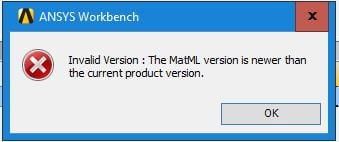

      The page doesnt display the Engineering data and looks like this:
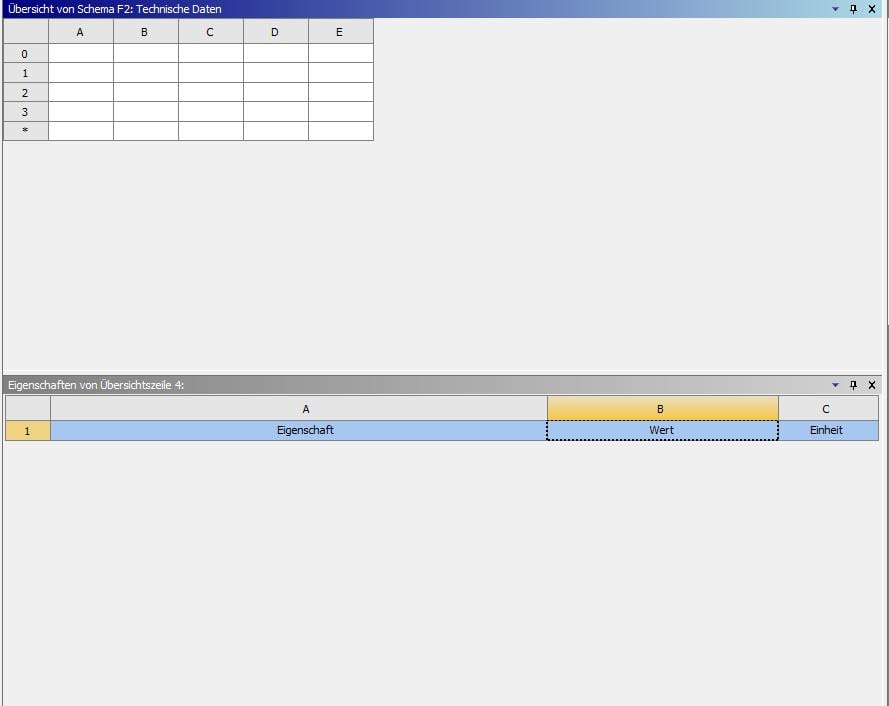


      The material properties are still there somehow; at least when I open the modell in Mechanical, I can select different materials I had created before for my modell. I also run a simulation and in the report appears the right material with its properties.


      Have you ever had such an error and how did you solve it?
      Regards,


      Stephan

      PS: Saved the wbpz as ANSYS v191 .wbpz and also using 19.1

    • Sandeep Medikonda
      Ansys Employee

      In what version was the archive file created?


      If the error is repeating for all models you have, it points towards a systems issue. If not, it could be model specific and sometimes resetting your application data can help. Try this.


      Have you tried opening it in a later version such as 2019R1? If not, it wouldn't be a bad idea to try opening your old file in a newer version too.

    • amnteno1
      Subscriber

      Hello,


      thanks for your suggestions. Se updated at our University to 19.2 and now everything works fine again.


      Regards,


      Stephan

Viewing 2 reply threads
  • The topic ‘Error at editing Engineering Data’ is closed to new replies.
[bingo_chatbox]








