Hello Hasan,
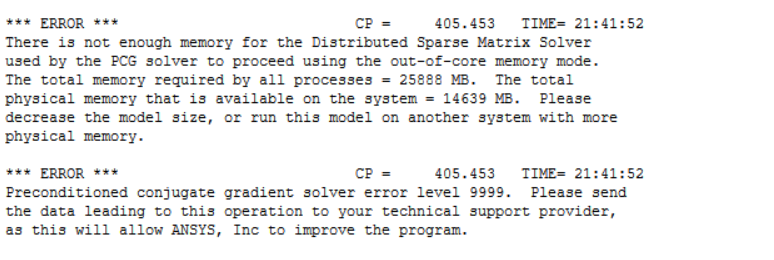
To answer your first error, it simply states that your system doesn't have enough memory for solving the model. Theoretically ANSYS needs about 15 GB RAM for solving 1 million DOF's.
- Reduce the model size, you can either change the element formulation to linear or make a coarsh mesh if possible.
- If that error persists, kindly free some space from your available memory.
- If you need to solve with your current mesh settings, and you can't free any space, you need to upgrade your hardware and increase available memory
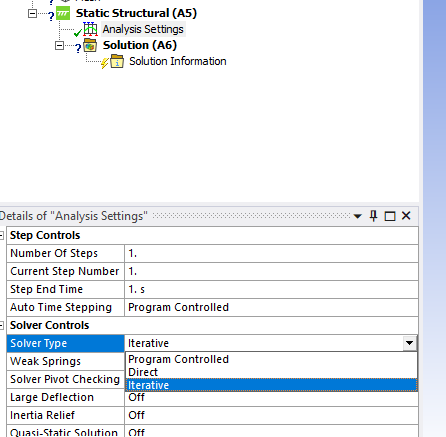
Coming to your second error, the error message itself means that the PCG preconditioner matrix size overflowed. You can try to reduce the level-of-difficulty by using command PCGOPT or change it to the sparse solver. It does not suffer from preconditioner matrix size overflow.Theoretically Distributed ANSYS also helps because the preconditioner matrix will be split.
Regards,
Nanda.
Guidelines for Posting on Ansys Learning Forum
How to access ANSYS help links


















 You are navigating away from the AIS Discovery experience