Ansys Assistant will be unavailable on the Learning Forum starting January 30. An upgraded version is coming soon. We apologize for any inconvenience and appreciate your patience. Stay tuned for updates.
3D Design

3D Design

Topics related to Ansys Discovery and Ansys SpaceClaim.

Element type

    • Mbakwa
      Subscriber

      Hi,


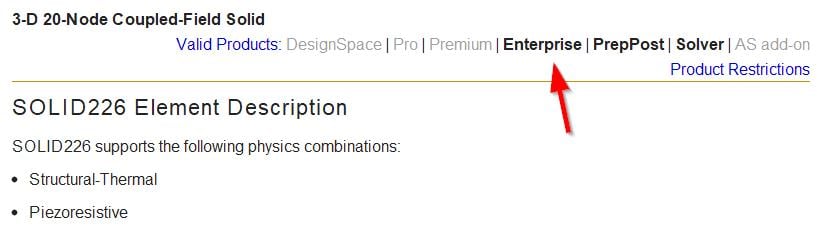
      I am currently working on a model with just three solid elements. ANSYS student 2019 automatically assigns SOLID186 of which I doing a coupled  structural-thermal analysis and need to use SOLID226. So far, I have used the following commands to change the element and when I observe the solution file, I see that the degrees of freedom for heat have been introduced but the element types remain SOLID186. Please help me with a way I could change this in the simulation.

    • Sandeep Medikonda
      Ansys Employee

      Hello Mbakwa,


        It is not clear what commands you have used? But once you have selected the the part or using command snippets under the geometry of interest, you can use the ET command. Please see here.


      Regards,
      Sandeep
      Guidelines on the Student Community

    • peteroznewman
      Subscriber

      @Sandeep, I tried inserting this command snippet under the solid in the Geometry tree.


      ET,matid,SOLID226


      I also made sure to have the mesh set to quadratic elements. But when I wrote out the input.dat file, it did not use that element type.


    • Sandeep Medikonda
      Ansys Employee

      Peter, the only reason I can think of is the license.


      Can you try a different license if you have one?


      Typically this should work but I would have to look into the ds.dat or solve.out to see what's going on. I will test this it as well.


      Regards,
      Sandeep

    • desouzadacosta
      Subscriber

      Hey Guys


      please see my post within structural . /forum/forums/topic/apdl-script-within-structural-workbench/ My best shot is they are sort of related.


      best


      alex

    • peteroznewman
      Subscriber

      @Sandeep,


      Sorry, my mistake, at the top of the element creation section in the input.dat file is the native element for a thermal model: a solid90.  I should have looked toward the end of the input.dat file where the command snippet is included and the element type is overwritten by solid226.  It does work after all.


      Regards,
      Peter

Viewing 5 reply threads
  • The topic ‘Element type’ is closed to new replies.
[bingo_chatbox]