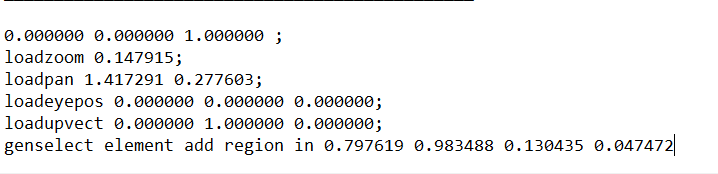
-
-
April 17, 2023 at 7:32 am
Sami Farag
SubscriberHello,
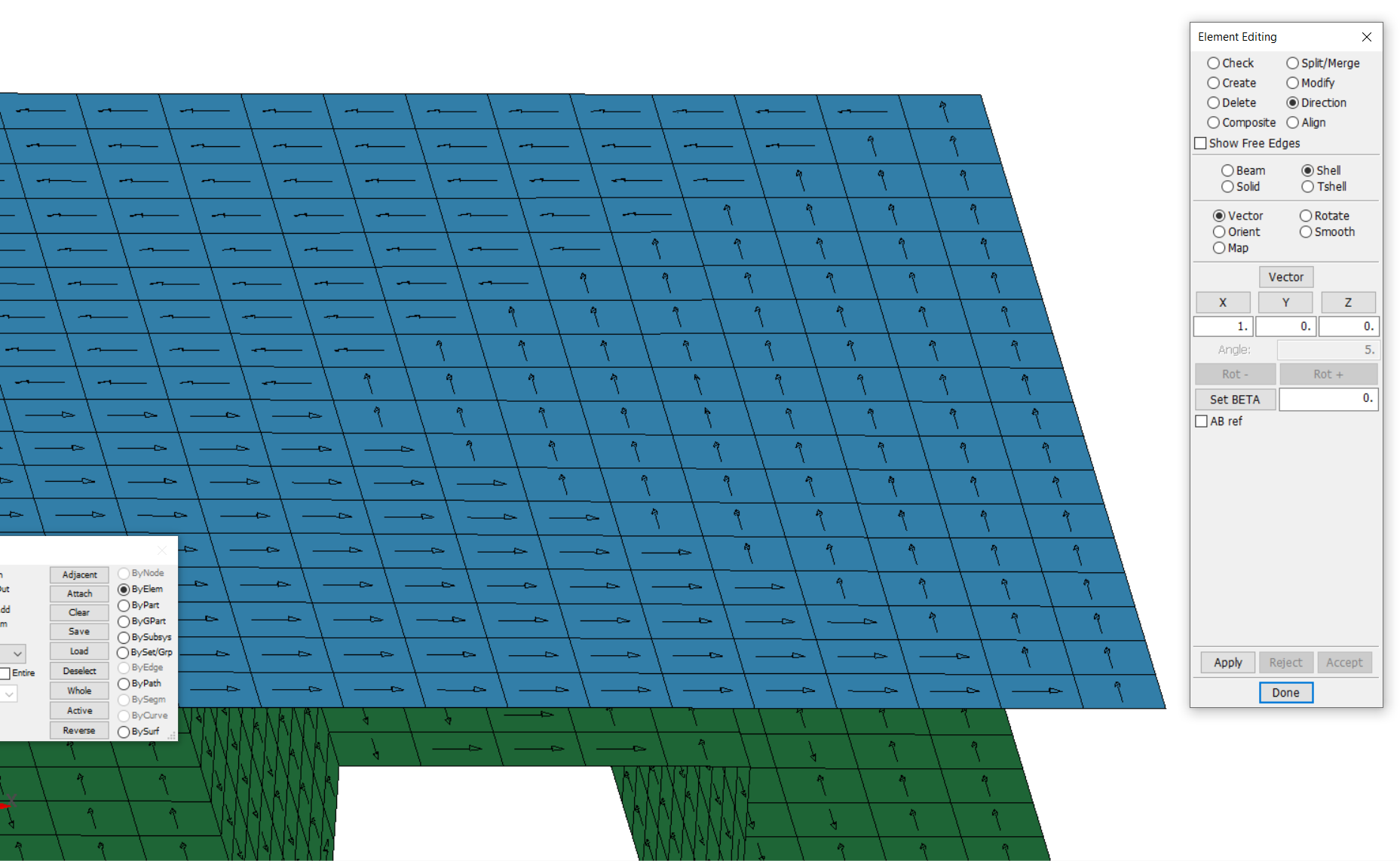
I am trying to model an orthotropic material using shell elements, but I have noticed that the elements have different directions. Aren't they all supposed to have the same direction? Won't this be a problem with an orthotropic material?
I would really appreciate if you could clarify this to me.
Â
-
April 17, 2023 at 11:25 am
peteroznewman
SubscriberInsert Element Orientation under the Geometry branch in the Outline.
Here is an example for solids, but it works with shell elements also.
-
April 17, 2023 at 5:10 pm
Sami Farag
SubscriberBut I am working on LS PrePost. Is there a way to fix this on prepost?
-
-
April 17, 2023 at 5:18 pm
peteroznewman
SubscriberI am sure there is. I have no idea how to do that. Try looking in the documentation.
-
April 17, 2023 at 8:41 pm
Andreas Koutras
Ansys Employee-
April 18, 2023 at 7:21 am
Sami Farag
SubscriberÂ
Â
Â
Thank you so much for your reply,
Â
In my case, all elements have the same direction only when I use the mesher of the prepost but, when I use prepost to mesh a STEP file made on Solidworks, they tend to have different directions. Do you maybe know what causes this problem?
And if I am working on an orthotropic material, does that mean that I indeed have to modify all elements so that they all have the same direction?
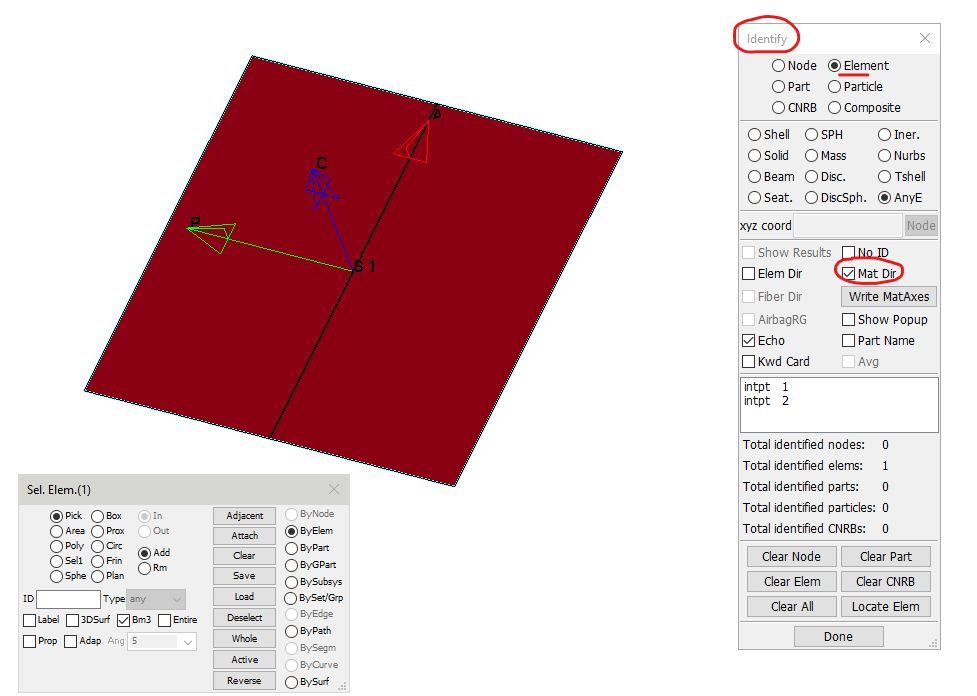
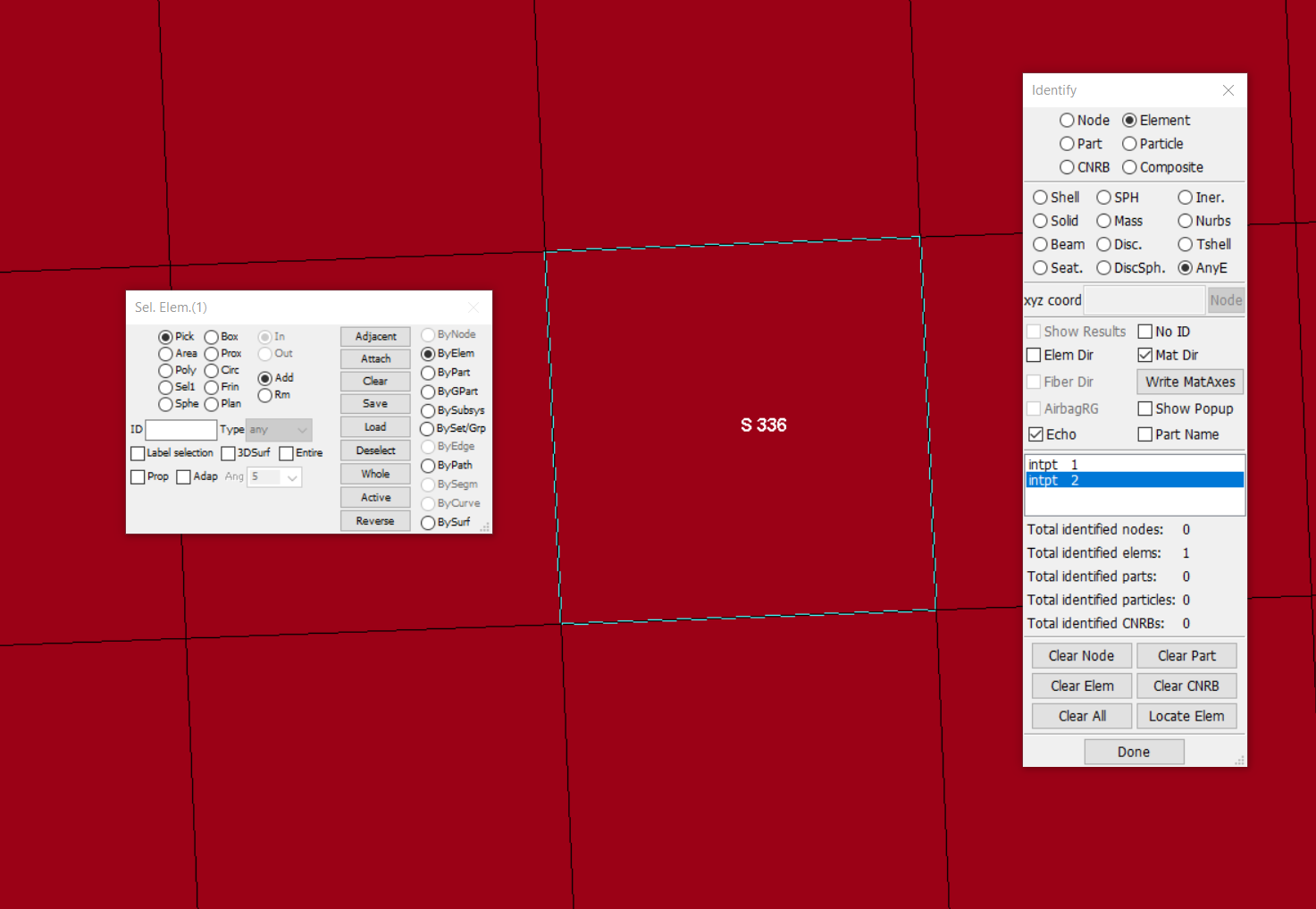
Also, the material direction doesn’t appear to show for me like your second picture even when I define a coordinate system and refer to it in AOPT in the material keyword. I have read somewhere that I have to load an input deck first in order to show the material direction. Is that correct? What is an input deck and how can I load it?
Â
Â
Â
-
-
April 18, 2023 at 4:42 pm
Andreas Koutras
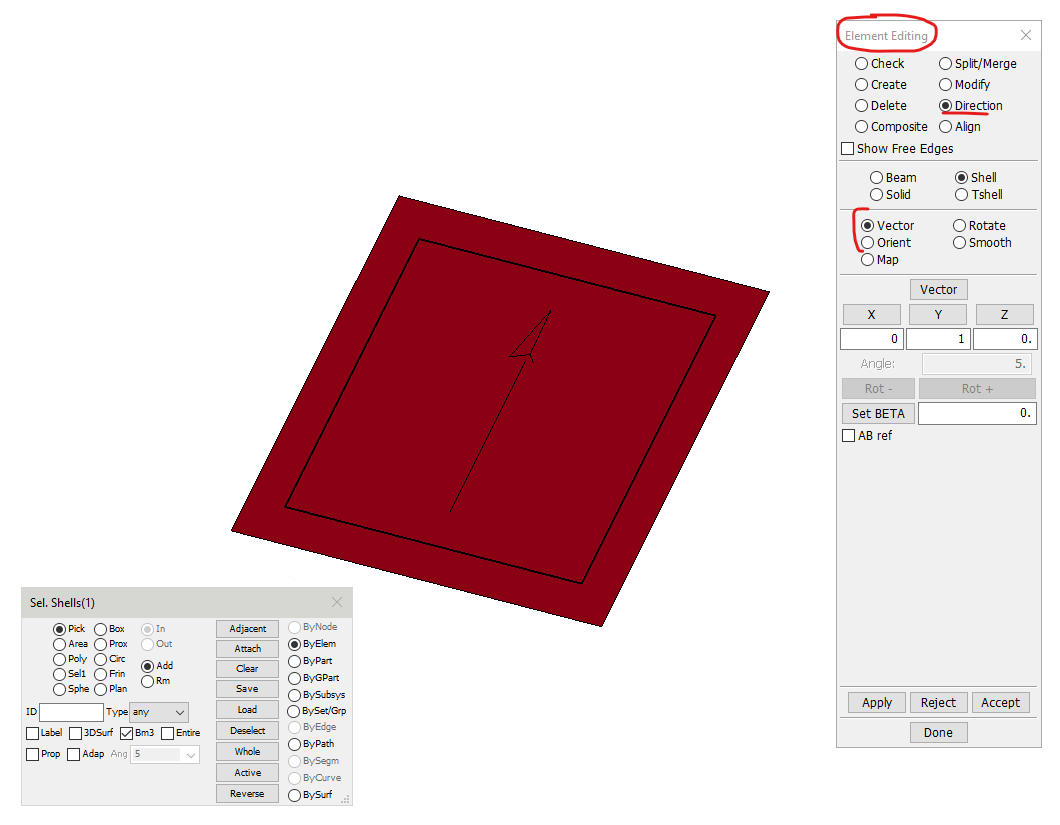
Ansys EmployeeHello, please check for LSPP warning messages at the the bottom right side of the GUI. The "input deck" is the LS-DYNA input file. The element local coordinate system can be modified as shown in the my first picture above. For example, try with the Vector or Orient options. If the material coordinate system in the shell through-thickness layers is correct (and independent from the element local system), the element local coordinate system won't affect the result. However, if you need to output shell stresses or shell resultants in the element local coordinate system, it will help to have well oriented element axes. Also see the definition of AOPT under the section of MAT_002 in the LS-DYNA manual vol II.
-
April 19, 2023 at 1:33 pm
Sami Farag
SubscriberHello Andreas,
Thanks you so much! I really appreciate your help.
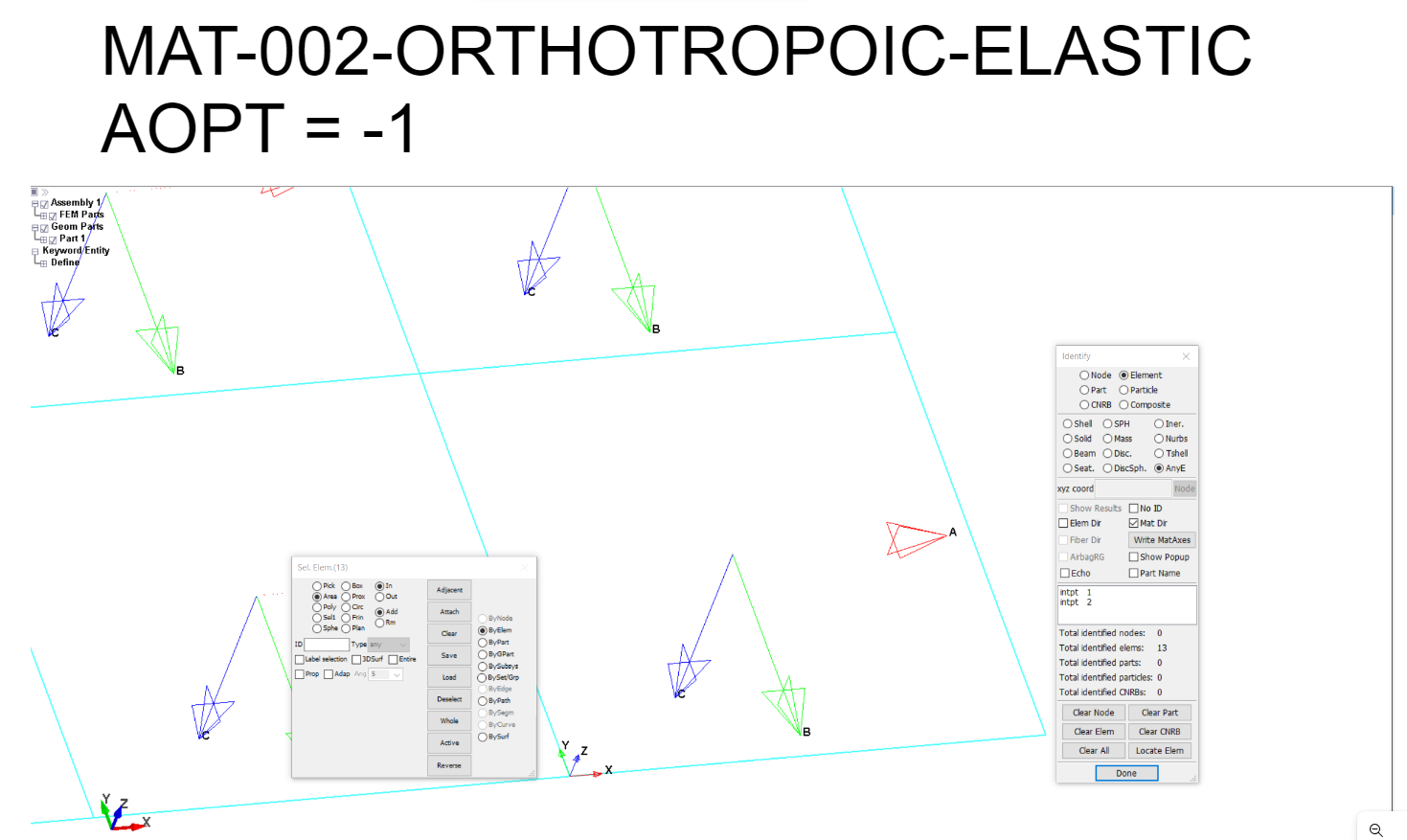
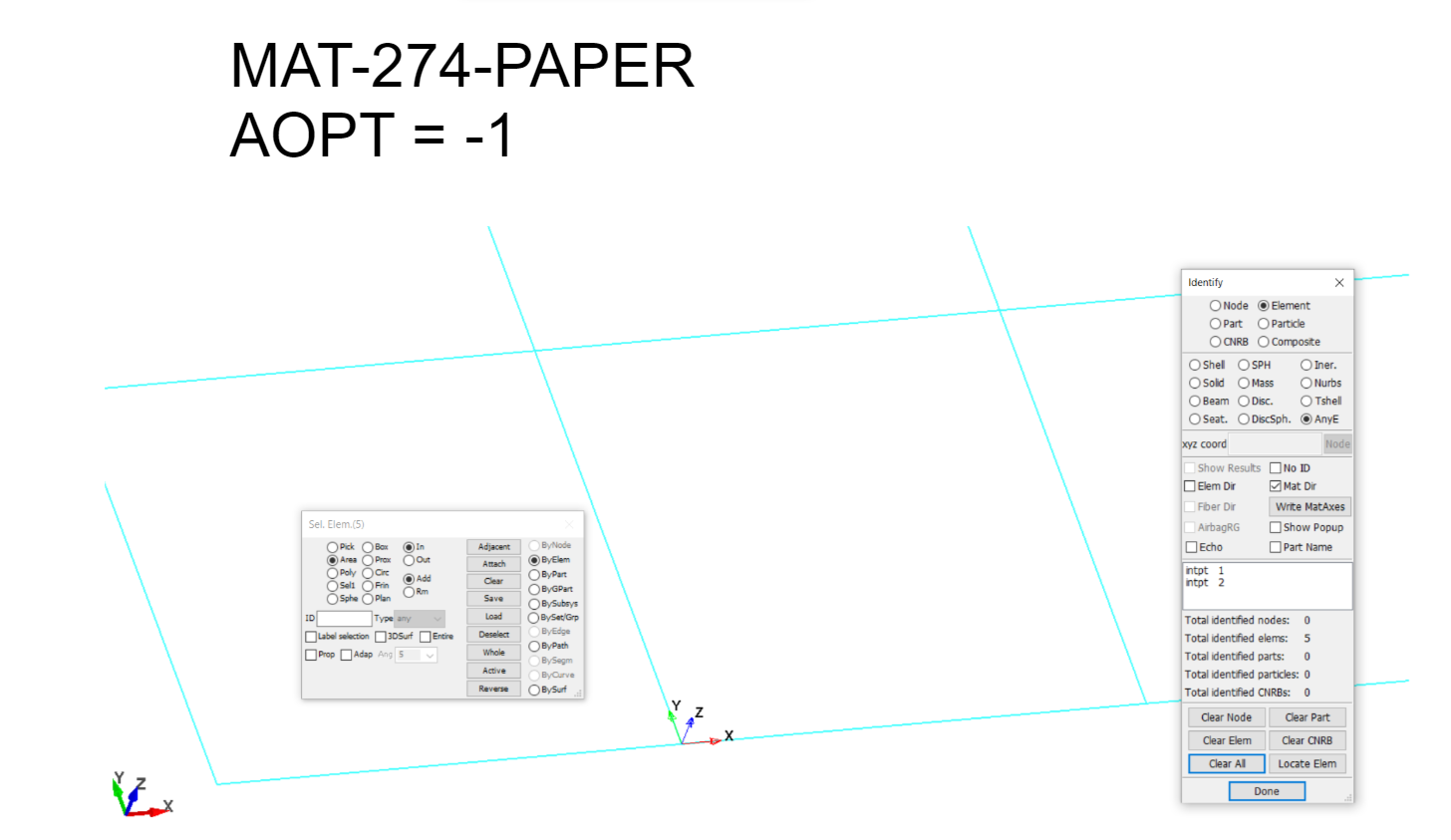
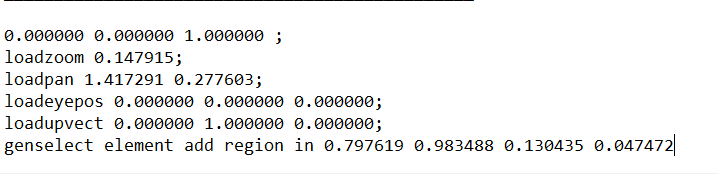
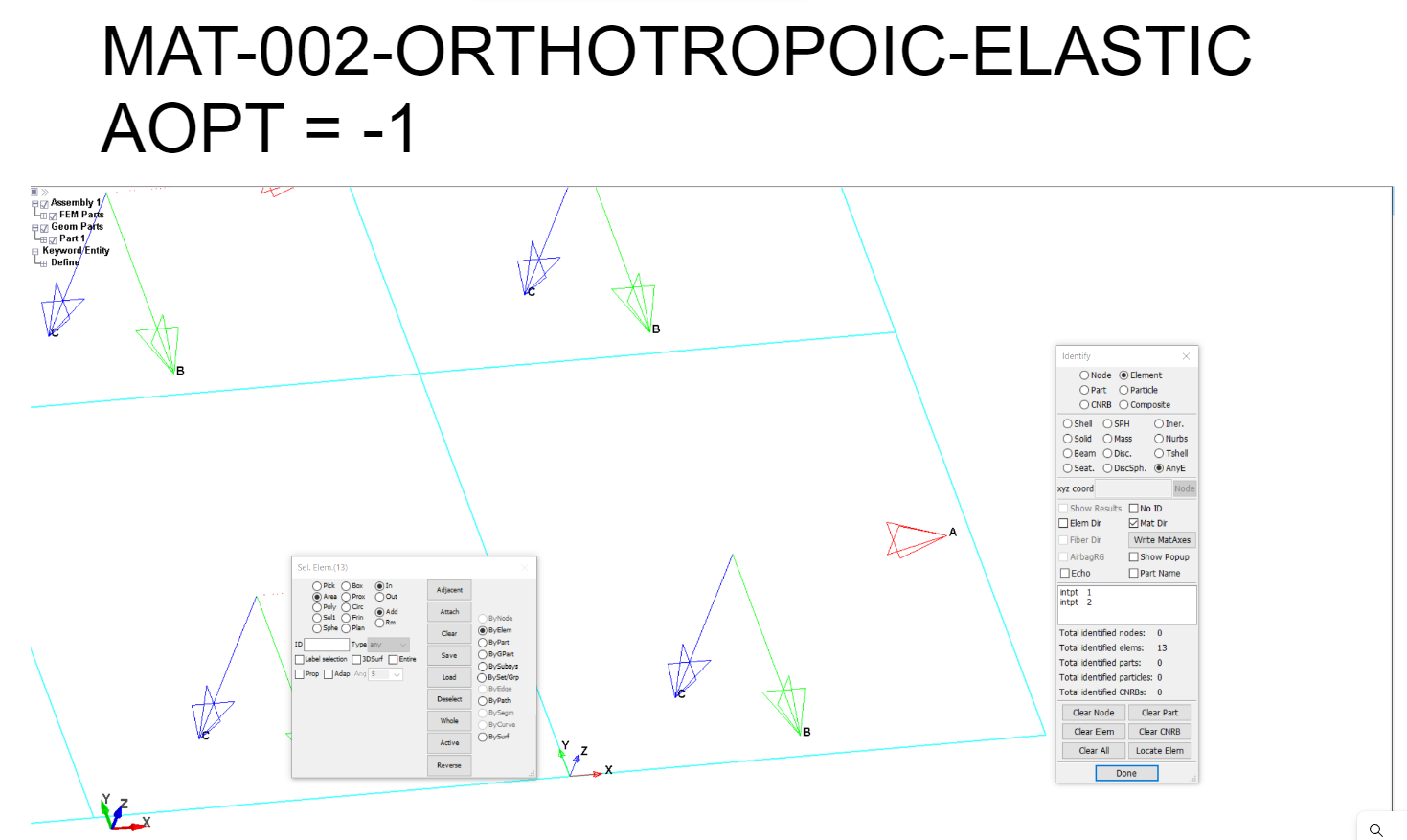
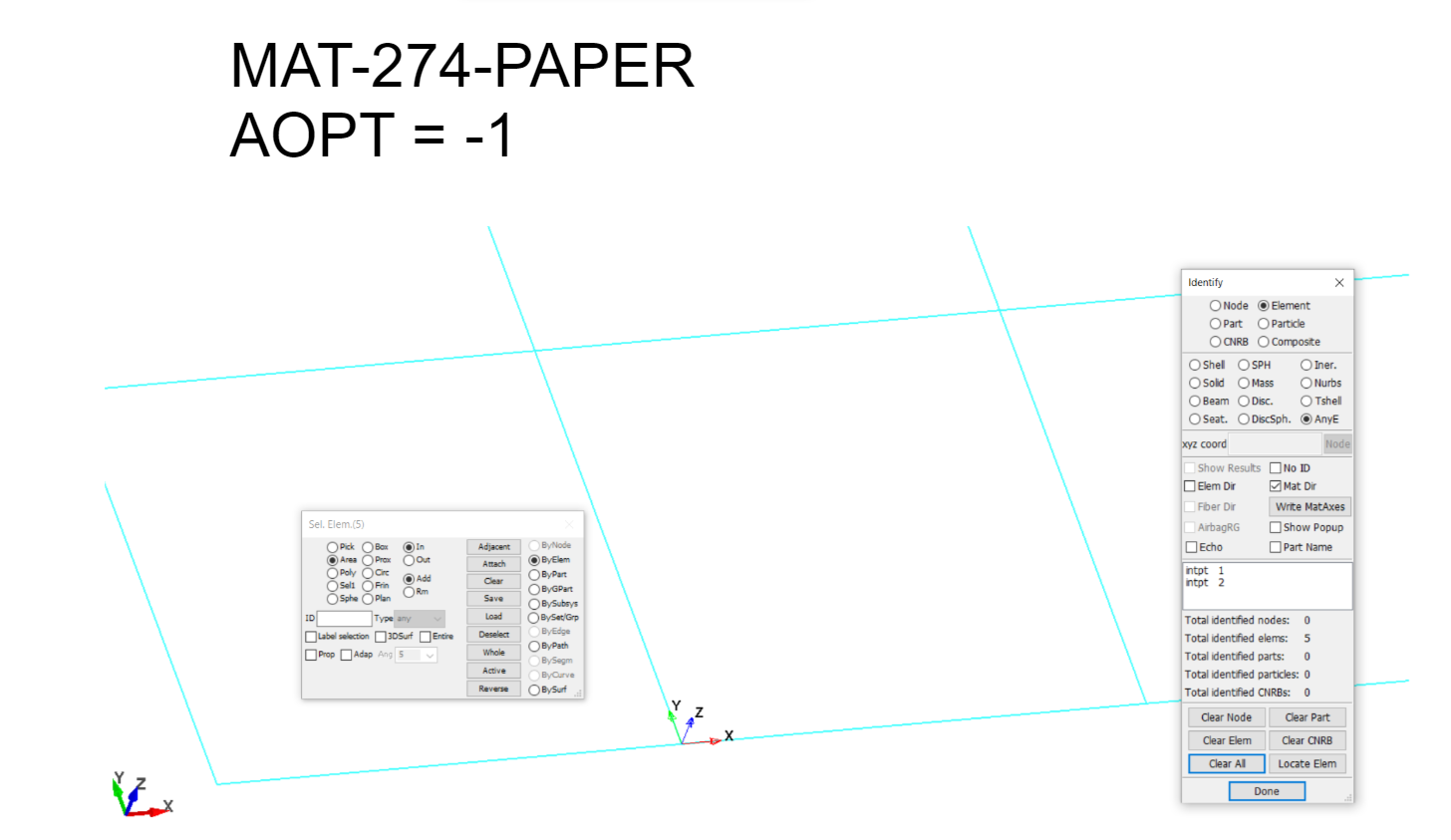
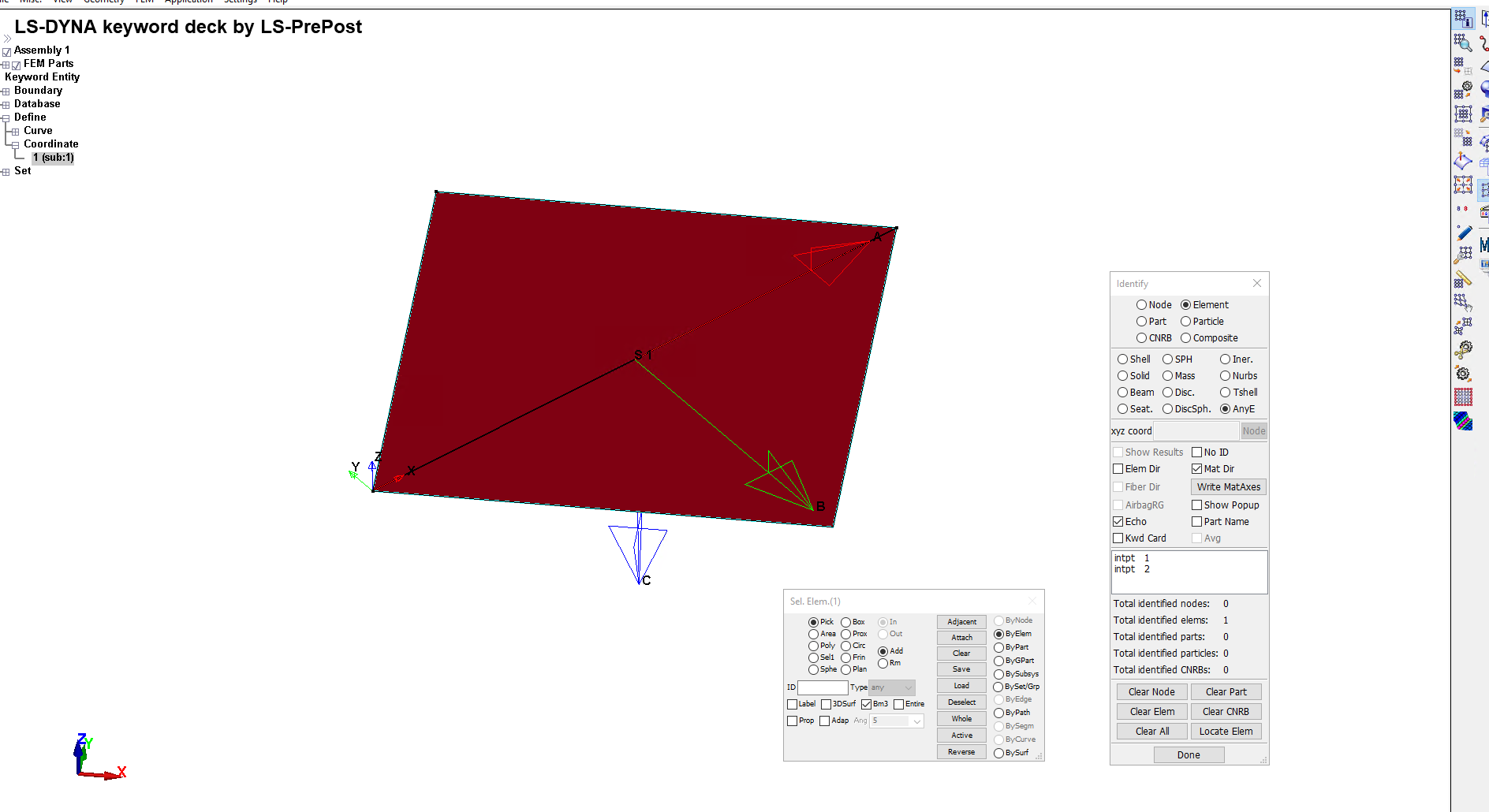
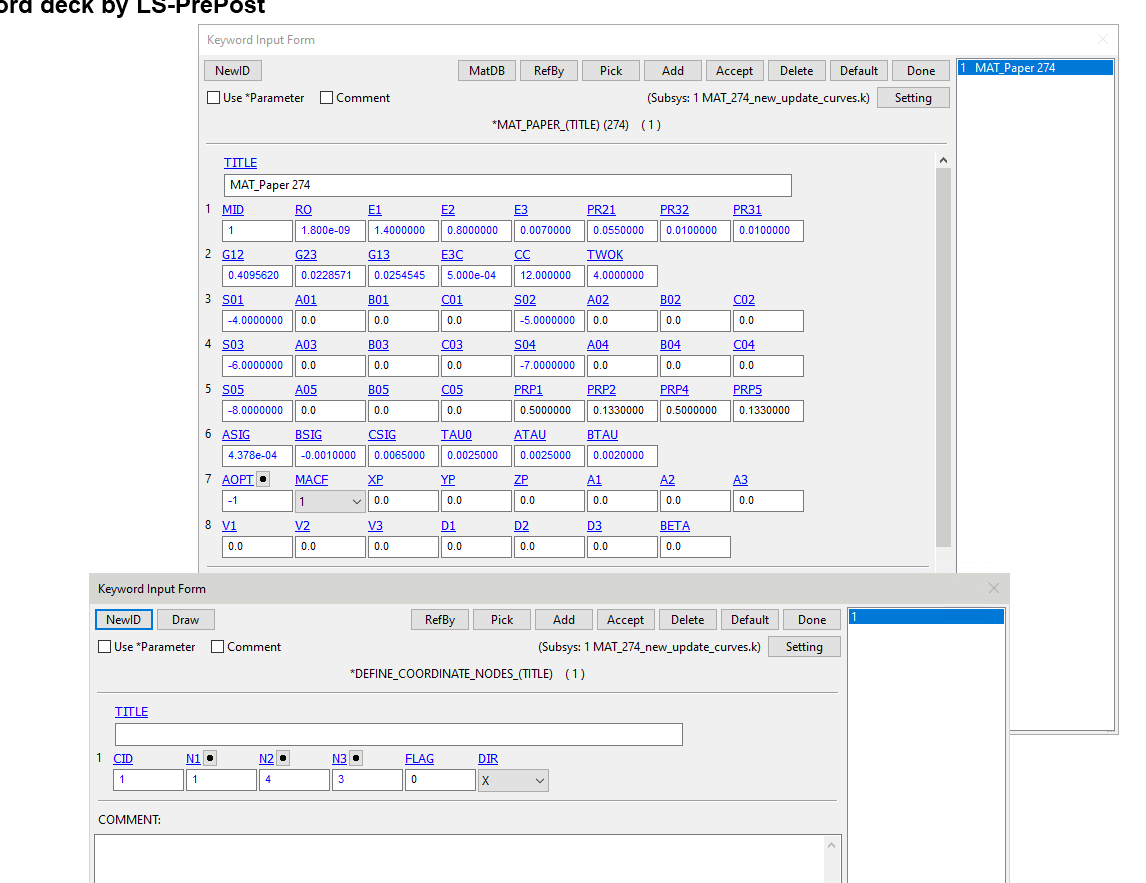
I have noticed that the material direction only shows when I use MAT_002, but I doesn't show however when I use MAT_274_PAPER which is the material I am working on and it is also an orthotropic material. I have added screenshots of both cases and of the last few lines of the LSPP messages exactly after selecting the elements. I have tried to read the MAT_274 but I couldn't find why the material direction doesn't show.
Is this a problem with the MAT_274 itself? If so, how do I make sure in my case that the material has the direction I specified on AOPT?
Also, how do I make the material coordinate system independent from the element local system like you said?
Â
-
April 19, 2023 at 1:50 pm
Sami Farag
SubscriberHello Andreas,
Â
Thank you so much! I really appreciate your help.
When I define a local coordinate system and use it in AOPT, I noticed that the material directions show only for the MAT_002, and It doesn't show however when I use MAT_274_PAPER which is the material I am working on and it is also an orthotropic material. I have read the part of MAT_002 and MAT_274 in the manual, but I still don't know why the material directions don't show for me. I have added screenshots of both when I tried MAT_002 and MAT_274, and also a screenshot of the last few lines of the LSPP messages exactly after selecting elements to show the material directions for when using MAT_274.
Is that a problem with the material model of the MAT_274 itself? If so, how do I make sure that the material gets the same directions I specified in AOPT?
Also, how do I make the material coordinate system independent from the element local coordinate system like you said?
Â
-
April 20, 2023 at 11:39 pm
Andreas Koutras
Ansys Employee-
April 21, 2023 at 9:58 am
Sami Farag
SubscriberHi Andreas,
Â
It was indeed the version, I had V4.7 and It only worked when I downloaded V4.10. Thank you so much!Â
Would you please do me one last favour, I need the curves S01,S02,S03,S04, and S05 if possible. I am currently learning to work with this paper model but I still don't have paper material properties that I can use. I would really appreciate if you could send them to me or guide me where to find them.
-
-
April 21, 2023 at 4:25 pm
Andreas Koutras
Ansys EmployeeHello Sami,
Note that we cannot provide recommendations on specific material stress-strain data. I cannot share the data of the MAT_PAPER above.
Here is another example.
*MAT_PAPER_TITLE
Lower 00
$#   mid     ro     E1     E2     E3    pr21    pr32    pr31
     1 1.0000E-9 7122.3200 2948.3900 14.000000    0.46     0.     0.
$ Â Â Â G12 Â Â Â G23 Â Â Â G13 Â Â Â E3C Â Â Â Â CC Â Â Â TWOK
 1685.6900 30.000000 30.000000    0.47   24.46     4.
$ Â Â Â S01 Â Â Â A01 Â Â Â B01 Â Â Â C01 Â Â Â S02 Â Â Â A02 Â Â Â B02 Â Â Â C02
   -101.     0.     0.     0.   -102.     0.     0.     0.
$ Â Â Â S03 Â Â Â A03 Â Â Â B03 Â Â Â C03 Â Â Â S04 Â Â Â A04 Â Â Â B04 Â Â Â C04
$ A4=B4=C4=0 ger idealplastiskt i tryck sig=S04 i MD
   24.64    5.82   117.25   865.05   39.13     0.     0.     0.
$ Â Â Â S05 Â Â Â A05 Â Â Â B05 Â Â Â C05 Â Â Â PRP1 Â Â Â PRP2 Â Â Â PRP4 Â Â Â PRP5
$ A5=B5=C5=0 ger idealplastiskt i tryck sig=S05 i CD
   17.23     0.     0.     0.     0.     0.   1.E-4   1.E-4
$ Â Â ASIG Â Â Â BSIG Â Â Â CSIG Â Â Â TAU0 Â Â Â ATAU Â Â Â BTAU
  -16.45   16.550   -3.16    2.1     9.     2.
$#   aopt    mafc     xp     yp     zp     a1     a2     a3
 2.000000  1.000000   0.000   0.000   0.000  1.000000   0.000   0.000
$# Â Â Â v1 Â Â Â Â v2 Â Â Â Â v3 Â Â Â Â d1 Â Â Â Â d2 Â Â Â Â d3 Â Â Â beta
   0.000   0.000   0.000   0.000   0.000  1.000000   0.000
*MAT_PAPER_TITLE
Mid 00
$#   mid     ro     E1     E2     E3    pr21    pr32    pr31
     2 1.0000E-9 4029.2000 1823.5500 13.000000    0.44     0.     0.
$ Â Â Â G12 Â Â Â G23 Â Â Â G13 Â Â Â E3C Â Â Â Â CC Â Â Â TWOK
 1023.0200 35.000000 35.000000    0.38   16.33     4.
$ Â Â Â S01 Â Â Â A01 Â Â Â B01 Â Â Â C01 Â Â Â S02 Â Â Â A02 Â Â Â B02 Â Â Â C02
   -201.     0.     0.     0.   -202.     0.     0.     0.Â
$ Â Â Â S03 Â Â Â A03 Â Â Â B03 Â Â Â C03 Â Â Â S04 Â Â Â A04 Â Â Â B04 Â Â Â C04
$ A4=B4=C4=0 ger idealplastiskt i tryck sig=S04 i MD
   16.48   11.66   37.68   253.82   25.58     0.     0.     0.
$ Â Â Â S05 Â Â Â A05 Â Â Â B05 Â Â Â C05 Â Â Â PRP1 Â Â Â PRP2 Â Â Â PRP4 Â Â Â PRP5
$ A5=B5=C5=0 ger idealplastiskt i tryck sig=S05 i CD
   10.93     0.     0.     0.     0.     0.   1.E-4   1.E-4
$ Â Â ASIG Â Â Â BSIG Â Â Â CSIG Â Â Â TAU0 Â Â Â ATAU Â Â Â BTAU
  -11.78   11.880   -1.92    0.95     9.     2.
$#   aopt    mafc     xp     yp     zp     a1     a2     a3
 2.000000  1.000000   0.000   0.000   0.000  1.000000   0.000   0.000
$# Â Â Â v1 Â Â Â Â v2 Â Â Â Â v3 Â Â Â Â d1 Â Â Â Â d2 Â Â Â Â d3 Â Â Â beta
   0.000   0.000   0.000   0.000   0.000  1.000000   0.000
*MAT_PAPER_TITLE
Upper 00
$#   mid     ro     E1     E2     E3    pr21    pr32    pr31
     3 1.0000E-9 7361.5298 2788.4900 20.000000    0.48     0.     0.
$ Â Â Â G12 Â Â Â G23 Â Â Â G13 Â Â Â E3C Â Â Â Â CC Â Â Â TWOK
 1764.0699 84.000000 84.000000    0.47   24.46     4.
$ Â Â Â S01 Â Â Â A01 Â Â Â B01 Â Â Â C01 Â Â Â S02 Â Â Â A02 Â Â Â B02 Â Â Â C02
   -301.     0.     0.     0.   -302.     0.     0.     0.
$ Â Â Â S03 Â Â Â A03 Â Â Â B03 Â Â Â C03 Â Â Â S04 Â Â Â A04 Â Â Â B04 Â Â Â C04
$ A4=B4=C4=0 ger idealplastiskt i tryck sig=S04 i MD
   24.54    6.38   144.25   552.02   41.57     0.     0.     0.
$ Â Â Â S05 Â Â Â A05 Â Â Â B05 Â Â Â C05 Â Â Â PRP1 Â Â Â PRP2 Â Â Â PRP4 Â Â Â PRP5
$ A5=B5=C5=0 ger idealplastiskt i tryck sig=S05 i CD
   17.41     0.     0.     0.     0.     0.  1.00E-4   1.0E-4
$ Â Â ASIG Â Â Â BSIG Â Â Â CSIG Â Â Â TAU0 Â Â Â ATAU Â Â Â BTAU
  -16.45   16.550   -3.16    2.7     9.     2.
$#   aopt    mafc     xp     yp     zp     a1     a2     a3
 2.000000  1.000000   0.000   0.000   0.000  1.000000   0.000   0.000
$# Â Â Â v1 Â Â Â Â v2 Â Â Â Â v3 Â Â Â Â d1 Â Â Â Â d2 Â Â Â Â d3 Â Â Â beta
   0.000   0.000   0.000   0.000   0.000  1.000000   0.000
*MAT_COHESIVE_GENERAL
$#   mid     ro   roflg  intfall    tes    tslc    gic    giic
     5 1.0000E-9     1  1.000000   2.000     2  0.083800  0.174700
$#   xmu     t     s   stfsf
 1.000000  0.240000  1.125000  2.00000
*DEFINE_CURVE_TITLE
 TSLC
$#   lcid    sidr    sfa    sfo    offa    offo   dattyp
     2     0  1.000000  1.000000   0.000   0.000     0
$# Â Â Â Â Â Â Â Â a1 Â Â Â Â Â Â Â Â Â o1
        0.000        0.000
      0.003460       1.000000
      0.400000        0.300
      1.000000        0.000
*DEFINE_CURVE_TITLE
MD Tension Bottom
$#   lcid    sidr    sfa    sfo    offa    offo   dattyp
    101
$# Â Â Â Â Â Â Â Â a1 Â Â Â Â Â Â Â Â Â o1
         0.0        39.13
        5.E-3        60.169
        1.E-2        72.490
        1.E-1        72.490
*DEFINE_CURVE_TITLE
CD Tension Bottom
$#   lcid    sidr    sfa    sfo    offa    offo   dattyp
    102
$# Â Â Â Â Â Â Â Â a1 Â Â Â Â Â Â Â Â Â o1
         0.0        17.230
        5.E-3        23.761
        1.E-2        27.890
       1.5E-2        30.727
       2.0E-2        33.200
       2.5E-2        35.600
       2.7E-2        36.540
        1.E-1        36.540
*DEFINE_CURVE_TITLE
MD Tension Mid
$#   lcid    sidr    sfa    sfo    offa    offo   dattyp
    201
$# Â Â Â Â Â Â Â Â a1 Â Â Â Â Â Â Â Â Â o1
         0.0        25.58
        5.E-3        35.000
        6.E-3        36.277
        1.E-1        36.277
*DEFINE_CURVE_TITLE
CD Tension Mid
$#   lcid    sidr    sfa    sfo    offa    offo   dattyp
    202
$# Â Â Â Â Â Â Â Â a1 Â Â Â Â Â Â Â Â Â o1
         0.0        10.930
        5.E-3        14.410
        1.E-2        16.590
       1.5E-2        17.980
       2.0E-2        19.110
       2.5E-2        20.186
       2.9E-2        21.000
        1.E-1        21.000
*DEFINE_CURVE_TITLE
MD Tension Top
$#   lcid    sidr    sfa    sfo    offa    offo   dattyp
    301
$# Â Â Â Â Â Â Â Â a1 Â Â Â Â Â Â Â Â Â o1
         0.0        42.57
        5.E-3        57.470
        1.E-2        67.500
        1.E-1        67.500
*DEFINE_CURVE_TITLE
CD Tension Top
$#   lcid    sidr    sfa    sfo    offa    offo   dattyp
    302
$# Â Â Â Â Â Â Â Â a1 Â Â Â Â Â Â Â Â Â o1
         0.0        17.410
        5.E-3        23.430
        1.E-2        27.355
       1.5E-2        29.634
       2.0E-2        31.200
       2.5E-2        32.533
       2.8E-2        33.287
        1.E-1        33.287
-
- The topic ‘Element direction..’ is closed to new replies.
-
6465
-
1906
-
1458
-
1308
-
1022
© 2026 Copyright ANSYS, Inc. All rights reserved.