-
-
January 8, 2019 at 1:03 pm
Yesid901208bc
SubscriberHello,
I have some problems with the Electric Machines Design Toolkit - R16 installation. I followed de instruction in page 16 and 17 of the pdf. and after installation process I followed the open process described in pages 11 and 12. But when I try to define "User Defined Outputs" the probes window is empty and the following error appears:
*Global - Messages
[error] MissingMemberException: 'ADispatchWrapper' object has no attribute 'GetCoreLossEffectOnField' Method: "_GetDesignProp" In file "C:Program FilesAnsysEMMaxwell16.0Win64syslibUserDefinedOutputsElectric Machines Solutions - R16Average and RMS Solutions.py", line 1033 ---- While calling "GetInputUDSParams(...)" on UDOExtension in "C:Program FilesAnsysEMMaxwell16.0Win64syslibUserDefinedOutputsElectric Machines Solutions - R16/Average and RMS Solutions.py"
BLDC1.5KW (C
Users/yesid/OneDrive/Documentos/Ansoft/DoctoradoTEST/)
[info] User Defined Primitive: SpanExt is modified from 0.1 to 31.7805 (2:02:50 p. m. ene. 08, 2019)
Also, if I try to run the toolkit this error appears: (But it could be caused because the user outputs have not been defined)
"*Global - Messages
[error] MissingMemberException: 'IDispatch' object has no attribute 'GetUserDefinedSolutionNames' In file "C
Program Files/AnsysEM/Maxwell16.0/Win64/syslib/Toolkits/Maxwell2D/Electric Machines Design Toolkit - R16/Electric Machines Design Toolkit.py", line 11578 ---- While executing script: C
Program Files/AnsysEM/Maxwell16.0/Win64/syslib/Toolkits/Maxwell2D/Electric Machines Design Toolkit - R16/Electric Machines Design Toolkit.py"
Please, I need help with this... I am using ANSYS Maxwell 16.0.2 over a PC i5 with Windows 10. I already tried with two versions of the toolkit.

-
January 8, 2019 at 1:39 pm
ANSYS_MMadore
Forum ModeratorHello,
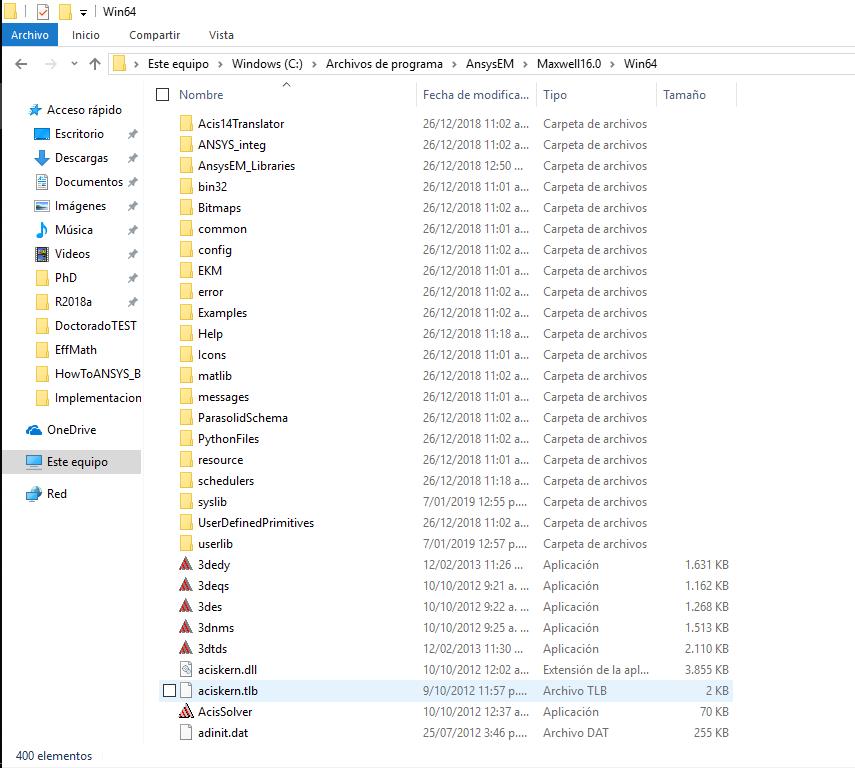
It appears that you may have not set this up properly. Please check your directories, they should be setup within the C:Program FilesAnsysEMMaxwell16.0Win64Maxwell directory.
Yours:
C:Program FilesAnsysEMMaxwell16.0Win64syslibToolkitsMaxwell2DElectric Machines Design Toolkit - R16
C:Program FilesAnsysEMMaxwell16.0Win64syslibUserDefinedOutputsElectric Machines Solutions - R16
Should be:
C:Program FilesAnsysEMMaxwell16.0Win64MaxwellsyslibToolkitsMaxwell2DElectric Machines Design Toolkit – R16
C:Program FilesMaxwell16.0Win64MaxwellsyslibUserDefinedOutputsElectric Machines Solutions – R16
Additional Directory to check:
C:Program FilesAnsysEMMaxwell16.0Win64MaxwellsyslibToolkitsMaxwell3DElectric Machines Design Toolkit – R16
Please let me know if this helps with the issue.
Thank you,
Matt -
January 8, 2019 at 4:10 pm
-
January 8, 2019 at 4:52 pm
mbeliaev
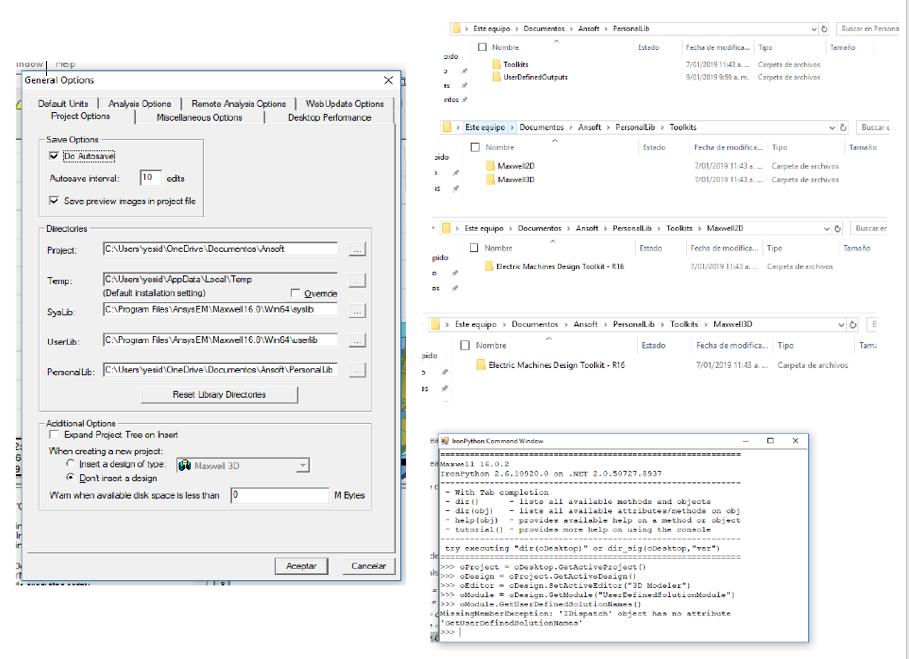
Ansys EmployeePlease go to Tools-Options-General Op.. - General - Directories.
Check path to userlib.
after that follow:
Installation:
If not already exist, create a folder UserDefinedOutputs under userlib or Personallib.
Place the directory Electric Machines Solutions – R16 into the UserDefinedOutputs directory under syslib, userlib or Personallib.
If not already exist, create a folder Toolkits under syslib or userlib or Personallib.
If not already exist, create another folder Maxwell2D (and/or Maxwell3D) under Toolkits folder.
Place the directory Electric Machines Design Toolkit - R16 into the Maxwell2D (and/or Maxwell3D) directory.
Second idea to check.
From tools open command window and run:
oProject = oDesktop.GetActiveProject()
oDesign = oProject.GetActiveDesign()
oEditor = oDesign.SetActiveEditor("3D Modeler")
oModule = oDesign.GetModule("UserDefinedSolutionModule")
oModule.GetUserDefinedSolutionNames()
do you get it running or do you get an error?
-
January 9, 2019 at 9:31 am
Yesid901208bc
SubscriberGood morning,
I checked the folders, I didn't find something wrong.
I placed the Toolkit and the UserDefinedOutputs in userlib and I tried to define "User Defined Outputs" with right click over "Maxwell2DDesign/Results/Create user defined solution/ElectricMachinesSolution - 16/Average and RMS solutions". I also tried to run the toolkit clicking over "Maxwell2D/Toolkit/Electric Design Machine Toolkit - 16/Electric machine design toolkit" but the errors mentioned in the first post apeared.
I repeat the process but in the syslib and Personallib but the result was the same.
When I tried to run the commands on the command window, the last command send me an error. "MissingMemberException: 'IDispatch' object has no attribute 'GetUserDefinedSolutionNames'".
I'm going to send a PDF showing the results into a graphic way.
-
January 9, 2019 at 9:37 am
-
January 9, 2019 at 12:35 pm
mbeliaev
Ansys Employeethe quality of image is very bad. but it seems that python throws you an error.
Unfortunately it is very very old version of Maxwell and it is difficult to say what exactly is wrong. But from here I see that this commands are unsupported in this version.
Please update to recent one version. In this version toolkit is preinstalled as ACT extension.
https://support.ansys.com/AnsysCustomerPortal/en_us/Downloads/Current+Release
-
January 10, 2019 at 9:27 am
Yesid901208bc
SubscriberI apologize for the image quality, I didn't find how to upload a PDF. However, the text written in the post before the image describes the content of the image. I don't have a customer account, I just have a student software then I do not know how to login in the link you send me.
https://support.ansys.com/AnsysCustomerPortal/en_us/Downloads/Current+Release
But I can request the newest version to the laboratory. The version which has the Toolkit preinstalled is 19.0?
-
January 10, 2019 at 1:31 pm
ANSYS_MMadore
Forum ModeratorYes, it's included with 19.0, also with 19.1 and 19.2.
Thank you,
Matt -
January 11, 2019 at 10:32 am
Yesid901208bc
SubscriberThanks, I will use 19.0.
-
April 29, 2019 at 12:01 pm
aicha1
SubscriberHello.
I am sorry, but how can I get or download the "Electric Machine Design Toolkit "? I have the Electric Machines solutions under the "Create user Defined solution" in the Results section, but I couldn't find the Electric Machine Design Toolkit. ( I have an Ansys Maxwell version of 19.2)
Can anyone please help me? I would appreciate it a lot.
Thank you!
-
April 29, 2019 at 12:16 pm
ANSYS_MMadore
Forum ModeratorHello,
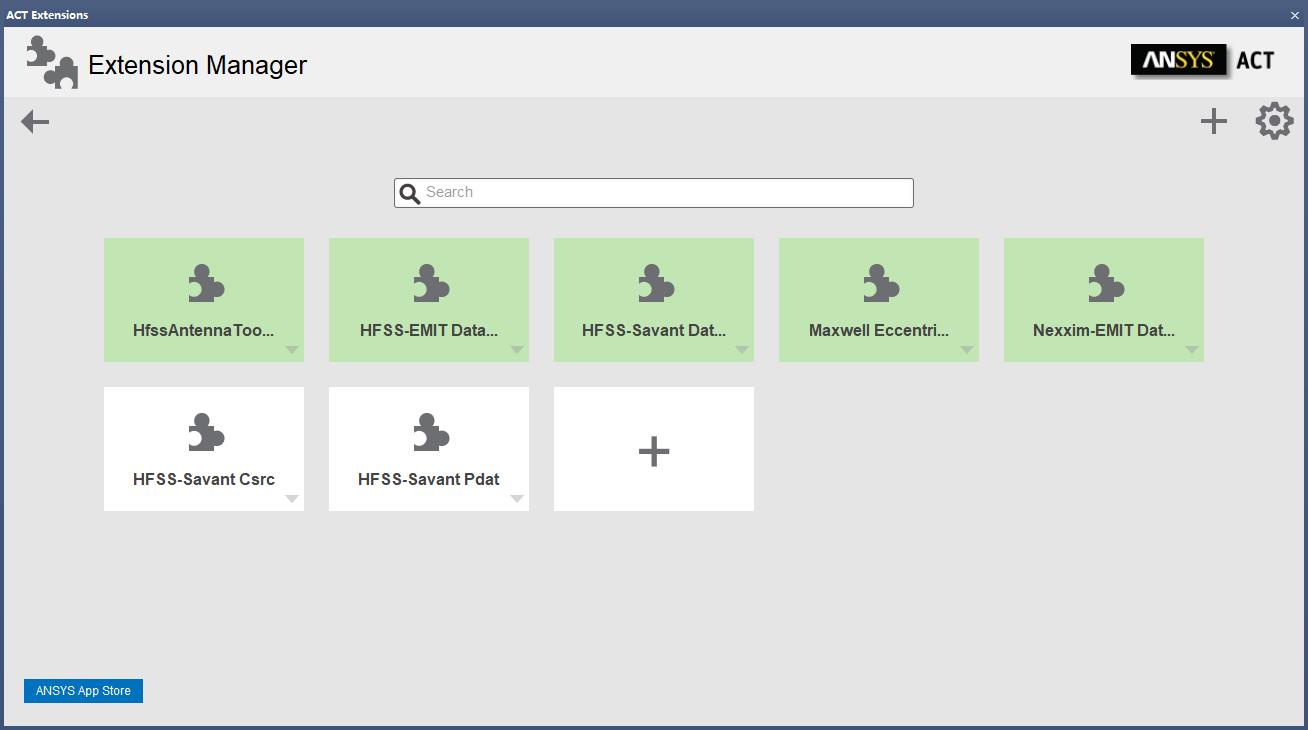
Machine Design Toolkit is located under the ACT Extensions panel -> Manage Extensions, within the Electronics Desktop. There is no additional installation, it is included with 19.2. You can find information on usage within the ANSYS Help documentation.
Thank you,
Matt
-
May 6, 2019 at 10:01 am
Benjamin Tan
SubscriberHello Matt,
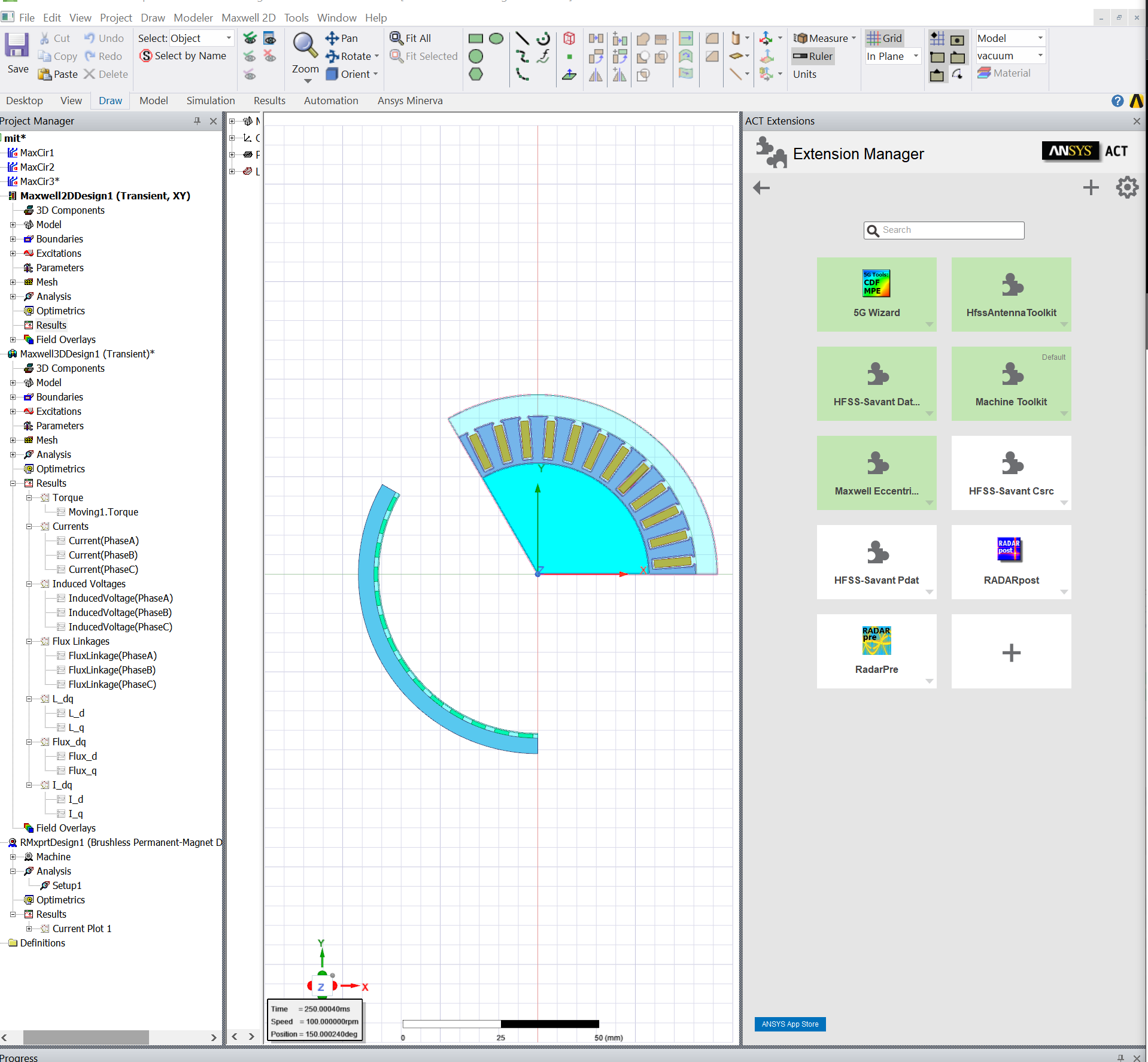
I'm using ANSYS Electromagnetics Suite 19.1.0 and I'm not able to find the "Electric Machines Design Toolkit". I have checked the "ACT Extensions: Extension Manager" and the only Toolkit that had a similar name was "Machine Toolkit" but enabling that did not change the "Maxwell 2D:Toolkit" menu even after selecting the "Update Menu"
Thanks,
Ben
-
May 6, 2019 at 10:07 pm
tsiriaks
Ansys EmployeeHi Ben,
If enabling the ACT Extension does not show the menu you are looking for, I would recommend to ask this question in Physics Simulation > Electromagnetics section.
Thanks,
Win
-
May 7, 2019 at 4:03 pm
Benjamin Tan
SubscriberHello Win,
Thanks for the advice. I was not able to find the "Maxwell 2D:Toolkit:Machine Toolkit" but when I enabled the "View:ACT Extension" windows, I saw the Machine Toolkit". It looks like that's the way to access the Toolkit on my set. It looks like it working now.
Thanks,
Ben
-
May 7, 2019 at 4:06 pm
tsiriaks
Ansys EmployeeAh, sounds good.
Thanks for the update Ben.
Win
-
July 27, 2019 at 4:04 pm
xrpeng
SubscriberHello,
I downloaded ANSYS Electromagnetics Suite 18.2.0 from the my university computer service. My project is to design an PMSM and I need to get the torque speed curve. I heard the curve can be got with ''Electric Machines Design Toolkit'', but I met problem on looking for this toolkit. I read above posts and tried to find the toolkit in ''ACT Extension''. However, I couldn't find it from the existing apps.
Then I checked apps in the Ansys app store and I can't see the apps that related to Maxwell electric machine design toolkit. Though there's a app ''Maxwell Technologies Library'', it is installed in Simplorer rather than Electronics Desktop.
Then I tried to download the newest version of ANSYS Electromagnetics Suite, but it seems the links in websites of ''ANSYS Free Student Software Downloads'' doesn't work. I appreciate if you can help me on this toolkit.
Thanks,
Peng
-
July 29, 2019 at 3:47 pm
tsiriaks
Ansys EmployeeHi Peng,
Can you use at least version 19.0 ? The Electric Machines Design Toolkit is a built-in starting from that version, so you don't have to do any extra install or setup.
Thanks,
Win
-
July 29, 2019 at 7:46 pm
xrpeng
SubscriberHello, Win.
When I downloaded the software in university, there are only versions of 18.2 and 15. But I found 19.0 and 19.1 can also be downloaded in university now. So I'll install 19.1 later.
Thank you,
Peng
-
July 29, 2019 at 7:49 pm
tsiriaks
Ansys EmployeeSounds good Peng.
Let us know if that works for you.
Thanks,
Win
-
March 15, 2023 at 3:42 am
Chan LT
SubscriberHi, I would like to ask how to launch Electric Machine Design toolkit in ANSYS Electronics R1? I have the design of motor ready but cannot find the installation of electric machine design toolkit in ATC extension. I would like to use the toolkit to generate efficiency and loss map of the motor. Thank you very much
-
- The topic ‘Electric Machines Design Toolkit – R16 INSTALLATION’ is closed to new replies.
-
5824
-
1906
-
1420
-
1305
-
1021
© 2026 Copyright ANSYS, Inc. All rights reserved.