Ansys Assistant will be unavailable on the Learning Forum starting January 30. An upgraded version is coming soon. We apologize for any inconvenience and appreciate your patience. Stay tuned for updates.
Ansys Free Student Software

Ansys Free Student Software

Topics cover installation and configuration of our free student products.

Display mesh during particle tracking animation

    • Nicholas Alberg
      Subscriber

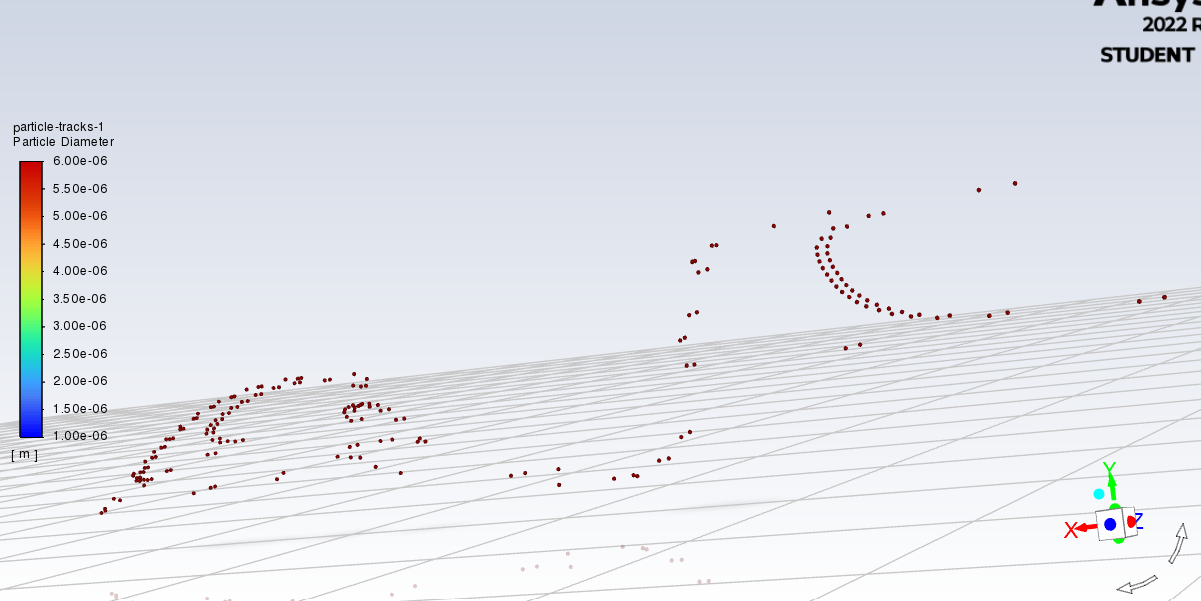
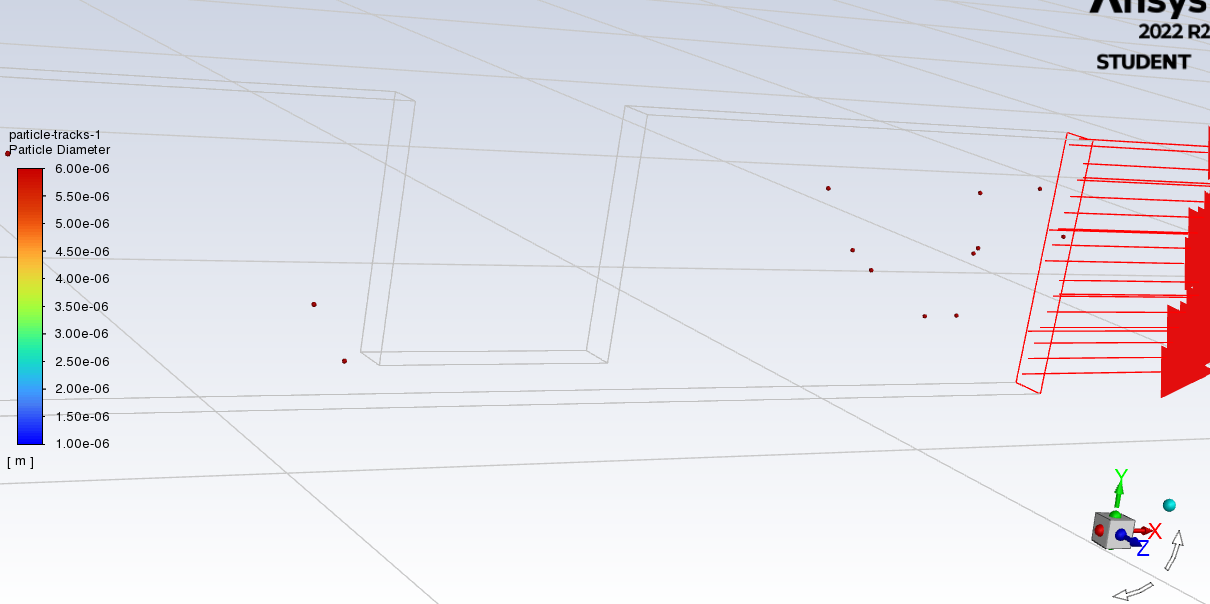
      I'm currently trying to model particle flow in a microfluidic chip and as such am trying to create an animation of the particle tracking. However, eventhough 'draw mesh' was checked in the particle-tracks object during setup, the mesh does not appear in the created animation (first picture). I've been able to display the mesh with the particle tracking both before calculation and after calculation (second picture), but once pressing calculate the particle tracking used for the animation appears in a second window, without the mesh. Is there any way to display the mesh in the created animation, so I can visualize the channels themselves as the particles move through?

      Thanks in advance

    • Rob
      Forum Moderator

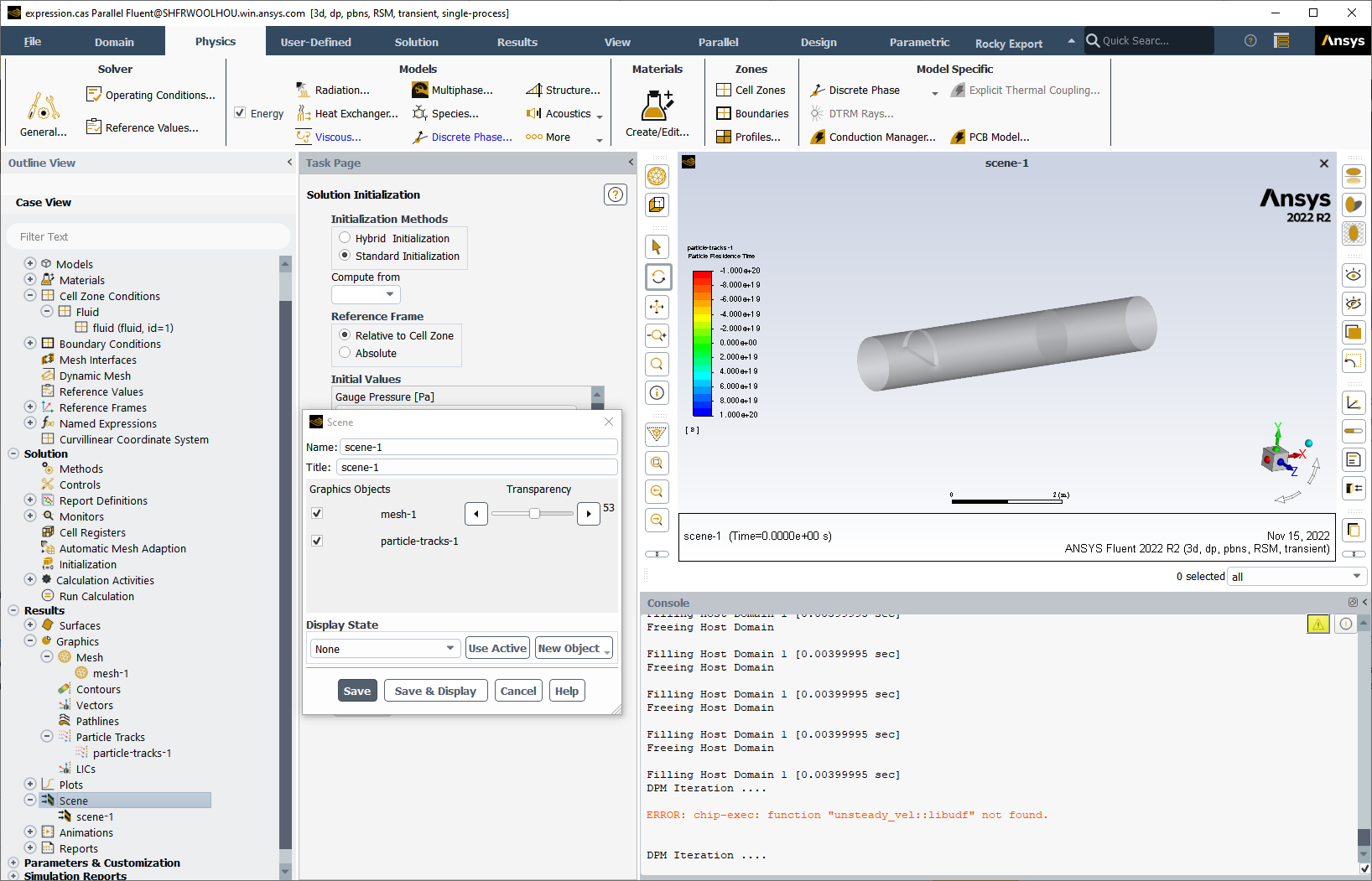
      When we added the scenes into Fluent the "show mesh" option in the panels stopped working in the way it used to. Instead, create a mesh object showing all the walls/inlets etc as you want to see it (if you want to show the wall faces do so, transparancy comes later). Then create the particle scene. Finally, in the Display section in the tree create a Scene with the mesh and particles. Create the animation of that. The image summarises the steps.  

      It's a more long winded method than before, but the results are worth it. 

    • Nicholas Alberg
      Subscriber

      Thanks for the elaborate answer Rob!

Viewing 2 reply threads
  • The topic ‘Display mesh during particle tracking animation’ is closed to new replies.

[bingo_chatbox]