I was wondering if there is a way to DELETE a feature in Design Modeler after I've created it via DM script commands Specifically, I have a script to create a BOOLEAN function combining two bodies using the command "var NewBoolean= ag.gui.CreateBoolean()" and the corresponding example code shown below.
var NewBoolean= ag.gui.CreateBoolean();
NewBoolean.Name = "Combine Function";
NewBoolean.Operation = 0;
ag.listview.ActivateItem("Tool Bodies") ;
agb.ClearSelections() ;
body1 = ag.fm.Body(1);
agb.AddSelect(agc.TypeBody, body1) ;
body2 = ag.fm.Body(2);
agb.AddSelect(agc.TypeBody, body2) ;
ag.listview.ItemValue = "Apply";
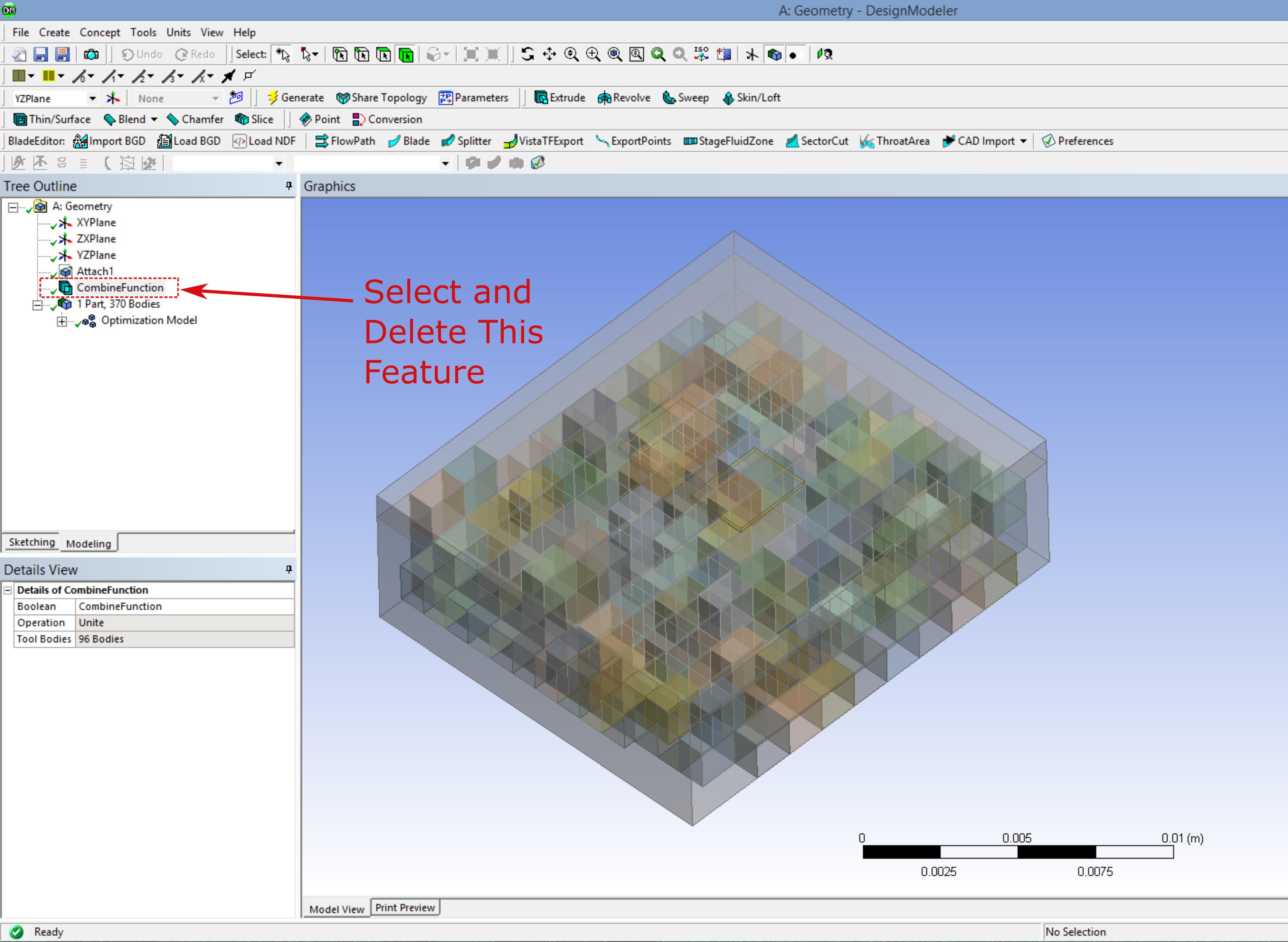
However within my automated process I would like to be able to select and delete this (and other) defined functions so that I can create new ones.
I have done alot of reading through the forums which has lead me to the helpful file agEventHandler.js where I have found the commands "agTreeDeleteSelectedFeature(0)"; and "agDelete"; but so far these only seem to give me syntax and object errors.
Is anyone familiar with DM commands or have experience with a problem like this?

















 You are navigating away from the AIS Discovery experience