

-
-
January 14, 2022 at 12:00 pm
mransys
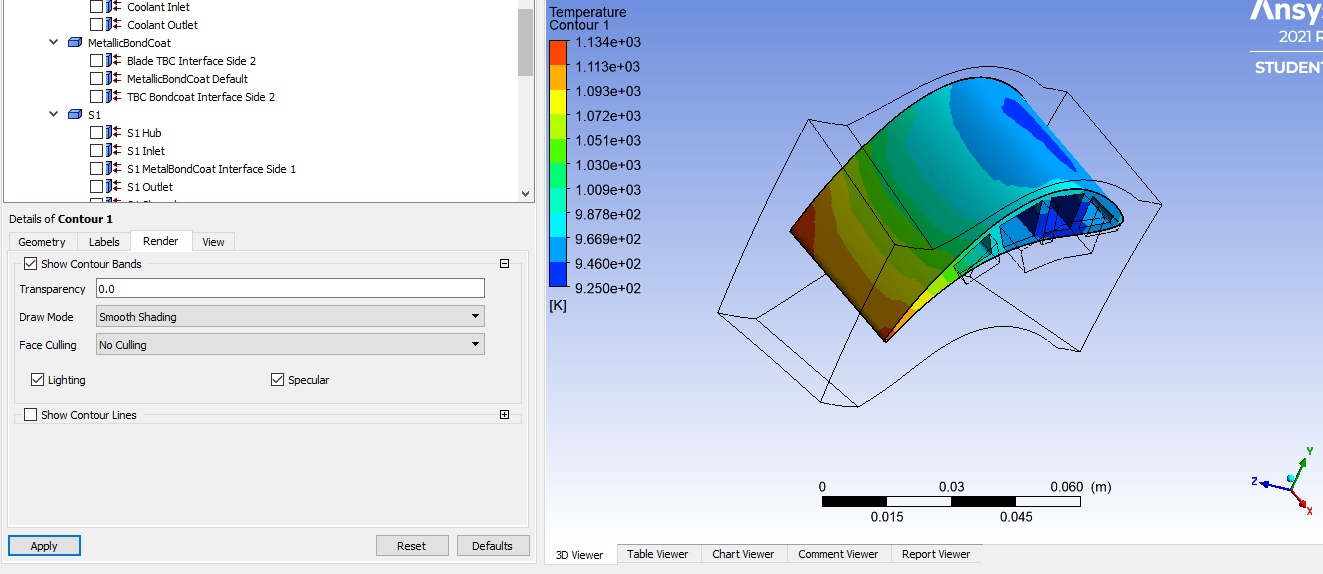
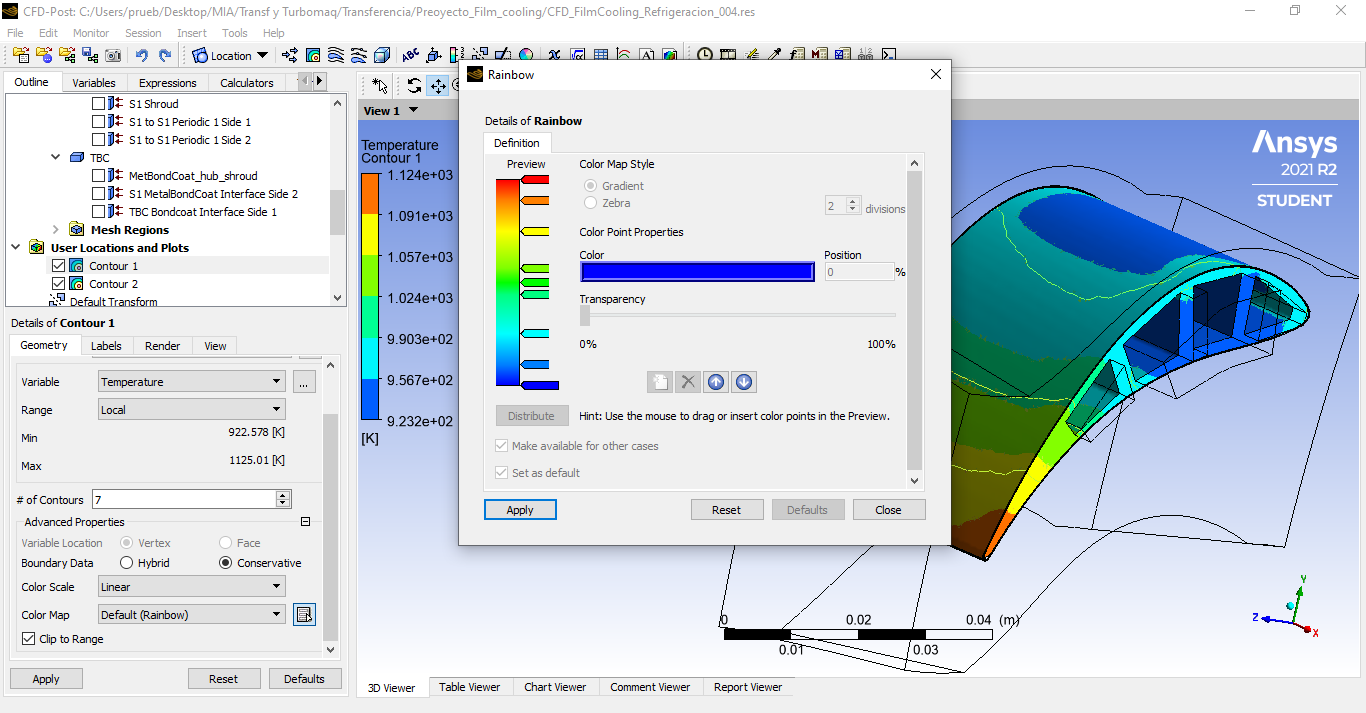
SubscriberHi! I have simulated a a fluid on a blade. I have the results and I want to create a Temperature Contour. I have it but I have not got the option of representing with a gradient of temperature but only with stripes of diferent temperature. I think I should select the ''gradient'' option in the Color Map window, but it is already selected. In fact, I can not change it.
I attach a photo of this panel and my contour and also a photo of what I would like to have.
Could anyone tell me how could I do it?
January 14, 2022 at 1:41 pmRob
Forum ModeratorIf the second image is what you're after use 20 contours on your plot. I think there's a smooth/banded option somewhere too - check in Render.
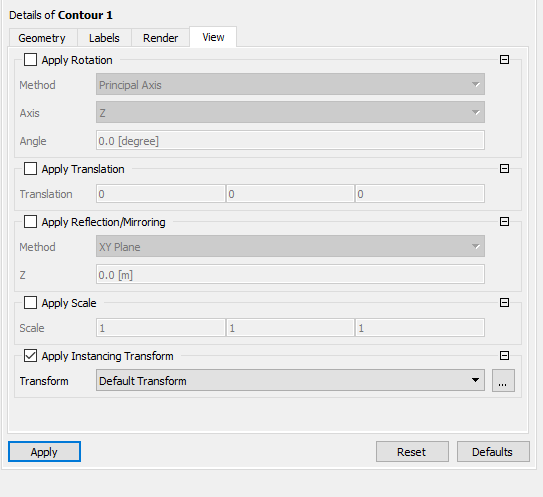
January 15, 2022 at 2:57 pmSubscriberIn Render, en Draw Mode (you can si the window in the first picture) I only have these three options: ''Smooth shading'', ''show as points'' and ''show as lines''. The one selected in the picture is the first one. Any of this are the solution.
I think that the correct window is the one of my first comment, don't you think?
Thank you very much
January 15, 2022 at 4:06 pmSubscriberI have it. I changed de ''# of Contours'' in the panel and it works.
Thank you very much.
Viewing 3 reply threads- The topic ‘Contour Options on CFX-Post’ is closed to new replies.
Innovation Space Trending discussions
 Top Contributors
-
peteroznewman
 5899
5899 -
scabo
 1906
1906 -
Dennis Chen
 1420
1420 -
javat33489
 1306
1306 -
Shyam Prasad V Atri
1021
Top Rated Tags
© 2026 Copyright ANSYS, Inc. All rights reserved.
Ansys does not support the usage of unauthorized Ansys software. Please visit www.ansys.com to obtain an official distribution.
-


The Ansys Learning Forum is a public forum. You are prohibited from providing (i) information that is confidential to You, your employer, or any third party, (ii) Personal Data or individually identifiable health information, (iii) any information that is U.S. Government Classified, Controlled Unclassified Information, International Traffic in Arms Regulators (ITAR) or Export Administration Regulators (EAR) controlled or otherwise have been determined by the United States Government or by a foreign government to require protection against unauthorized disclosure for reasons of national security, or (iv) topics or information restricted by the People's Republic of China data protection and privacy laws.

 You are navigating away from the AIS Discovery experience