TAGGED: install-error, installation-fails, installing-error
-
-
December 17, 2022 at 1:14 pm
Jagatheesan Kunasaikaran
SubscriberHi,
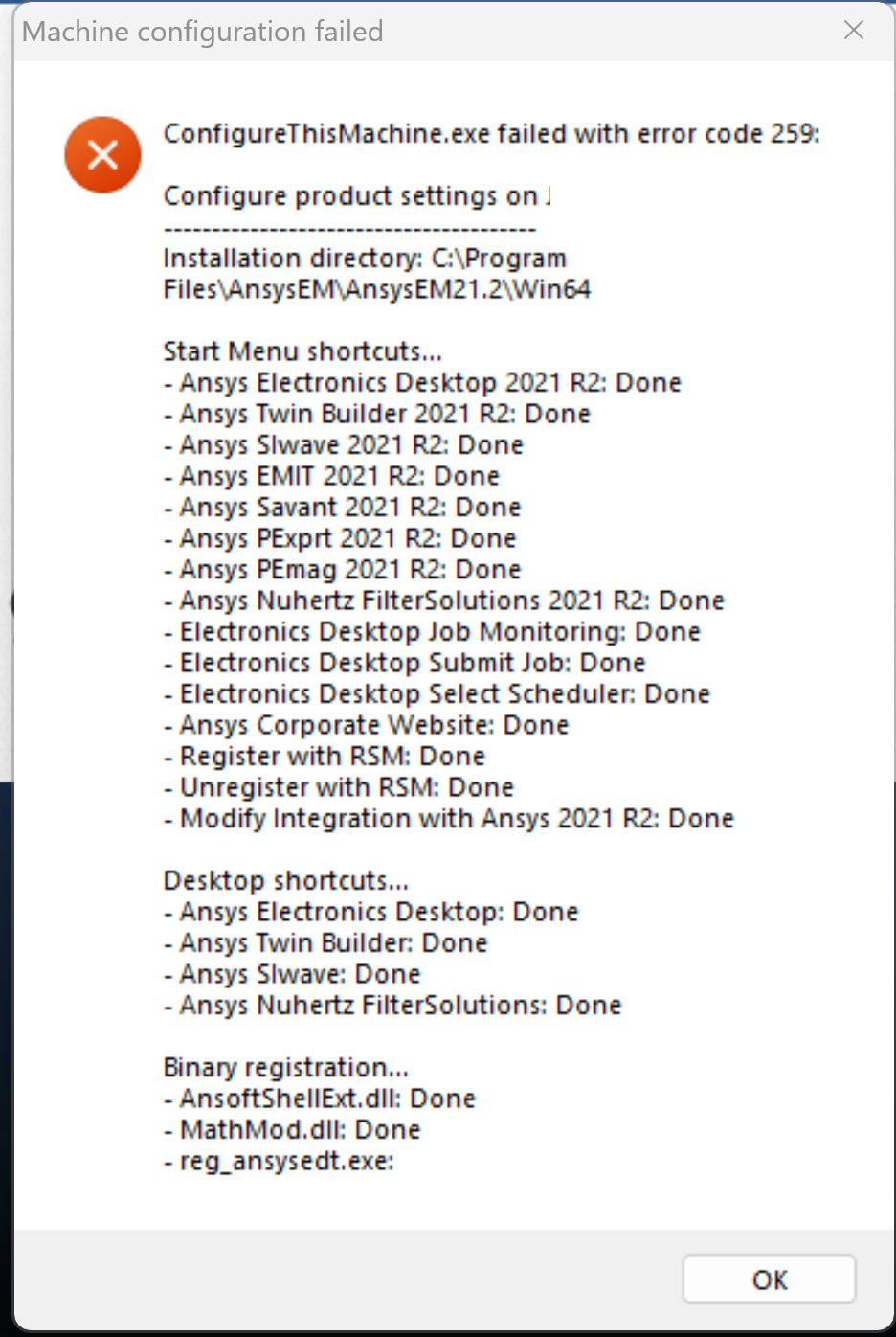
I am trying to install Ansys Electronic Desktop 2021 R2 in Windows 11. The software is downloaded from my university and it has ANSYS Academic Teaching license. However, during installation, ConfigureThisMachine.exe fails with Error code 259 as image.
Any help on how this issue can be resolved?
Thank you.
-
December 20, 2022 at 8:19 am
Jagatheesan Kunasaikaran
SubscriberHi Ansys team,
Any update on this?
Thank you.
-
December 20, 2022 at 1:54 pm
randyk
Forum ModeratorHi Jagatheesan,
Note that AEDT2021R2 is not officially tested/supported on Windows 11.
AEDT2022R2 was the first version certified on Windows 11.
ref: https://www.ansys.com/it-solutions/platform-support
However, I am skeptical that is the reason for the failure.Please try this:
1.. Use Add/Remove programs to uninstall AEDT 2021R2
2.. Completely delete the "C:\Program Files\AnsysEM\AnsysEM21.2" folder
3.. Use Add/Remove programs to uninstall each the "Microsoft Visual C++ 20xx" Redistributables
4.. Install AEDT again -- if possible, I suggest you use 2022R2
thanks
Randy -
December 20, 2022 at 2:06 pm
Jagatheesan Kunasaikaran
SubscriberHi Randy,
Thank you for your reply. These are the C++ Redistributables installed in my laptop. Should I uninstall the C++ 2015-2022 Redistributable? I got the installer from Microsoft website https://learn.microsoft.com/en-us/cpp/windows/latest-supported-vc-redist?view=msvc-170
-
December 20, 2022 at 2:11 pm
Jagatheesan Kunasaikaran
SubscriberI have to use the 2021.r2 version because the external library that I am using called Qiskit Metal (https://qiskit.org/metal/) which opens the Ansys HFSS interface for simulation only works on Ansys versions before 2022. They provided a test Python code as below that should be returnining a COMObject when run.
import win32com.clientprint(win32com.client.Dispatch(‘AnsoftHfss.HfssScriptInterface’))Currently, I’m getting “com_error: (-2147221005, ‘Invalid class string’, None, None)”. I will try your suggestions. -
December 20, 2022 at 2:22 pm
randyk
Forum ModeratorYes, I would remove all the MSFT VC++ redistributables.
Then install AEDT 2021R2
After success, you can download/install the VC++ 2015-2022 redistributable. -
December 20, 2022 at 6:43 pm
Jagatheesan Kunasaikaran
SubscriberThanks a lot. The installation works now without errors. I can run the Qiskit Metal simulation programmatically from Python also.
-
- The topic ‘ConfigureThisMachine.exe failed with error code 259’ is closed to new replies.

-
4673
-
1565
-
1386
-
1231
-
1021
© 2025 Copyright ANSYS, Inc. All rights reserved.