Ansys Assistant will be unavailable on the Learning Forum starting January 30. An upgraded version is coming soon. We apologize for any inconvenience and appreciate your patience. Stay tuned for updates.
General Mechanical

General Mechanical

Topics related to Mechanical Enterprise, Motion, Additive Print and more.

Composite Structural stress Analysis

TAGGED: 

    • tumulpurwar
      Subscriber

      Is it possible to do, big structural analysis say of 15000 parts in Ansys Mechanical..if yes How?

    • peteroznewman
      Subscriber

      I have worked on big projects were there were 15,000 parts in CAD, but most of them were not structural.  If you suppress all the nuts, bolts, washers, and screws, all the electrical wires, all the labels, etc. How many actual structural parts are there?

      The reason I say suppress all the nuts, bolts, washers and screws is because, though they are required to hold the structural parts together, they can be removed from the export of geometry into Mechanical for a simplified model of the product. Connect the holes on each side of a nut and bolt connection with a Fixed Joint for example. There are ways to automatically generate hundreds of Fixed Joints using the Object Generator.

      Most big projects are built from subassemblies. A simplified version of each subassembly can be built for the entire product simulation. Global loads are applied to the entire product.  A detailed model can be built of each subassembly.  The displacements in the entire product model at each subsystem interface are used as input loads to each subassembly. Ansys has a nice capability to automate this. In that way, a reasonable number of nodes are used for the simplified version of the entire product, and then a similar number of nodes can be used to make each detailed subassembly. If all the detailed subassemblies were put into one gigantic model, it would be too big to solve. But each subassembly is solved one-at-a-time so you can work your way through the entire product at a detailed level after you have built the simplified version of the entire product.

      If you have composites, maybe the structural parts are held together with adhesively bonded clips. In a simplified entire product model, all the clips are left out and shell elements simply share nodes at the intersection of one panel to the next where the clips used to be.  In a detailed model of a local area, the full detail of the panels, clips and adhesive bonds can be represented.


    • tumulpurwar
      Subscriber

      Hey thanks peter for reply..i must tell that these all parts say 15000 will be composite structural memebers in case of ship application.

      i doubt if Composite ACP pre is suitable for such big assembly?

      it looks to me slow process in ACP in defining plies and create laminate(sandwhich panel)?

      what your views, is it possible to such big assemby in ACP Pre?


      i also have one simple approach, instead dong detail material applying  procedure to these 15000 parts by assigning indiviually plies and than make stack & finally composite part, i can use equivalent thickness and inertia approach to get equivalent required quality wiithout going in ACP by doing orientation of plies and stack stuff...but i am not sure hw good wil be than resultant stressess(my target results)??


      Also  just want be sure that for composite, we can judge stress by von mises or not? i am just interested in yield point of composite assembly.


      thanks

    • tumulpurwar
      Subscriber

      @peternewmancsh  if i have similiar structural parts with same dimensions and properties, is it possible to copy paste these composite laminate or sandwich properties to other similar structural parts?

      Or do i need to do one by one individually say (for example if big assembly of 12000 parts have say 300 parts of same shape and dimension.

    • tumulpurwar
      Subscriber

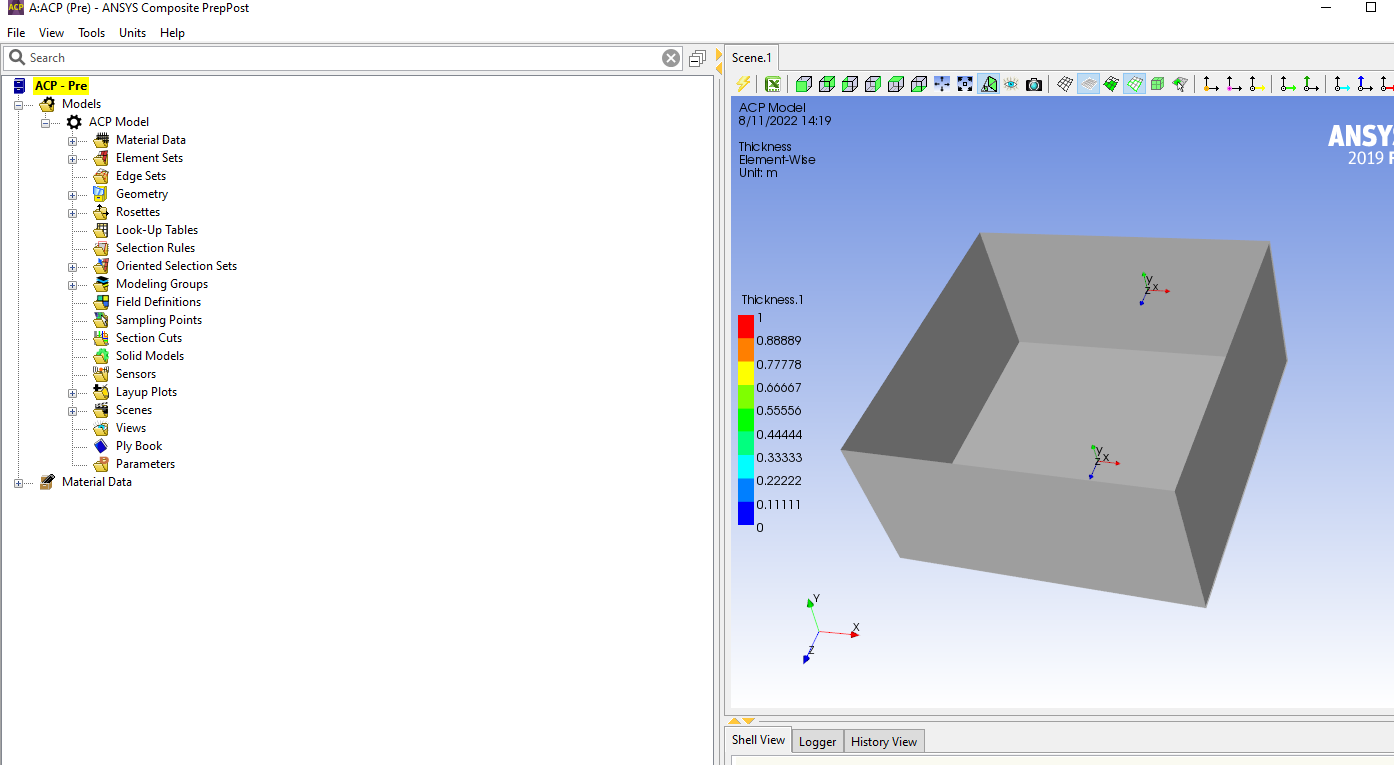
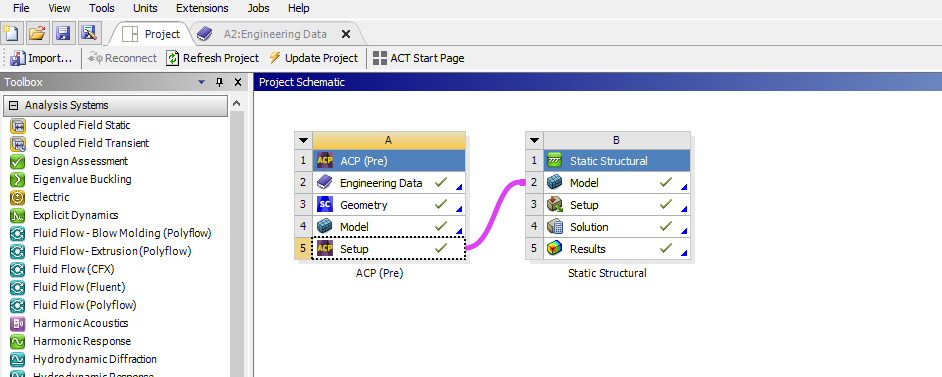
      In these photos attached below, i dont see in ACP any option to copy paste properties from one similar part to other similar parts.

      Also in mechanical also i guess there is no option for composites to assign properties at once from one similar part to other similar parts?


    • peteroznewman
      Subscriber

      ACP/Pre is very useful for layups on complex 3D shapes.

      Structures bonded together from flat or cylindrical composite sheets and ribs don’t need ACP/Pre. Look up Defining and Applying a Layered Section in the Mechanical Application chapter of the ANSYS Help system. Insert a Layered Section into the Geometry branch of the Outline. In Engineering Data, add the Composite materials such as the Unidirectional Carbon Fiber Prepreg. In the Worksheet for the Layered Section, you can define the layup of plies. Each ply has a material, thickness and angle. Create as many plies as needed: 4, 8, 16 etc. Now you can select as many sheet body faces as you want for this Layered Section. You have a short list of unique layups. Create a Layered Section for each layup and give it a meaningful name. Select the faces that apply to each Layered Section. In this way, the correct composite material properties will be assigned to each sheet body of your structure.

    • tumulpurwar
      Subscriber

      Thanks a lot Peter,yes now things can work for my project with this tip.


      Good day!

    • Sean Harvey
      Ansys Employee

      Hello,

      To follow on to this discussion.  Von Mises is not used for the strength evaluation of laminates/sandwich(of different materials and orientations).  You would wish to use one of the composite failure criteria, with the simplest being max stress or max strain, but there are other that have interactions (Tsai).

      Also, I agree with the approach Peter suggested, but one could also use named selections and a handful of oriented element sets and modeling plies to create layups on many parts at once.  So it can handle large assemblies.

      Regards,
      Sean

    • tumulpurwar
      Subscriber

      Thanks Sean

      Nice to know this information as well. 

Viewing 8 reply threads
  • The topic ‘Composite Structural stress Analysis’ is closed to new replies.
[bingo_chatbox]