-
-
February 6, 2020 at 6:44 pm
davidxu
SubscriberHi everyone. I have an issue on the setting language of my student R3 version. The setting language of my PC is English, and my region is US, but the version I downloaded is in Japanese. I changed the languagesetting.txt file to ''en-us'', but it did not work entirely. Does anyone have any ideas on it? Or did I neglect the language choice when I chose to download from the website?Â
-
February 7, 2020 at 10:41 am
Rob
Forum ModeratorThe Student version should be English (or rather the version with the poor spelling courtesy of Americans). Where did you get it from?
-
February 18, 2020 at 6:13 am
eomzi
SubscriberI have the same problem. I downloaded the installation program on this website:https://www.ansys.com/academic/free-student-products#student.
this is the installation process: there is no choice for the language during the installation step. I tried to do the same step for languagesetting.txt, but it doesn't work at all.
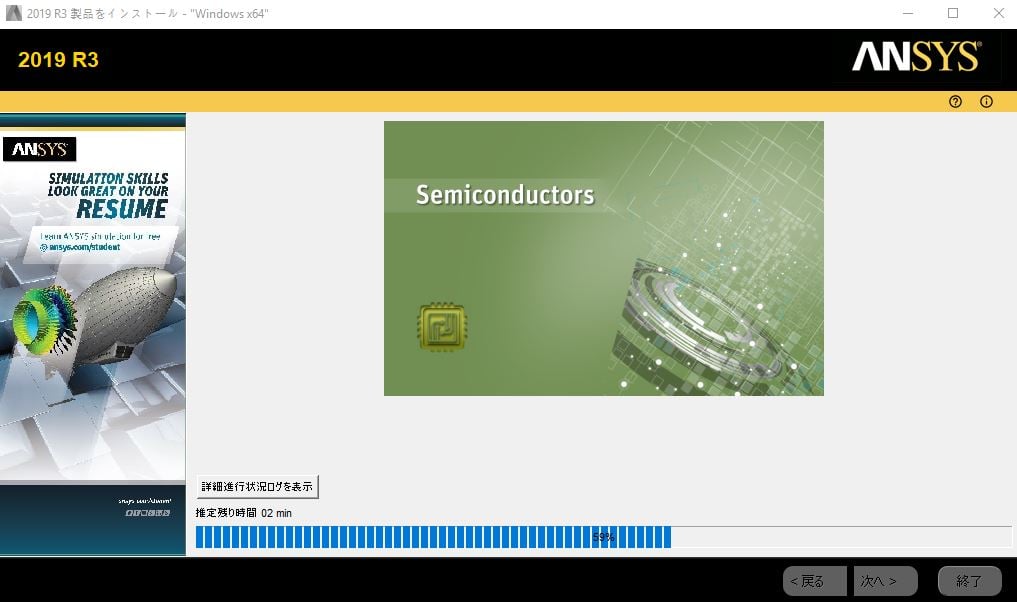
Â
when the installation is complete, some programs are fine, they work as english settings.
but the workbench is totally japanese setting.
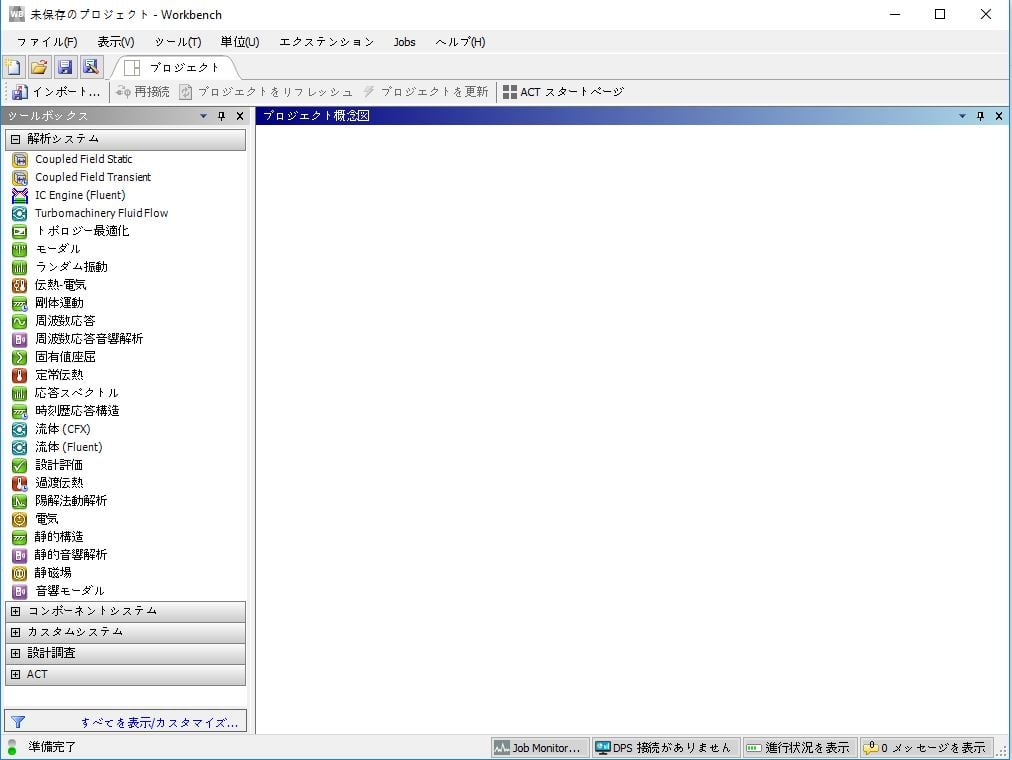
Â
-
February 18, 2020 at 8:10 pm
davidxu
SubscriberGo to the program files > ANSYS Inc > ANSYS Student > v195. At the bottom, you will see a ProductCongig app. Double click on it and you will see language choices at the upper right corner. Â
-
February 19, 2020 at 2:49 am
eomzi
SubscriberThank you so much!
-
- The topic ‘change setting language’ is closed to new replies.
-
6219
-
1906
-
1457
-
1308
-
1022
© 2026 Copyright ANSYS, Inc. All rights reserved.









