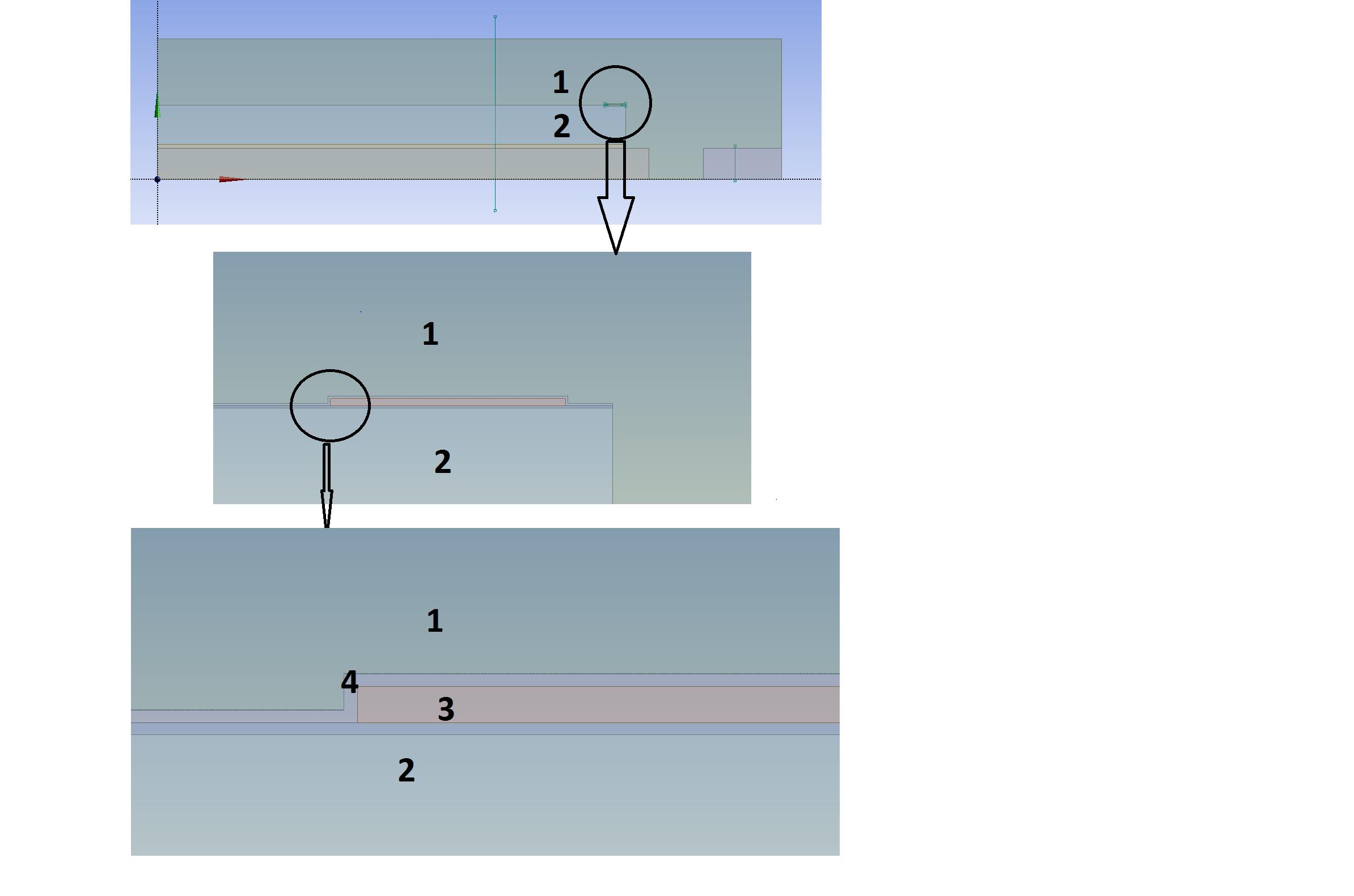
I have a structure like the below: body 3 and 4 are very thin so you cant see it in the global model. To generate better mesh. I want to partition body 4 with the sketch in the bottom figure to avoid the sharp corners. Finally , I want part 4 is made up of rectangles and squares. However, when I tried with face split with the line I draw, I always get an error:
Error: Facesplit failed; cannot project selected set
Additional information: Face Split Group 1
Context: FaceSplit Feature FaceSplit15
If I do face split on part 1 and 2, there is no problem. I searched online but could not find useful information about this error? Is there something wrong with face split if it is applied on very thin part? Or is there any tolerance I can set to avoid this issues?
Thanks


















 You are navigating away from the AIS Discovery experience