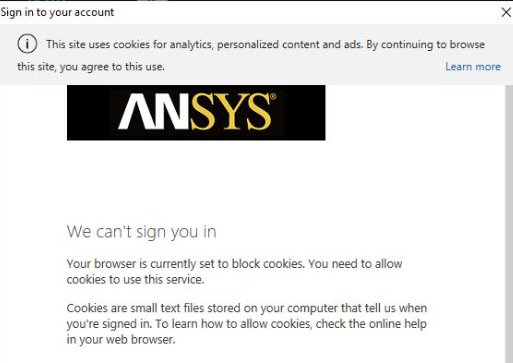
TAGGED: spaceclaim
-
-
April 24, 2020 at 2:50 pm
-
April 27, 2020 at 5:16 am
Naresh Patre
Ansys EmployeeHello Paesc
I haven't seen this issue before. Can you add the URL to the "allowed" list of sites under Cookies settings and see if that helps? Also, can you try logging in using incognito mode?
-
May 1, 2020 at 8:18 am
paul pladet
SubscriberNaresh Patre Hello Naresh,
I have enabled cookies on every browser installed on the computer, but SpaceClaim refuses to load the sign in window.
Â
For your information, i am trying to login with spaceclaim, i am not using a browser so i cannot use incognito mode.Â
Â
What exactly is the URL i have to add?
-
-
May 5, 2020 at 7:36 am
Naresh Patre
Ansys EmployeeHello Paesc
Let's try to activate the subscription through command prompt which will bypass the sign in step. Follow the steps mentioned in this article and activate the subscription. You can get the activation id by signing in your Discovery Account Page or from the license text file that you must have received. In the activate license command, make sure that you don't specify angular brackets <> at the start and end of the activation id. Once the activation is successful, launch Discovery SpaceClaim. This will not pop up the sign in panel and you should be able to start using the application.
-
- The topic ‘Can’t sign in because of cookies’ is closed to new replies.
-
6625
-
1906
-
1469
-
1311
-
1022
© 2026 Copyright ANSYS, Inc. All rights reserved.