

TAGGED: ansys-mechanical, contacts, static-structural
-
-
September 15, 2021 at 12:48 pm
christian.katsavos
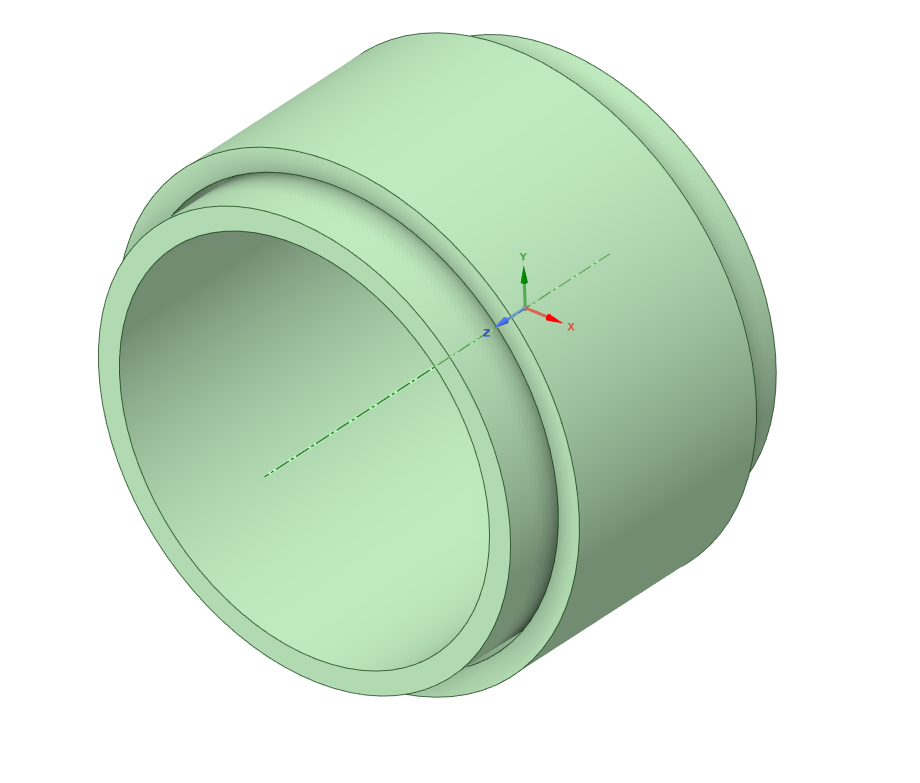
SubscriberHello, I'm trying to understand how contacts work in Mechanical and for this reason I've set up the following simple static structural simulation:
September 15, 2021 at 1:13 pmErKo
Ansys EmployeeHi I would use a remote displacement to move the cylinder in the direction you want (say X), this will make sure that the model is restrained OK, since now something is not working - also use the initial contact tool to see that gaps of the contacts are closed.
Also if you search for solver pivot and internal solution magnitude you will get many hits to look at.
All the best
Erik
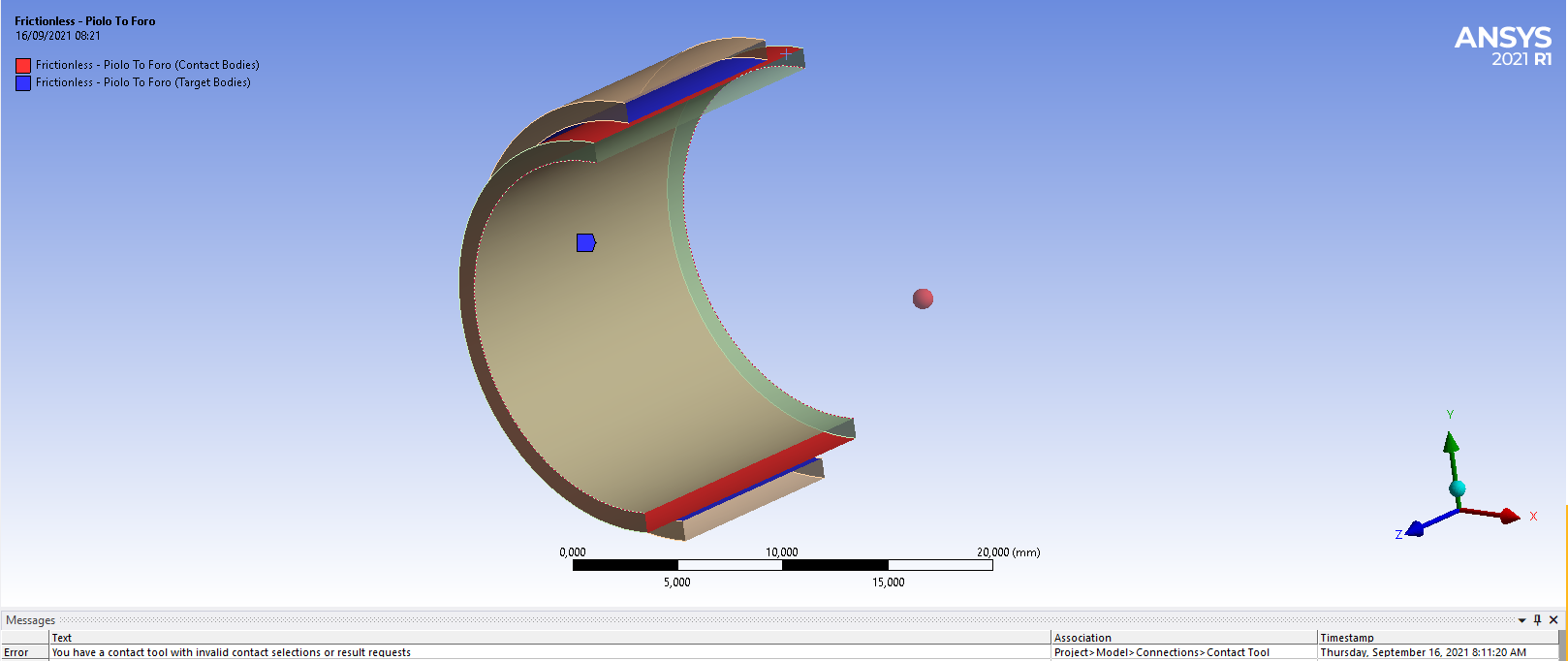
September 16, 2021 at 6:26 amSubscriberHello Erik I've modified the constraints according to your indications, replacing the "Displacement" constraint with a "Remote Displacement" constraint and forcing any rotation to zero. Moreover I've used the "Contact Tool" as per your advice. An error warning says that "You have a contact tool with invalid contact selections or result request". I dont really understand where the contact error can be, since this Contact is very simple: Frictionless Type, One surface for Contact, One surface for Target and, as I previously noted, Normal Lagrange Formulation with Asymmetric Behavior (the convex is the Contact side of the pair and the flat/concave surface must be the Target one) Trim Contact OFF and a pinball radius big enough to "cover" the distance between the two surfaces.
I don't really know what corrections can be made...
 Thanks again and so much for your help and best wishes for a nice day...
Christian
September 16, 2021 at 6:37 amSubscriberHello Erik I've modified the constraints according to your indications, replacing the "Displacement" with "Remote Displacement" and forcing any rotation to zero. Moreover I've used the "Contact Tool" as per your advice. An error warning says that "You have a contact tool with invalid contact selections or result request". I dont really understand where the contact error can be, since this Contact is very simple: Frictionless Type, One surface for Contact, One surface for Target and, as I previously noted, Normal Lagrange Formulation with Asymmetric Behavior (the convex surface is the Contact side of the pair and the flat/concave surface must be the Target one). Trim Contact is OFF and a pinball radius great enough to "cover" the distance between the two surfaces.
I don't really know what corrections can be made...
Thanks again for your help and best wishes for a nice day...
Christian
September 16, 2021 at 6:37 amAnsys Employeehi - never seen this error - I would start from the scratch and create a simple model to try and get the contact to work - say 2 blocks on top of each other and then pressing one down with an enforced displacement on top. try something simple first and see that it works.
all the best
Erik
September 16, 2021 at 2:27 pmmrife
Ansys EmployeeHi @Jourawski I'm assuming this is a static model, correct? If so then force controlled models with open contact are not well conditioned. The inner cylinder has no initial X boundary condition as the contact has not yet been established. The contact state is "open". The model is ill conditioned. So any applied X direction force to the inner cylinder will result in the cylinder moving to any possible position. And it displaces very far, so the message about internal magnitude limit being exceeded. For structural models the MAPDL solver has a default limit of 10,000,000 units of allowed displacement.
There are several ways of addressing this. One would be to displace the inner cylinder in the X direction until the contact is "closed" then deactivate the displacement while activating the X force. Another would be to introduce something for the inner cylinder to 'push' against until the contact is closed. This can be done with global stabilization damping (set in the Analysis Settings) or a local to the contact pair stabilization. There was a AIC video on this. The contact option "Adjust to Touch" could be used, but the 0.2 mm gap that needs to be closed seems to me to be a fairly large gap. Usually we use this on small gaps that are introduced via loose CAD tolerances or the result of meshing. But I'll leave the judgement up to you since it is your model.
Mike
September 17, 2021 at 12:39 amhesamkeshavarzz
SubscriberHi @Jourawski
you have a body (inner ring) with no reacting force (frictionless contact) that you assert force on, yeah it move, you have rigid body motion, then an error. so please try other types of contacts that are bonding or firctional or constraint the inner body by, fore example a spring.
September 24, 2021 at 6:32 amSubscriberHello, Mike, Hello HesamK,
I'm answering so late because I wanted to try different things and read some info in the User Guide. My (apparently) easy simulation had two critical aspects: firstly, the inner cylinder is too "free" to move. Even if there's a force oriented only in x direction, the cylinder must be correctly constrained. That means that no rotation must be possible and no translation in perpendicular directions (y and z) should be possible. ONLY one direction can let be possible, and this one is the direction the force is acting along. For this reason a remote Displacement is the right choice.
Secondly: Contacts. Since the distance between the contact side and target side can be big (the outer cylinder can be much much bigger), the contact can be open (in the beginning, at least). A frictionless, asymmetrical contact can be the right choice but, is MANDATORY to set a form of damping, in order to limit the motion of the inner cylinder during the motus before it touchs the outer cylinder. Stabilization Damping is definitely the right choice. It's difficult to predict the corrisponding value. As perfectly said in the YouTube video "Utilizing Contact Stabilization Damping Properly in Ansys Mechanical" you have to plot, during the computation process, or at the end of it, how big the Stiffness Enery is compared to the Damping dissipation Energy. The damping energy must be 3, 4 orders of magnitude minor than the the Stiffness Energy, since the damping agent, in reality, does not exist, so its energy contribution must be negligible so that it cant alter the essence of the problem you are studying.
I want to thank Mike and HesamK very much for helping me out and Erik for indicating me the video that describes how important the Contact tool is! Thanks so much again, all of you guys!
September 24, 2021 at 6:49 amAnsys EmployeeThanks for the feedback - all the best
Erik
Viewing 8 reply threads- The topic ‘Cant run this (apparently) simple simulation’ is closed to new replies.
Innovation Space Trending discussions
 Top Contributors
-
peteroznewman
 5879
5879 -
scabo
 1906
1906 -
Dennis Chen
 1420
1420 -
javat33489
 1306
1306 -
Shyam Prasad V Atri
1021
Top Rated Tags
© 2026 Copyright ANSYS, Inc. All rights reserved.
Ansys does not support the usage of unauthorized Ansys software. Please visit www.ansys.com to obtain an official distribution.
-


The Ansys Learning Forum is a public forum. You are prohibited from providing (i) information that is confidential to You, your employer, or any third party, (ii) Personal Data or individually identifiable health information, (iii) any information that is U.S. Government Classified, Controlled Unclassified Information, International Traffic in Arms Regulators (ITAR) or Export Administration Regulators (EAR) controlled or otherwise have been determined by the United States Government or by a foreign government to require protection against unauthorized disclosure for reasons of national security, or (iv) topics or information restricted by the People's Republic of China data protection and privacy laws.

 You are navigating away from the AIS Discovery experience