

TAGGED: animation, fluent, solution-animation
-
-
January 16, 2022 at 12:58 pm
avitalmic
SubscriberJanuary 17, 2022 at 2:26 pmNikhil N
SubscriberHello,
Can you please elaborate more on the issue or the error you are encountering?
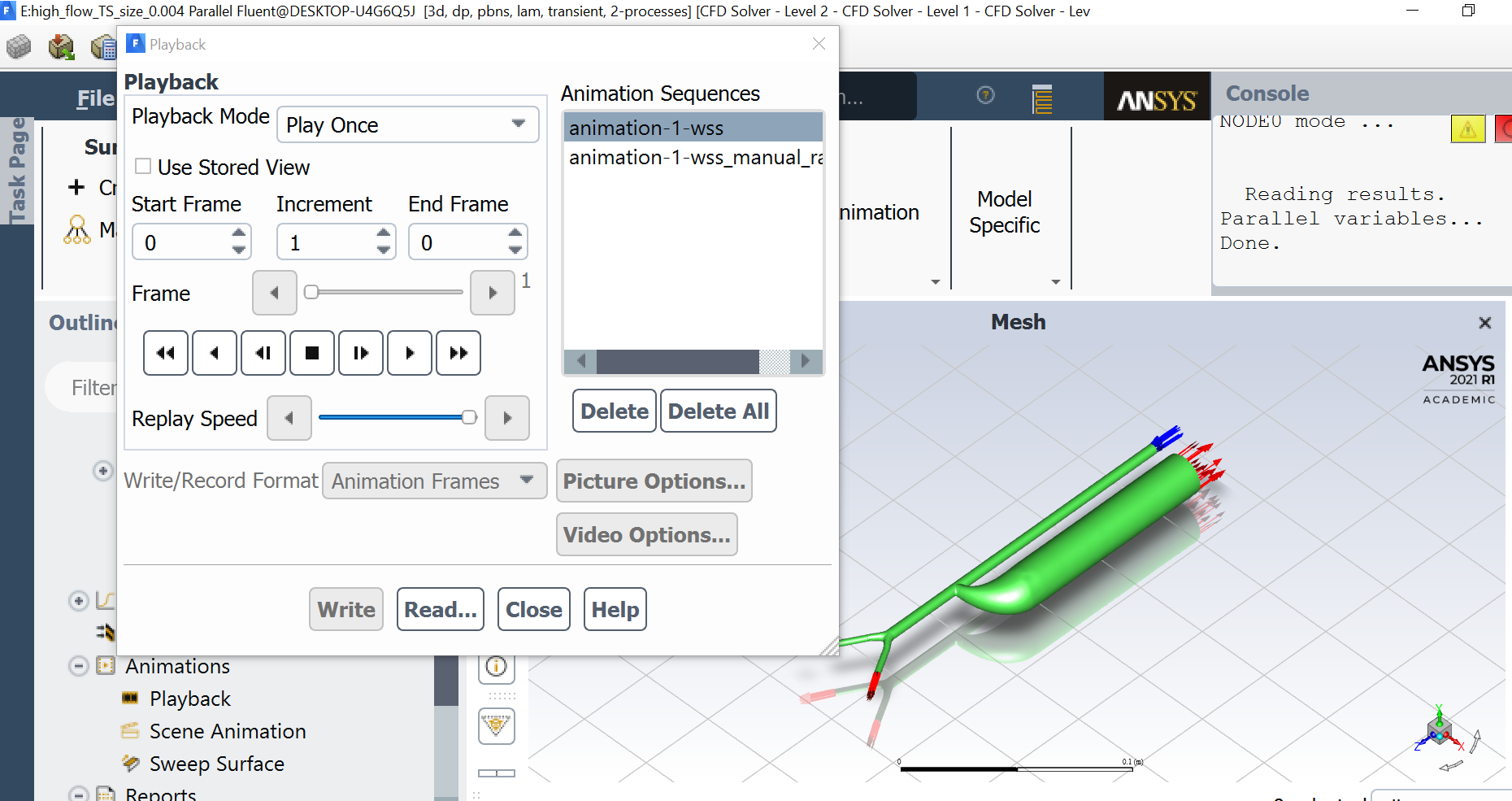
Also, make sure you enter correct start and end frame (which is 0 in the attached image). Also check if the files (.hsf and .cxa) saved are for the selected animation sequence.
Nikhil
January 18, 2022 at 12:32 pmSubscriberHi once the simulation has done, I tried to play the animation but as you can see I cant change anything on the setting window. It seems like there's no data to play but I do see the files in the folder (yes, its the correct files..)
January 19, 2022 at 8:20 amKishan Konannavar
Ansys EmployeeHello
Maybe you can refer to this video if you haven't already. Hope it helps.
ANSYS Fluent: Scene and Animation Creation - YouTube
Regards
Kishan
January 25, 2022 at 6:40 amSubscriberHello,
Can you share these two things:
1: Screenshot of the 'Animation Definition' window. Make sure you keep the required one selected.
2: Screenshot of .cxa file (First few lines would do).
Nikhil
January 25, 2022 at 7:48 amAmine Ben Hadj Ali
Ansys EmployeeOpen a new Fluent session do load any case file just read the animation file there. Will that work?
January 27, 2022 at 12:48 pmSubscriberthanks everyone! I did again all the steps and run the simulation again and now it works.. I dont know what was the reason it didnt wotk the first time
January 31, 2022 at 9:09 amAnsys Employeeprobably the file (*cxa) was corrupted. Anyway: you are now over it!.
Viewing 7 reply threads- The topic ‘can’t play the animation’ is closed to new replies.
Innovation Space Trending discussions
 Top Contributors
-
peteroznewman
 5019
5019 -
scabo
 1698
1698 -
Dennis Chen
 1387
1387 -
javat33489
 1248
1248 -
Shyam Prasad V Atri
1021
Top Rated Tags
© 2026 Copyright ANSYS, Inc. All rights reserved.
Ansys does not support the usage of unauthorized Ansys software. Please visit www.ansys.com to obtain an official distribution.
-


The Ansys Learning Forum is a public forum. You are prohibited from providing (i) information that is confidential to You, your employer, or any third party, (ii) Personal Data or individually identifiable health information, (iii) any information that is U.S. Government Classified, Controlled Unclassified Information, International Traffic in Arms Regulators (ITAR) or Export Administration Regulators (EAR) controlled or otherwise have been determined by the United States Government or by a foreign government to require protection against unauthorized disclosure for reasons of national security, or (iv) topics or information restricted by the People's Republic of China data protection and privacy laws.

 You are navigating away from the AIS Discovery experience