TAGGED: #Design-Modeler-#catia, drawing, geometry
-
-
June 14, 2023 at 7:12 am
raju.chowdhury
SubscriberHi,
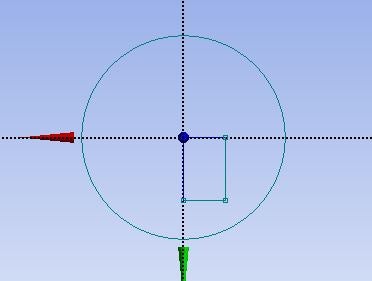
During geometry drawing, how can I draw a rectangle keeping centre of the coordinate system (like a circle. Please see the attached image. Ususally, a corner of a rectangle starts from the origin)? If I can not do that, which tool I can use to bring the rectangle at the centre of the of the coordinate system?
After defining a plane, can I shift this plane to a particular point? If so, what tool can I use for that?
-
June 15, 2023 at 5:34 am
Akshay Maniyar
Ansys EmployeeHi Raju,
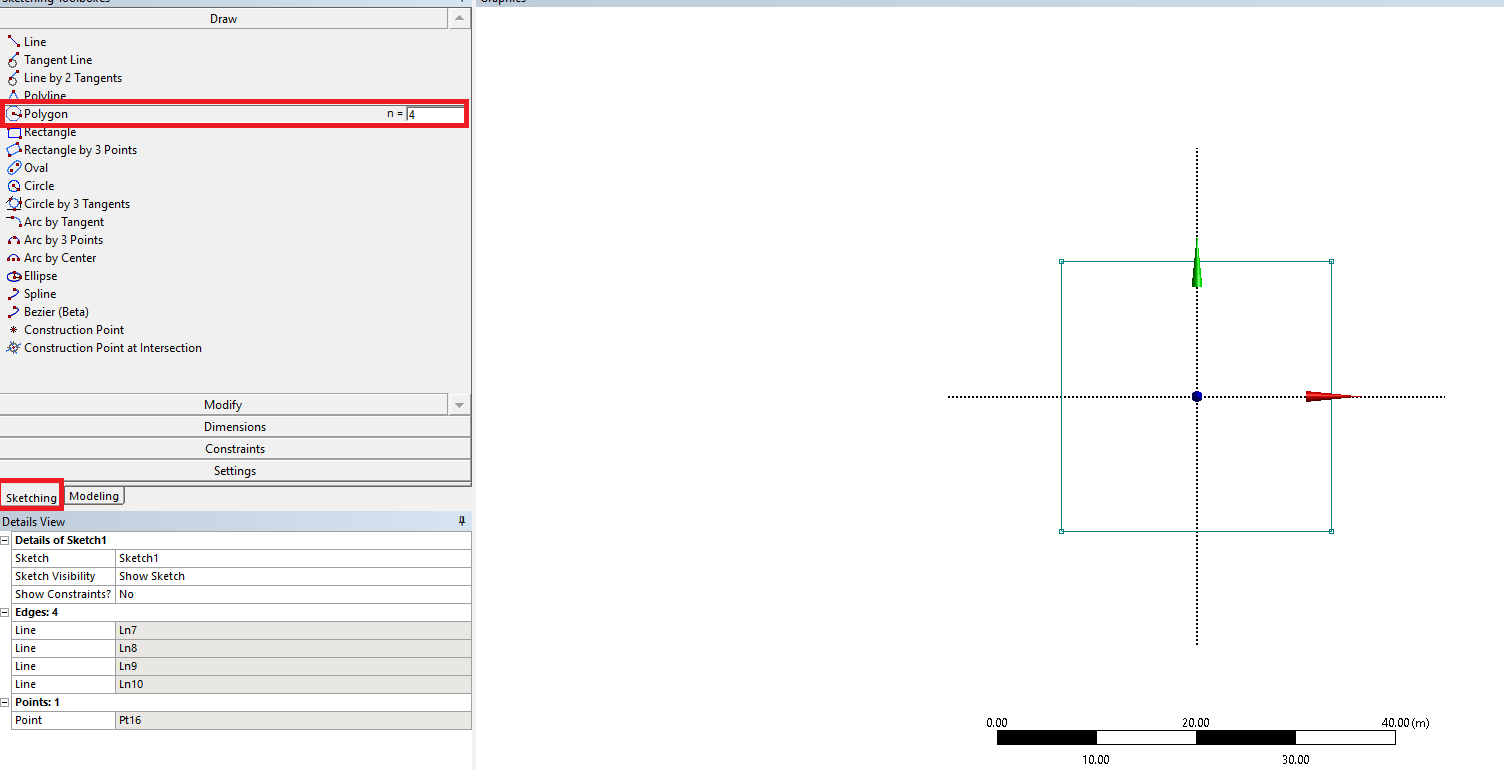
I guess, you are using Design Modeler for creating the geometry. You can draw a rectangle using the polygon option under sketching with sides equal to 4. First, click on the Polygon tool, enter the number of sides, and now click on the sketch plane for the center of the rectangle.
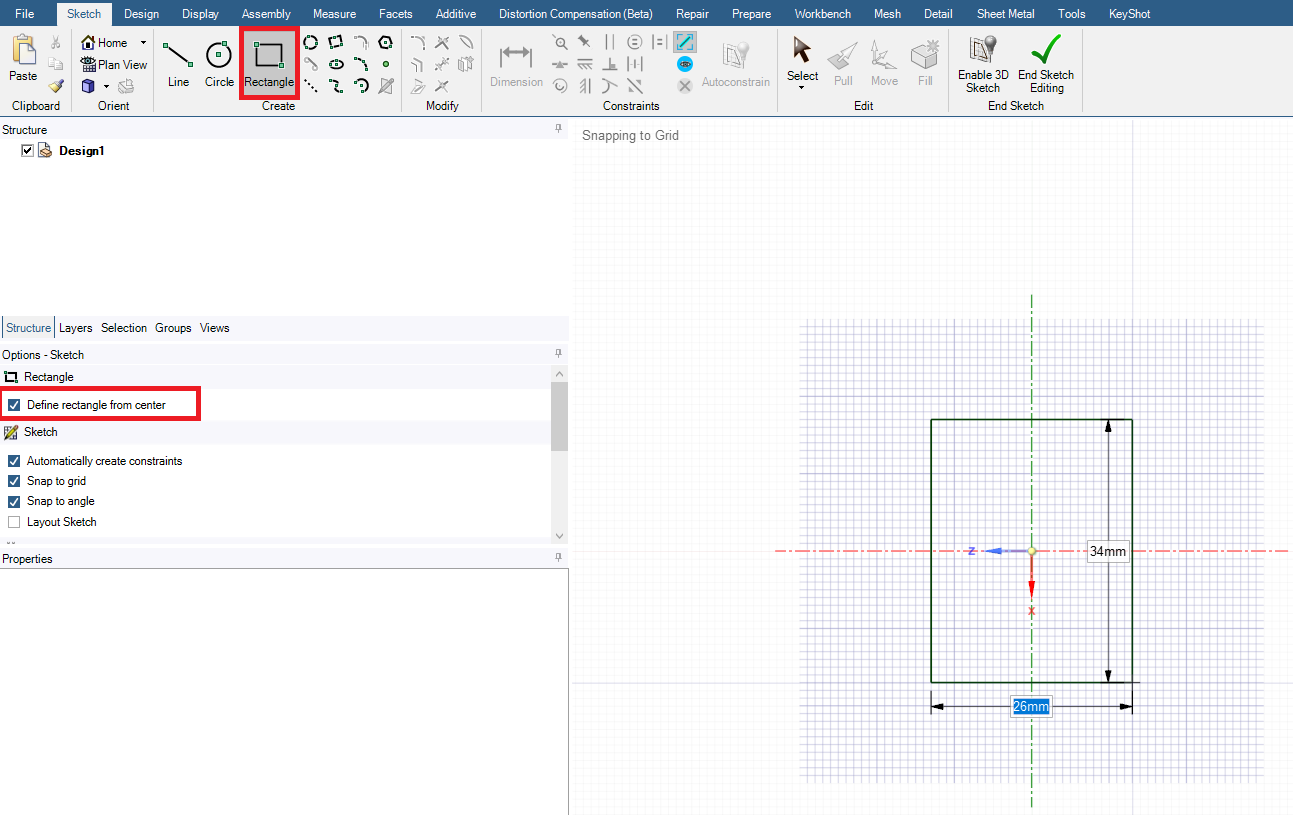
You can also use SpaceClaim for creating geometry. In SpaceClaim, you can draw a rectangle from the center by selecting the ‘Define rectangle from center’ option as shown in the below image.
Thank you,
Akshay Maniyar
How to access Ansys help links
Guidelines for Posting on Ansys Learning Forum
-
- The topic ‘Basic questions about geometry drawing’ is closed to new replies.
-
6465
-
1906
-
1458
-
1308
-
1022
© 2026 Copyright ANSYS, Inc. All rights reserved.