-
-
April 19, 2019 at 5:51 am
creynaud
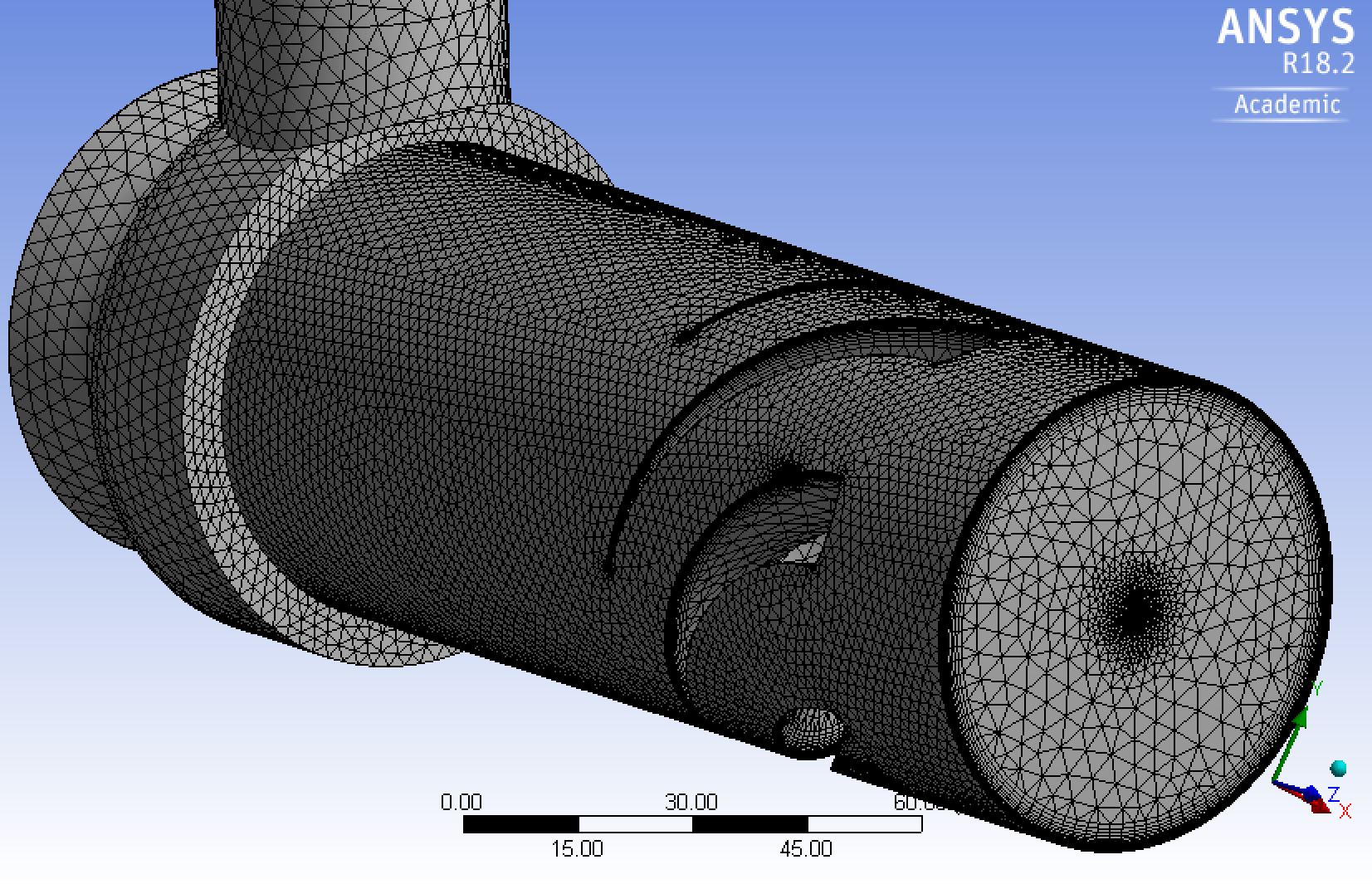
SubscriberI'm attempting to mesh an engine air particle separator. Initially without any inflation layers I get a pretty good mesh with a min orthogonal quality above 0.3. I'm currently trying to add an inflation layer with a first layer thickness of 0.02 mm (based on Y+ calculations), however when I do so I get low quality elements as shown in the image below. Any suggestions as to how I may improve this mesh. I've tried applying face sizing with no luck.


-
April 22, 2019 at 8:55 am
Keyur Kanade
Ansys Employeethe min ortho quality is 0.04. you may proceed to solving it.Â
usually min ortho should be 0.1. but 0.04 may work in your case. check.Â
now when you define inflation, please check if you have missed any faces. it shows pyramids. check location of pyramids. pyramids show that it has some stairstepping. this may happen because of some missing faces in inflation.Â
if faces are not missed, then please use face sizing to reduce mesh size.Â
-
April 24, 2019 at 1:47 am
creynaud
SubscriberThanks that worked. Turns out i was missing a couple of faces when i specified my inflation layers
-
- The topic ‘Bad quality Mesh after Inflation Layer’ is closed to new replies.
-
4969
-
1645
-
1386
-
1242
-
1021
© 2026 Copyright ANSYS, Inc. All rights reserved.