TAGGED: spaceclaim
-
-
June 18, 2020 at 2:21 pm
garias
Subscriber
Hi all,
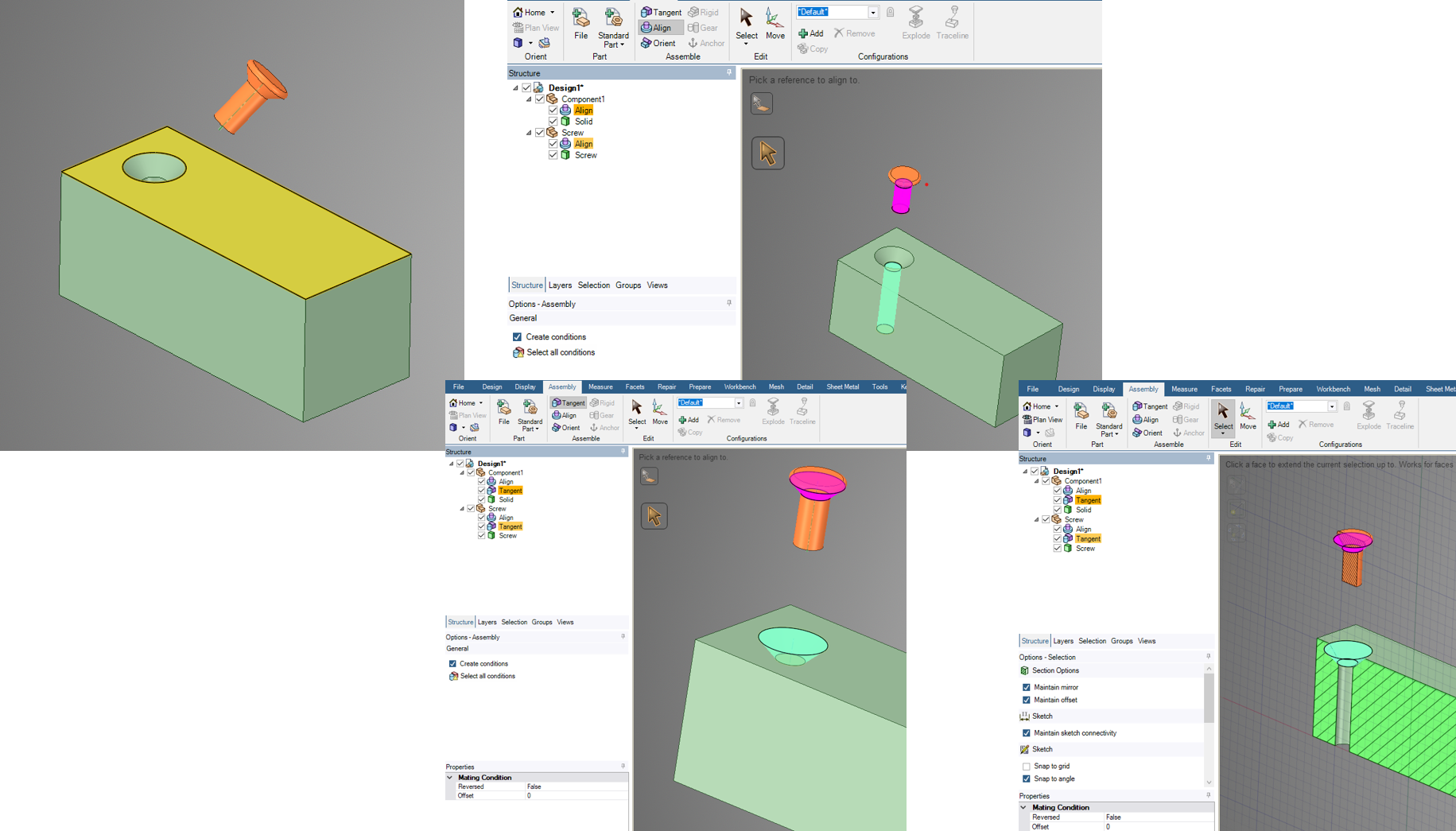
 I've got a simple assembly made of  one block and one screw, I'm trying to use assembly constraints to align them, but It seems that it is not possible to create a tangent constraint between conical surfaces. SpaceClaim creates the constraint and does not complain, however the screw is not moved into position. Is this a bug on SC or am I doing something wrong?
 I've managed to do it, but switching to a section view and doing the tangent selecting edges on the 2D view, but when I go back to a 3D view I'm able to move the screw out of its locations (using the move tool), as if the constraint was not holding the component in place.
I've attached picture and model if it helps to debug the problem
Thanks for your help
🛈 This post originally contained file attachments which have been removed in compliance with the updated Ansys Learning Forum Terms & Conditions -
June 19, 2020 at 8:28 am
Naresh Patre
Ansys EmployeeHello Gabriel Arias
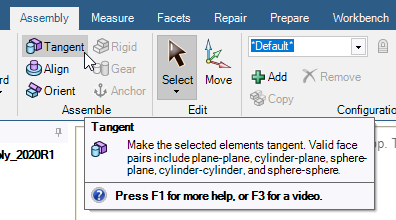
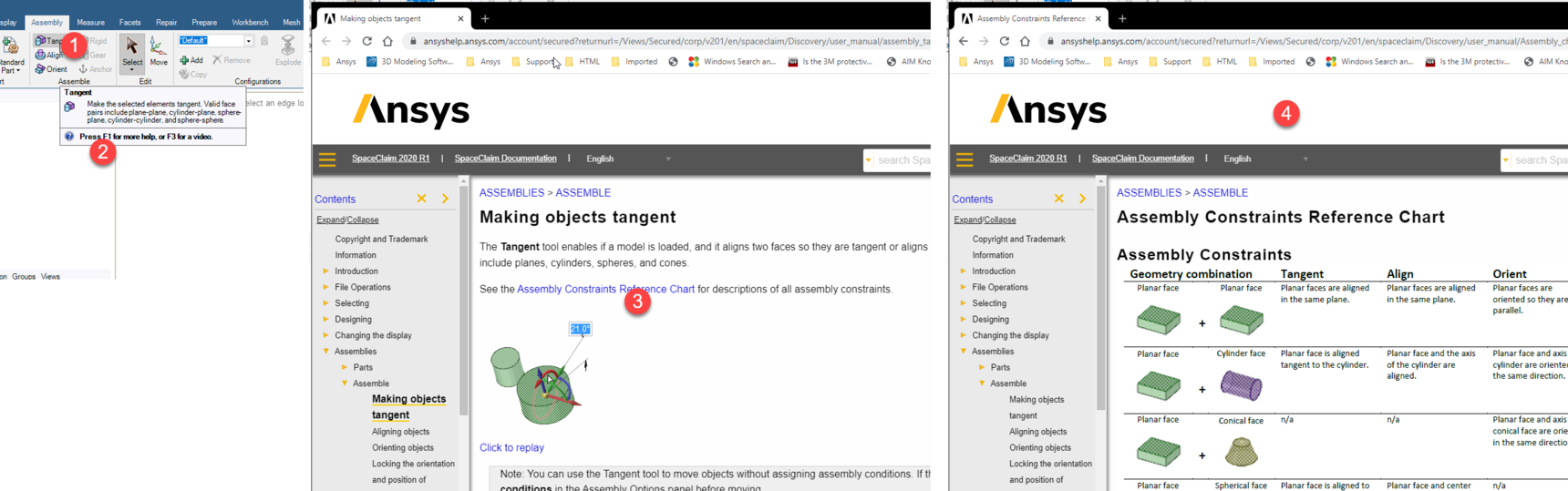
If you look at the quick tip of the Tangent constraint, it doesn't support conical faces. See below snapshot.
Using section view and doing the tangent selecting edges on the 2D view is a good option in such cases. This acts similar to sketch curve + sketch curve tangent constraint mentioned in Assembly Constraints Reference Chart. However, I noticed that if I move the screw component and not the body itself, the tangency maintains and the entire assembly moves. If I select the screw body and move it, the tangency condition gets deleted from the Structure tree and the screw comes out of the component. This looks like an issue which I will report it to the development tool.
-
June 19, 2020 at 8:35 am
garias
SubscriberThanks Naresh Patre
good point, I did not check it. thanks
-
June 19, 2020 at 6:38 pm
-
-
- The topic ‘Assembly Tangent alignment not working on conical faces’ is closed to new replies.

-
6485
-
1906
-
1458
-
1308
-
1022
© 2026 Copyright ANSYS, Inc. All rights reserved.