TAGGED: ansys-mechanical, ANSYS-student-version
-
-
August 1, 2025 at 10:42 pm
-
August 11, 2025 at 10:48 am
Rajeshwari Jadhav
Forum ModeratorHi Kamal,
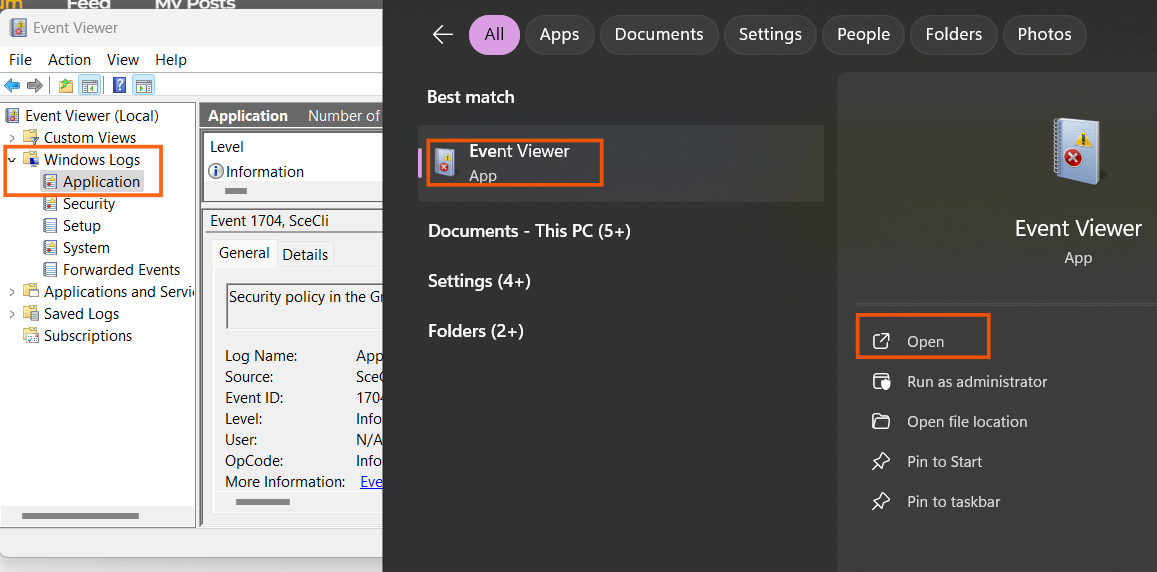
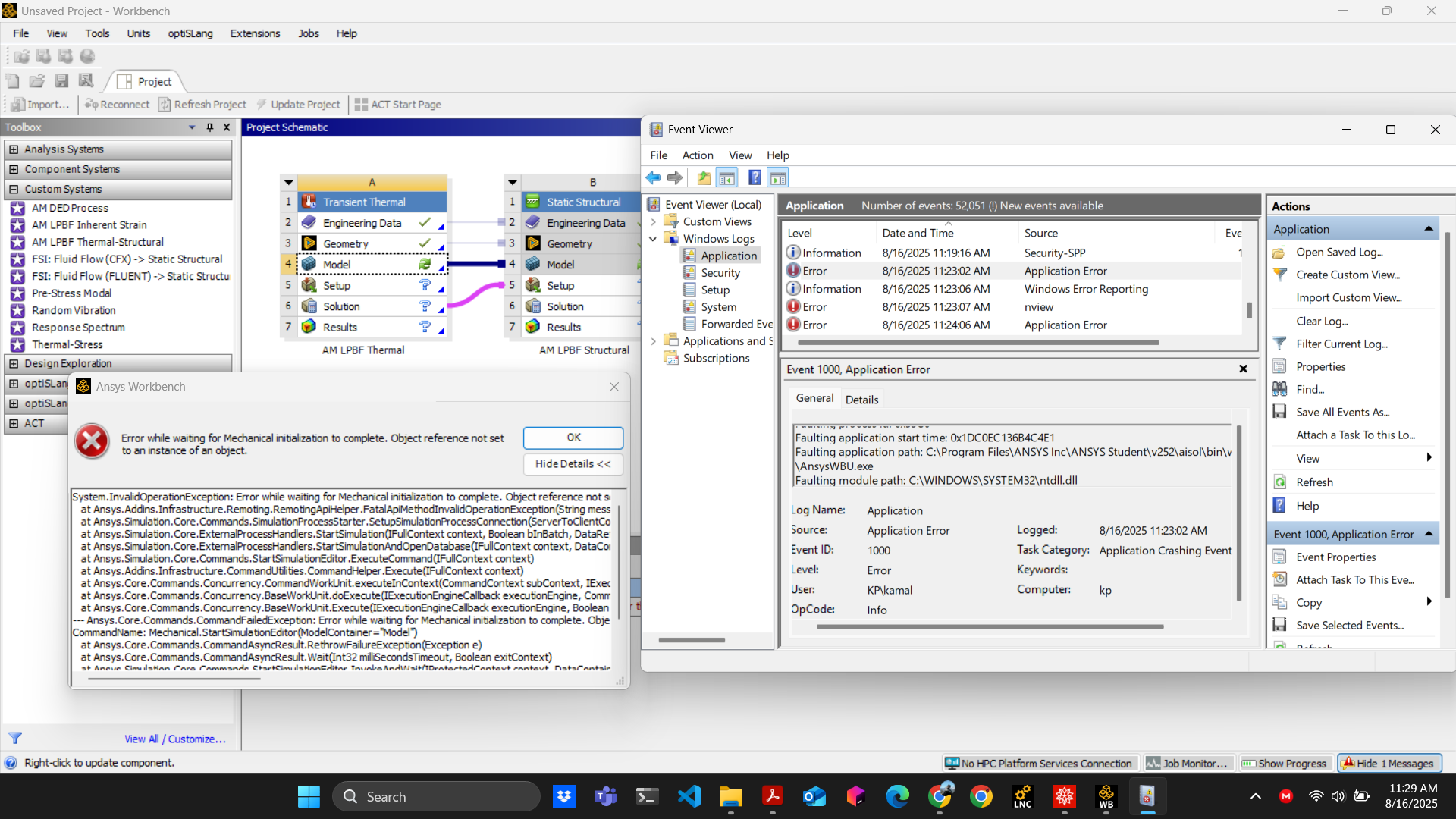
launch the workbench and re-produce the error then goto start menu> Event Viewer> Expand Windows log> Application> check if any error is visible related to Ansys Workbench.
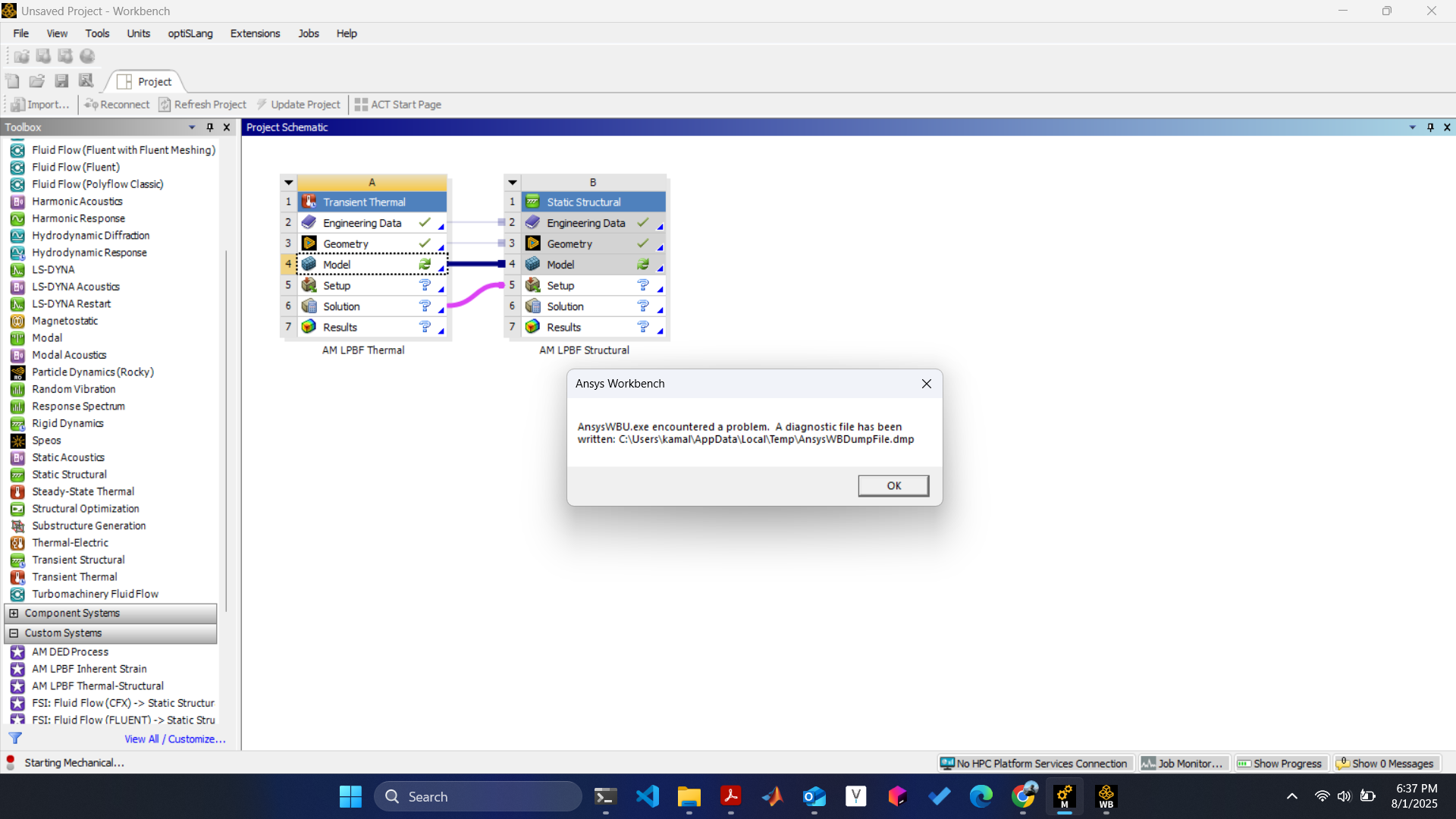
The error mentioned in the screenshot is a generic error and can be caused due to multiple reasons, ex: old graphics driver, system's *.dll blocking the software or 3rd party software blocking the application.
-
August 11, 2025 at 5:00 pm
kamal.patel30
SubscriberHey Rajeshwari,
Thank you for the reply. The message I get is "Error while waiting for Mechanical initialization to complete. Either the application crashed or Workbench lost communication with it." I tried reinstalling the software but I get the same error.
-
August 12, 2025 at 1:49 pm
-
-
August 16, 2025 at 3:26 pm
-
August 28, 2025 at 12:02 pm
Rajeshwari Jadhav
Forum ModeratorHi Kamal,
Rename the Ansys folder from %appdata% to Ansys.old
-
-
August 26, 2025 at 8:55 pm
wendholk1
SubscriberHi Kamal,
Were you able to get this fixed? I am also having this problem in some labs that I manage.
-
August 28, 2025 at 3:34 pm
kamal.patel30
SubscriberHi,
What worked for me is, first, I reinstalled the ansys software, then I analyzed the .dmp file, the core problem is a COM (Component Object Model) Exception error. (I think ANSYS Mechanical tries to find and use a specific Windows component or library that is either missing, corrupted, or not properly registered on the system.) So I followed the below commands.
Run Command Prompt as Administrator:
Re-register the critical DLLs: Type the following commands one by one in command prompt.
regsvr32 vbscript.dll regsvr32 jscript.dll
regsvr32 %systemroot%\system32\scrrun.dllRestart your computer.
Try launching ANSYS Mechanical again.
Hope its fixes your issues.
-
-
- You must be logged in to reply to this topic.
-
6625
-
1906
-
1469
-
1311
-
1022
© 2026 Copyright ANSYS, Inc. All rights reserved.