TAGGED: mechanical
-
-
October 26, 2022 at 8:44 am
tongfang.fu
SubscriberHi everyone,
I"m recently using an acedemic license of ANSYS Mecahnical, but I cannot find the ANSYS Motion module on ANSYS Workbench and it is also not included in Extension manager... Could you please tell me how to get access to it?
Best regards -
October 28, 2022 at 11:52 am
Sahil Sura
Ansys EmployeeHi @tongfang.fu,
You can find the details of the applications included in the Ansys Academic version as follows - Download Ansys Student | Workbench-based Simulation Tools
Extensions/ Add ons can be found in Ansys Store for specific products. You can add the Ansys Motion add-on from the following link- Ansys Store Ansys MotionV2020.2 created by Ansys Inc.
Hope this helps!
Thanks,
Sahil
Guidelines for Posting on Ansys Learning Forum -
July 7, 2023 at 3:39 pm
Omkar Bharambe
SubscriberHello,
I am new to Ansys motion and I am finding it difficult to apply torque to joints of a robotic arm (Let's call it a mechanism of links and joints). I want to replicate the work of a motor on the joints, so I want to apply a torque on the joints of the links instead of using the step function with displacement/velocity/acc.
I am using Ansys 2023 R1
Ansys motion preprocessor
Can someone please guide me on how to apply torques on joints and then simulate the stresses on the structure in post-processor? -
July 13, 2023 at 1:23 pm
Omkar Bharambe
SubscriberHello, I have created FE bodies for my model using mesh generation in Ansys motion preprocessor (2023 R1). When I click on run (for solving dynamic analysis and simulating in postprocessor), The program doesn't respond. I suspect the cpu running out of memory (32gb ram). Also, any specific reason it fails to solve the dynamic analysis of the model? Can someone please help me out regarding this issue?
I want to perform a dynamic analysis on a model (links and joints) in Ansys Motion (standalone). I have a few more problems apart from the dynamic analysis. I created FE bodies (individually) using mesh generation, and it shows them as separate from the default model bodies. Any reason behind this? Is it possible to generate mesh of the entire structure at one go or do I need to generate meshes of each component on the structure? For now, I have generated meshes of each component (took 10-15 min approx for each part, which I assume might be very long). Any guidance on how to optimally generate FE bodies of a model in Ansys motion preprocessor?
As the simulation was not responding for the model, I tried simulating with only one FE body.
Screenshots:
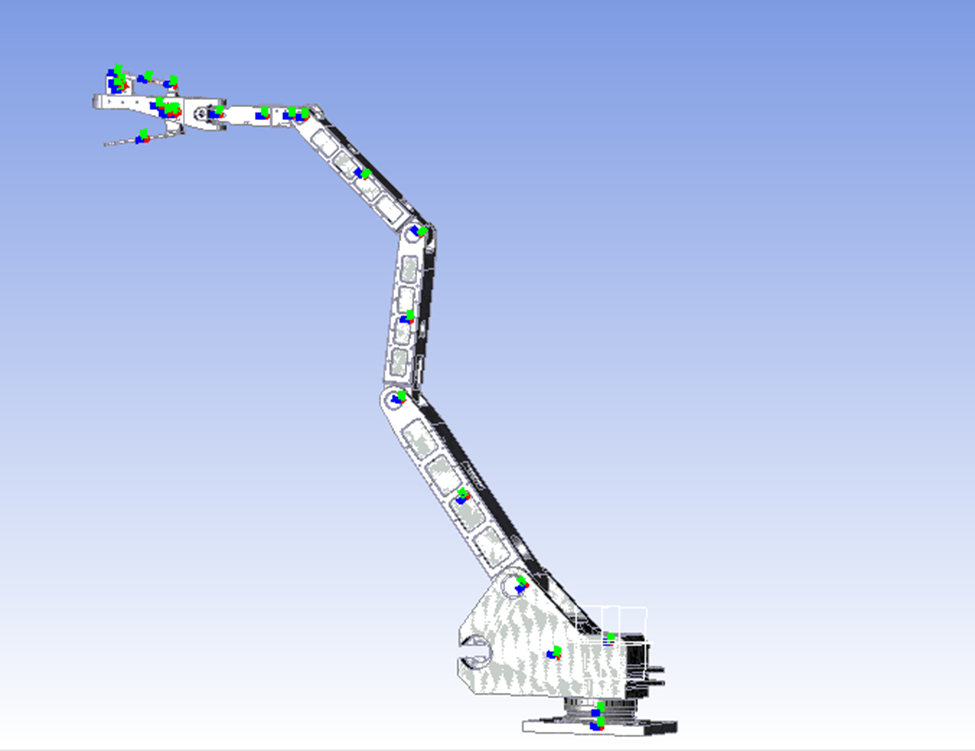
Model:
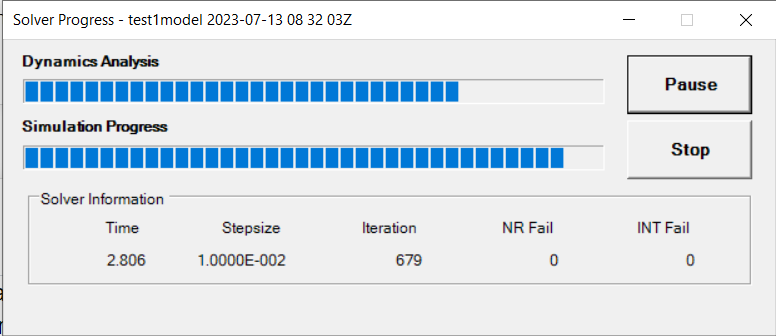
Simulation memory usage for only one FE body (took approx 45 minutes):

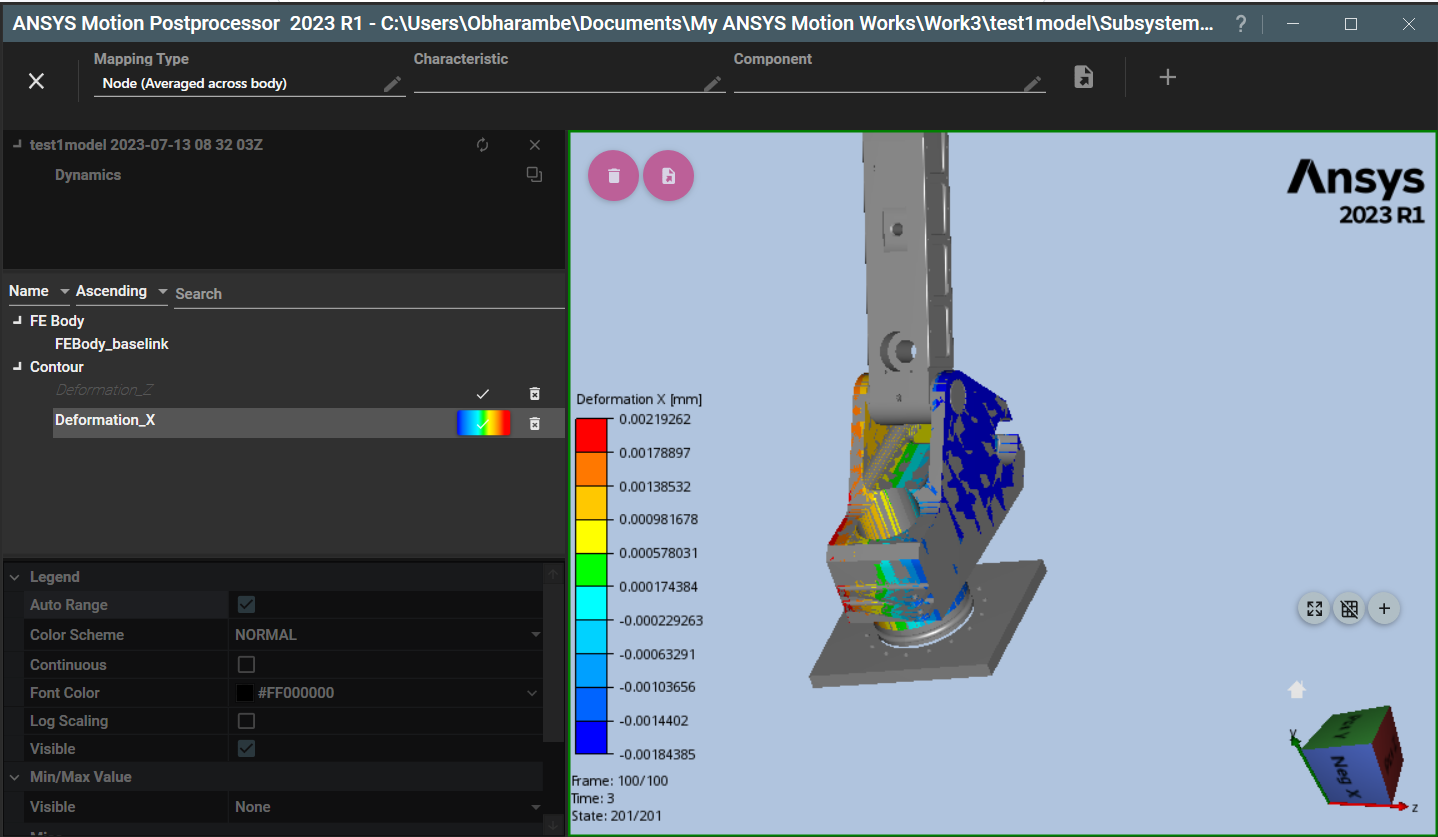
simulation visualization (one FE body, the triangular link near the base):
Simulation memory usage for entire structure:
-
- The topic ‘ANSYS Motion’ is closed to new replies.
- LPBF Simulation of dissimilar materials in ANSYS mechanical (Thermal Transient)
- Real Life Example of a non-symmetric eigenvalue problem
- How can the results of Pressures and Motions for all elements be obtained?
- BackGround Color
- Contact stiffness too big
- Element Birth and Death
- Python-Script to Export all Children of a Solution Tree
- Which equations and in what form are valid for defining excitations?
-
4597
-
1495
-
1386
-
1209
-
1021
© 2025 Copyright ANSYS, Inc. All rights reserved.