Ansys Assistant will be unavailable on the Learning Forum starting January 30. An upgraded version is coming soon. We apologize for any inconvenience and appreciate your patience. Stay tuned for updates.
Ansys Products

Ansys Products

Discuss installation & licensing of our Ansys Teaching and Research products.

Ansys Maxwell fields results over a rectangle

    • grigorios.sergentanis
      Subscriber


      Hi All,

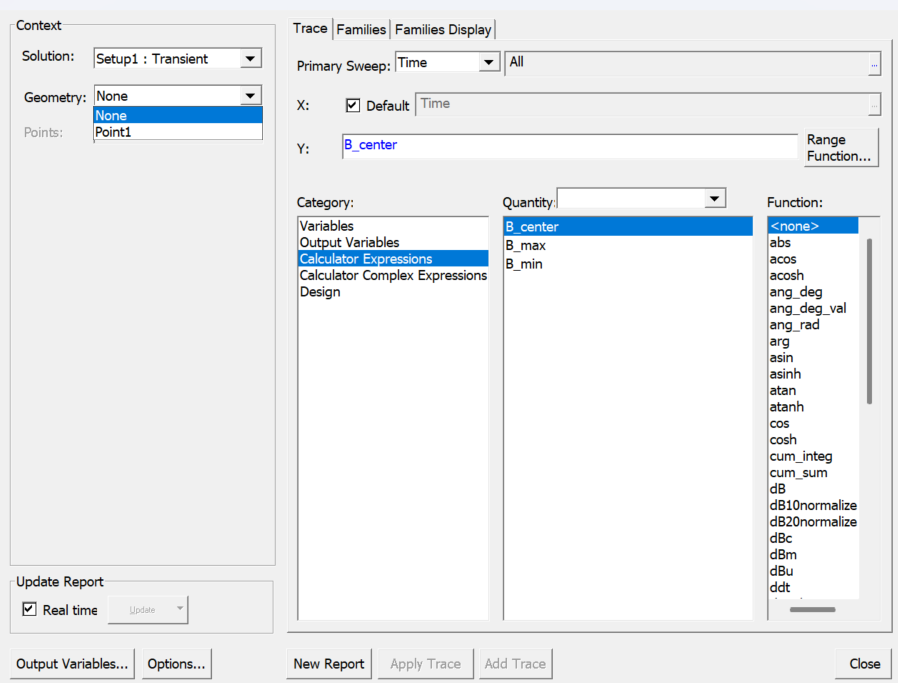
      I'd like to export B field data over time from my 2D-Transient simulation into a .csv file eventually. I'm trying to do this using the Fields Report -> Data Table method, but I need the field data over a rectangular area; I have a rectangle defined in the geometry, but I cannot get it to show in the context. Does anyone know how to achieve this? I'm aiming for a 3 dimensional matrix with (X,Y,Time) variables and MagB as the result.

    • NKC
      Forum Moderator


      Hi grigorios.sergentanis,

      To export the B field (MagB) data over time from your 2D-Transient simulation in Ansys Maxwell, you need to use the Fields Calculator


      • Open the Fields Calculator after your simulation has completed.
      • Set the Quantity to B and choose Mag for the vector operation.
      • For geometry selection, choose the surface corresponding to your rectangular area. If the rectangle does not appear in the context, ensure it is properly defined as a selectable object in the geometry setup. You may need to re-define or re-import the rectangle as a named surface or region.
      • Go to Output and select Export. Specify the grid points or coordinate range covering your rectangle. You can manually input the grid, or import from an external file if you have the mesh coordinates.
      • Set the file name and format (typically .txt or .json). The exported file will contain columns for X, Y, (Z if 3D), and MagB values.
      • Repeat the export for each time step, 
      • Convert the exported file to .csv format


        Regards
        Navya
    • grigorios.sergentanis
      Subscriber

      Hello Navya,

      Thank you for your reply. Can you let me know where you've found the transient export option please? I do not see it in Maxwell, and I did a quick lookup on the manual where it also returns no results. I'm looking to avoid doing it manually once per timestep, as there are quite a few of them.

      Kind regards,

      Greg

    • NKC
      Forum Moderator


      Hi grigorios.sergentanis,
      I just looked it up, and it is not in the field calculator process, but while plotting the field, where we select multiple time steps.
      That stepis not for the field calculator.
      Apologies for the confusion.


Viewing 3 reply threads
  • You must be logged in to reply to this topic.
[bingo_chatbox]