-
-
August 10, 2018 at 4:09 pm
wajidthebest
SubscriberI just downloaded ansys 19.1 student version. When i'm launching Fluent application it says "Fluent application failed to start". What to do?
-
August 10, 2018 at 5:22 pm
tsiriaks
Ansys EmployeeHi wajidthebest,
One of the most common causes of this issue is graphics.
Please try running Fluent in non-graphic mode by using this command in the CMD Prompt (change your installation directory accordingly)
"C:Program FilesANSYS IncANSYS Studentv191fluentntbinwin64fluent.exe" ^-r19.1.0 3d -g -meshing
Does this work ? If so, you have issue with graphics. If not, this is something else, please attach the screenshot of the error that you see here.
Thank you,
Win
-
August 10, 2018 at 6:03 pm
-
August 10, 2018 at 7:24 pm
tsiriaks
Ansys EmployeeHi wajidthebest,
That command was to try running Fluent in non-graphic mode to identify if graphics is the issue. It's not intended to fix the issue that you currently have.
From the screenshots that you sent, it seems both modes have the same issue that it got stuck when it's trying to spawn processes.
Let's try to rule out another issue.
In Fluent launcher (either launch from shortcut or run this command "C:Program FilesANSYS IncANSYS Studentv191fluentntbinwin64fluent.exe"  , with quote)
try this setting
Processing Options : Parallel (Local Machine)
Processes : 0
GPGPUs per Machine : None
Can you launch successfully with this setting ? If so, something on your systems prevent you from spawning multiple processes. Check your security/anti-virus software.
Thank you,
Win
Â
Â
-
August 10, 2018 at 8:00 pm
-
August 10, 2018 at 9:23 pm
tsiriaks
Ansys EmployeeHi wajidthebest,
Fluent actually launches successfully now. The issue is something else.
Have you tried with different geometry/model/mesh ? Can you start a test Workbench project, create a simple block in SpaceClaim , then use generate mesh and try open up the setup cell again.
If that doesn't work, close all ANSYS applications, then rename folder v191 in this directoryÂ
%AppData%Ansys   (please copy and paste this in the Windows Explorer address bar)
to anything else (e.g., v191.old)
and try with test project again.
Â
Thank you,
Win
-
August 11, 2018 at 5:52 am
-
August 13, 2018 at 9:50 am
Rob
Forum ModeratorFluent looks to have started, but isn't reading the mesh. Just to confirm you have a 3d mesh and not a shell? Can you open any of the tutorials available via the Help system?
-
August 29, 2019 at 11:58 am
vighnesh
SubscriberHello there,
I am facing similar issue on Ansys version 19.2 (Fluent).Geometry,meshing works fine only setup file doesn't start but pops up with an error window saying "The FLUENT application failed to start".
Regards,
Vighnesh
-
August 30, 2019 at 9:52 am
Rob
Forum ModeratorIf you create a new Fluent workflow can you open Fluent then? Â
-
August 30, 2019 at 11:26 am
vighnesh
SubscriberNo..same window pops up.
-
August 30, 2019 at 11:27 am
-
August 30, 2019 at 12:34 pm
Rob
Forum ModeratorDrag a Fluent component onto the Workbench system and do NOT connect to anything else. Will that open? Just want to double check it's not your mesh: what are the messages?
-
August 31, 2019 at 5:10 am
vighnesh
SubscriberStill it doesn't open. pops up same thing. Opened new workbench 2019 R2--->drag and drop fluid flow (fluent)-->double click on setup-->Ok on launcher ( no changes done- 2d,serial,double precision).
-
September 5, 2019 at 5:57 am
-
June 7, 2023 at 9:00 pm
Peter Kelly-Zion
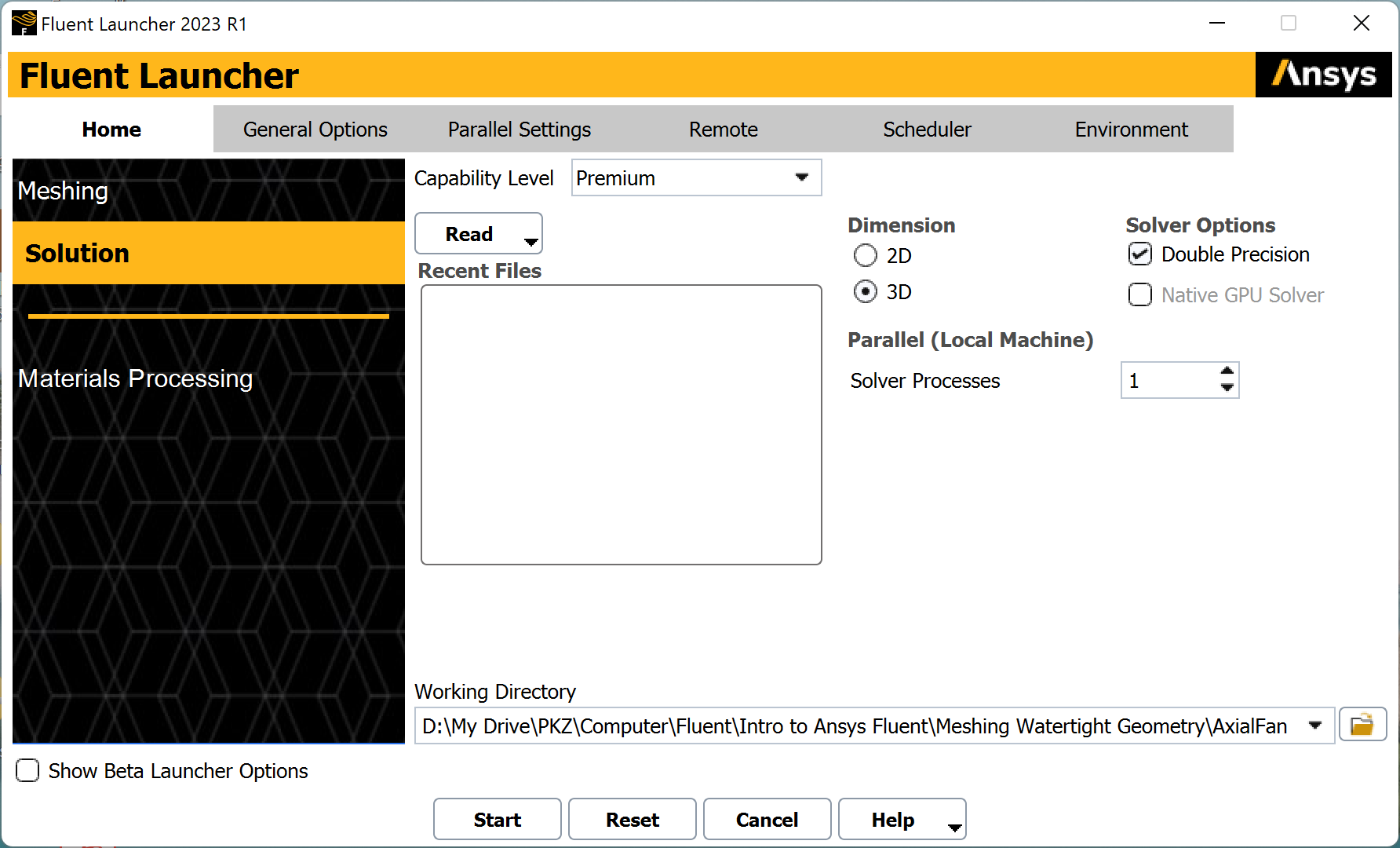
SubscriberI am trying to launch Fluent in the Meshing mode, following the instructions in an Ansys tutorial. Upon getting the following window, when I click on "Meshing", the window disappears and Fluent does not launch. I am using the student version. Am I unable to lauch Fluent in Meshing mode using the student version, or is there something else that is causing a problem?
-
June 8, 2023 at 11:04 am
Rob
Forum ModeratorYou can open Fluent Meshing as a Student user. Please post into a new thread for attention.Â
-
- The topic ‘Ansys Fluent not working’ is closed to new replies.
-
4678
-
1565
-
1386
-
1241
-
1021
© 2025 Copyright ANSYS, Inc. All rights reserved.
.jpg?width=690&upscale=false)